Granular Search on Bookings Report By Transaction
Due to the type of data contained in the Bookings Report By Transaction section, we’ve added a dropdown that allows you, the business, to select which column of data you would like to search specifically. This means you no longer need to download the report in order to filter it further. Efficient, right?
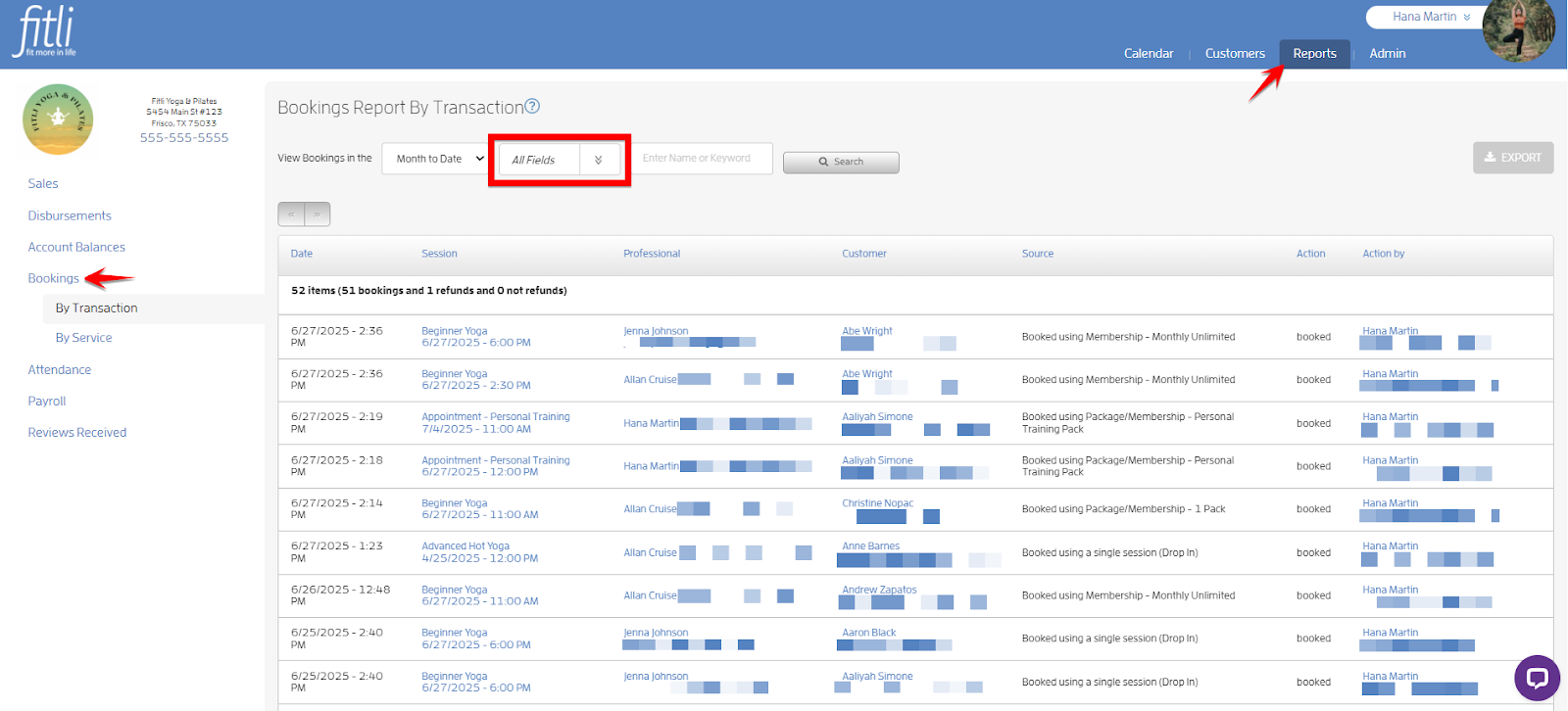
The dropdown defaults to “All Fields”, and when this default is selected, the search function will search across all available data. However, if you select any other option from the dropdown, the search will be confined to that specific column of data. In the example below, the business selected “Month to Date” (which is the default) on the date picker, “Session” on the pulldown, and searched for the Summer Series session.
Note: The business used “Summer” as a keyword instead of “Summer Series” to pull up more search results. Less is more, more is less.


Once you’ve located your desired result, you can click the Export button to download the file as a .csv for documentation purposes. The downloaded file will reflect your filtered search results.


That's about it! Any questions? Chat with us at fitli.com or send us an email to support@fitli.com.
Related Articles
Bookings Report!
More about Bookings Report! Sections: The Bookings Report has 2 sections: Bookings Report By Transaction and By Service. Bookings Report By Transaction Bookings Report By Service Search Box, Pulldowns and Pagination: You can search/filter by using ...View Bookings Report for a Single Session
Viewing the bookings report for a single session is easy. Just follow the step-by-step guide below. Prerequisites: - You should have classes set up on your business calendar. - You should have "Reporting" permission. - You should have any of the ...Can I search my Sales Report, or sort the data in any way?
We know the Sales Report is your most important spot to see, in real time, how much money you're making, which clients are purchasing and what they're buying, and be able to search for specific information to help your business. You can check your ...Understanding your Disbursement Report
The Disbursement Report summarizes the amount of funds that will be deposited to your account on each day and shows all the transactions that are part of that disbursement. This report will show Card and/or ACH disbursements (if you accept ACH ...Customer Payment History Report
This feature will easily allow you and your instructors to view your customers’ Payment History report within their profiles. Pre-requisites: The business user/instructor should have a Fitli account. The business user/instructor should be connected ...