
Promotion codes are discount codes provided by your business that allow you to purchase/book at a discounted rate. These discounts can be in the form of EITHER:
1 - A percentage discount (50% off, etc).
2 - A dollar amount discount ($10 off, etc).
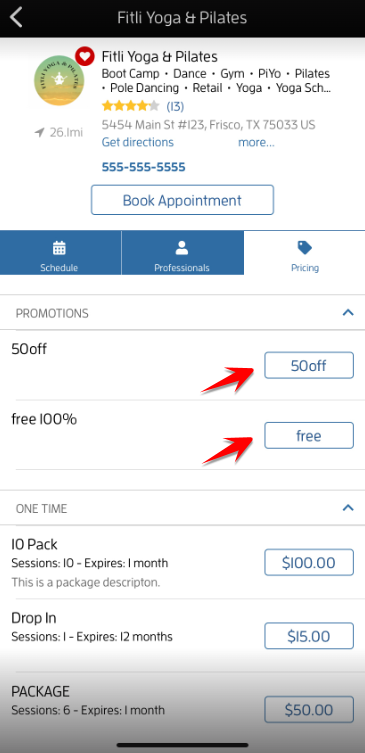
To check your business' available promos/discounts, tap "Pricing". You'll see their offers under PROMOTIONS similar to the one below.
Note: Not all businesses offer promos/discounts. Some have them but choose not to make it available to the public. Businesses have the right to put limitations to their promos/discounts. For more info, contact your business directly.
How to Use Promo Codes?
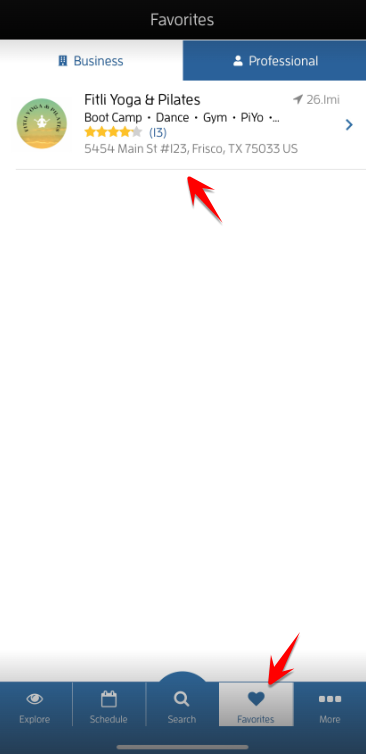
First, log in to your account then go to "Favorites" then tap your business.
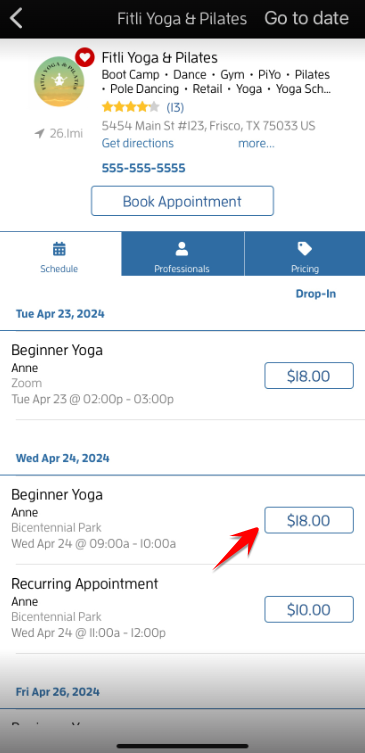
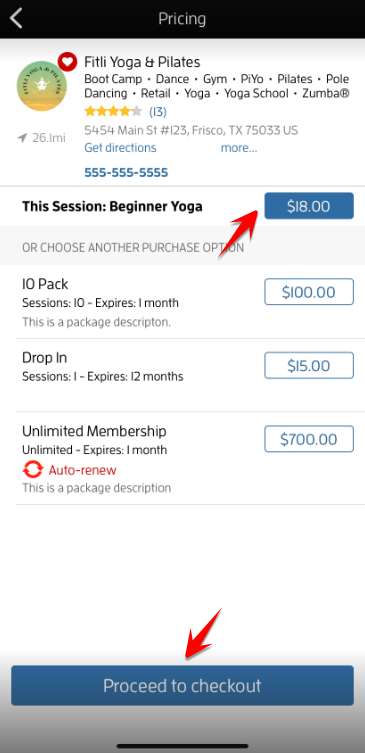
You can either select an item to purchase on the "Pricing" section or book a session. In the example below, let's book a session by purchasing the drop-in price.
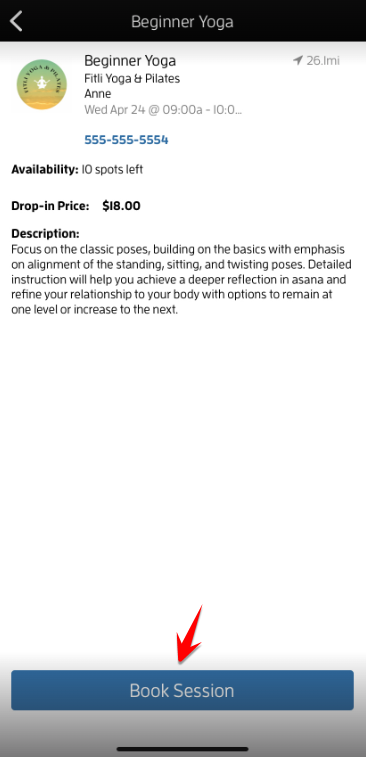
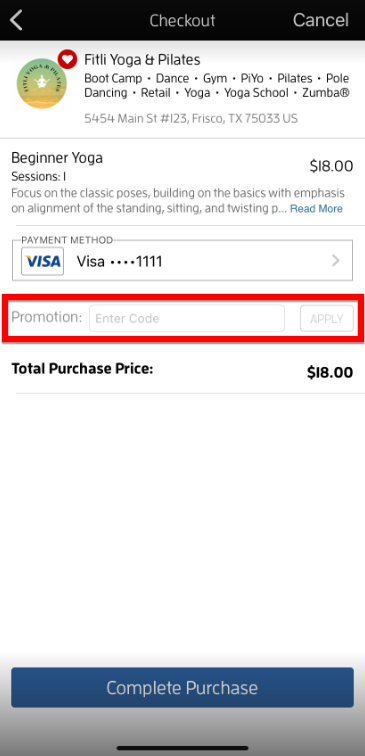
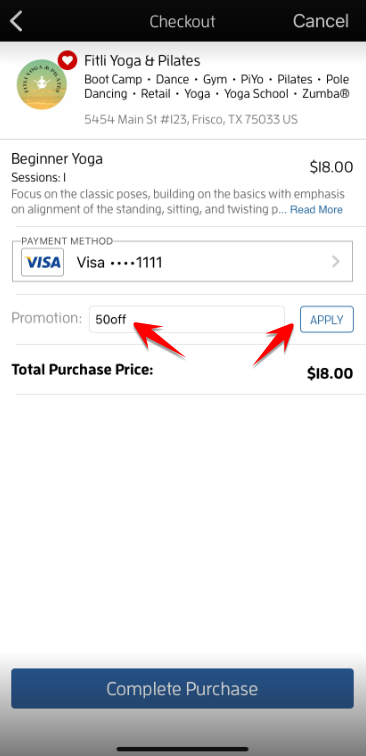
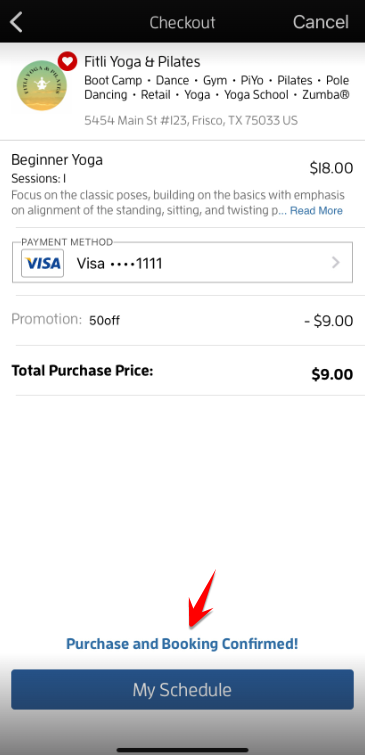
On the "Checkout" page, enter the promo code on the "Promotion" field then hit APPLY. The price will be automatically calculated showing the deduction and the discounted total purchase price. Tap "Complete Purchase" to confirm.
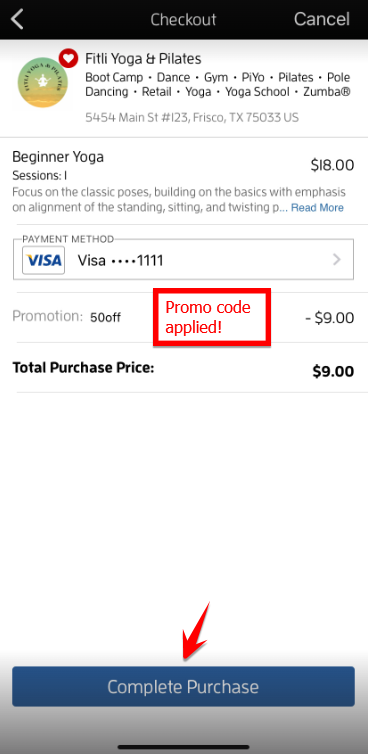
A confirmation will appear at the bottom that you successfully paid and booked the class.
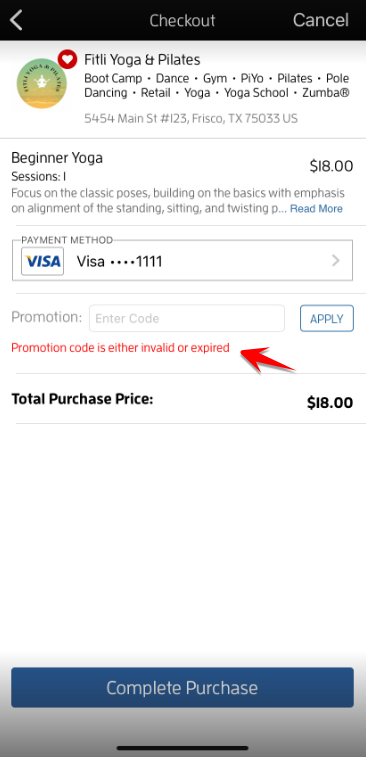
If you see an error after applying the promo code similar to the one below, make sure you have the correct promo code. The "Promotion" field is case sensitive. If you're sure you entered the correct promo code, contact your business directly for more info.
That's about it! Any questions? Chat with us or send us an email to support@fitli.com.