
Are you a previous, current, or prospective client that would like to contact a business listed on Fitli for more information but aren't quite sure how to do that? Don't worry! We've got you covered. Here's a brief guide on how to do it.
For New and Old Clients:
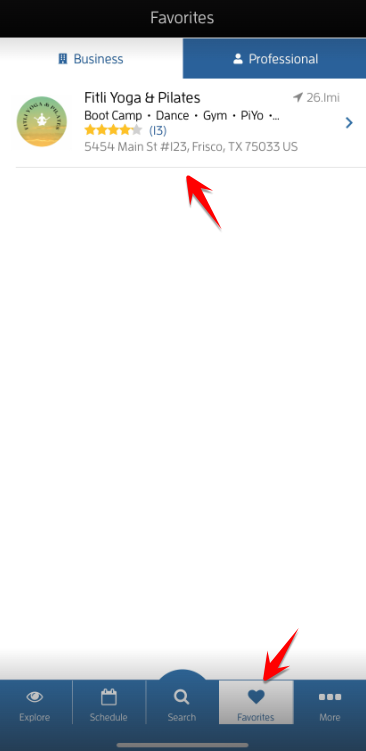
To contact the business, log in to your Fitli Account then go to "Favorites" then tap your business.
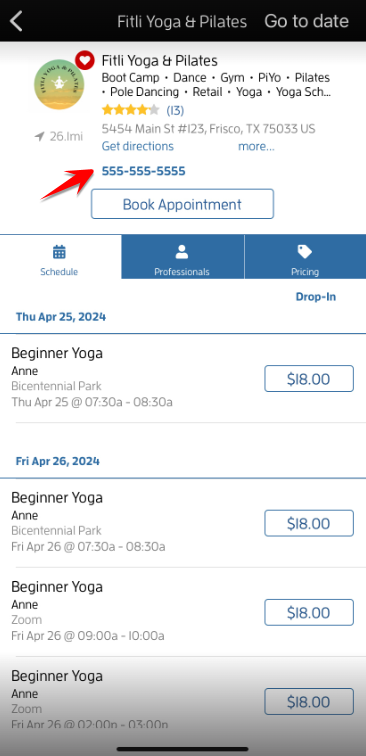
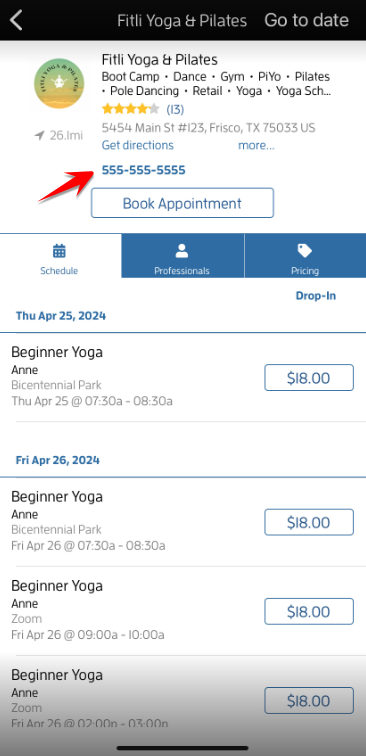
Tap your business' contact number at the top.
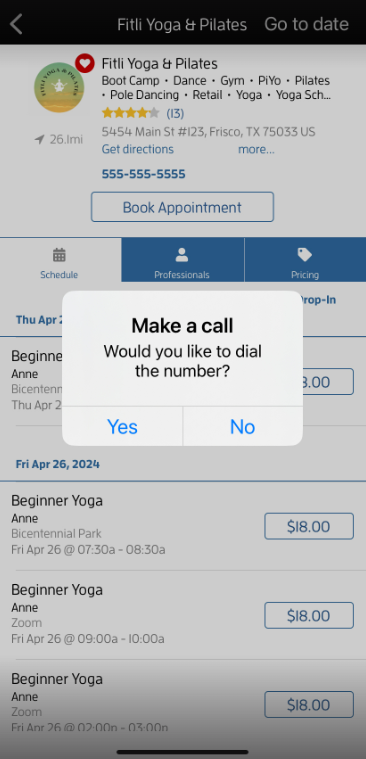
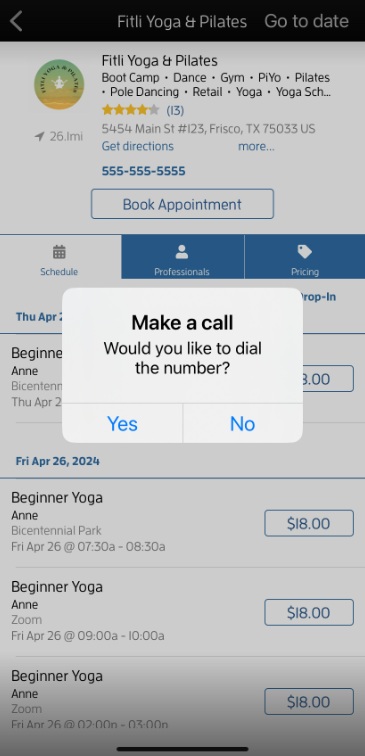
Tap "Yes" to call them.
For Aspiring Clients:
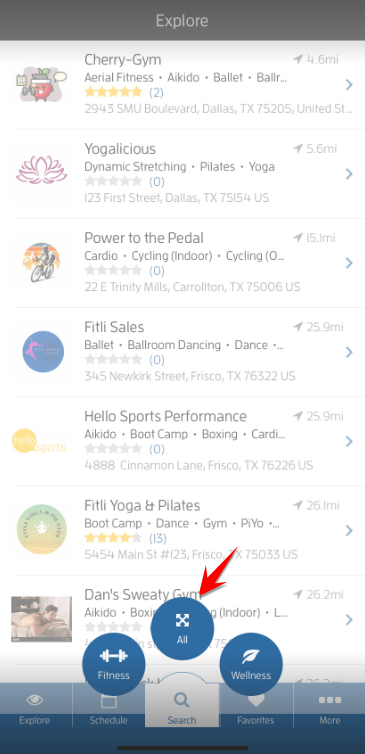
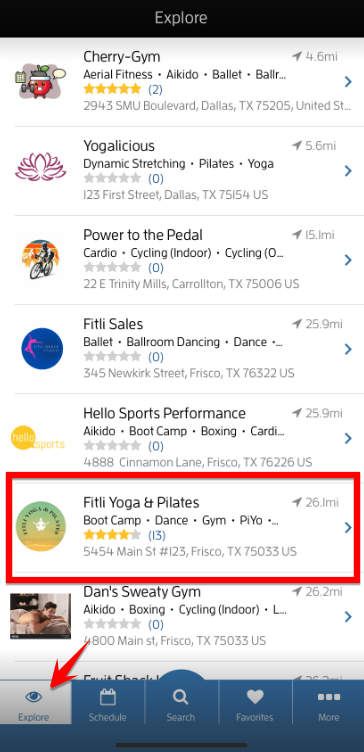
Tap "Explore" or "Search" to use our "Search Builder to search for the business.
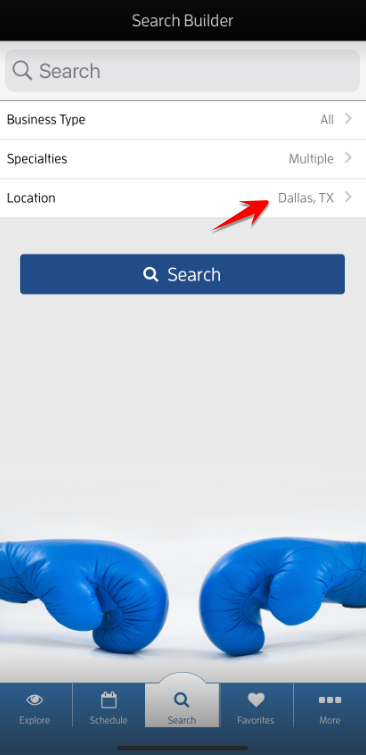
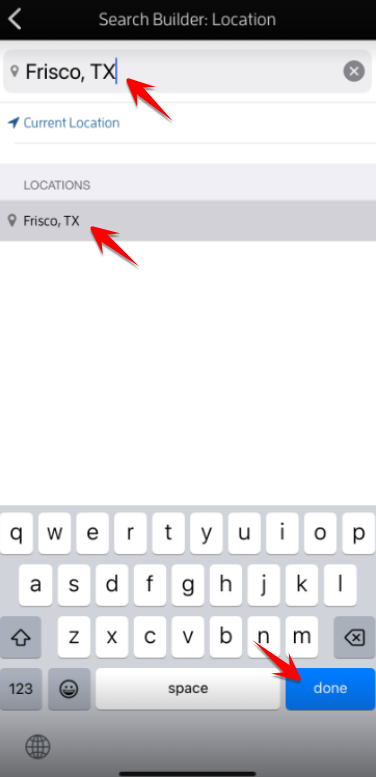
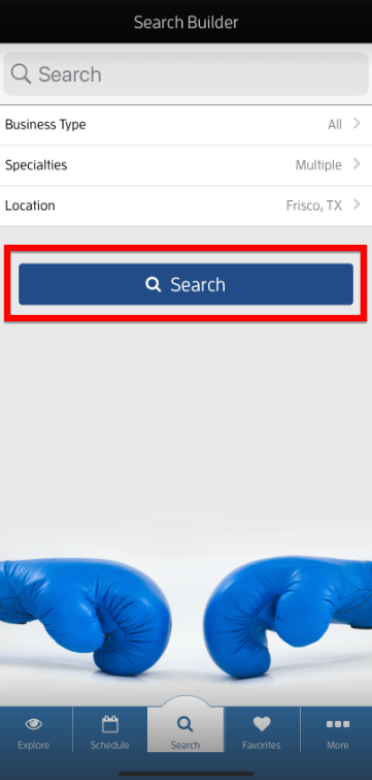
Tip: If you're going to use the "Search Builder", tap "All". On the "Search Builder" section, type the business' city on the "Location" field, tap the city and state, done then "Search". Alternatively, scroll up on the "Explore" page until you find the business.
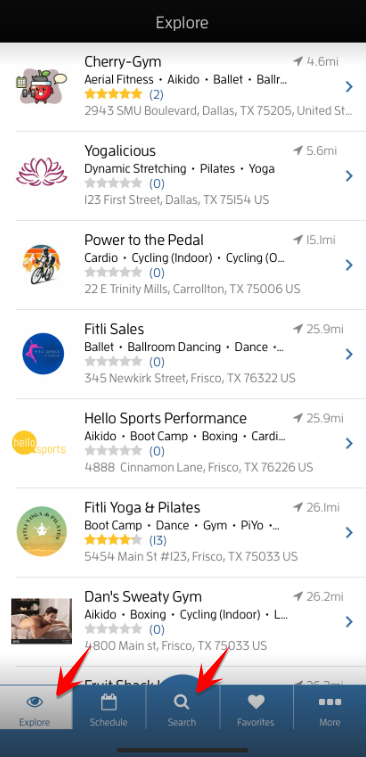
Once you find the business, tap it to open its profile.
Tap the business' contact number at the top.
Tap "Yes" to call them.
That's about it! Any questions, Chat with us at fitli.com or send us an email to support@fitli.com.