Mobile version: How to Reschedule an Appointment?
Are you a customer or client of a business, who wants to reschedule an appointment? Here's how.
First, log in to your Fitli personal account. You'll typically be taken directly to your schedule/calendar, where you can view any and all upcoming classes or appointments you have.
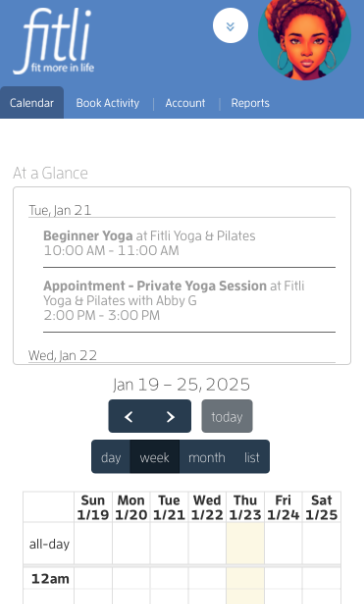
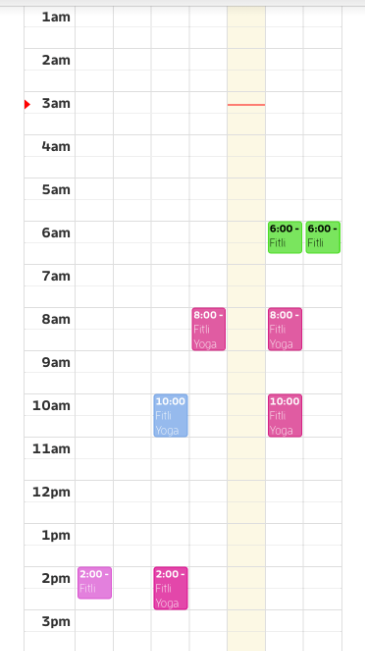
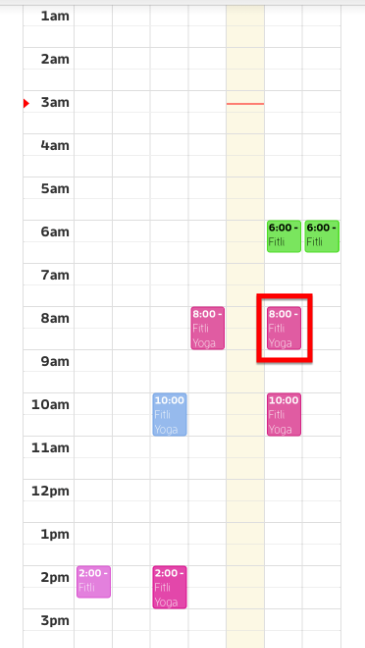
Tap the appointment you want to reschedule to open its profile.
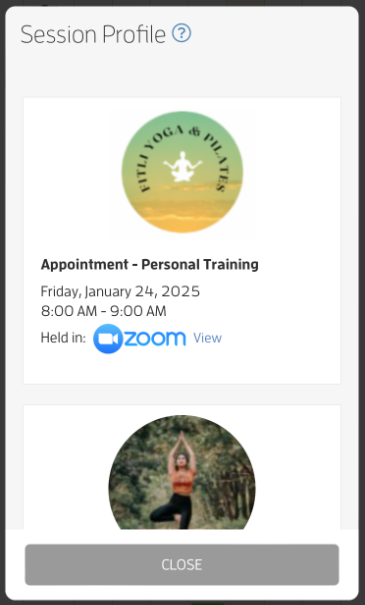
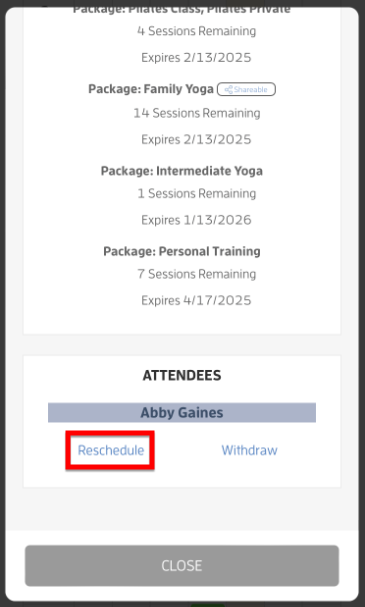
On the session profile, scroll at the bottom and tap the Reschedule link.
NOTE: Rescheduling is only available for appointments if the business allows client booking for the appointment, if the session is both still in the future and the session doesn’t have any cancellation policy active.
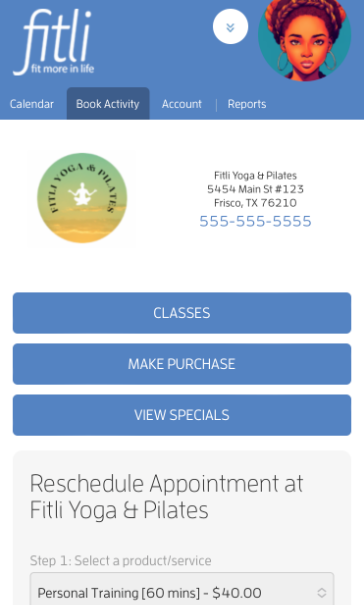
On the Reschedule Appointment page, you can choose a different trainer or leave it the way it is then choose the date and/ or time.
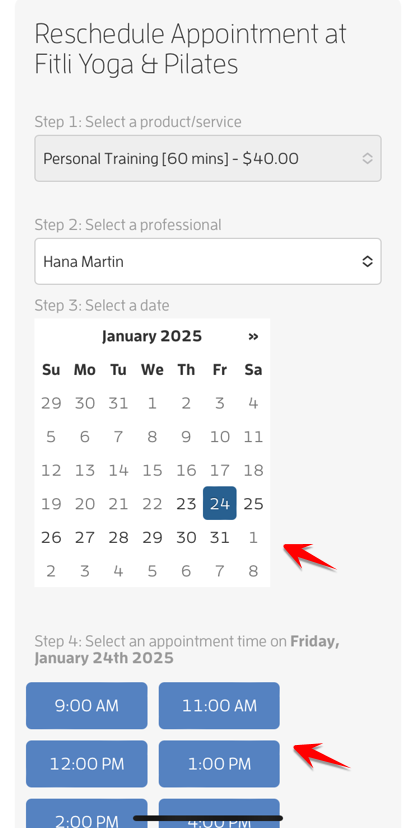
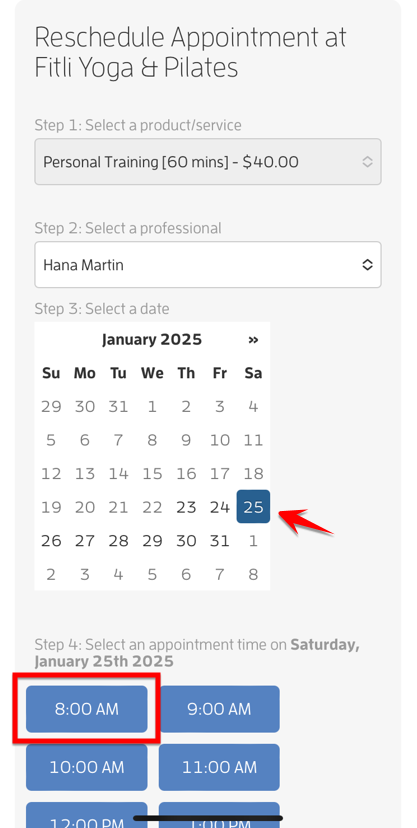
Tap CONFIRM and CLOSE.
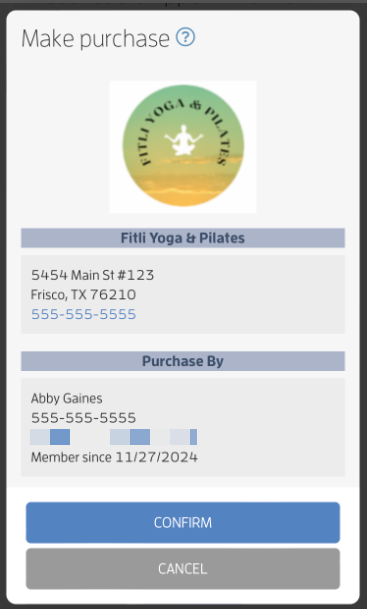

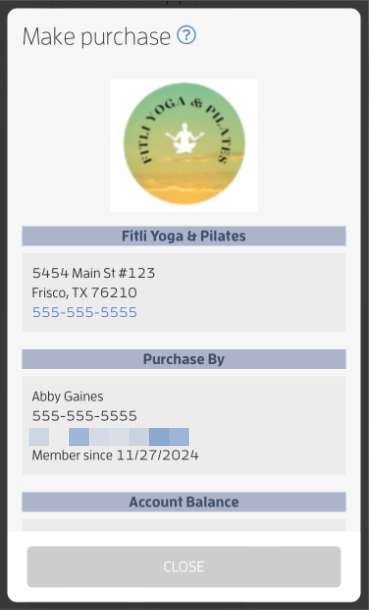
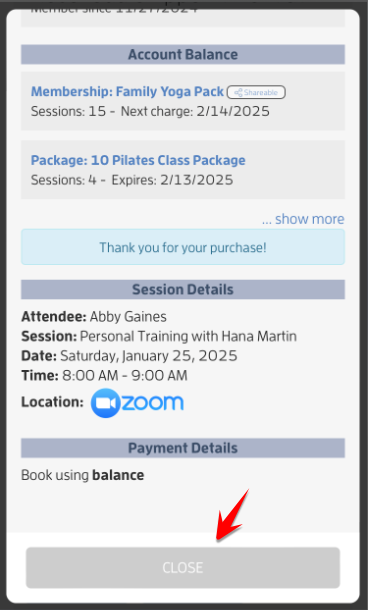
That’s it you’re done!
What will happen next?
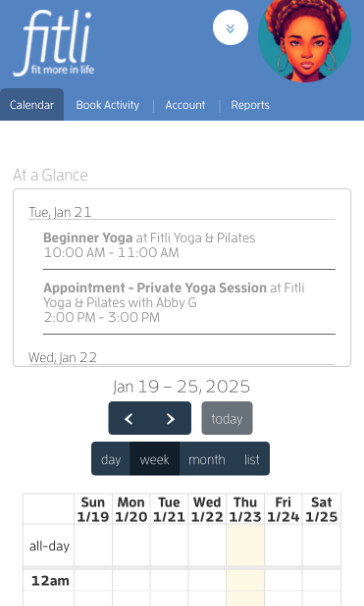
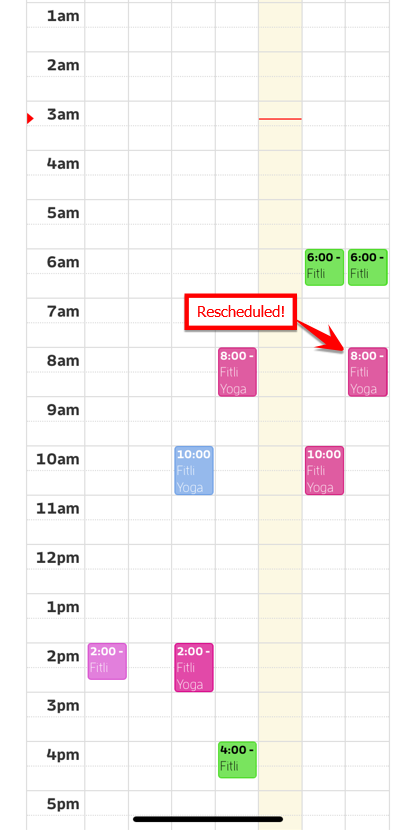
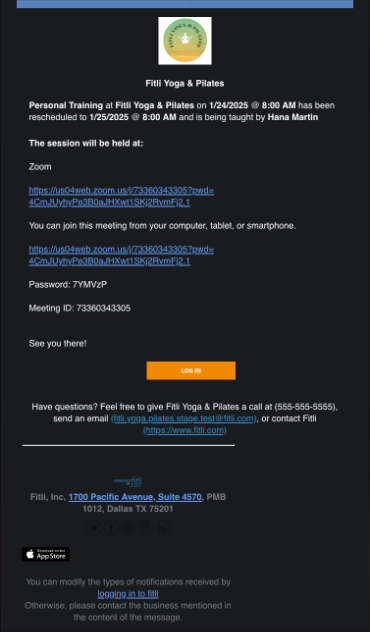
Once you’ve rescheduled the appointment, you’ll see it on your calendar in the new time slot and you’ll receive a rescheduled appointment email. Screenshots below.
IMPORTANT:
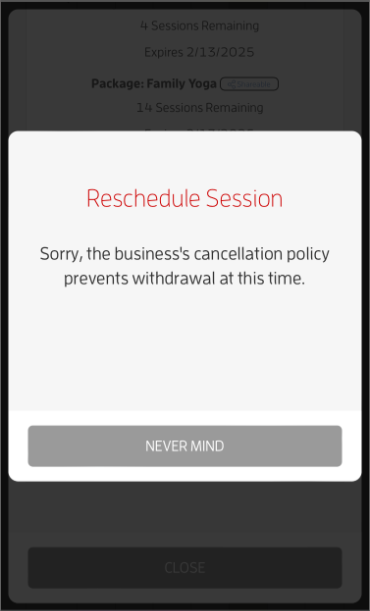
If the appointment you’re trying to reschedule is within any cancellation policy window set up by the business, you won’t be able to reschedule. For more info, contact the business directly.
That's about it! Any questions? Chat with us or send us an email to support@fitli.com.
Related Articles
iOs App: How to Reschedule an Appointment?
Are you a customer or client of a business, who wants to reschedule an appointment? Here's how. First, log in to your Fitli personal account. You'll typically be taken directly to “More”. Tap the “Schedule” button to view any and all upcoming classes ...Personal Guide: How to Reschedule an Appointment?
Are you a customer or client of a business, who wants to reschedule an appointment? Here's how. First, log in to your Fitli personal account. You'll typically be taken directly to your schedule/calendar, where you can view any and all upcoming ...Business Guide: How to Reschedule an Appointment?
Rescheduling an appointment is easy. Here’s how. Log in to your Fitli business account then click the appointment on your calendar to open its profile. Click the RESCHEDULE button. On the Reschedule Session page, you can change the professional and ...Mobile version: Relationships - Appointment Bookings! (Client Guide)
You can book yourself and your relationship/s into appointments with just a few taps! Here's how. Step 1: Choose the "Appointment" option to book. Then scroll up, choose the service, trainer, date and time. Step 2: Then, choose yourself or any of ...Mobile version: How to Add Relationships
If you want to share balances with your family, relatives and/or friends, you can add them as your Relationships! To do this, tap "Account" at the top menu, select "Relationships" on the pulldown and tap "+Add Relationship". Fill the "+ Add ...