How to Skip Renewals for Auto-Renewing Memberships?
This feature will allow business users with Assist Customer access to skip future plan renewals beyond the next charge date for both Limited and Unlimited Auto-Renewing plans with just a few clicks. Here’s how.
Go to your customer’s profile on your Customers list and scroll down to "Auto-Renewing Plans".
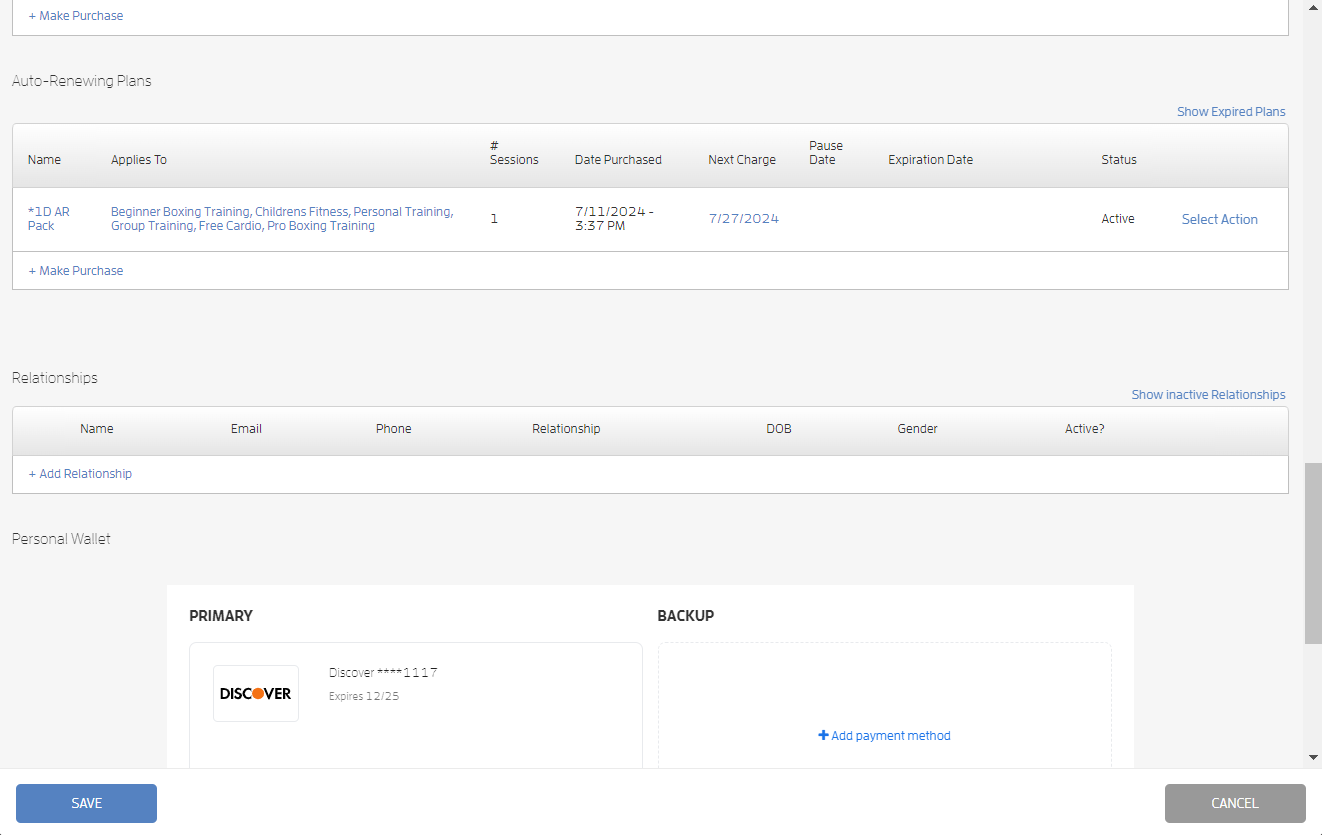
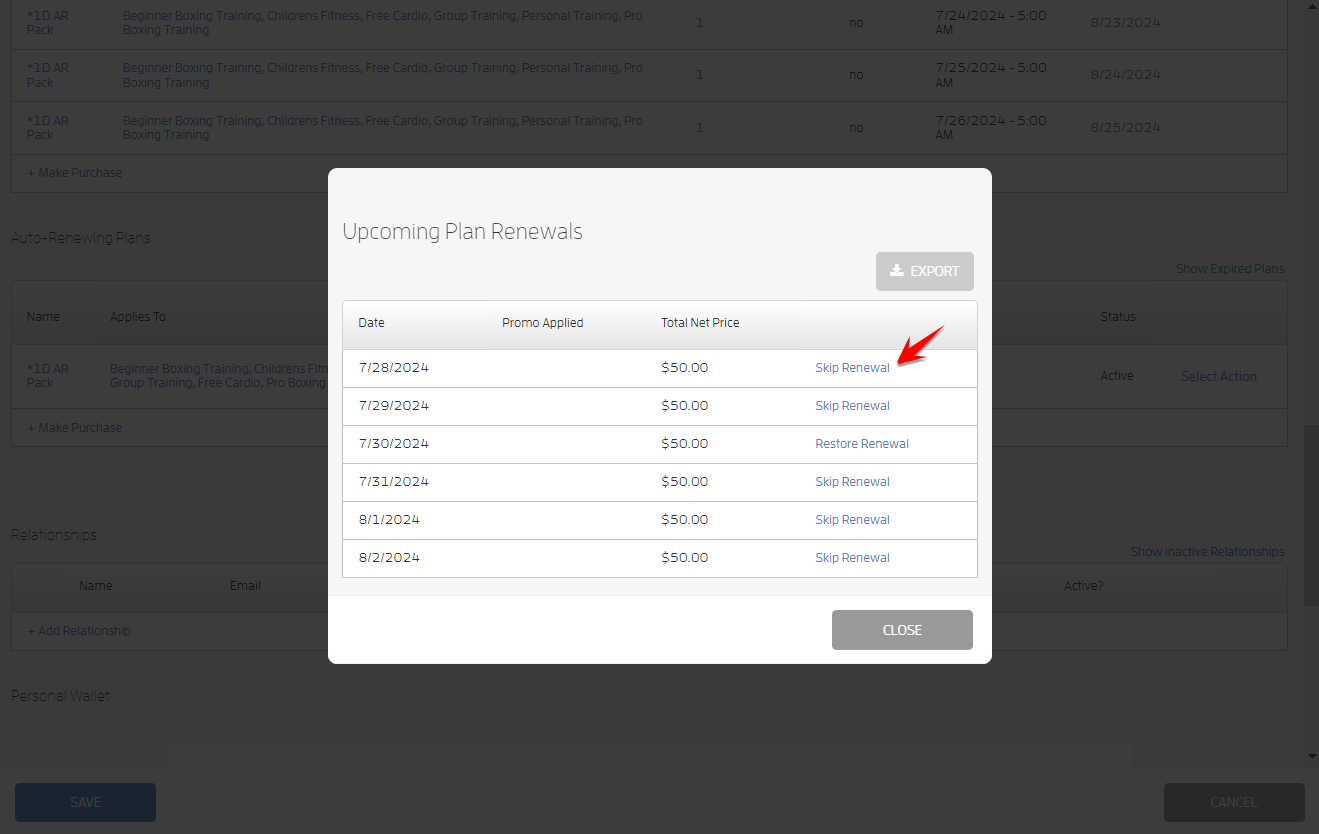
Click the "Select Action" link and choose "View Upcoming Renewals."
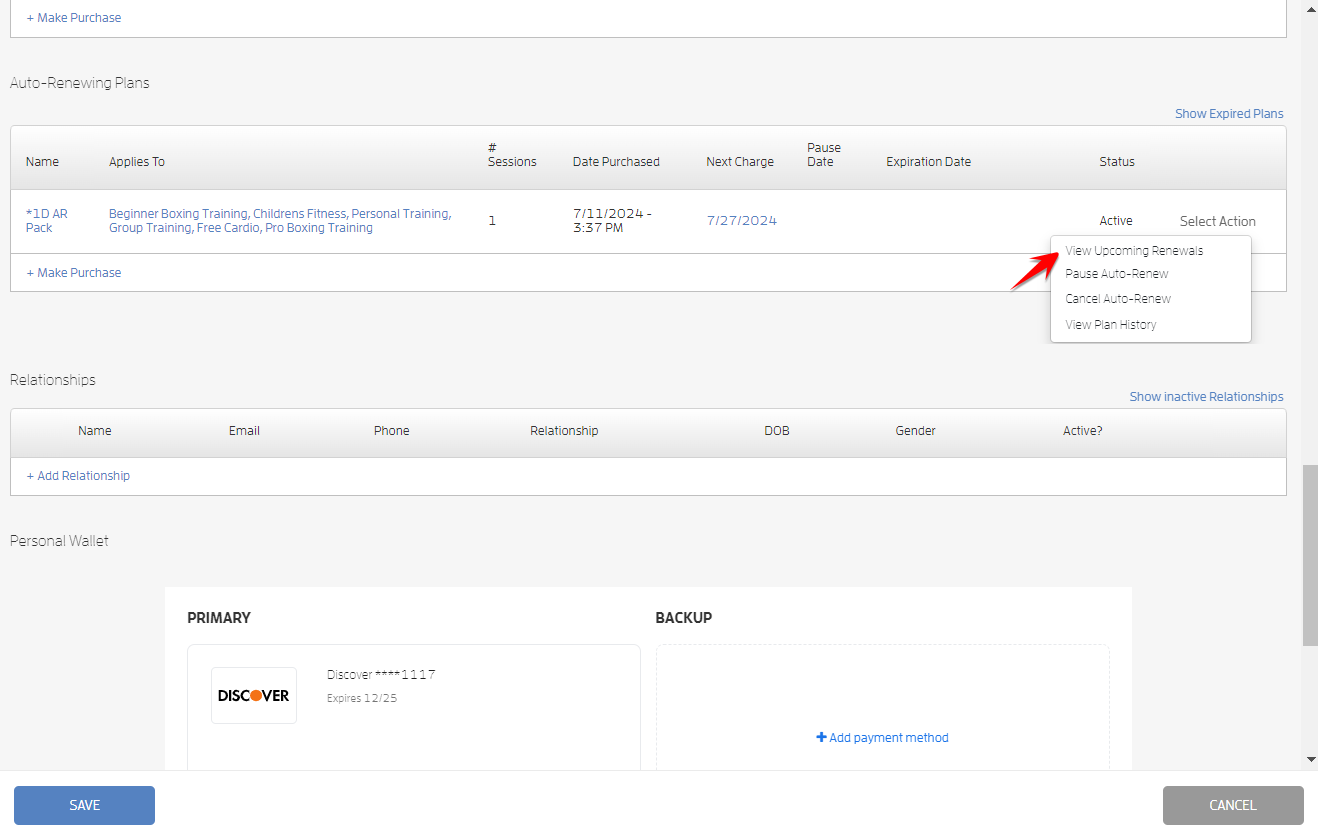
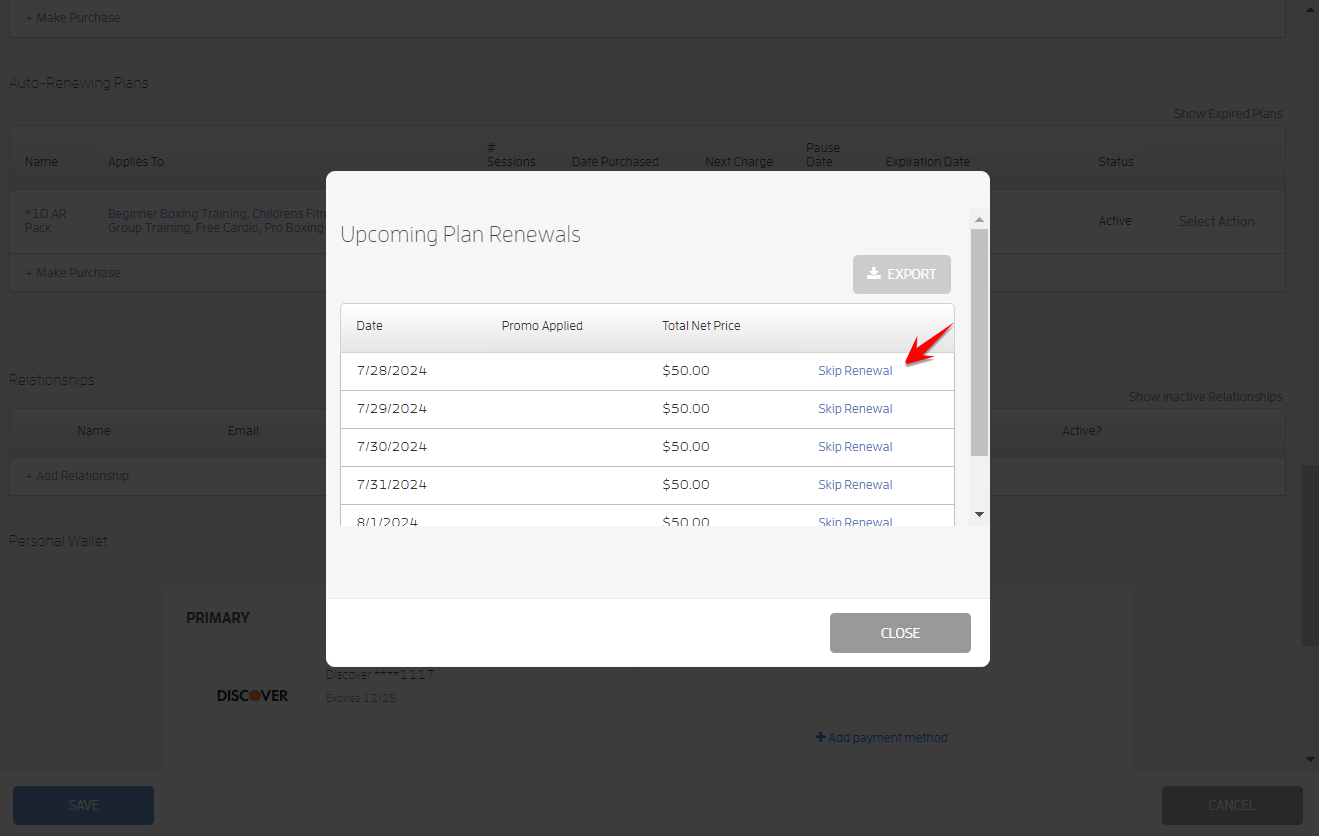
On the "Upcoming Plan Renewals" modal, you’ll see the plan's renewal dates, click "Skip Renewal" beside the date you want to skip. You can click as many as you want.
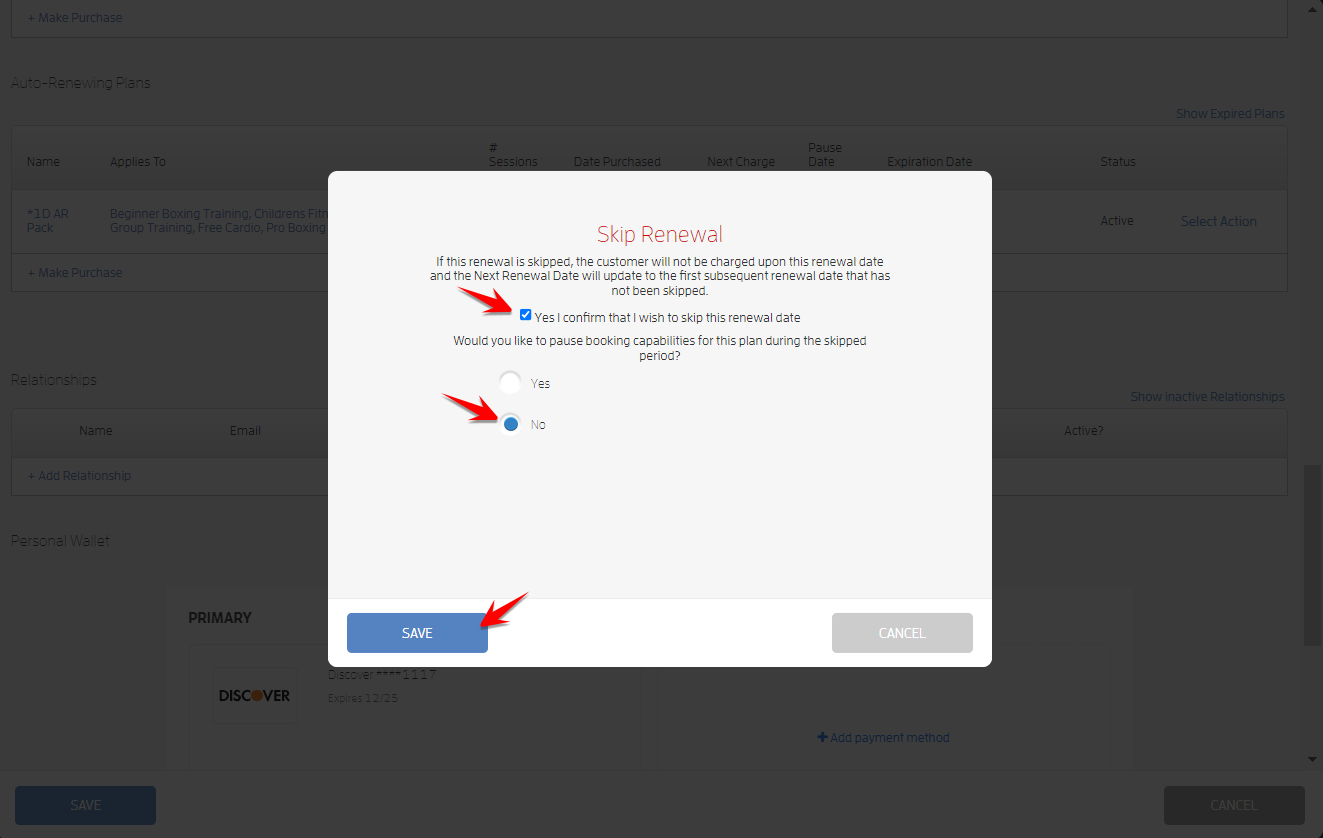
On the "Skip Renewal" modal, confirm that you wish to skip the renewal date and choose to either pause or allow booking capabilities for the plan during the skipped period. Click SAVE.
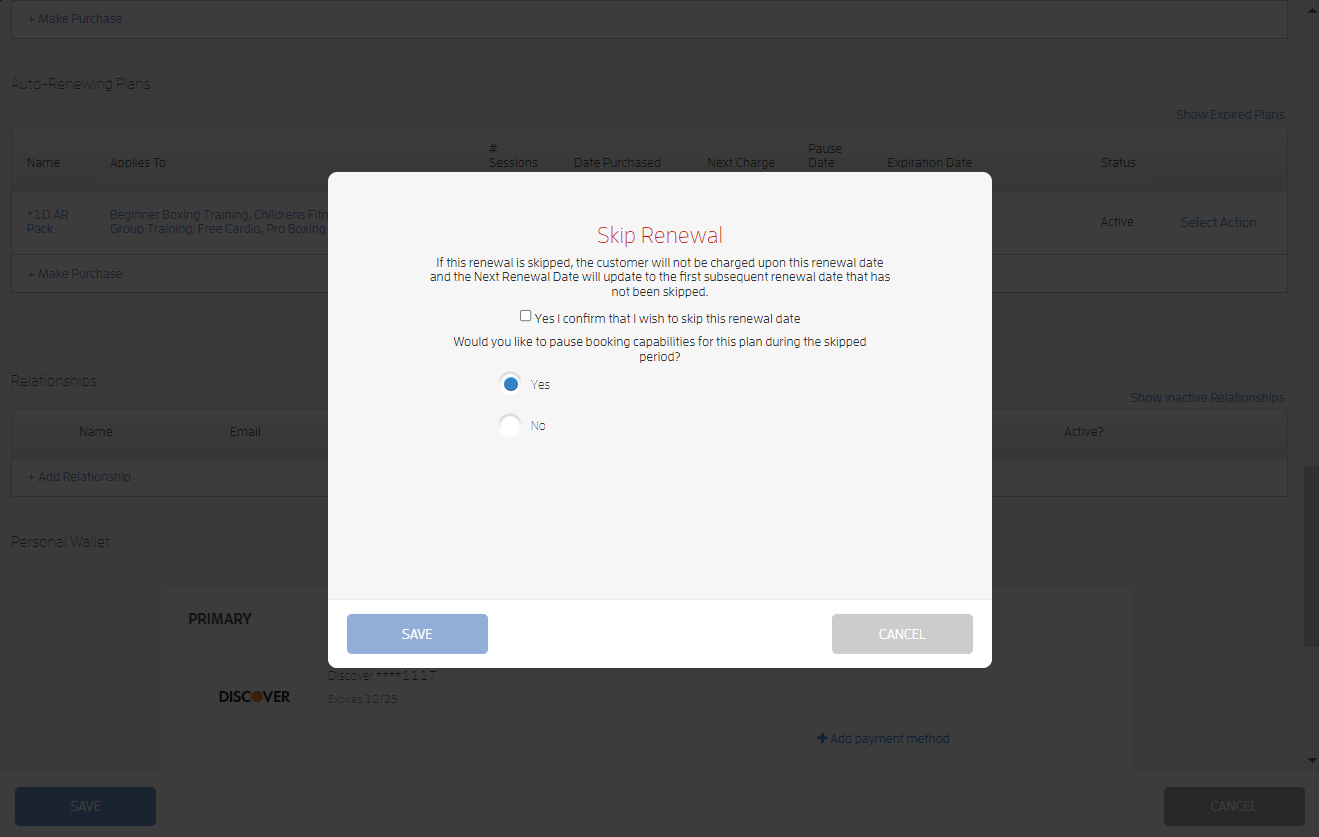
Pause Booking Capabilities
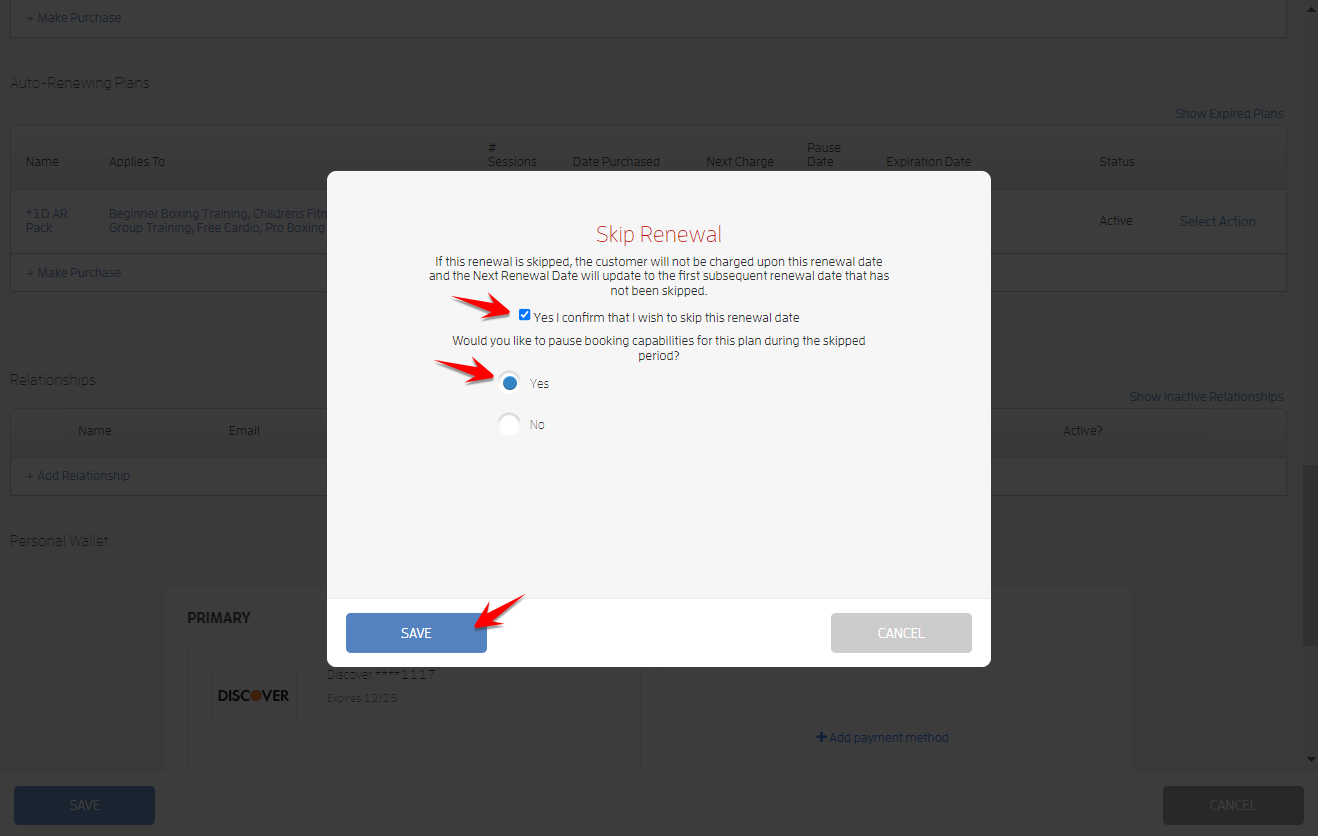
Allow Booking Capabilities - This option allows you to not charge the client for a scheduled renewal but still allow them to use the plan to book during that time in case you would like to fully comp one or more upcoming renewals on a client's membership.
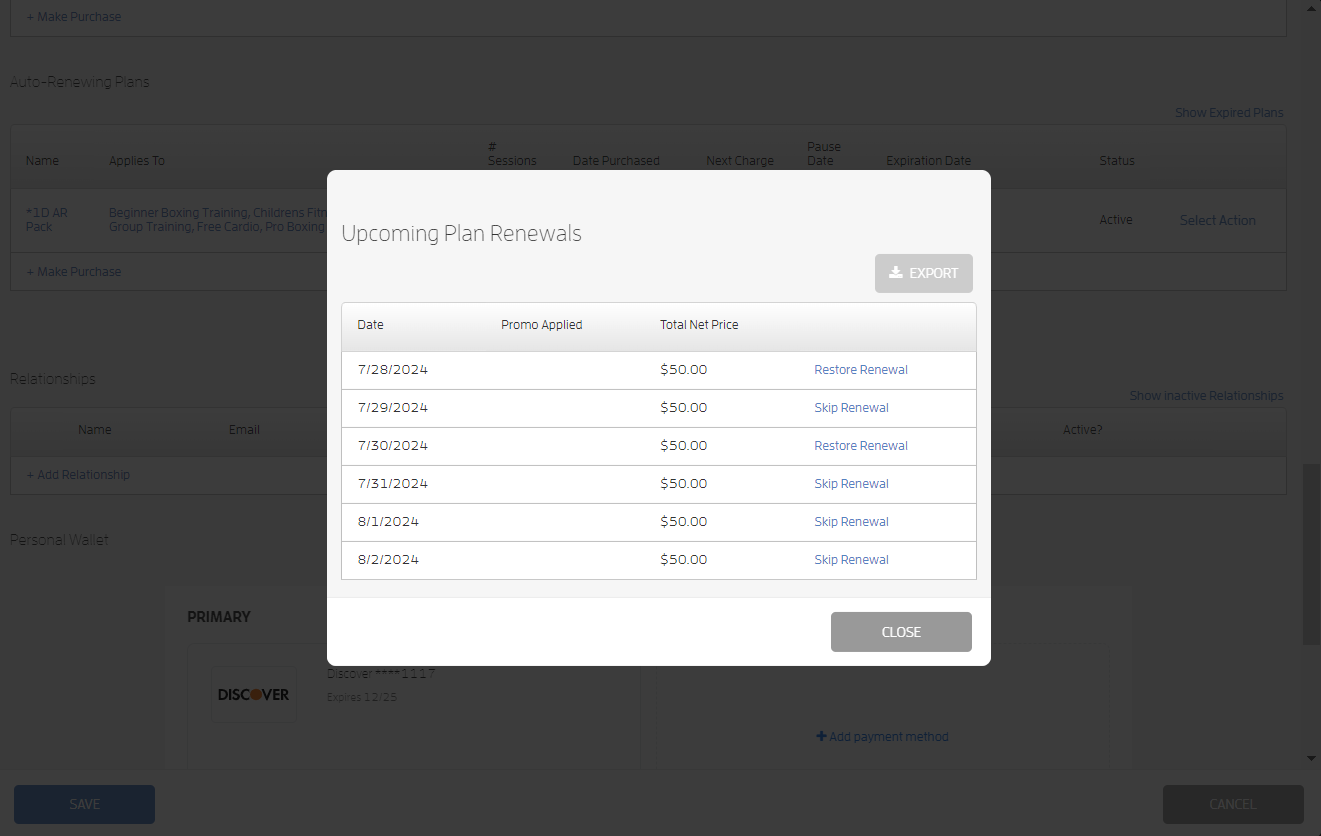
To restore renewal, repeat the first few steps above, then click "Restore Renewal" beside the date you want to restore.
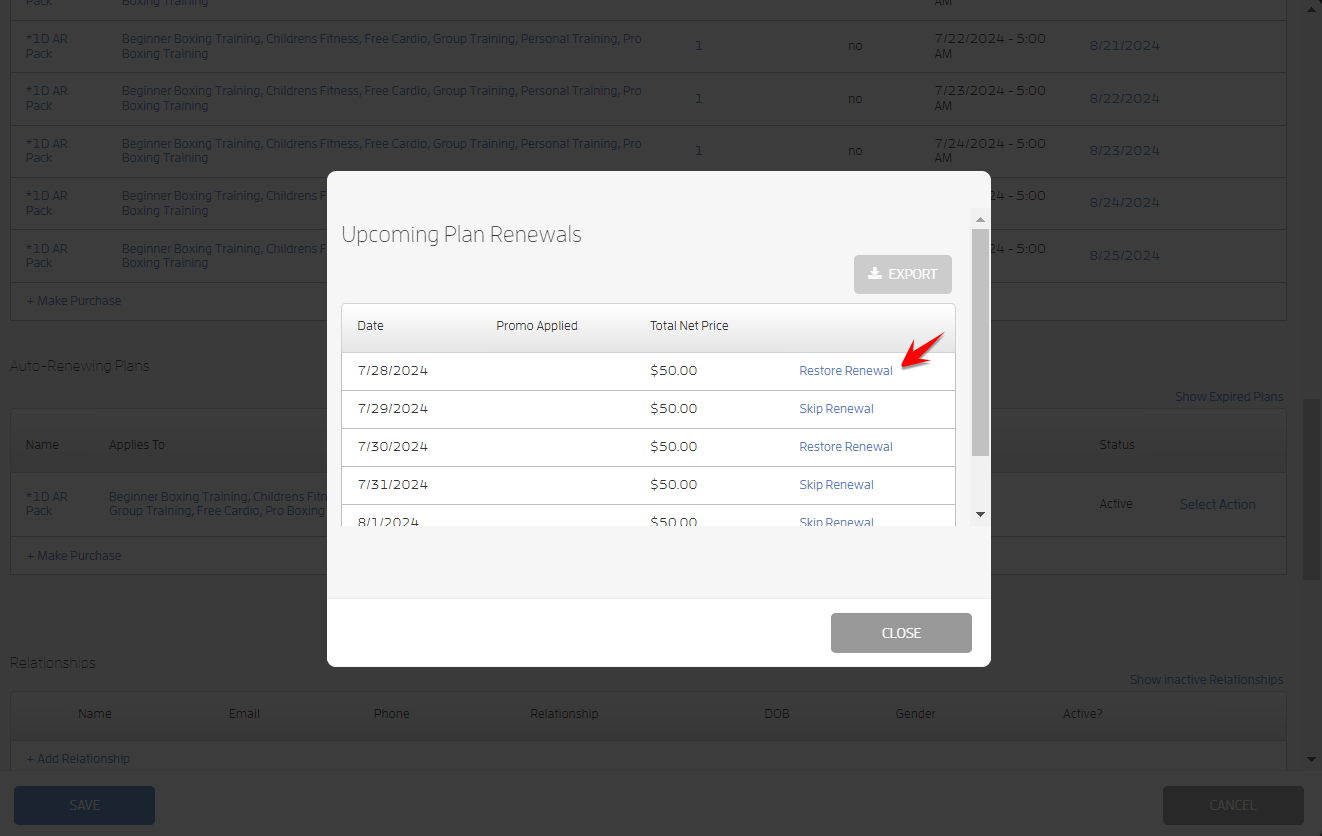
Confirm that you wish to restore renewal and hit SAVE.
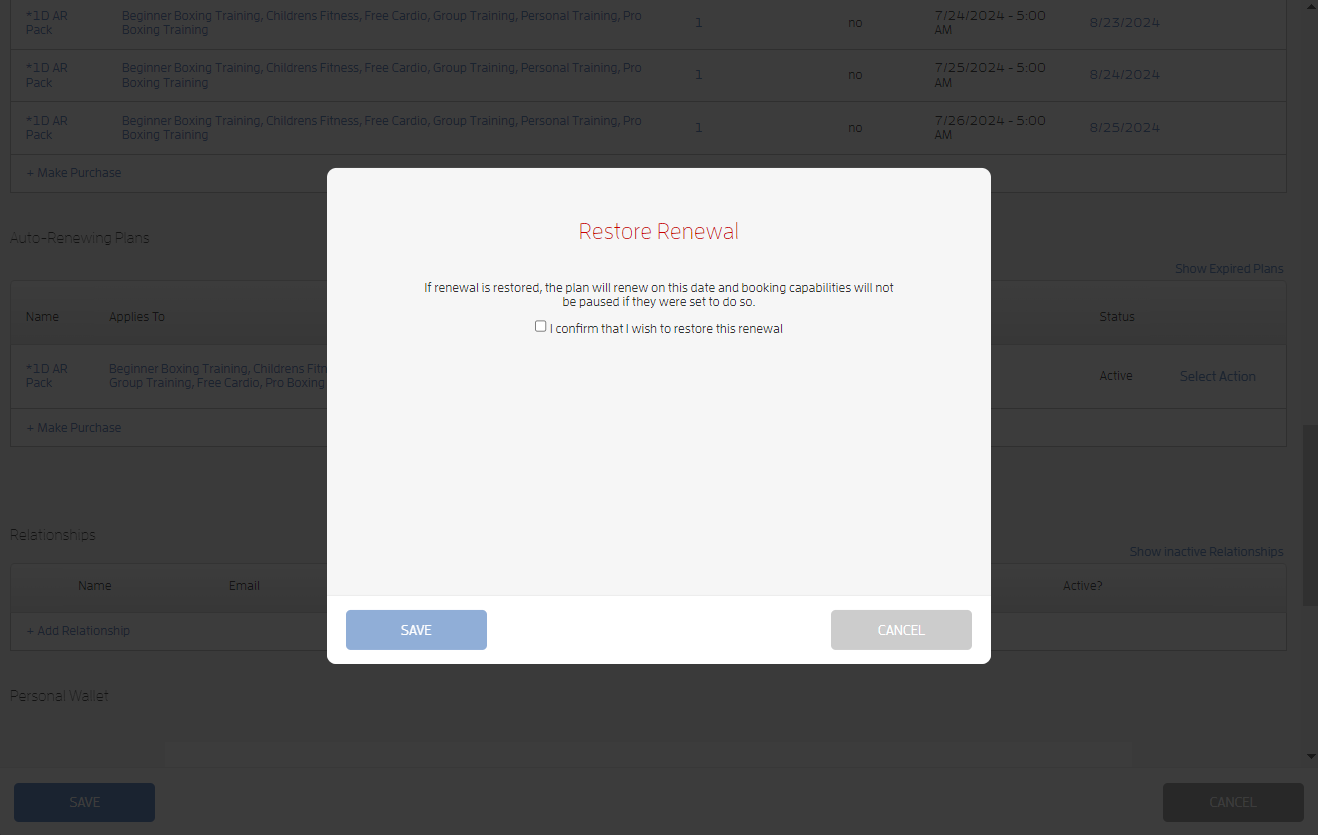
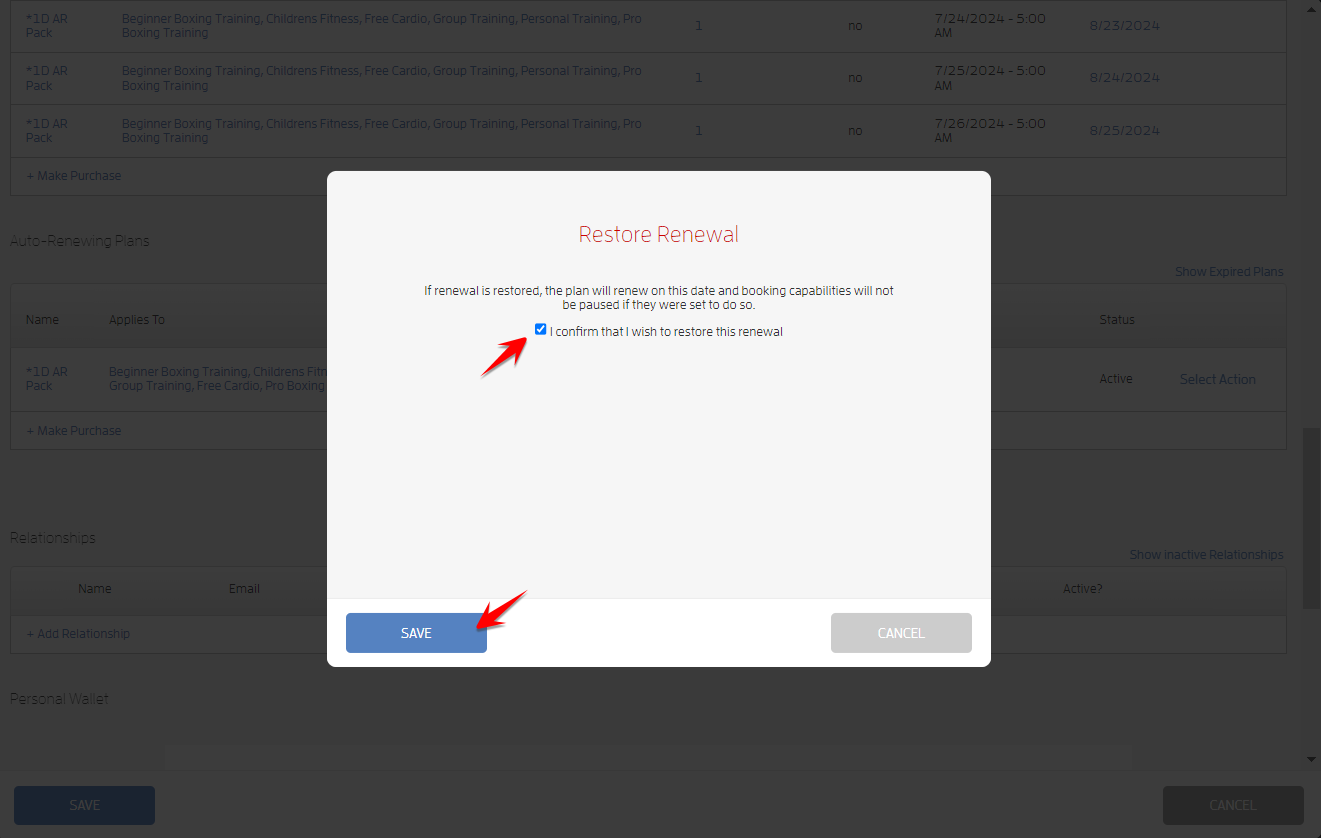
The plan will renew on the day of the skipped renewal and booking capabilities will not be paused if they were set to do so.
What will happen next?
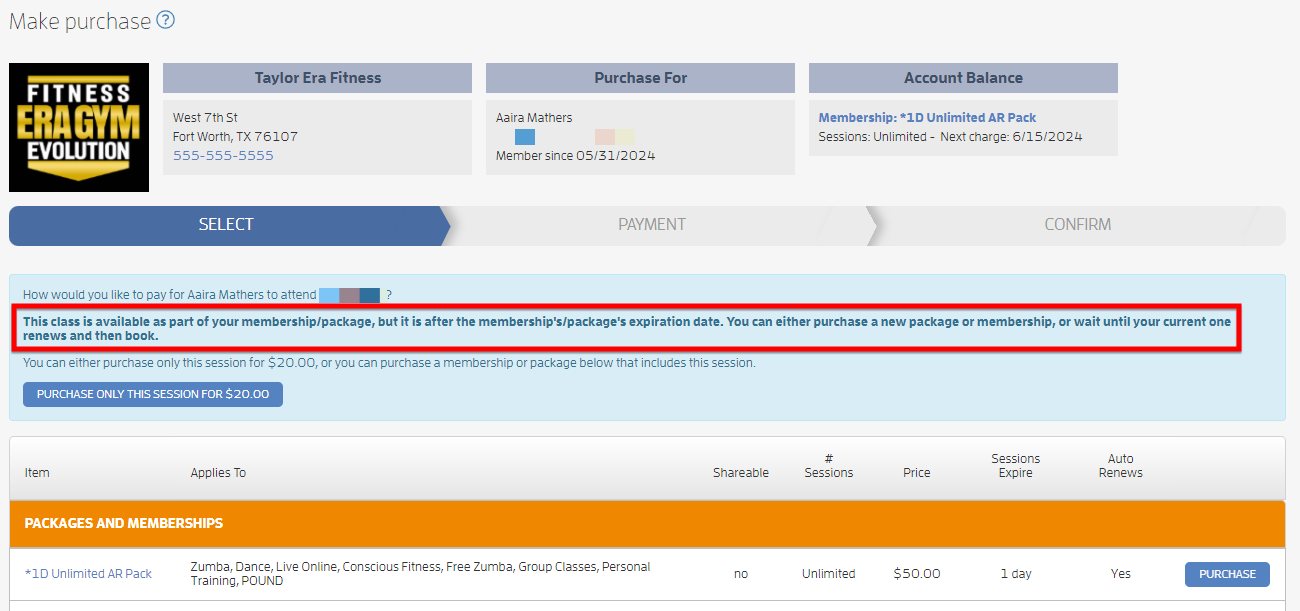
On the day of the scheduled skipped renewal when booking capabilities are paused, you and your client won’t be able to book sessions.
You’ll both be prompted that the session you’re trying to book is part of the package/membership, but it’s after the expiration date. You can either purchase a new package/membership, or wait until the current one renews and then book. Screenshot below.
If you allow booking capabilities on the day of the scheduled skipped renewal, you and your client we’ll be able to book the session like normal.
That's about it! Any questions? Chat with us or send us an email to support@fitli.com.
Related Articles
Handling Failing Auto-Renewing Memberships (Client Guide)
As a client, you may run into problems where your auto-renewing memberships fail to renew. This happens when your payment method fails due to insufficient funds, expired credit card, invalid zipcode etc etc. Furthermore, if you paid cash, check or ...Handling Failing Client Auto-Renewing Memberships (Business Guide)
Here's a comprehensive guide on how to easily manage your clients' auto-renewing memberships The Problem: Clients who are on periodic auto-renewal of their memberships, either by credit card, check, or cash, can run into problems where their payment ...Mobile version: Handling Failing Auto-Renewing Memberships (Client Guide)
As a client, you may run into problems where your auto-renewing memberships fail to renew. This happens when your payment method fails due to insufficient funds, expired credit card, invalid zipcode etc etc. Furthermore, if you paid cash, check or ...How to Add Booking Hibernation for Unlimited Auto-Renewing Memberships?
This feature provides you more control over booking permissions of unlimited auto-renewing plans. This is solely for unlimited auto-renewing plans, not limited auto-renewing plans. How to Add Booking Hibernation? To add booking hibernation, go to ...How to Cancel your Auto-Renewing Package/Membership
As a client, you have the ability to manage your auto-renewing packages/memberships. With just a few clicks, you can cancel your auto-renewing membership or package if the business does not require approval or request your business to cancel it for ...