How to Allow your Professionals to Set their own Appointment Availability?
If you want to allow your professionals to set their own appointment availability, here’s how.
Prerequisites:
- Add your Users and set their access level.
-
Set up their User profile for Appointments.
-
Add at least one Appointment.
-
Configure your Appointment settings.
-
User should already be connected to your business. This means they should have already created a professional account that is connected to your business.
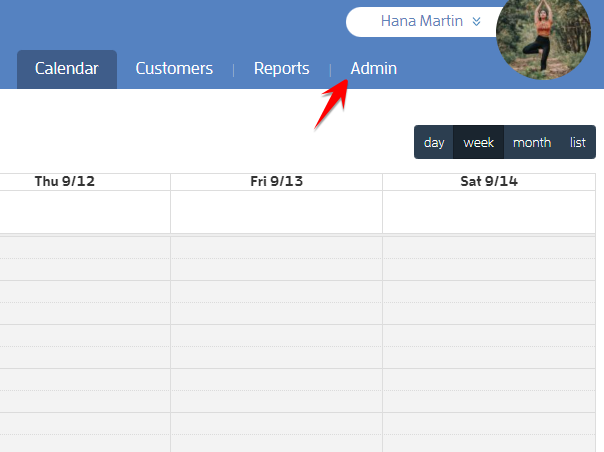
To do this, log in to your Fitli Business account and click ADMIN at the top.
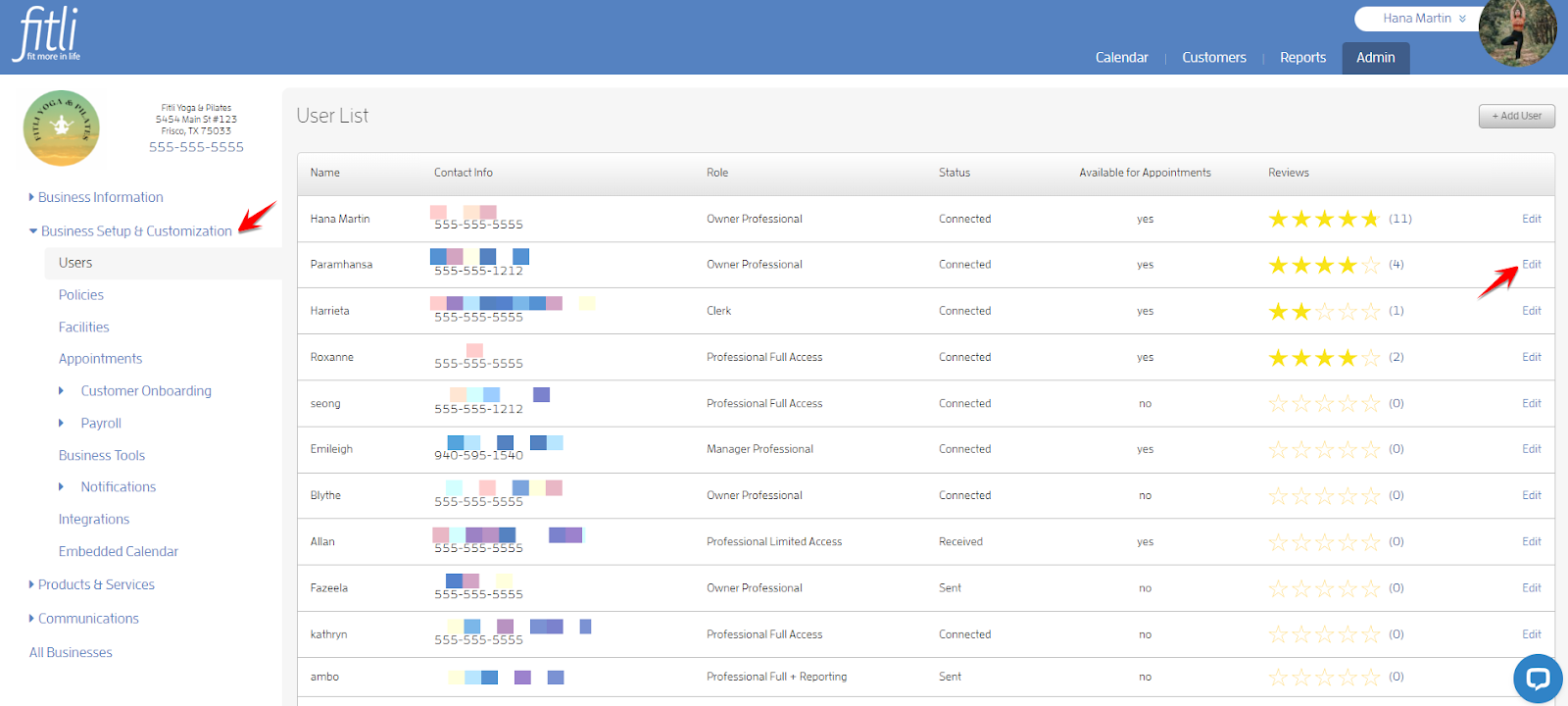
Go to Business Setup & Customization to be directed to the Users list and click “Edit” beside the user to open their profile.
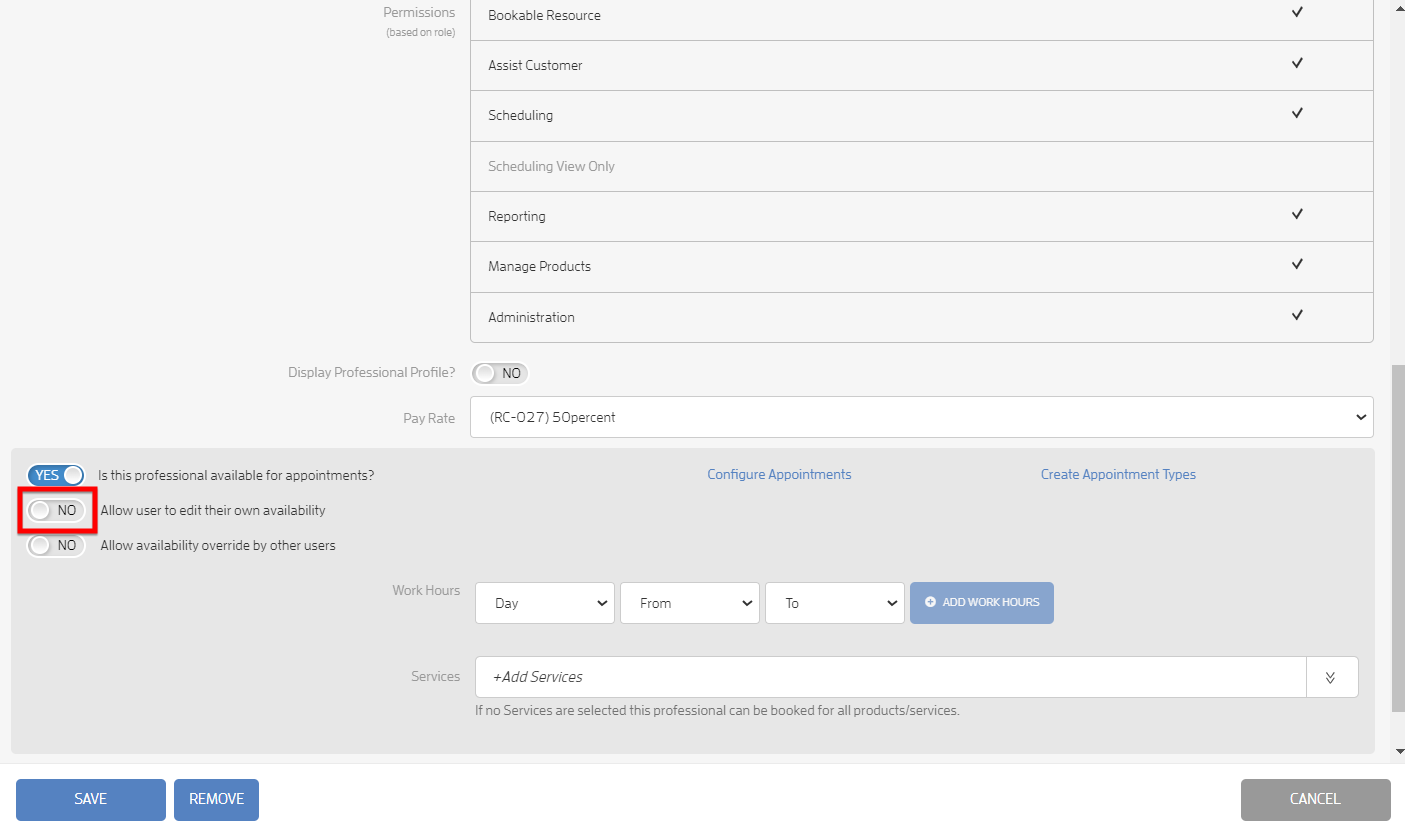
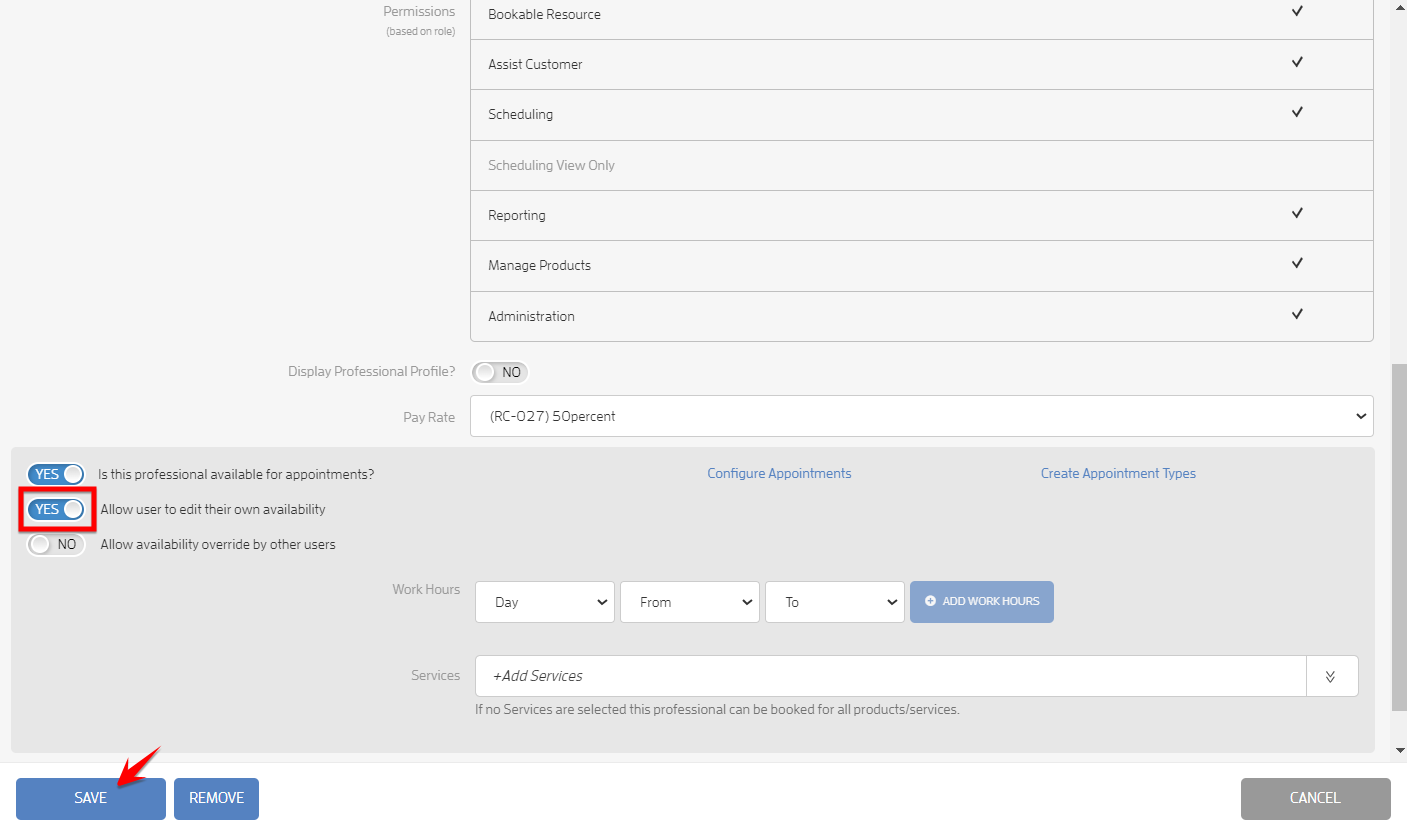
Scroll down at the bottom then turn ON the “Allow user to edit their own availability” toggle and hit SAVE.
That’s it! You’re done!
What will happen next?
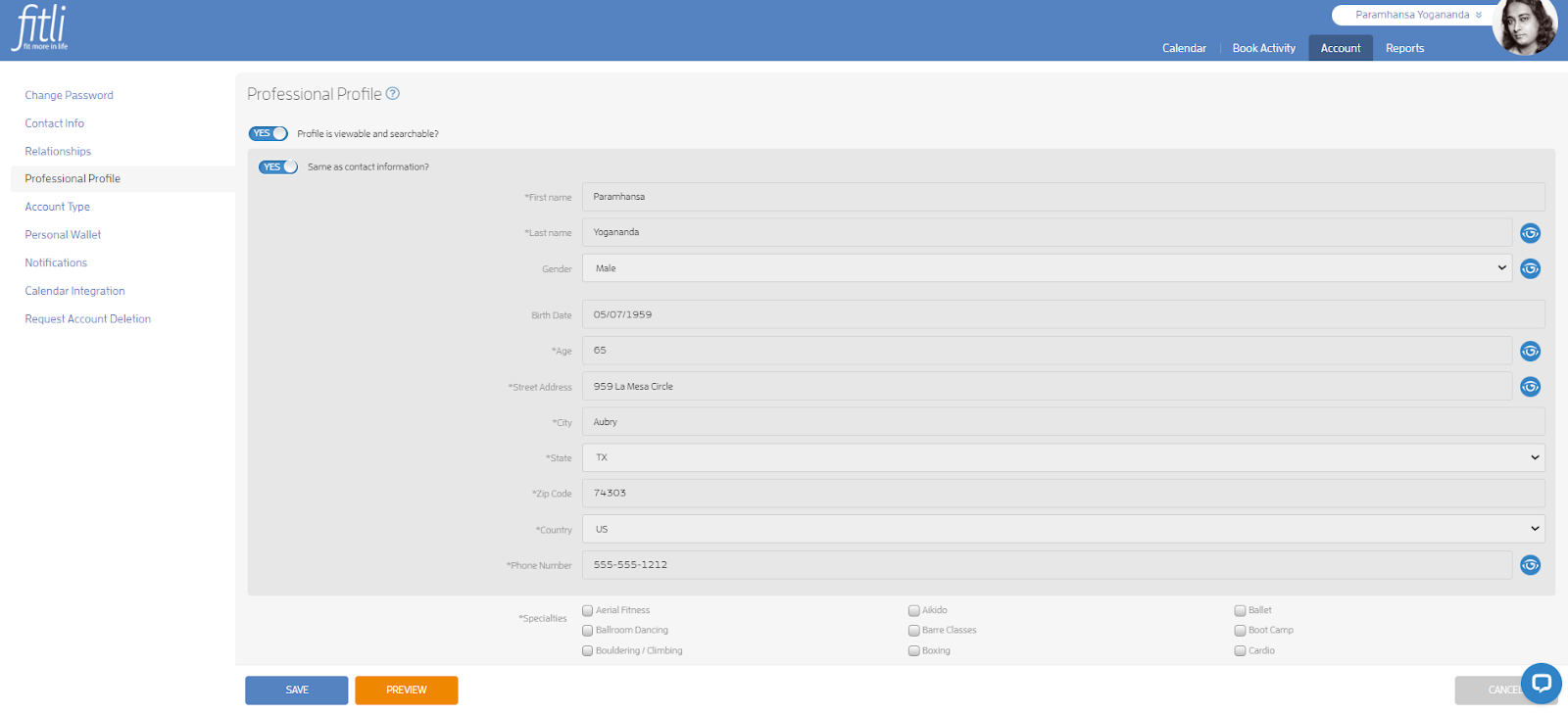
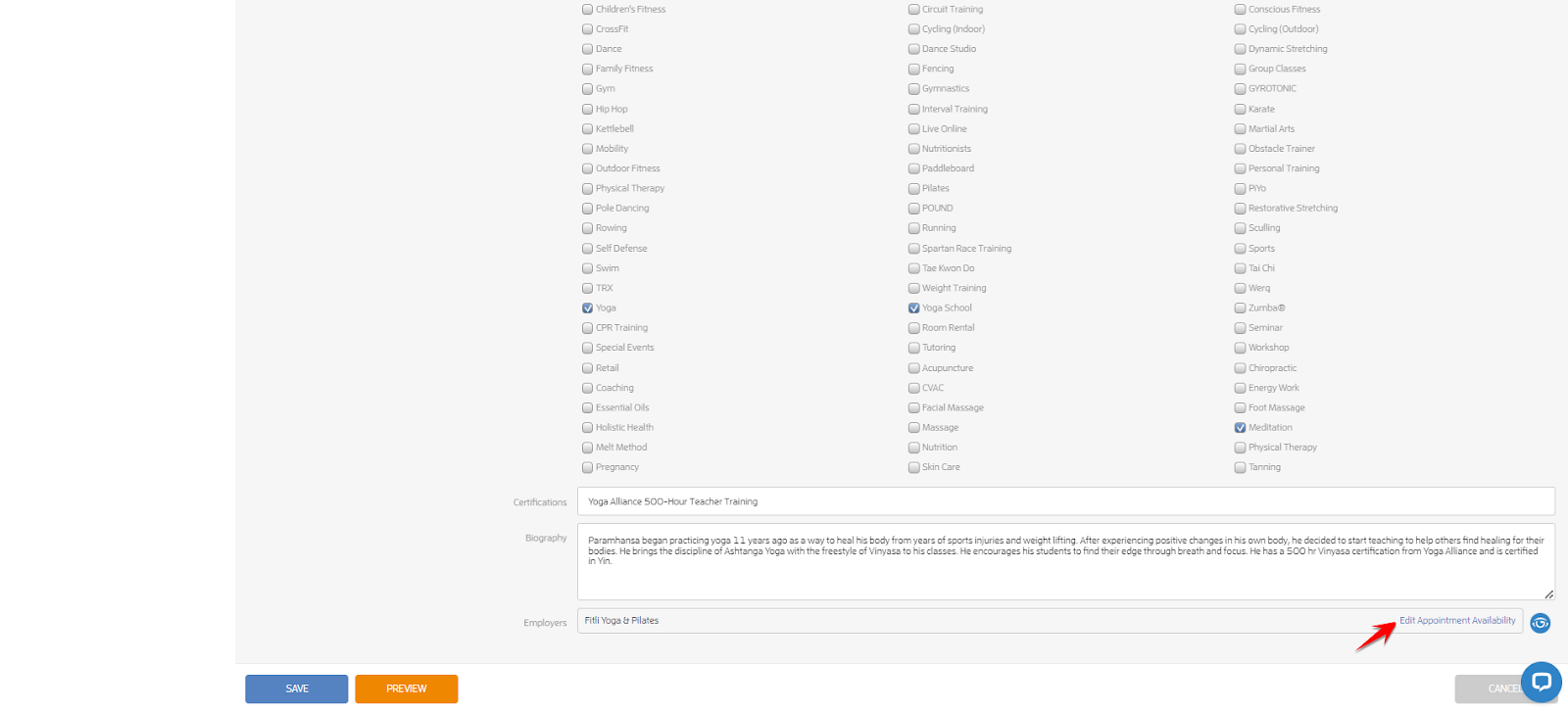
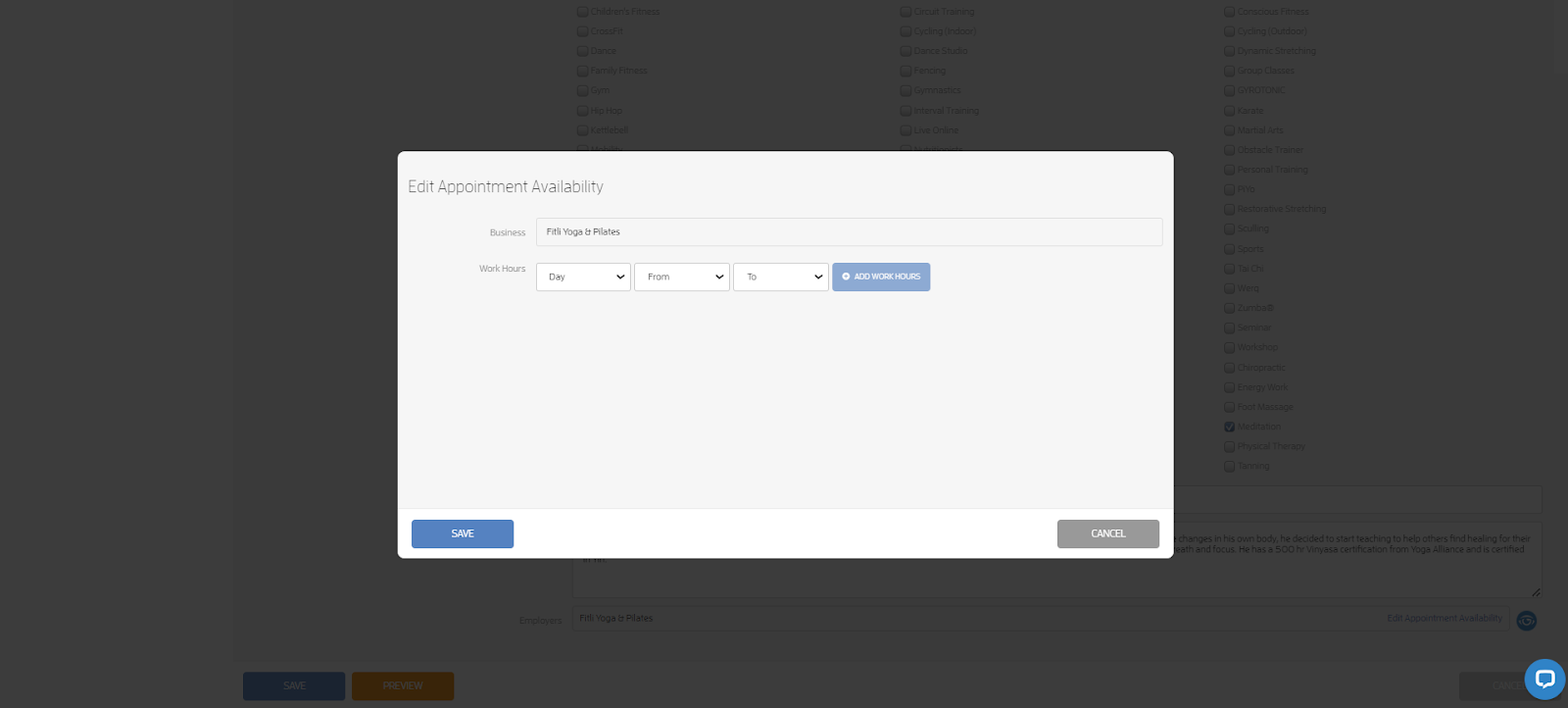
Your user/professional to whom you allowed this feature will have the ability to edit their appointment availability on their end on the Professional Profile page. Please note that only the days and work hours can be added/updated on their end. If they need to add/update their appointment services, they need to contact you directly and you can update this on their User’s profile.
Professional View
That's about it! Any questions? Chat with us or send us an email to support@fitli.com.
Related Articles
How to Set your Appointment Availability?
You can easily add/update your appointment availability with just a few clicks. Here’s how. Prerequisites: You should be connected to your business. The business must have already adjusted the settings for your account to be available for ...How to Override Appointment Availability?
To override your trainers appointment availability, there are three main things you’ll need to do: - Set up your users’ profiles for appointments. - Add at least one appointment "service." - Configure your appointment business settings. (More details ...How can I adjust my appointment availability?
If you're a trainer or a business owner and want clients to be able to book you in private, one on one appointments, you'll need to set up your "availability". This tells our system when you're free for appointments! To set up appointment ...Display or Hide your Professionals' Profiles
This feature will allow you to display or hide your instructors’ profiles entirely from the session profile public view. Your professionals’ profiles are defaulted to display on the session profile. Here are some examples of a class and a booked ...How to Schedule Excepted Times for your Professionals?
You can set your professionals as "available" for appointments for times they’re normally unavailable, using the "Excepted time" feature. Excepted time means your professionals are available to be booked for appointments by customers regardless if ...