
Updating or changing your email address on your Fitli account is easy. Here's how.
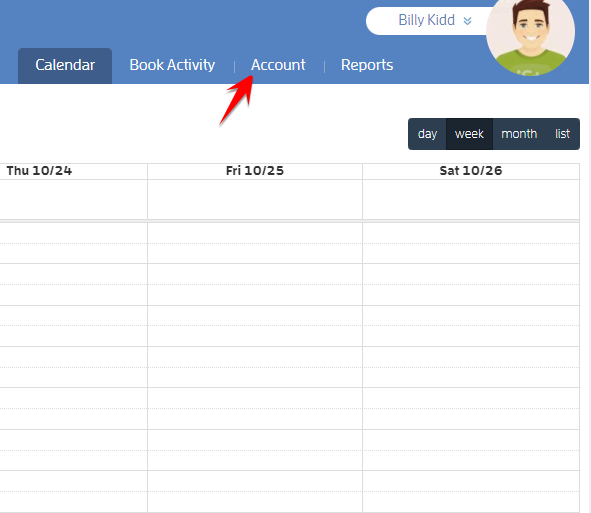
1 - Log in to your Fitli account and click "Account" at the top-right menu.
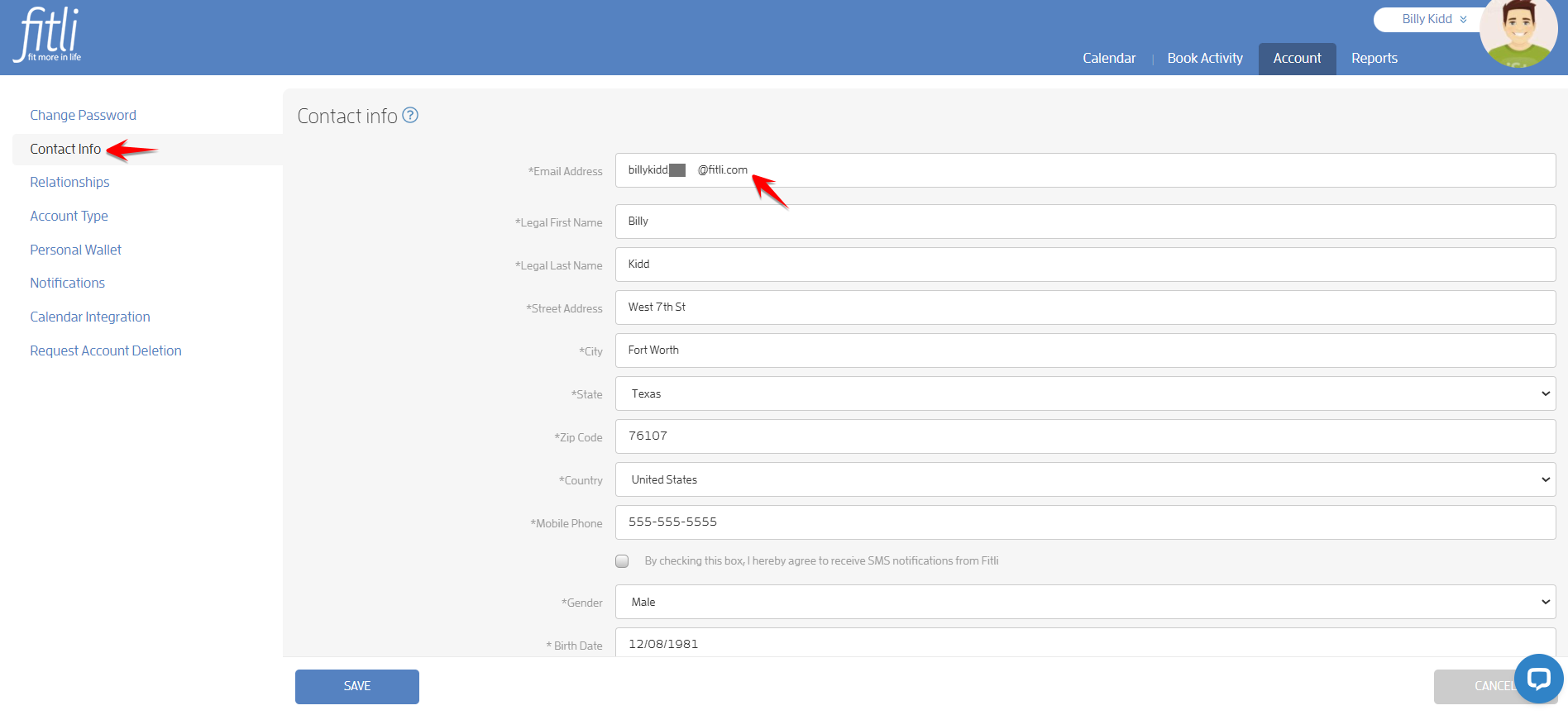
2 - On the left side, click "Contact Info". You’ll see your email address at the top under "Email Address".
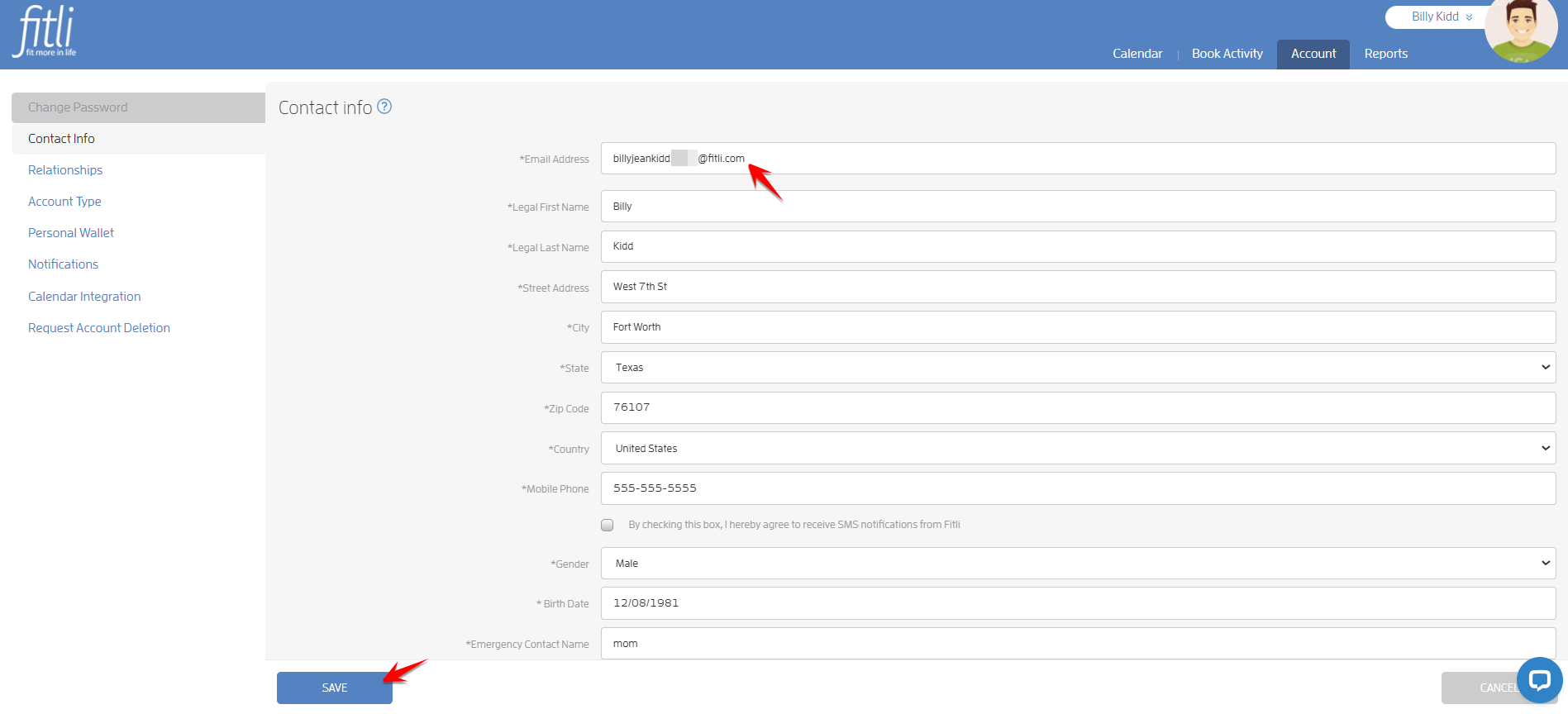
3 - Enter your new email address then hit SAVE.
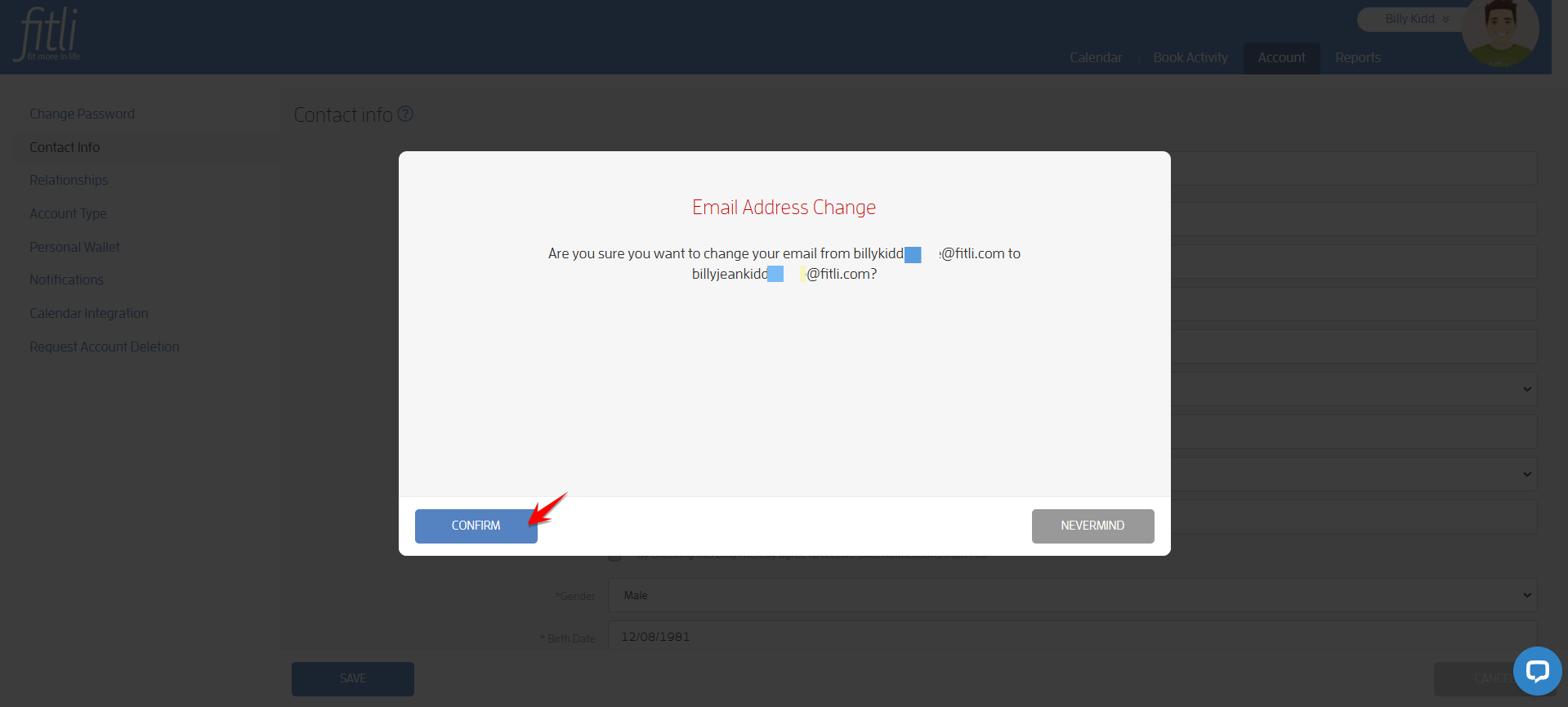
4 - If the confirmation message has the correct email you’d like to change to, click CONFIRM.
A confirmation at the top will appear confirming that you've successfully updated your contact info.
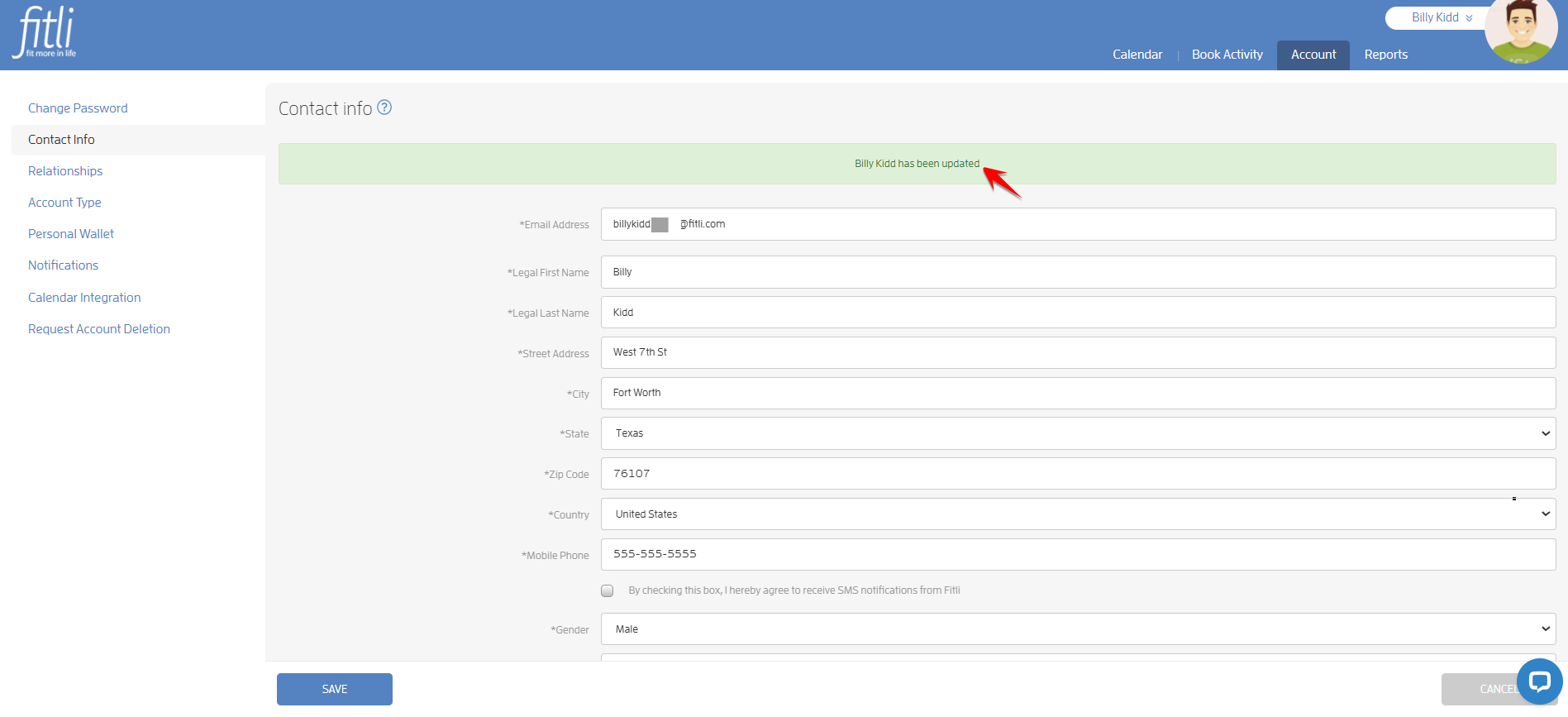
That’s it! Next time you log in to Fitli, make sure you use the email address you've just changed to.
Any questions? Chat with us or send us an email to support@fitli.com.