
Wondering how you can proactively give your business tips? Here's a quick guide on how to do it.
Note: Not all businesses have this feature. If you want to tip them and can't figure out how, contact your business directly.
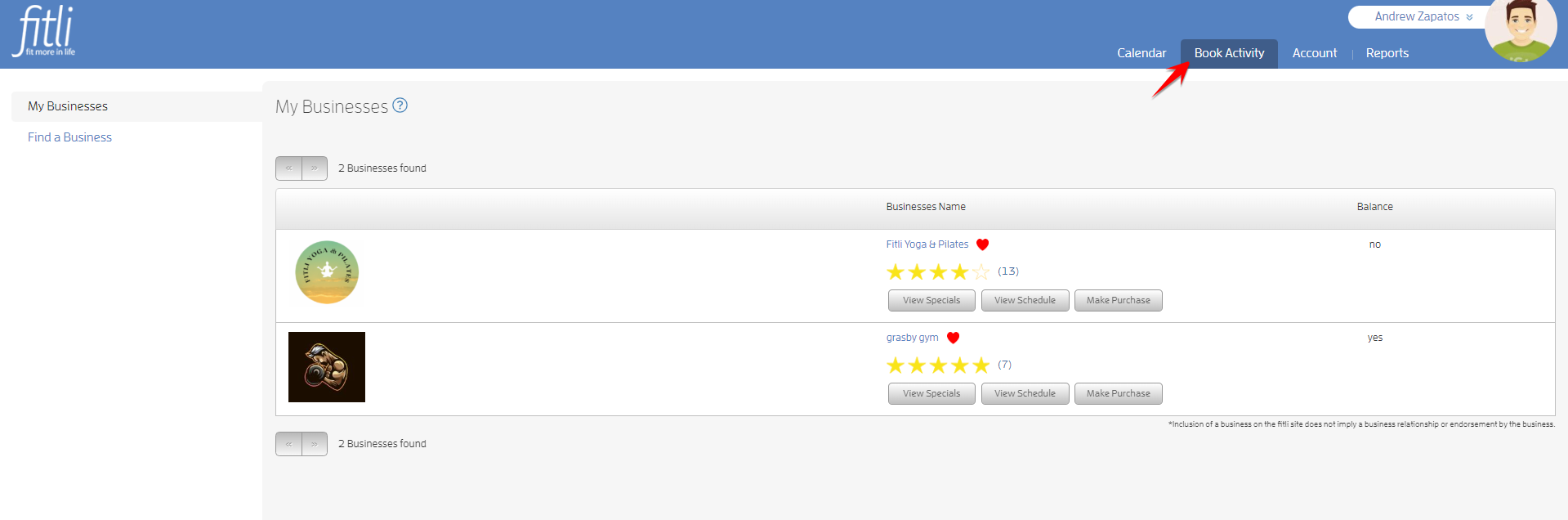
To do this, log in to your Fitli account then go to "Book Activity".
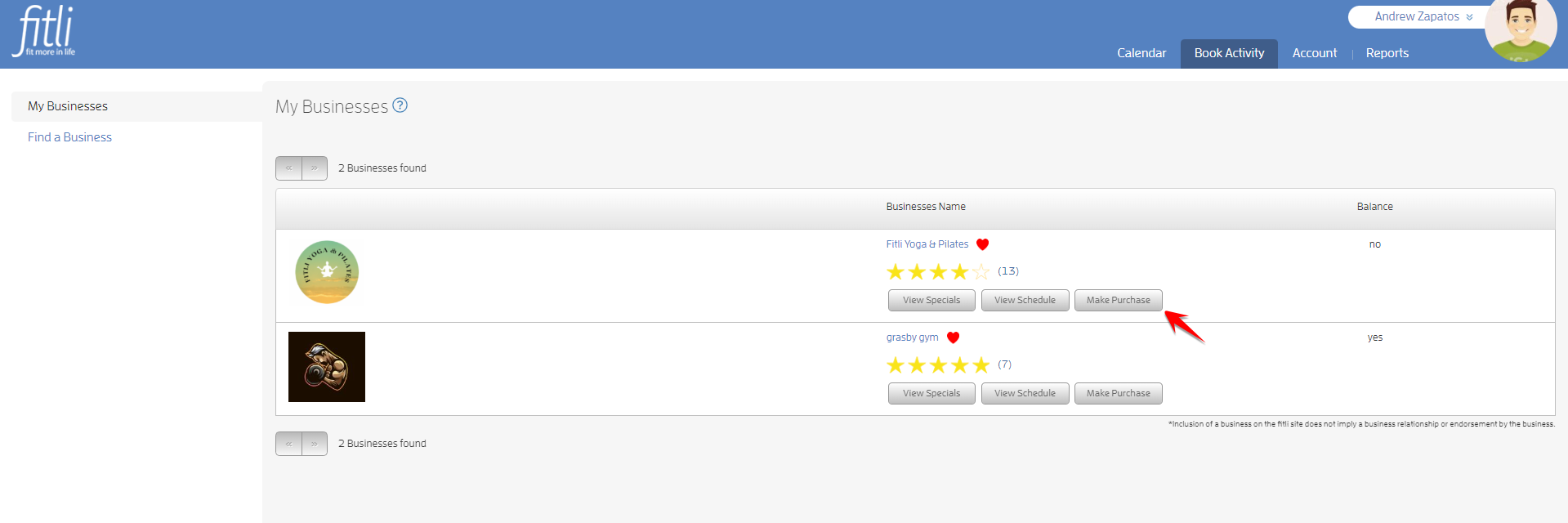
Click the "Make Purchase" button of your business.
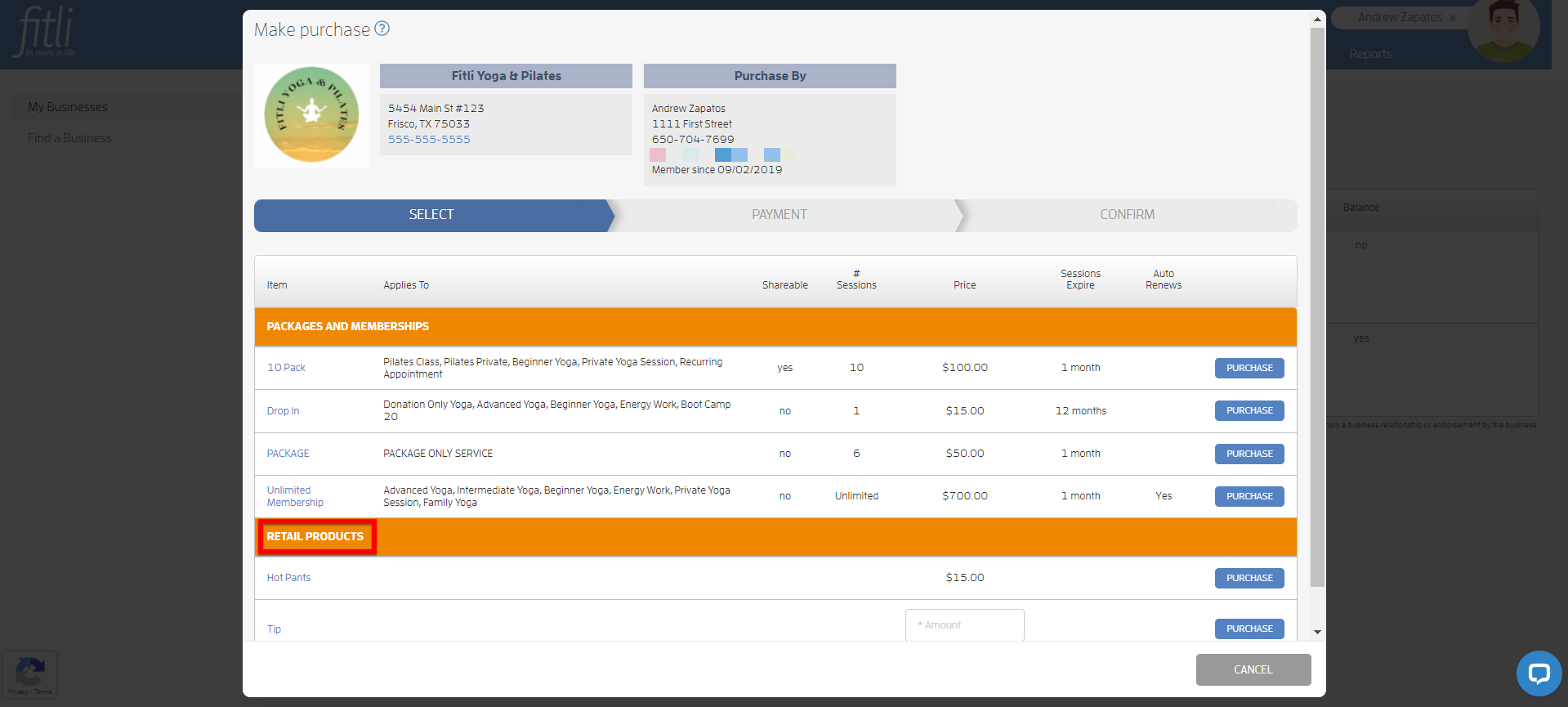
On the "Make Purchase" screen, scroll up and look for "Tip" under RETAIL PRODUCTS.
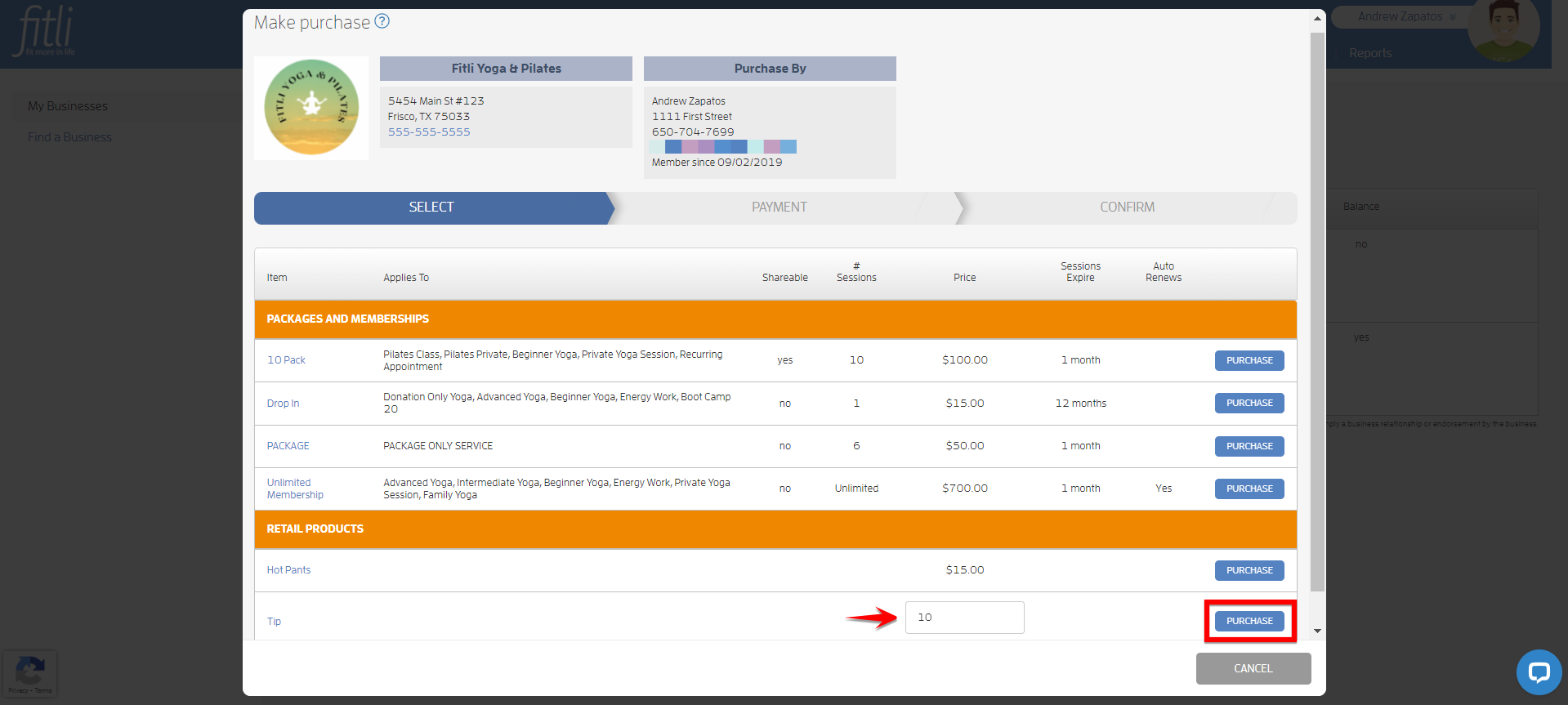
Enter your desired amount on the "Amount" field then click PURCHASE.
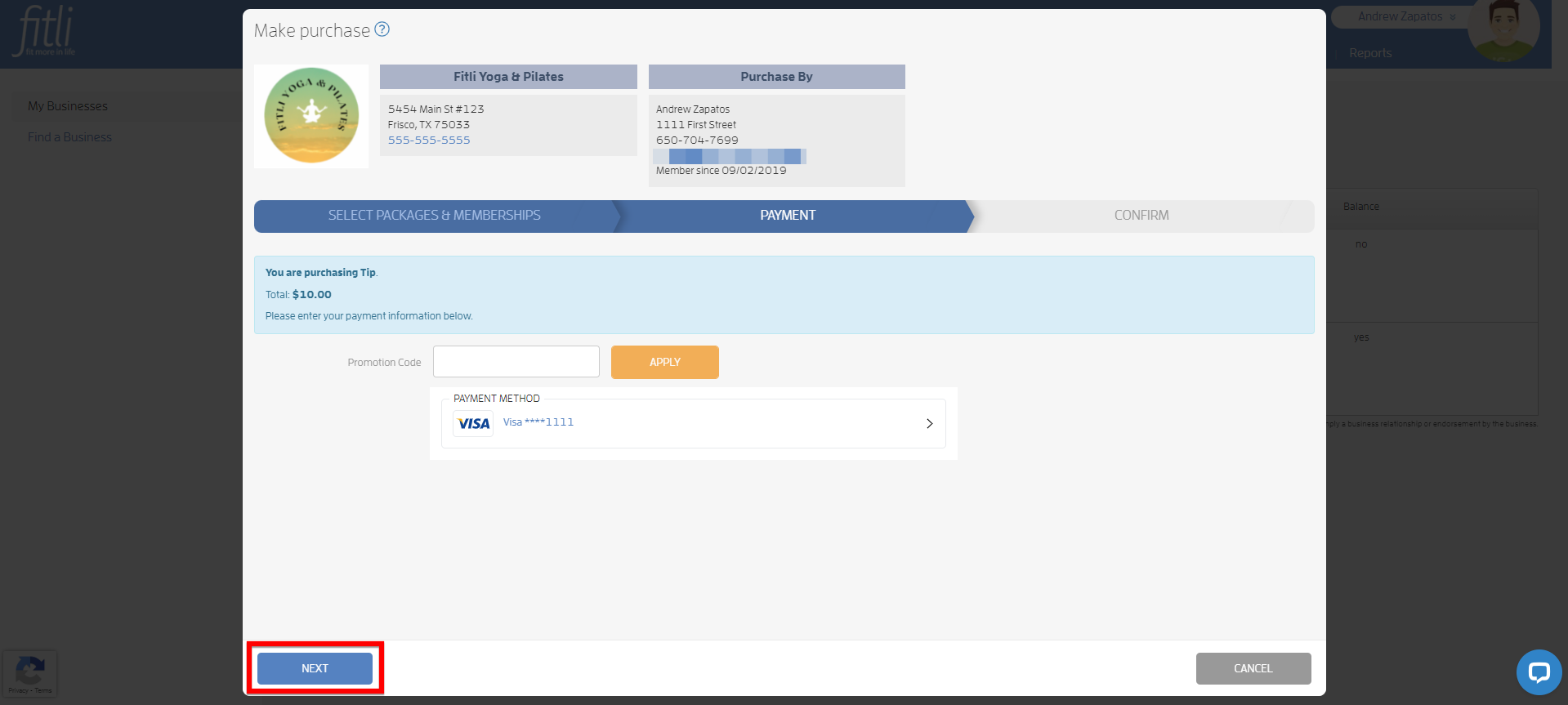
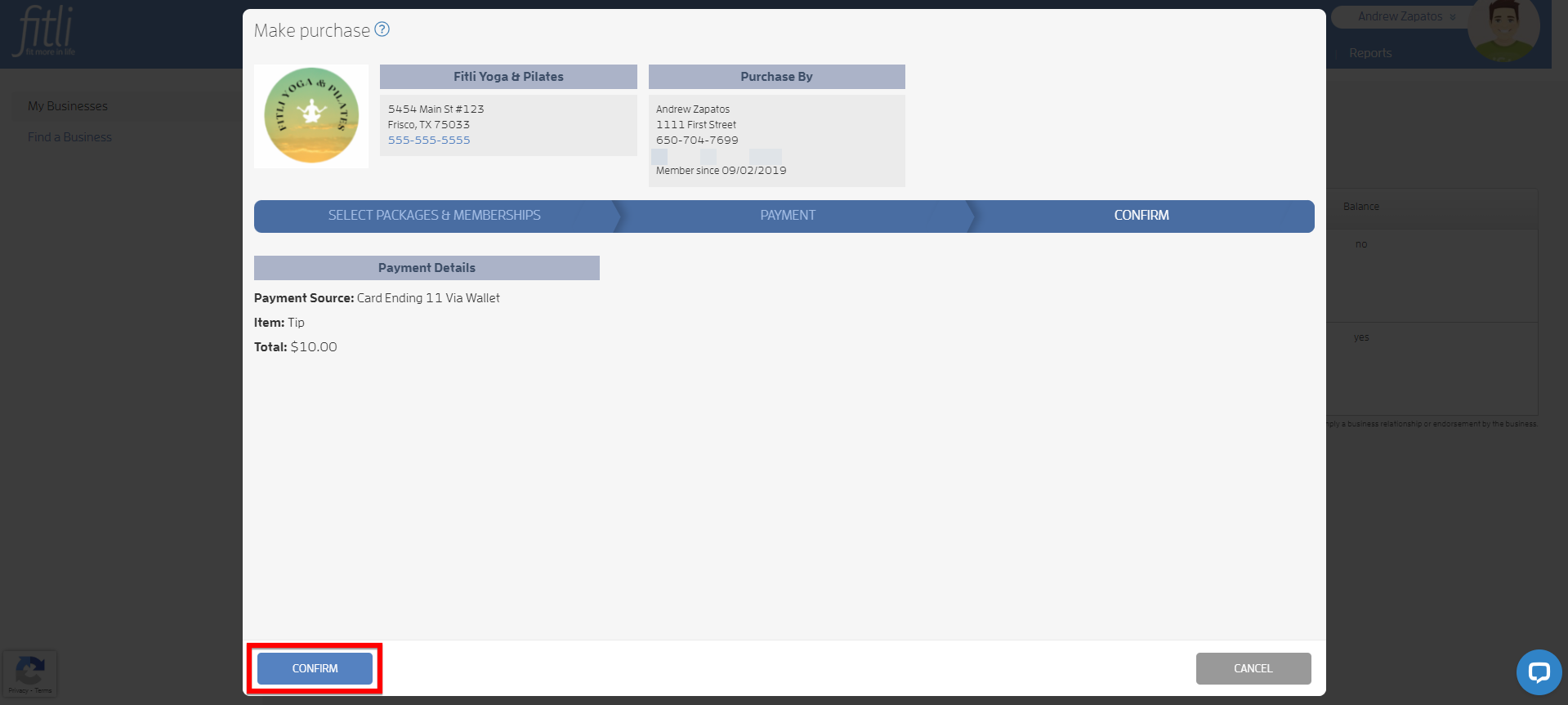
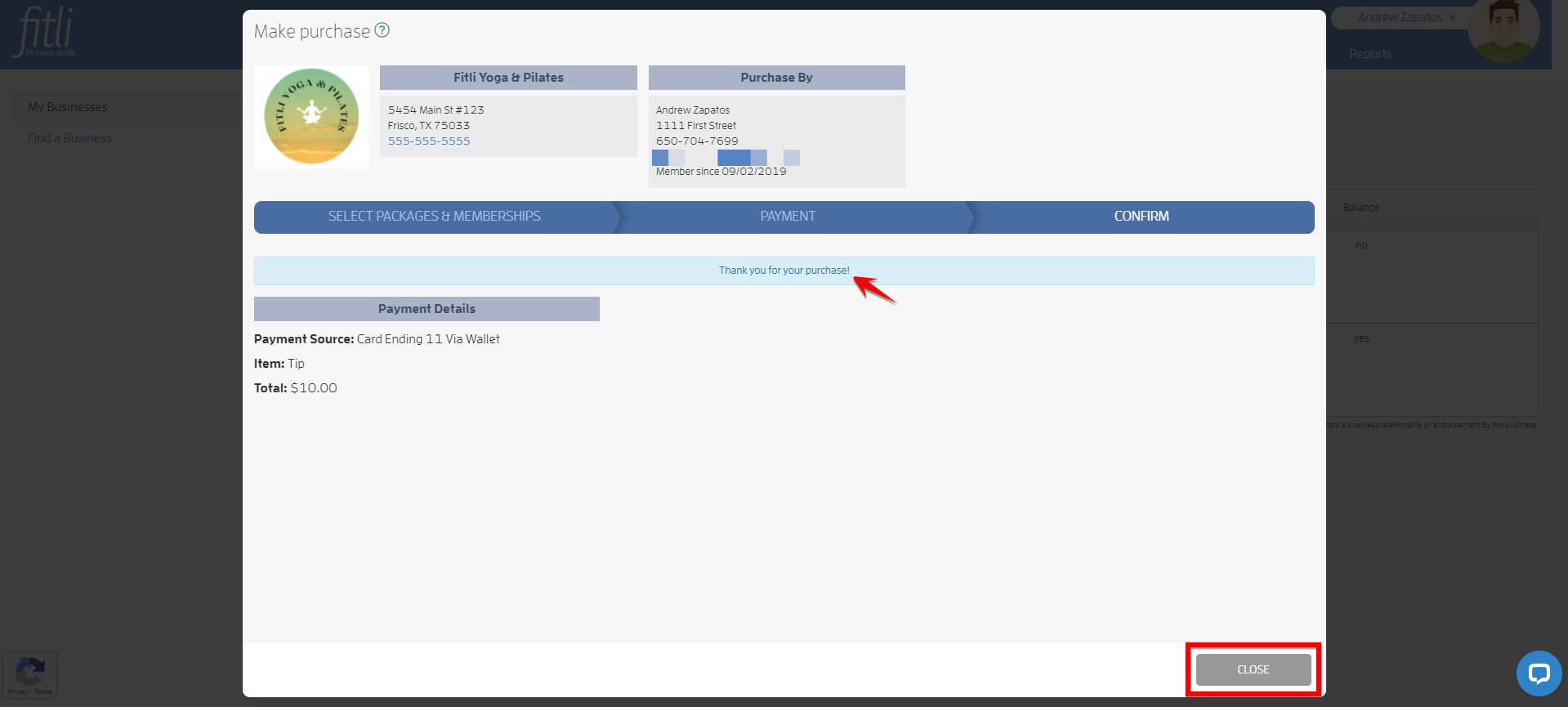
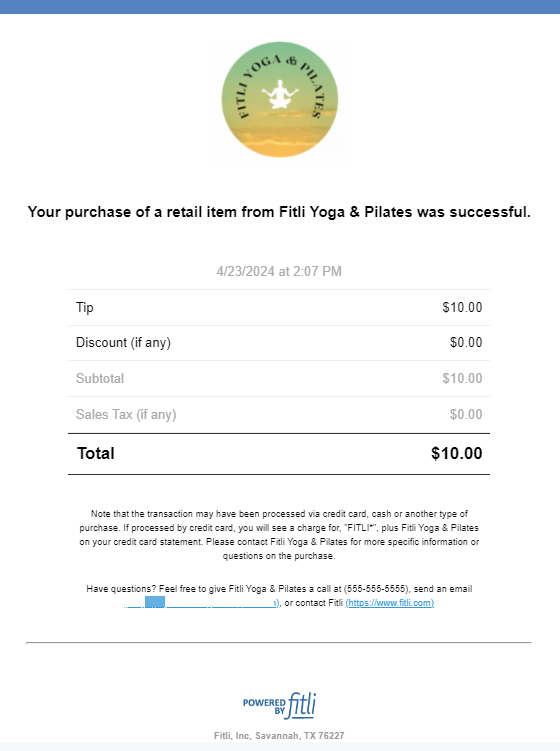
Click NEXT and CONFIRM. A confirmation message will appear at the top that you successfully tipped your business. We'll notify your business and you'll receive a "Purchase" notification email. Screenshots below.
That's about it! Any questions? Chat with us or send us an email to support@fitli.com.