
We all know reviews are important. It helps businesses and instructors understand their customers, improve their service, and build long-lasting relationships with their clients. Positive reviews validate the business' and the instructors' hardwork and dedication.
How to Leave a Review?
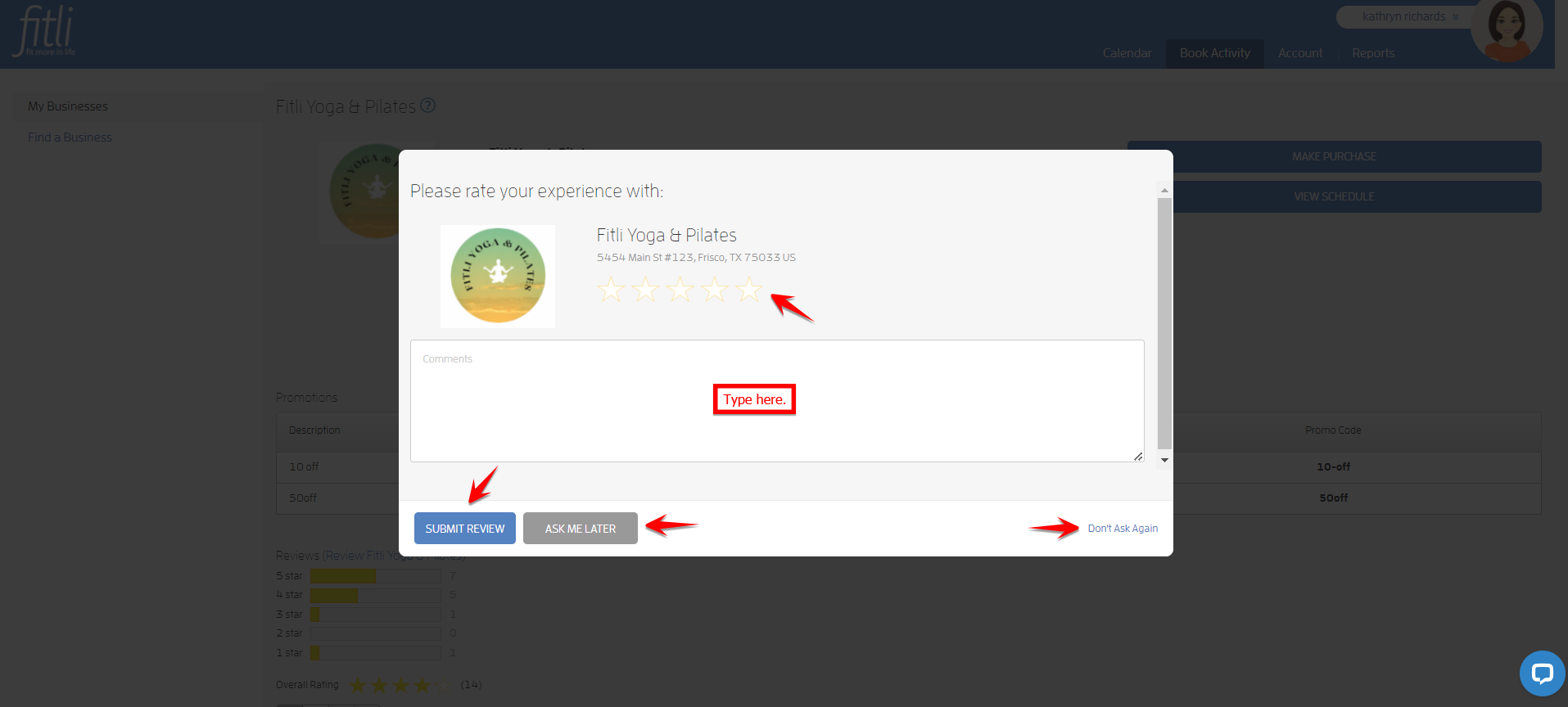
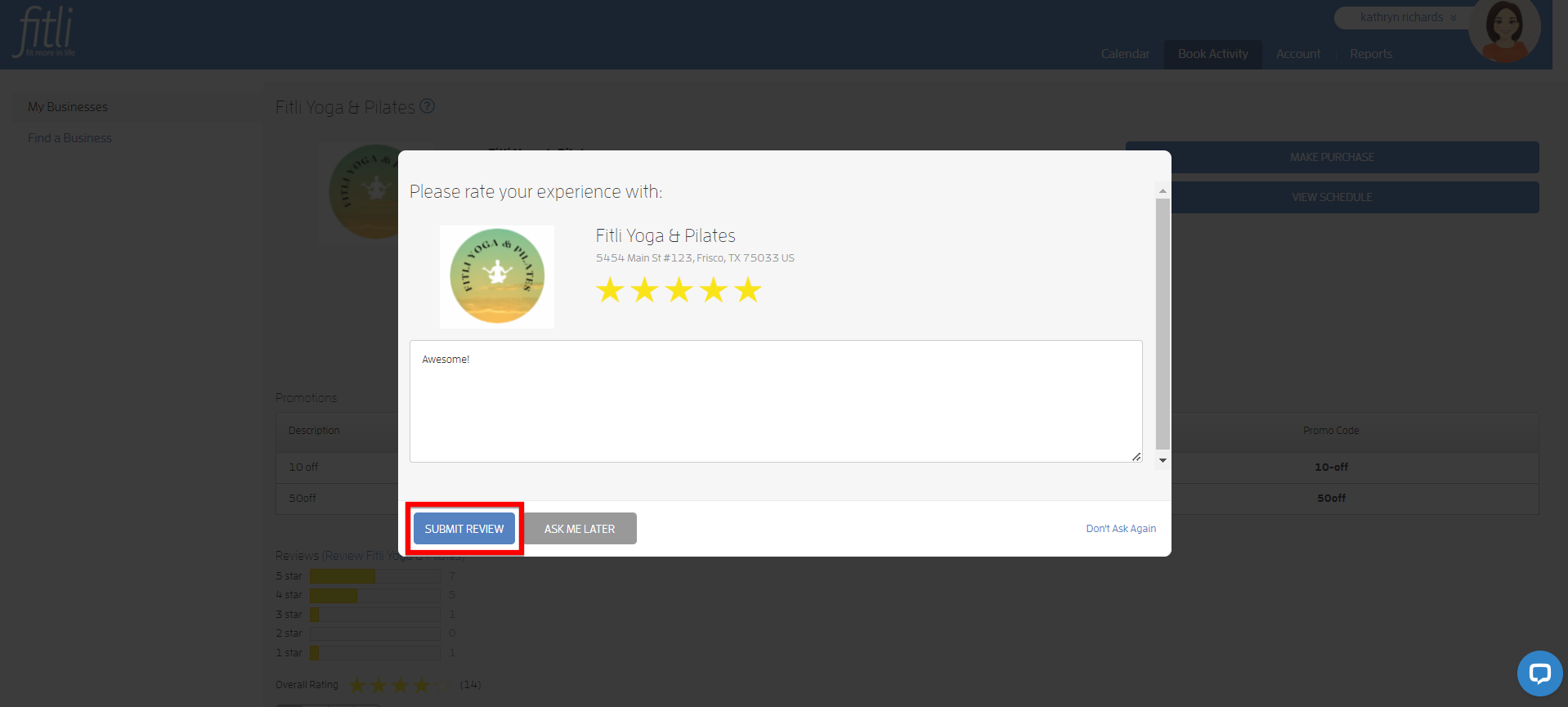
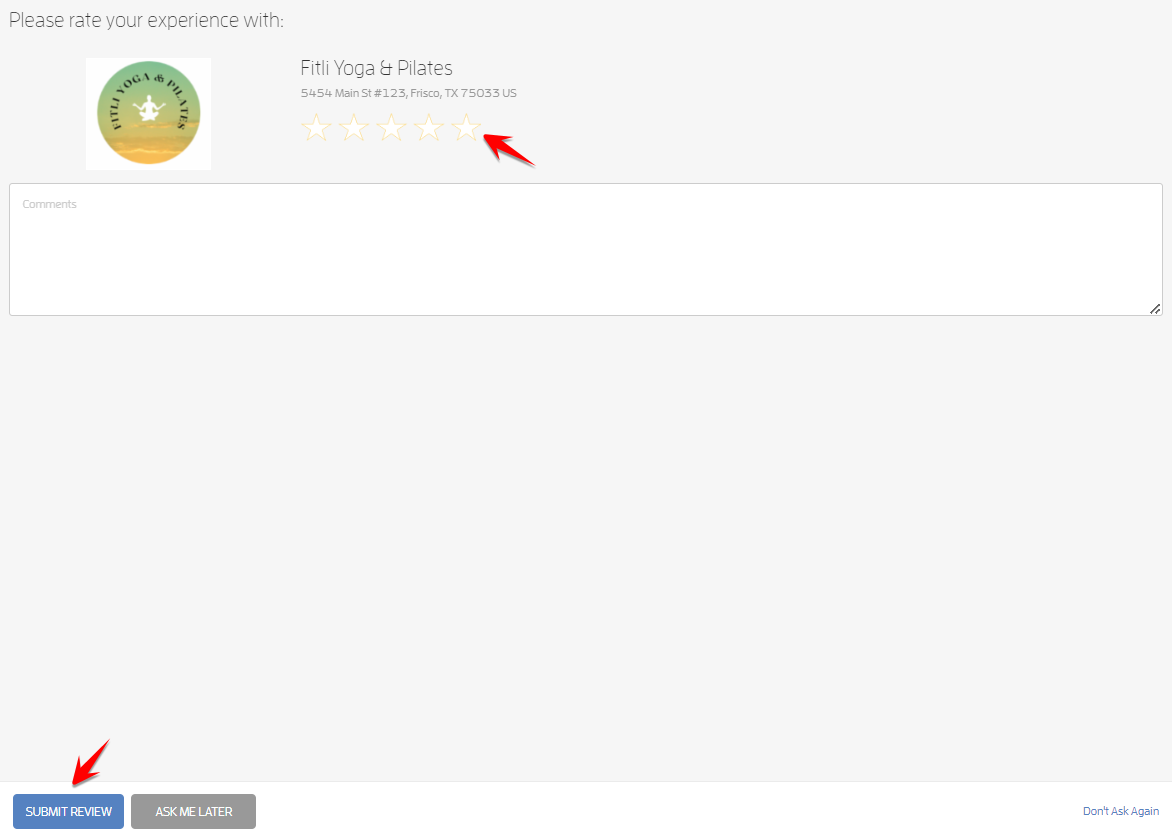
On your next login, after attending a class or appointment, you'll see a review popup for the business or instructor. To leave a review click any star rating, leave your comments on the comments section then hit SUBMIT REVIEW.
Note: If you prefer to leave a review some other time, click ASK ME LATER. Otherwise, click the "Don't Ask Again" link. If you inadvertently clicked the "Don't Ask Again" link, don't fret! You can proactively leave a review for the business which I will discuss later. Or, you can contact the business directly and ask for the business' "Review" link. Unfortunately, there's no "Review" link for instructors but you can proactively leave them a review on the iOs app.
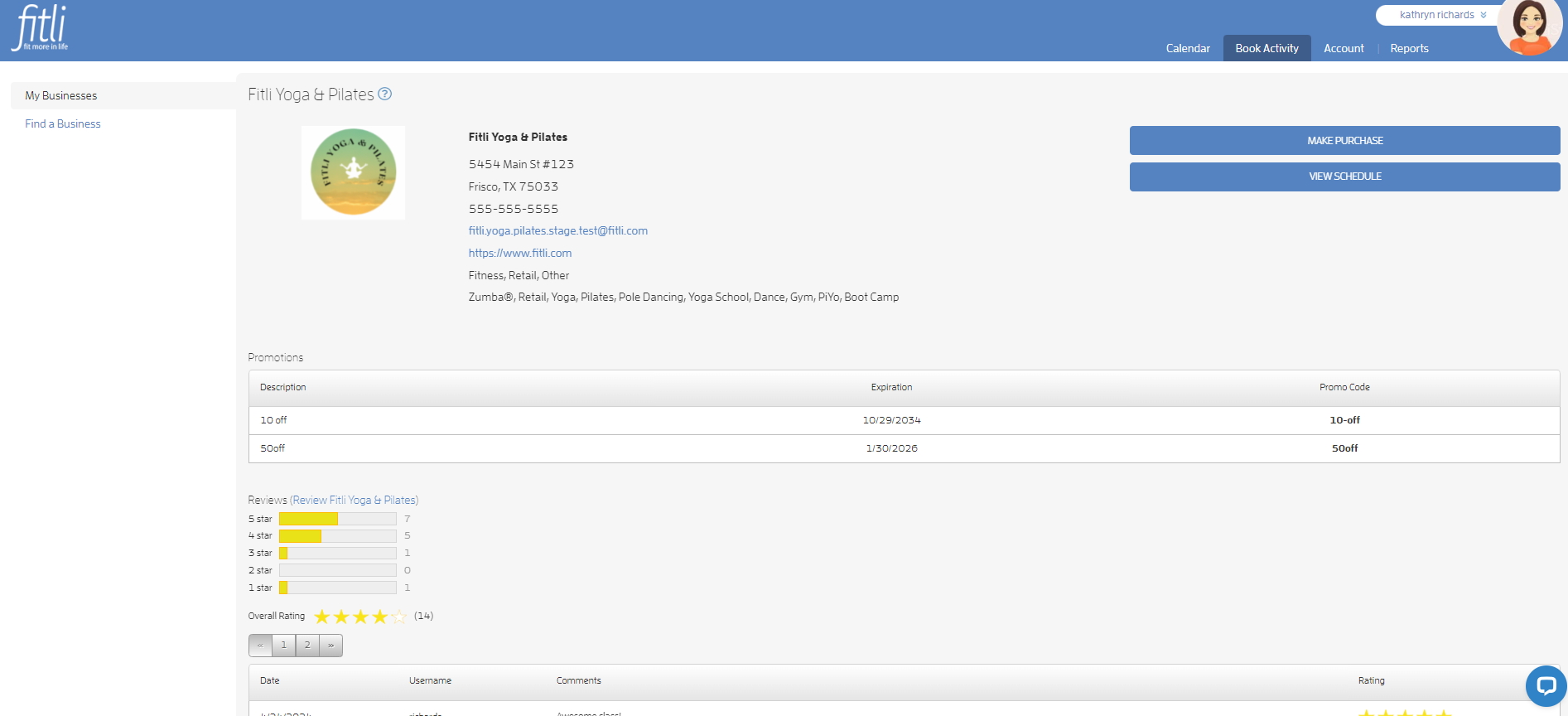
Once submitted, you'll see your review on the Business' Profile page.

If you left a review for the instructor, you won't be able to view it on the website. To view the review, download and log in to the iOs app. Go to the business, tap "Professionals" and the instructor's name to view their "Recent Reviews."
How to Proactively Leave a Review?
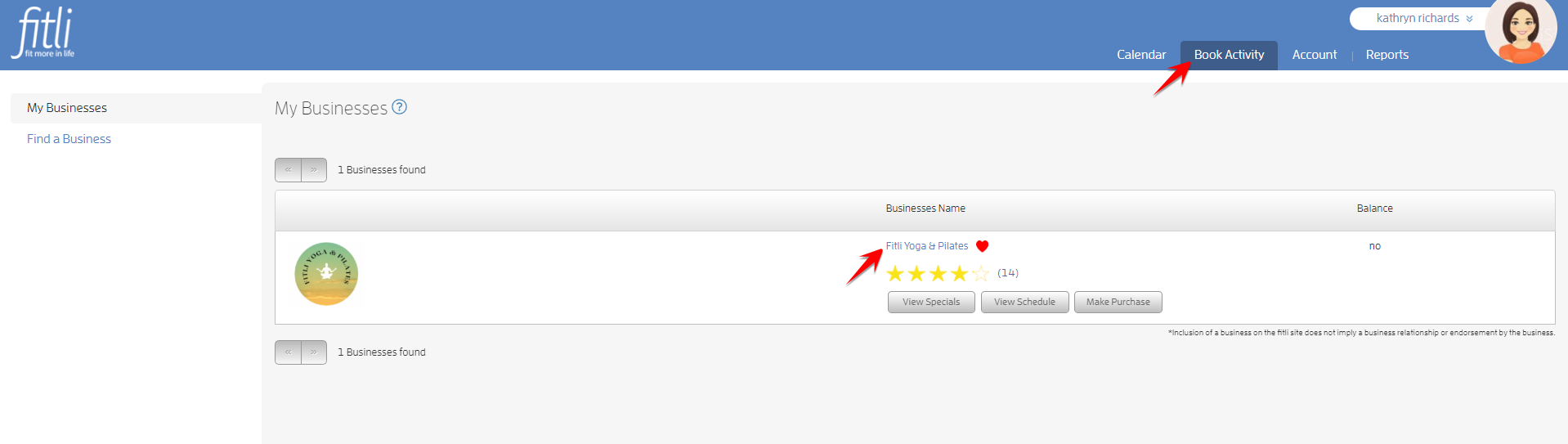
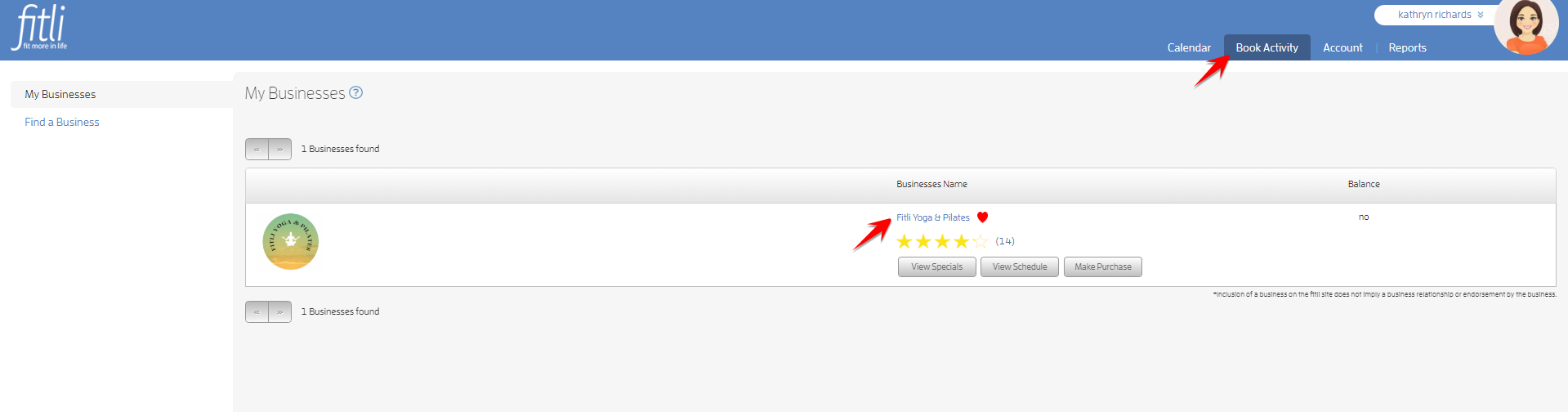
To proactively leave a review for the business, go to "Book Activity" then click the business' name.
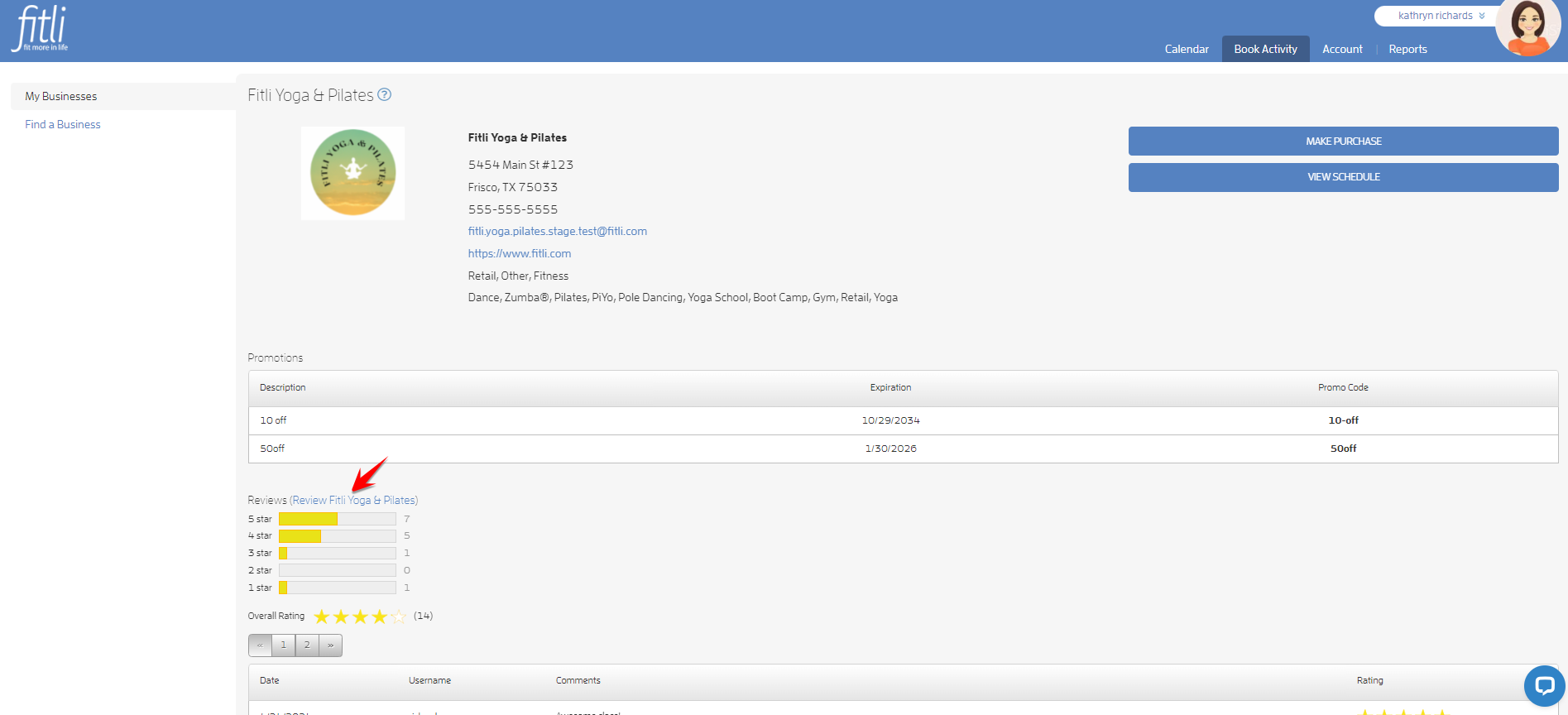
On the Business Profile page, scroll down to "Reviews" and click the review link.
On the review modal, click any star rating, leave your comments on the comments section then hit SUBMIT REVIEW.
How to Proactively Leave a Review on the iOs App?
If you want to leave a review for the instructor, download and log in to the Fitli app.
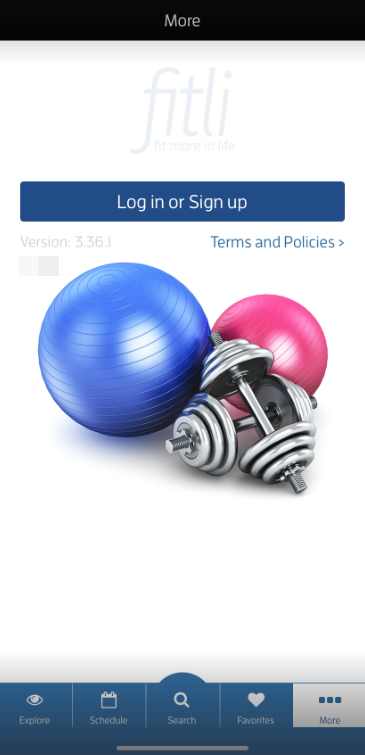
Go to "Favorites", tap the business to open its profile, tap "Professionals" then the instructor's name to open their profile.
Note: If you just attended a class or appointment, you'll see a review popup. To leave a review choose any star rating on the modal, leave your comments on the comments section then hit "Post." If you prefer to leave a review some other time, click ASK ME LATER. Otherwise, click the "Don't Ask Again" link.
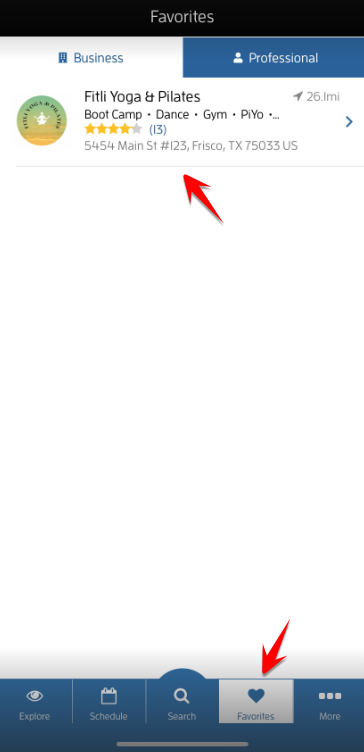
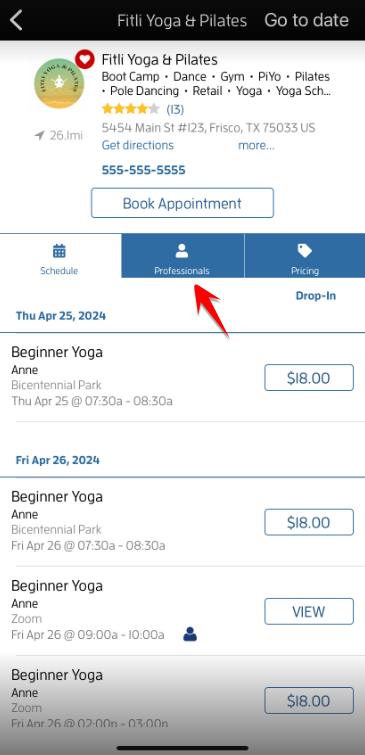
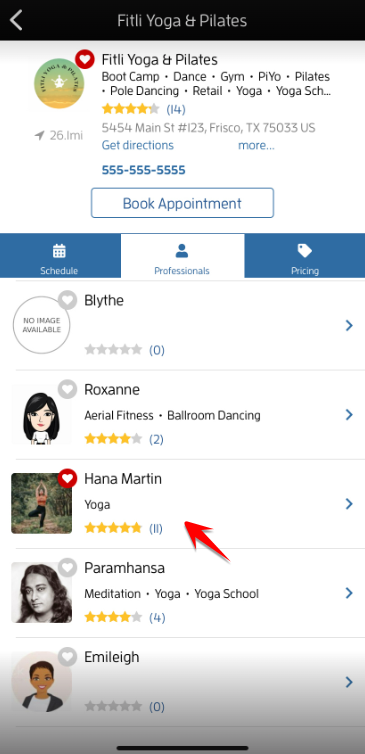
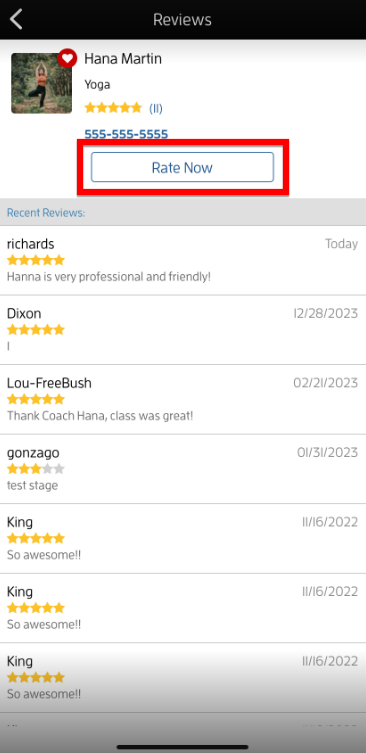
On the "Reviews" section, tap the "Rate Now" button to be directed to the "Post Review" page.
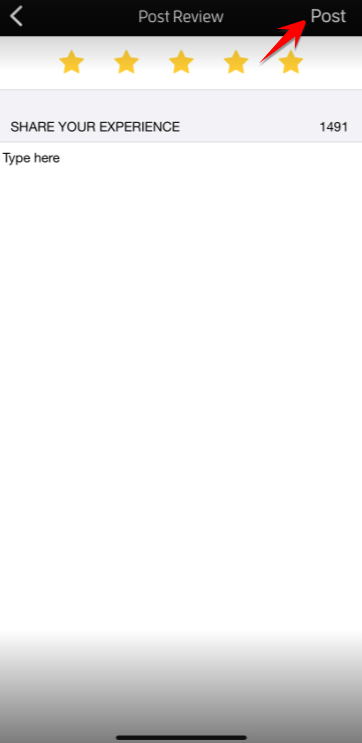
Choose any star rating, leave your comments on the comments section, tap DONE then "Post".
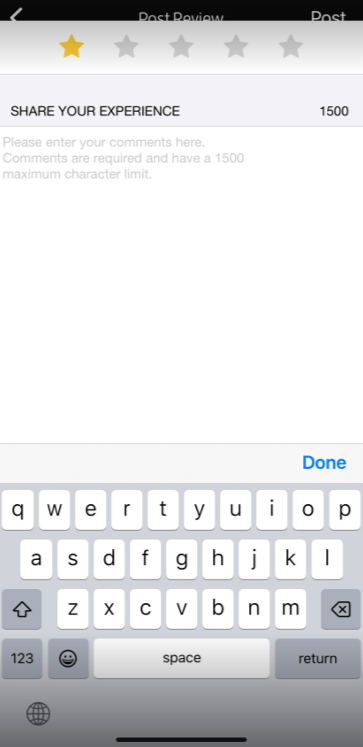
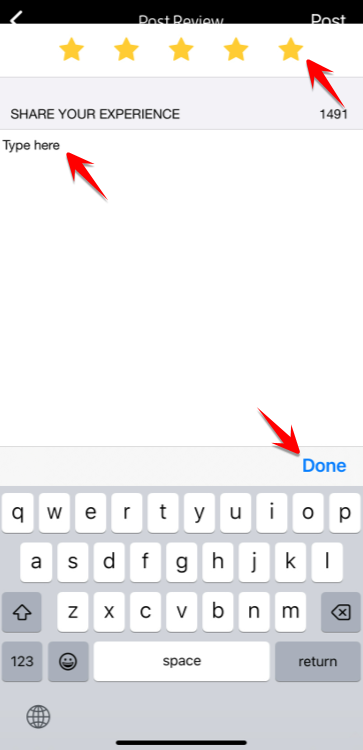
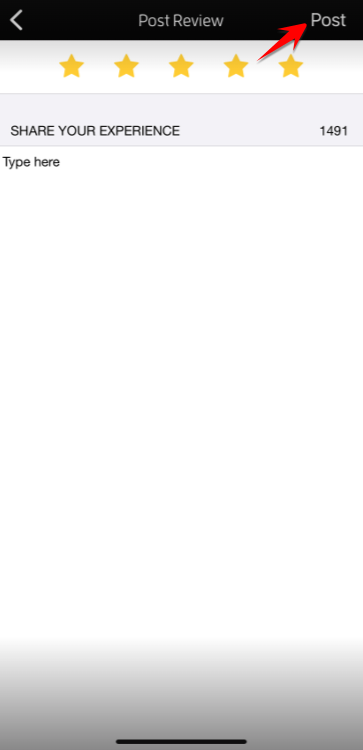
To leave a review for the business, go to "Favorites", tap the business to open its profile.
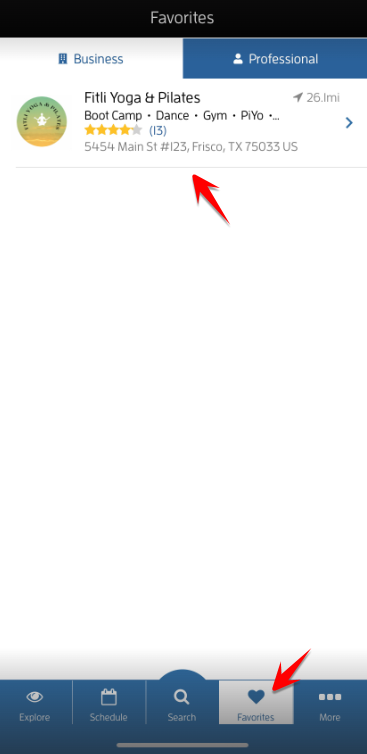
Tap the link or the star rating to be directed to the "Reviews" section then tap the "Rate Now" button.
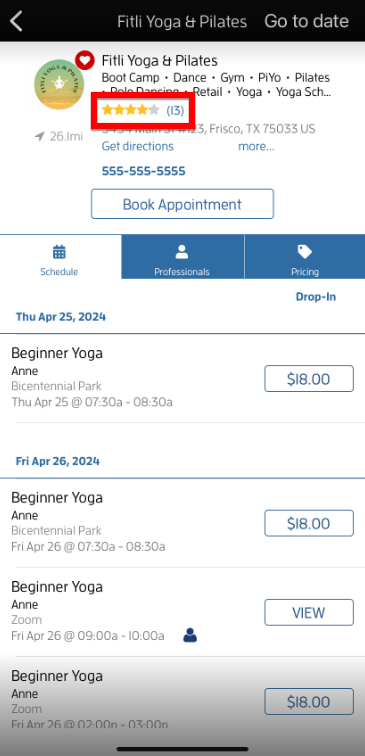
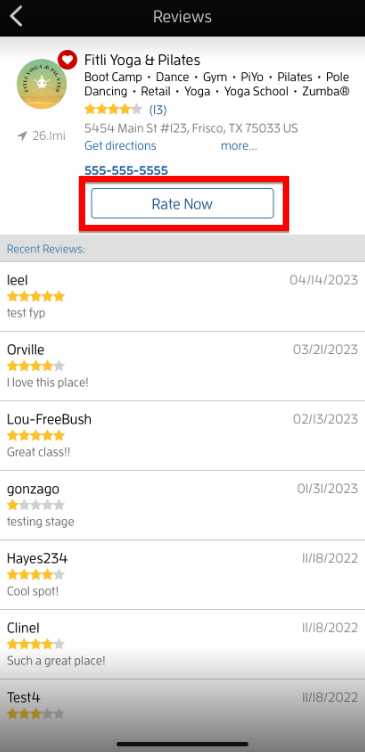
On the "Post Review" section, choose any star rating, leave your comments on the comments section, tap DONE then "Post".
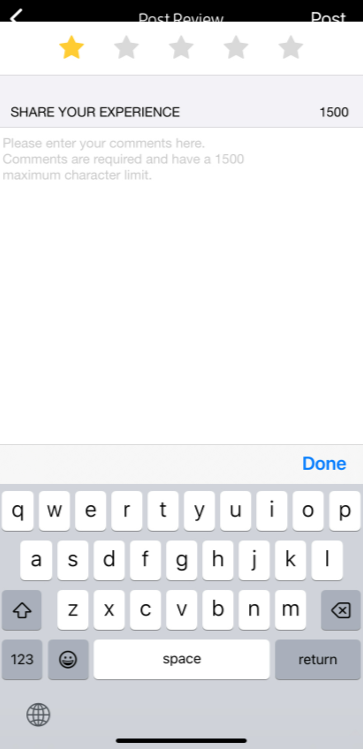
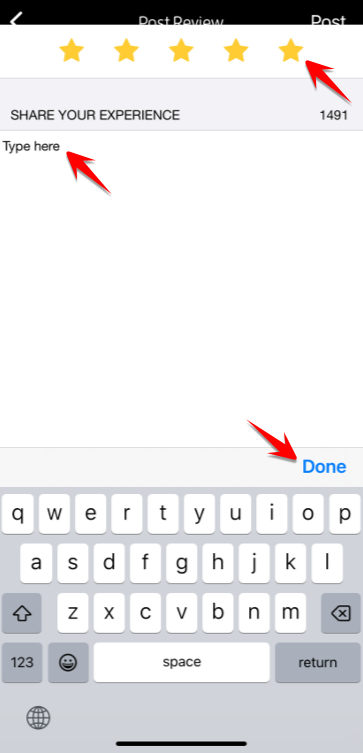
That's it! You're done!
Top Questions:
Q: Can I proactively leave a review for the instructor on fitli.com?
A: Unfortunately, you can't do this on the website. To leave a review for the instructor, download and log in to the iOs app then follow the instructions above.
Q: How can I view the review I left for the business?
A: To view the review you left for the business on fitli.com, go to their business profile and scroll down to "Reviews." To view the review on the iOs app, go to the business, tap the link or the star rating at the top to be directed to the "Reviews" section then check for "Recent Reviews" under "Rate Now".
Q: How can I view the review I left for the instructor?
A: To view the review you left for the instructor, download and log in to the iOs app. Go to the business, tap "Professionals" and the instructor's name, then check for "Recent Reviews" under "Rate Now."
Q: I accidentally gave the business/instructor a 1-star rating, how can I change this?
A: Unfortunately, you can't edit a review once it's submitted. To change the star-rating or delete your review, contact us directly.
Q: I inadvertently clicked the "Don't Ask Again" link, can I still leave a review?
A: Yes, you can leave a review for the business via fitli.com. You can also download and log in to the iOs app to leave a review for the business and instructor. Or, you can contact your business directly and ask for the business' "Review" link.
Any questions? Chat with us or send us an email to support@fitli.com.