
The next step in setting up Payroll is to assign your new pay rates to your existing users/trainers. That way, your trainers will be paid based on the rates you've created.
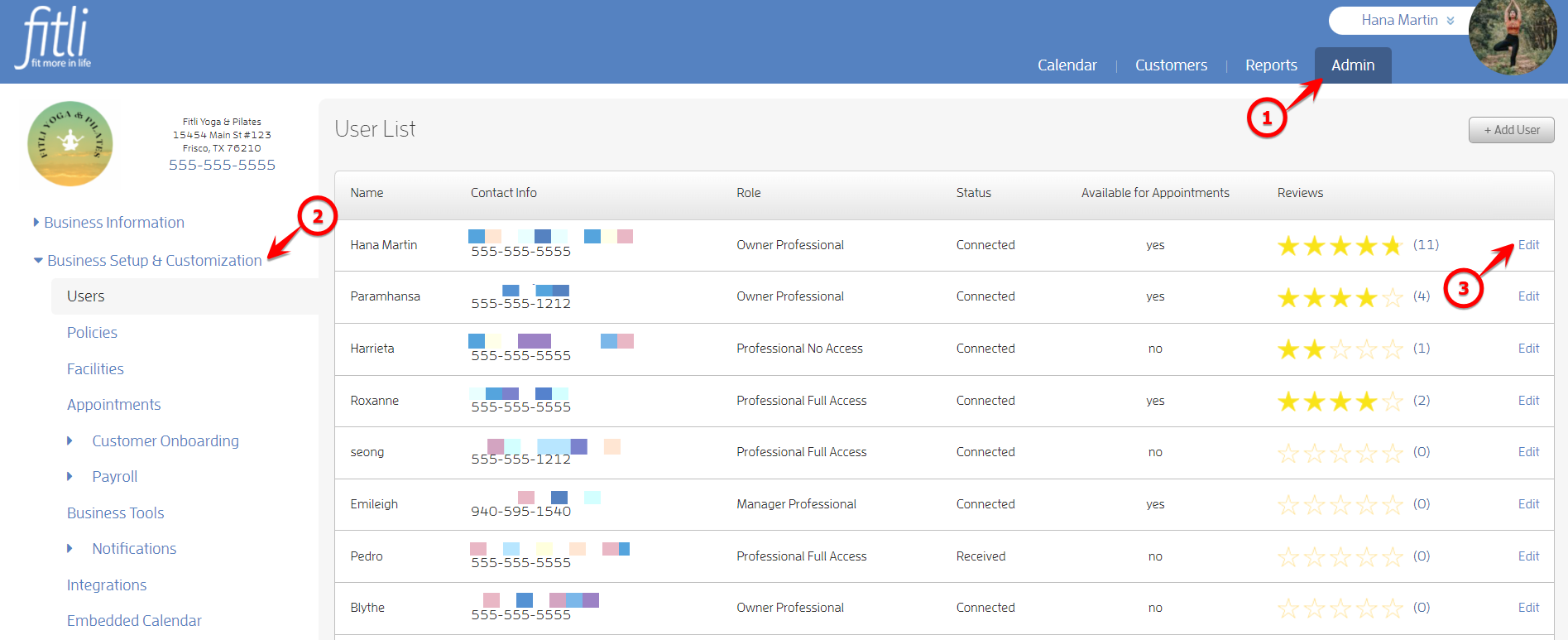
To start out, head to the "Admin" section, and click "Business Setup & Customization" on the left to be directed to the "Users" page.
Then, click on "Edit" next to the name of the trainer you'd like to setup the pay rate for.
Once in your instructor's profile, scroll to the bottom, and choose the pay rate on the pulldown.
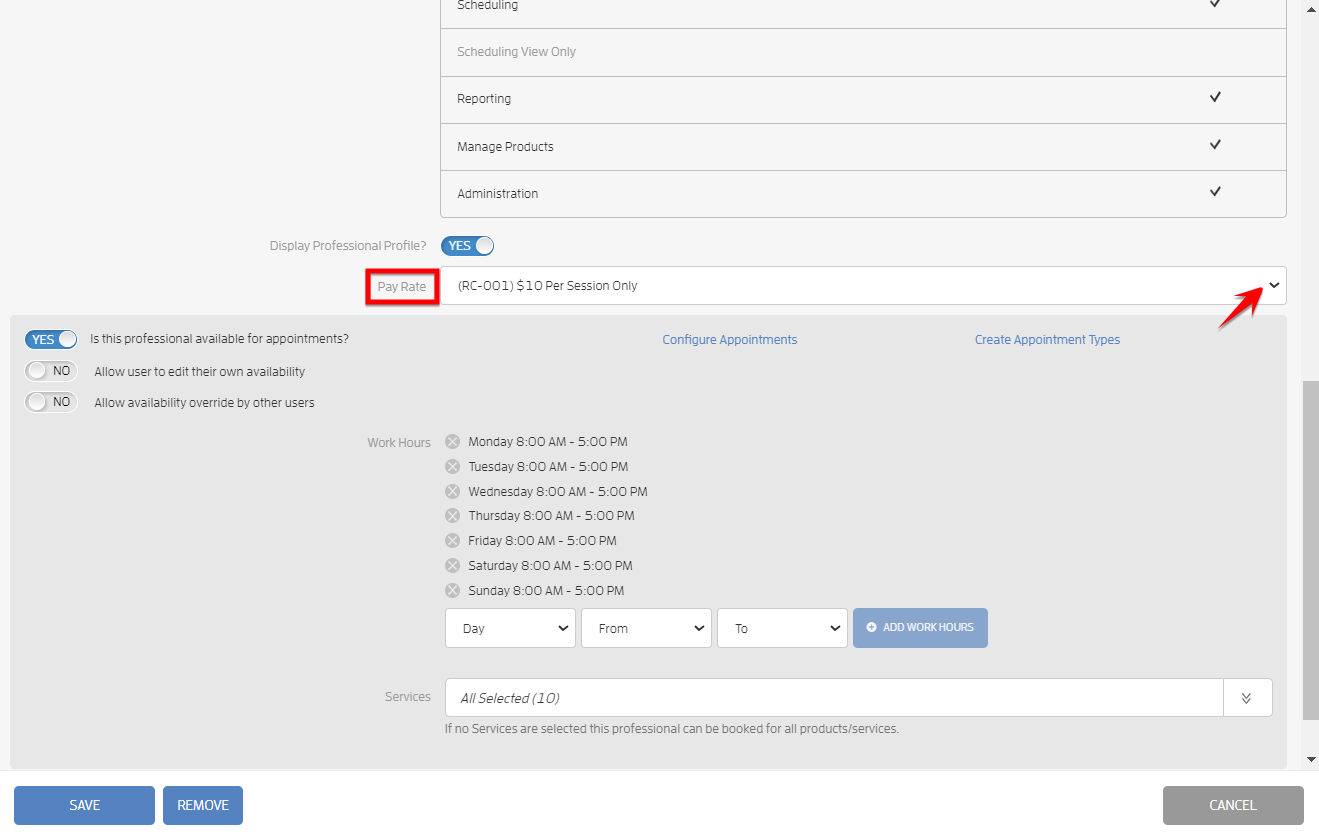
Click Save and you've now assigned that pay rate to your instructor! You can use a single pay rate for multiple instructors, or have individual pay rates for each instructor, your choice!