
Are you a previous, current, or prospective client that would like to contact a business listed on Fitli for more information but aren't quite sure how to do that? Don't worry! We've got you covered. Here's a brief guide on how to view contact details for any business listed on Fitli.
For New and Old Clients:
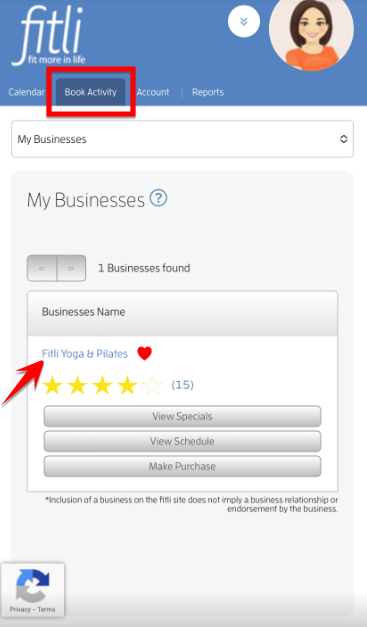
To get your business' contact details, log into your account, tap "Book Activity" at the top menu, then tap your business' name.
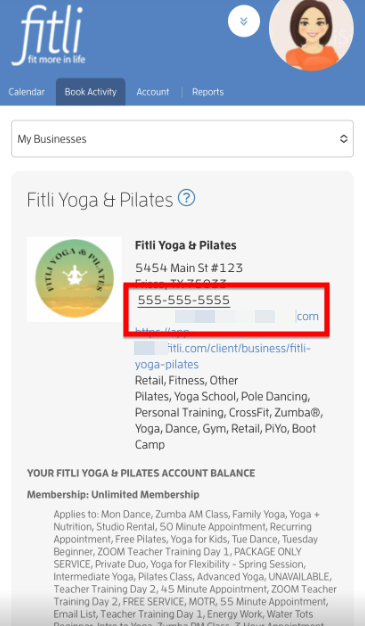
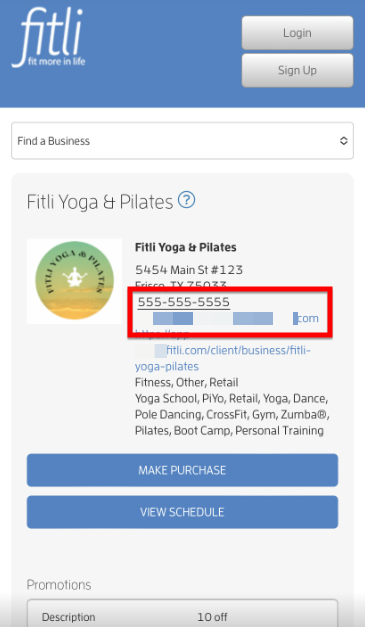
On the next page, you'll see the business' profile where you can view their phone number and/or email address.
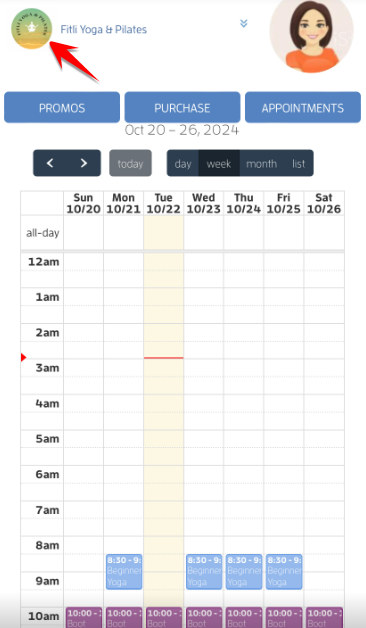
You can also tap your business' logo on their public calendar to be directed to their business profile .
Note: If your business has a website, tapping the logo at the top right of their public calendar will direct you to their website. Otherwise, you'll be directed to their Fitli business' profile.
For Aspiring Clients:
To check the business' contact details, tap the business logo on the business' public calendar at the top left side to be directed to their business profile.
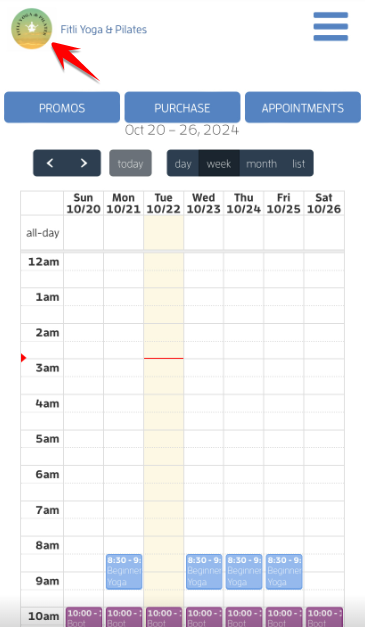
Note: If the business you're trying to sign up for has a website, tapping the logo at the top right of their public calendar will direct you to their website. Otherwise, you'll be directed to their Fitli business' profile.
On the next page, you'll see the business' profile where you can view their phone number and/or email address.
That's about it! Any questions? Chat with us at fitli.com or send us an email to support@fitli.com.