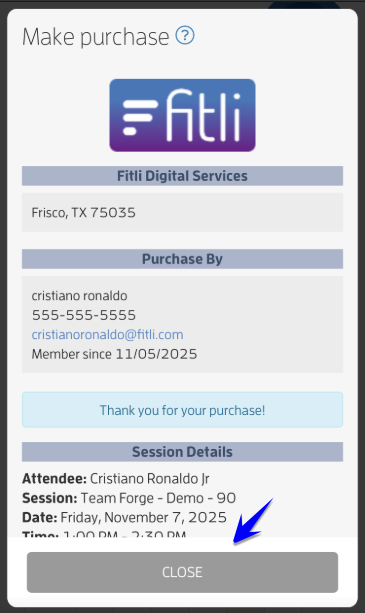
To book a session using the link you received is easy. Just follow these steps:

1 - Tap the link you received for the session.
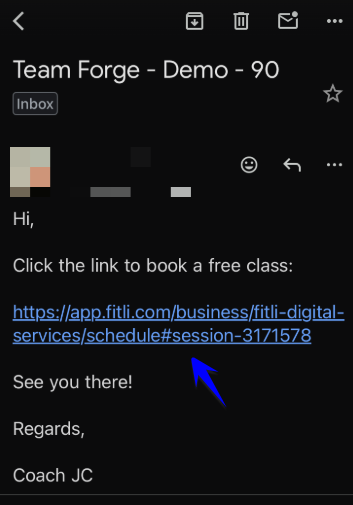
Mobile version: Got a Link? Here’s How to Book Your Spot — screenshot 1

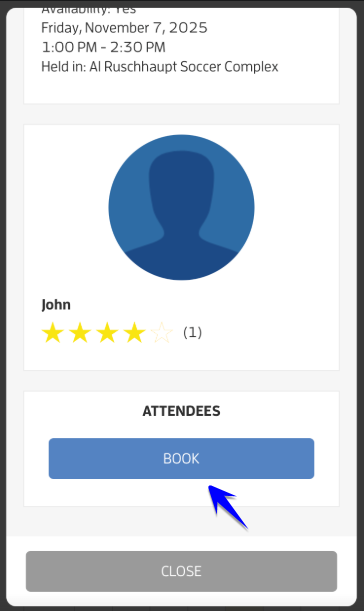
2 - Scroll up and hit the "Book" button to get started.
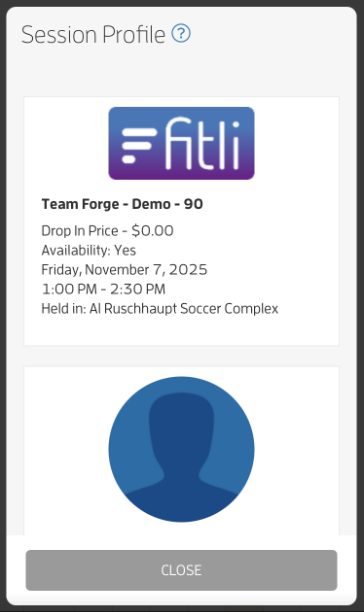
Mobile version: Got a Link? Here’s How to Book Your Spot — screenshot 2


Mobile version: Got a Link? Here’s How to Book Your Spot — screenshot 3

3 - Choose "Sign Up For FREE" to create your account.
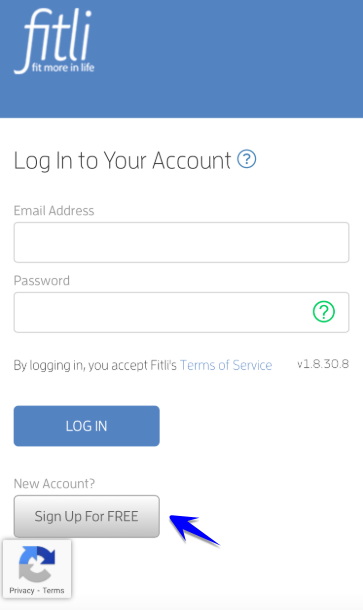
Mobile version: Got a Link? Here’s How to Book Your Spot — screenshot 4

4 - Fill out your basic info — first name, last name, email, and a password — then tap "Submit."
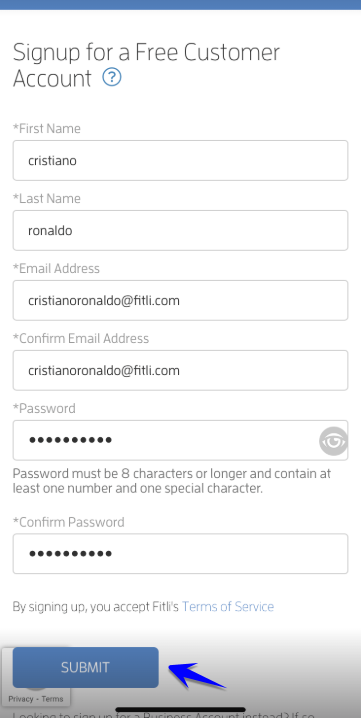
Mobile version: Got a Link? Here’s How to Book Your Spot — screenshot 5

5 - Add any additional contact info if you want. Mobile number is the only required field. Check the box below it to opt-in to receive sms notifications then hit "Submit."
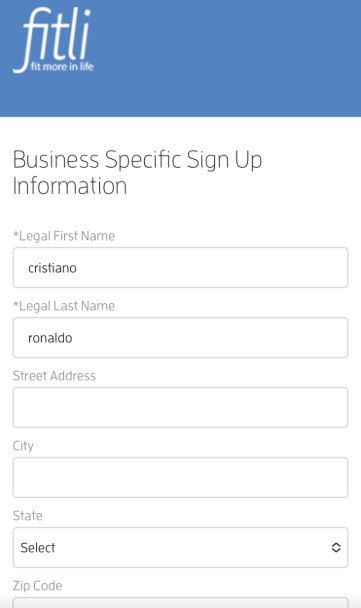
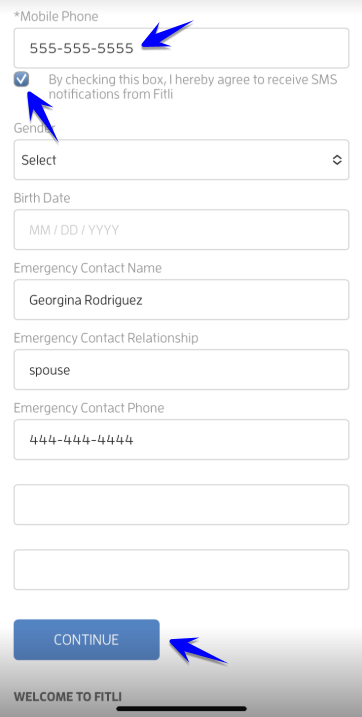
Mobile version: Got a Link? Here’s How to Book Your Spot — screenshot 6


Mobile version: Got a Link? Here’s How to Book Your Spot — screenshot 7

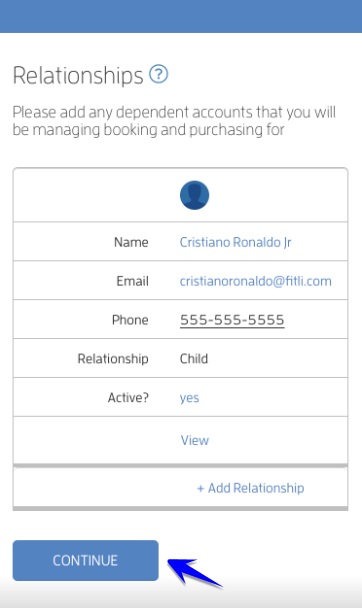
6 - Add your child’s information (first name, last name, and your relationship). Tap "Save" and "Continue." Add another if you have more than one child attending.
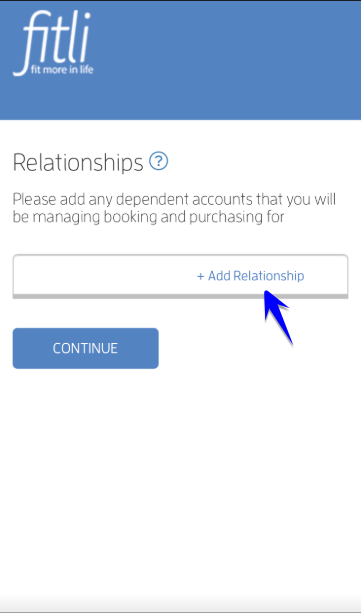
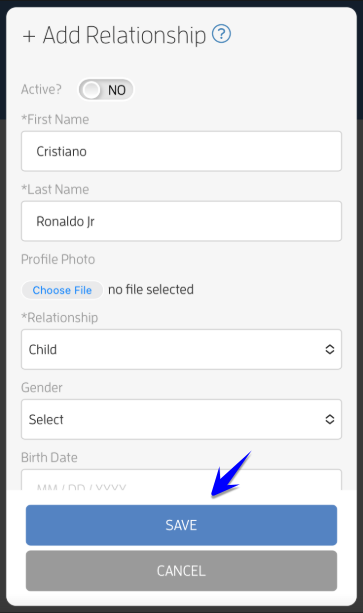
Mobile version: Got a Link? Here’s How to Book Your Spot — screenshot 8


Mobile version: Got a Link? Here’s How to Book Your Spot — screenshot 9


Mobile version: Got a Link? Here’s How to Book Your Spot — screenshot 10

7 - Review and accept the waiver to move forward.
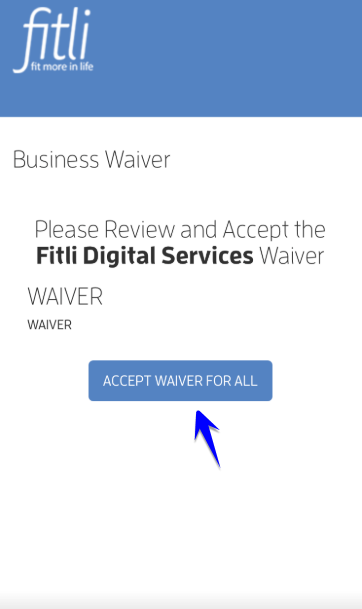
Mobile version: Got a Link? Here’s How to Book Your Spot — screenshot 11

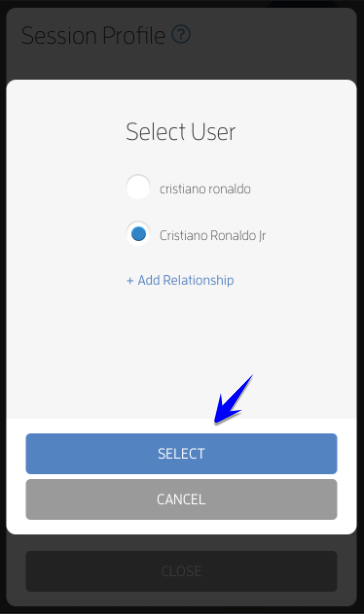
8 - Choose your child for the booking and hit "Select."
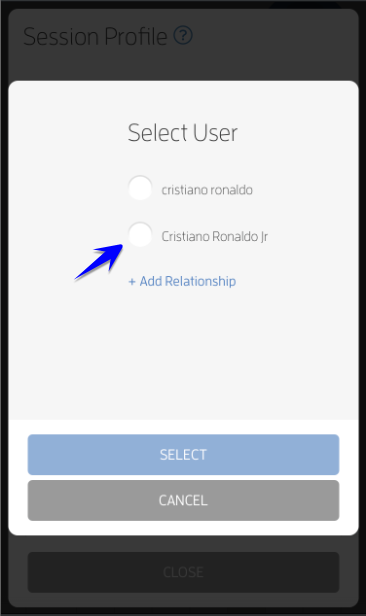
Mobile version: Got a Link? Here’s How to Book Your Spot — screenshot 12


Mobile version: Got a Link? Here’s How to Book Your Spot — screenshot 13

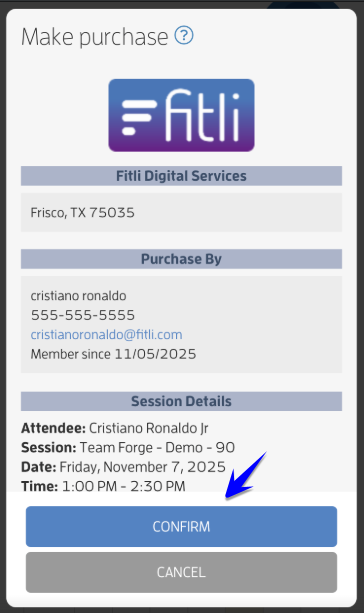
9 - Review, hit CONFIRM and CLOSE.

Mobile version: Got a Link? Here’s How to Book Your Spot — screenshot 14


Mobile version: Got a Link? Here’s How to Book Your Spot — screenshot 15

10 - All done! You’ll get a confirmation email and/or text with all the session details — plus a reminder before the session starts.