
Setting up a workshop, seminar, training or anything similar is the same as setting up a class for your business. To do this, you'd need to create a service for your workshop with a descriptive title or name, something like "Workshop", so it'll be easier for you to distinguish it from the rest of your services (Eg. Yoga Workshop).
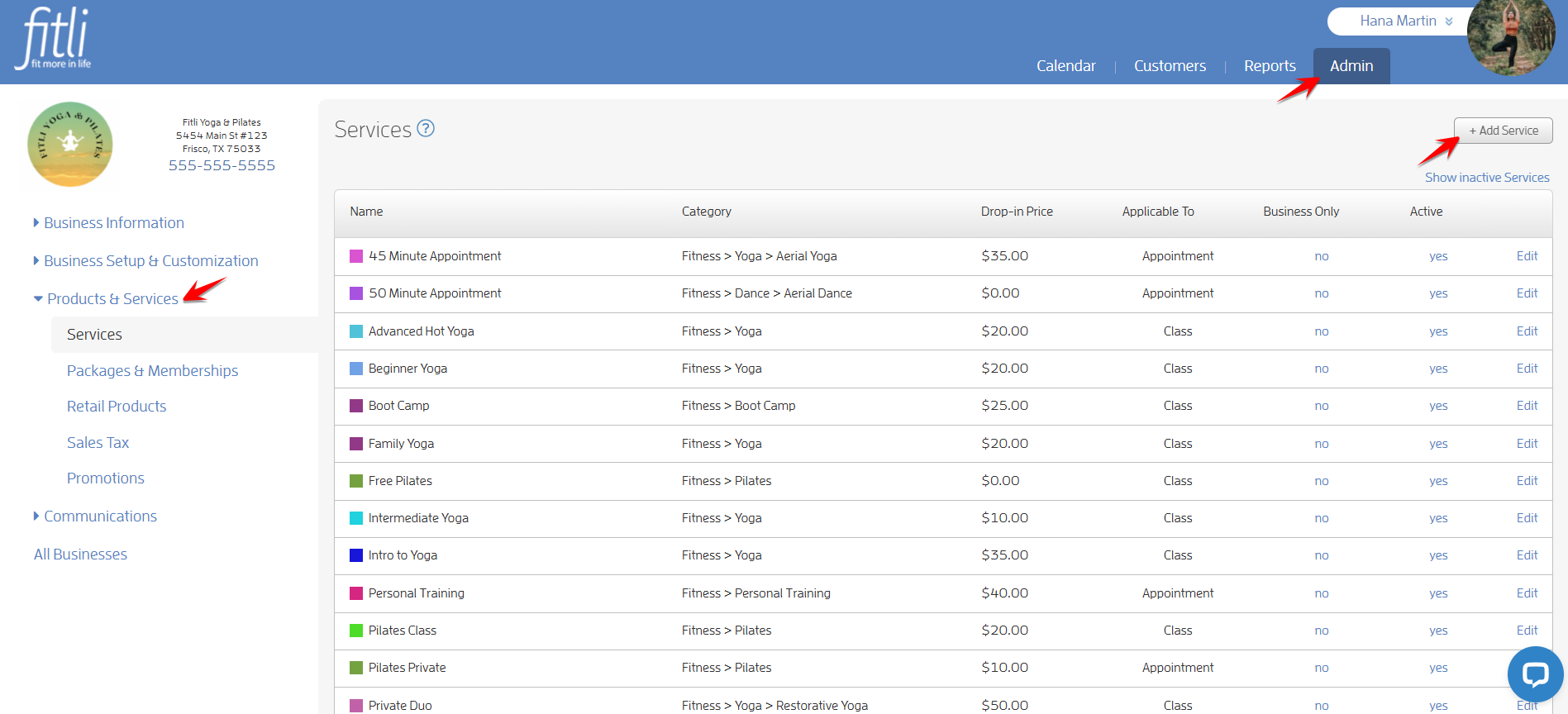
First, you need to go to "Admin" on the top menu, click "Products & Services" on the left side then "+ Add Service" on the upper right side.
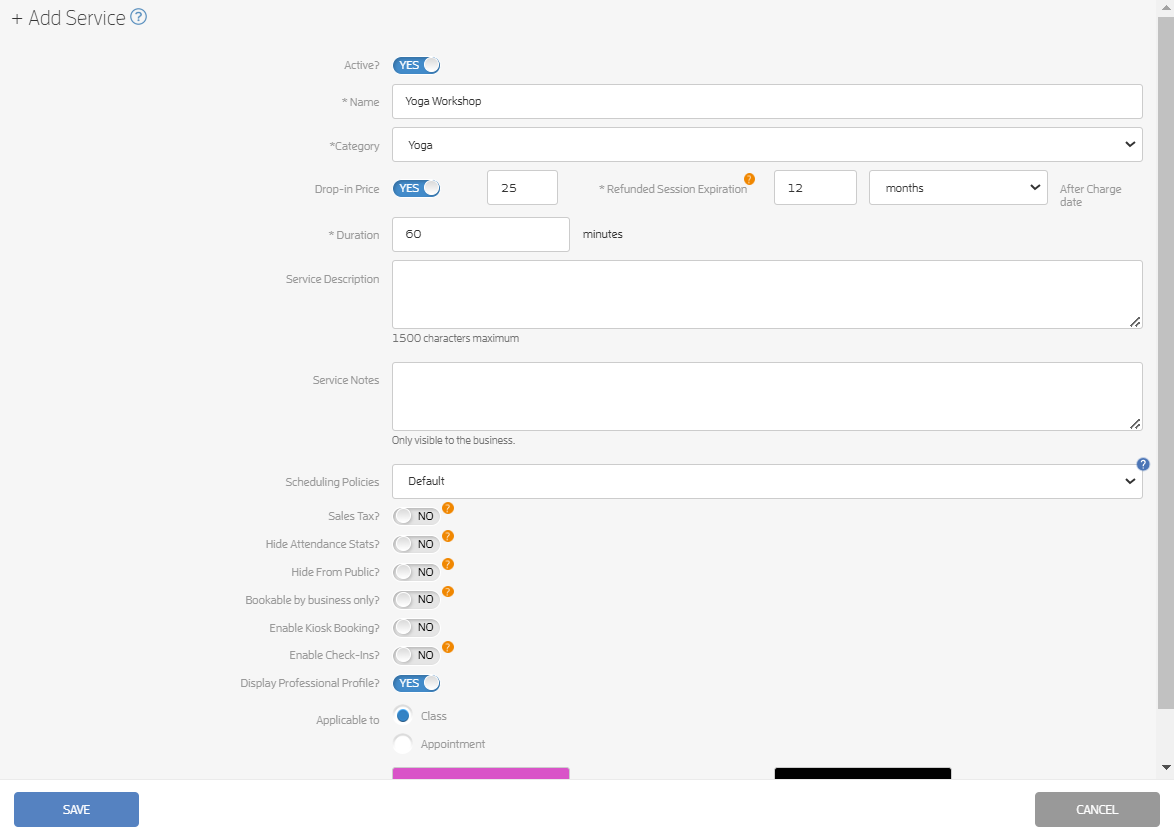
On the "+ Add Service" screen, enter the details of your workshop. When done, hit SAVE.
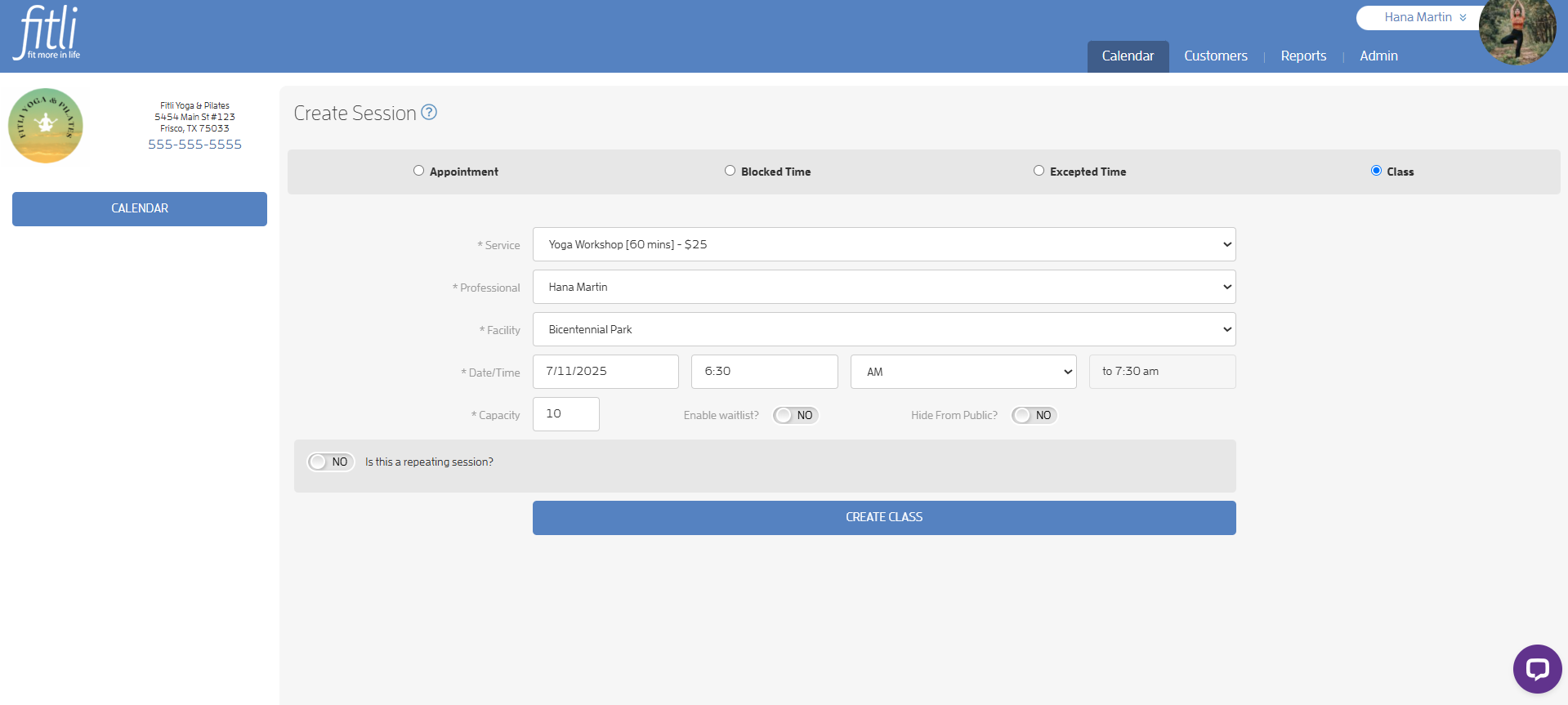
Once you're done adding your service/workshop, go to your Calendar and add it as a class. Click here for a helpful guide on how to add your workshop to your calendar.
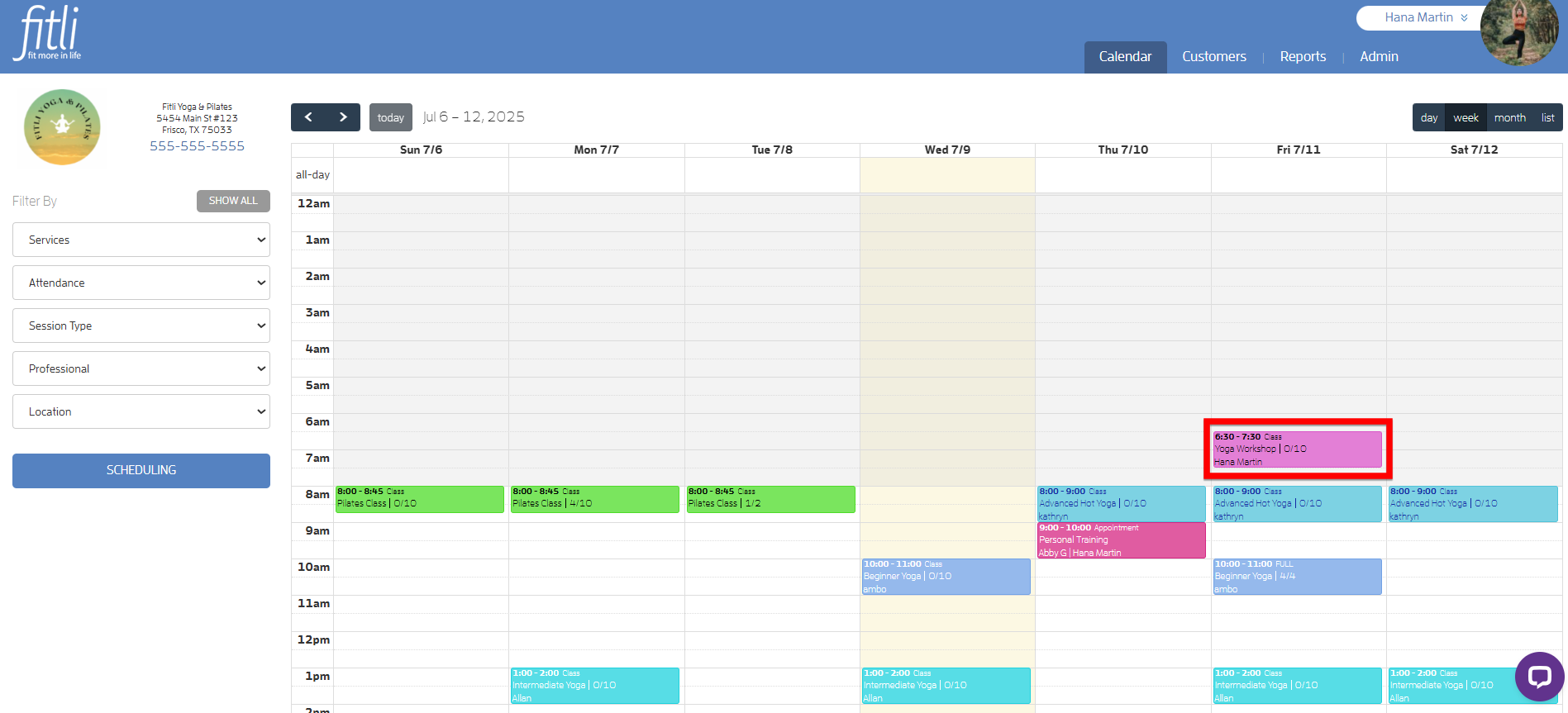
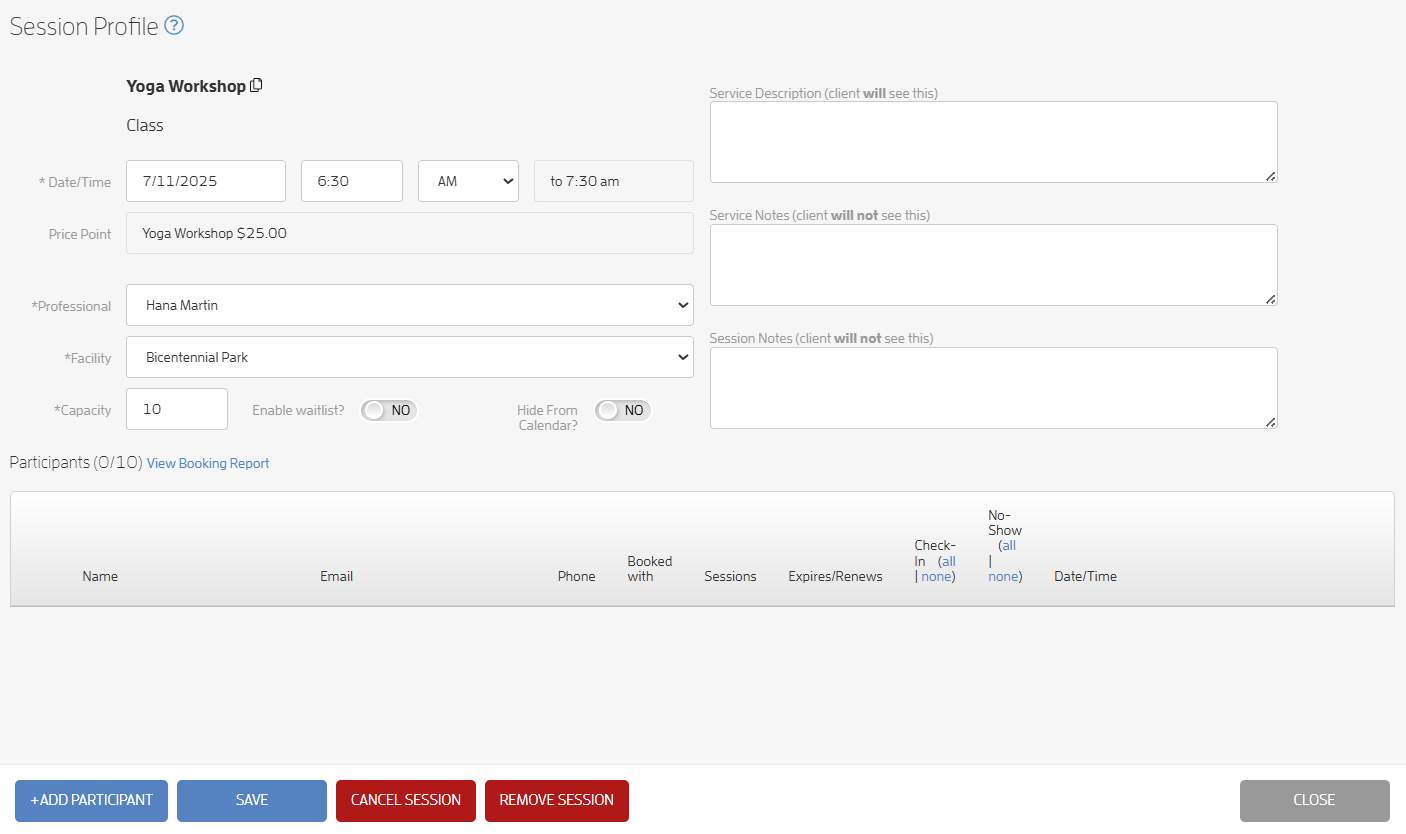
Here's a sample:
Calendar view:
Session Profile:
You can also create a package for your service/workshop. Click here to learn more.
Any questions? Chat with us or send us an email to support@fitli.com.