
This feature allows you to automatically cancel group sessions with zero attendees within a defined time window. This improves operational clarity for your business and instructors and automates cancellation when sessions go unbooked.
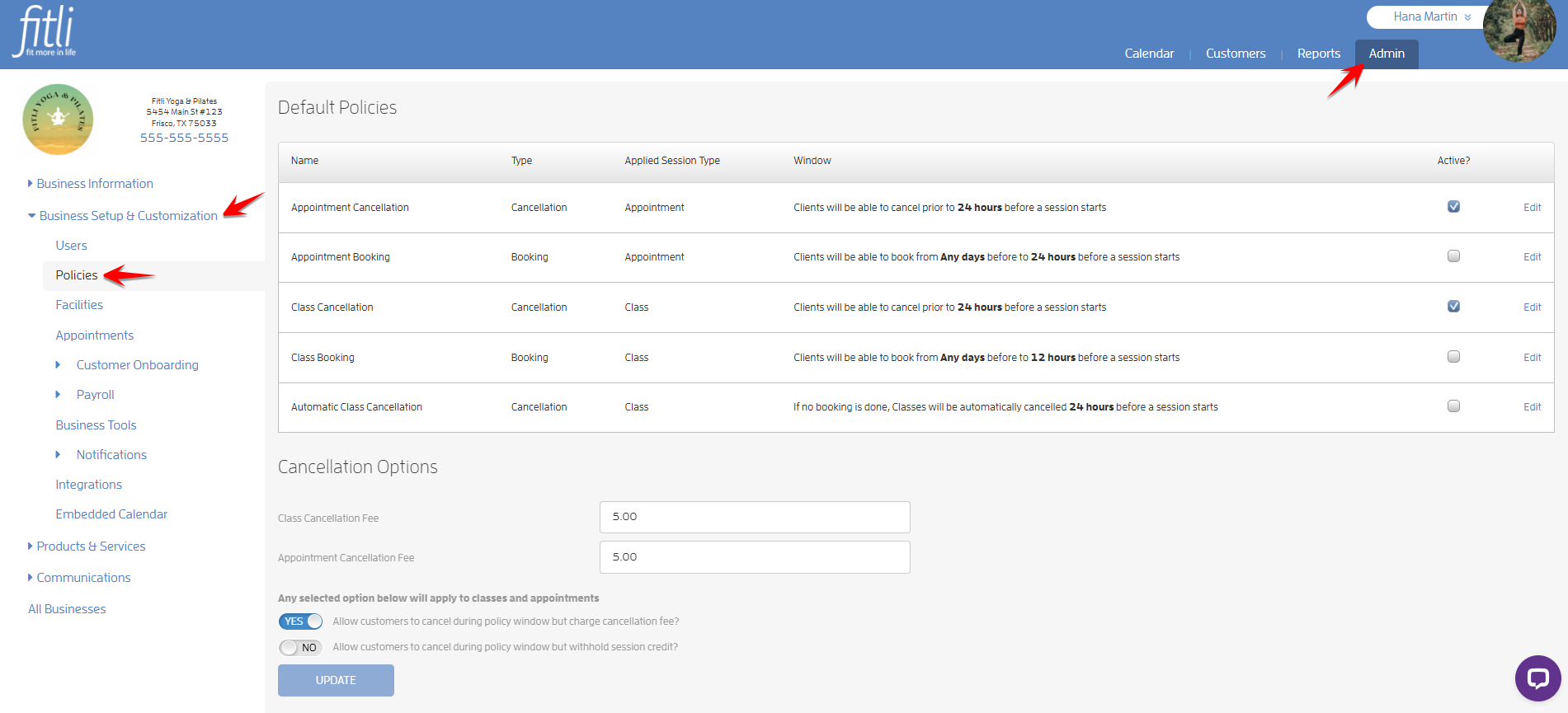
To set this up, go to the Admin section. Click Business Setup & Customization, then select Policies on the left side.
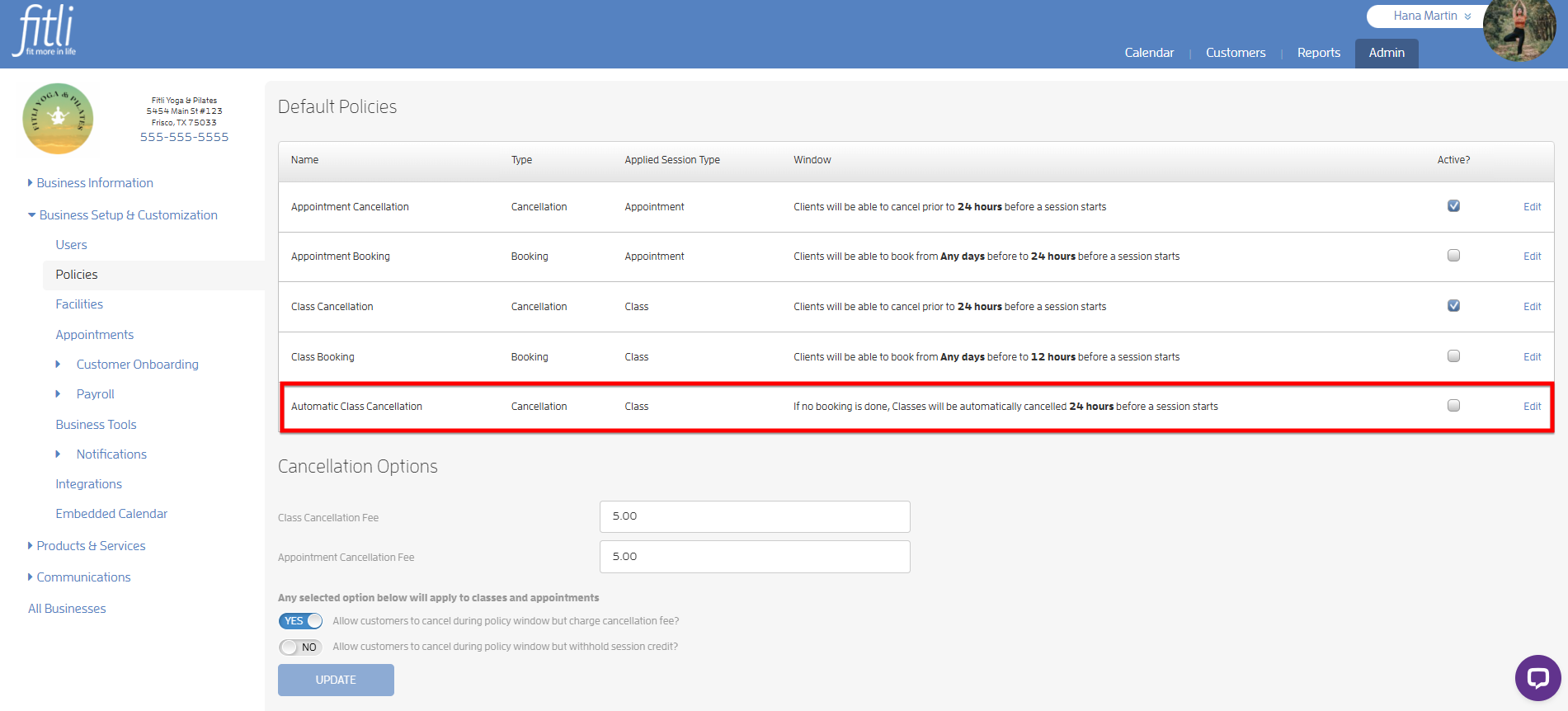
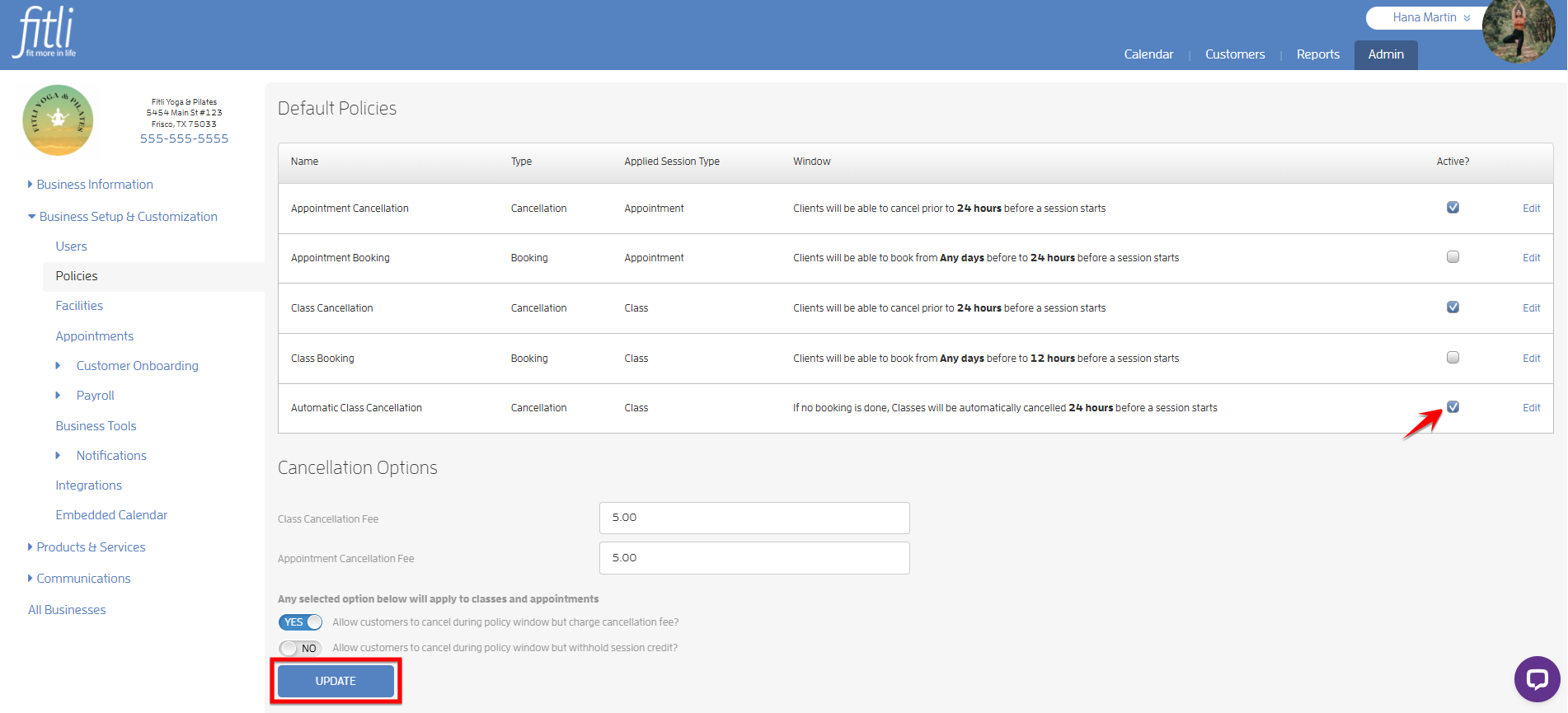
You will see Automatic Class Cancellation under Default Policies. By default (unless previously changed), group classes are canceled 24 hours before the session starts if there are no bookings. Enable this option to activate, check the box then hit UPDATE.
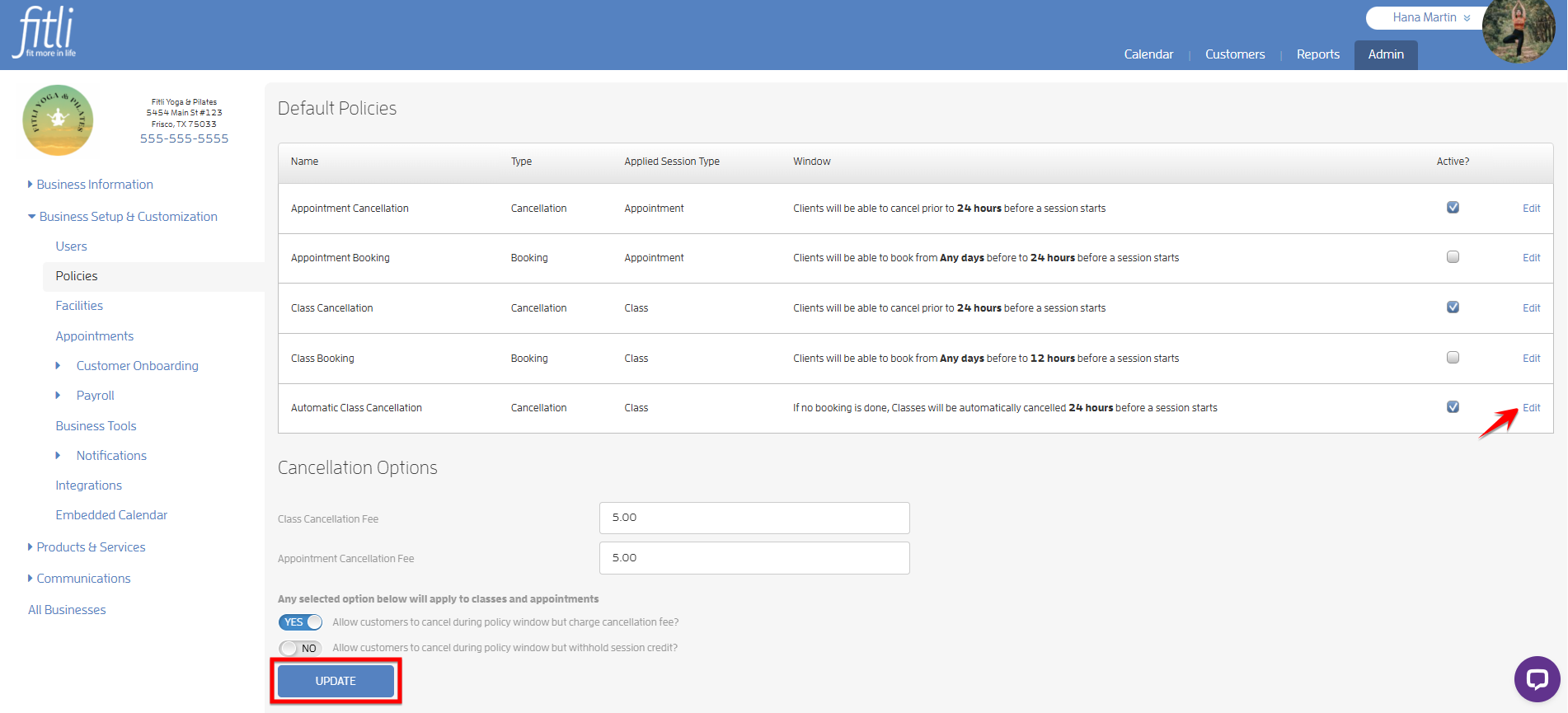
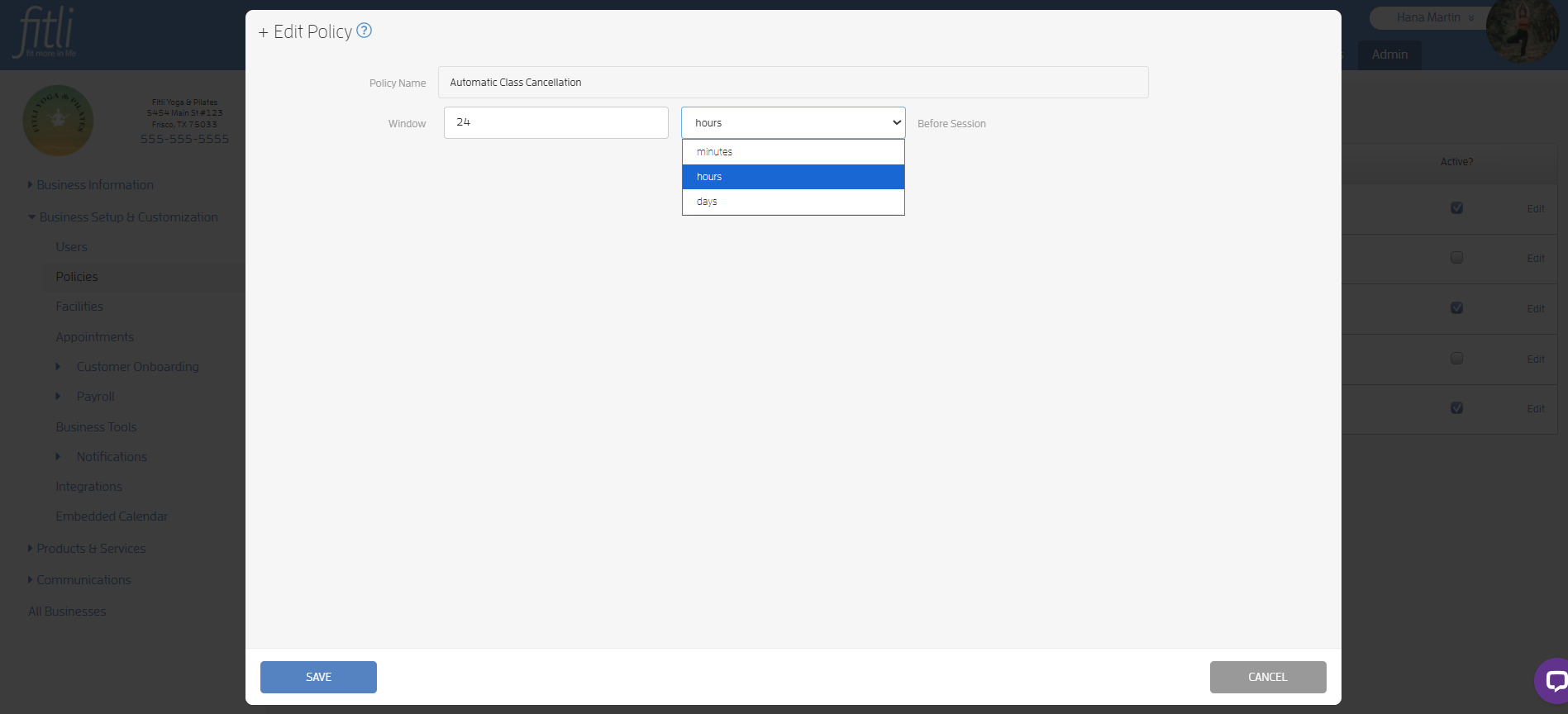
To edit the auto-cancellation timing for group classes, click “Edit”.
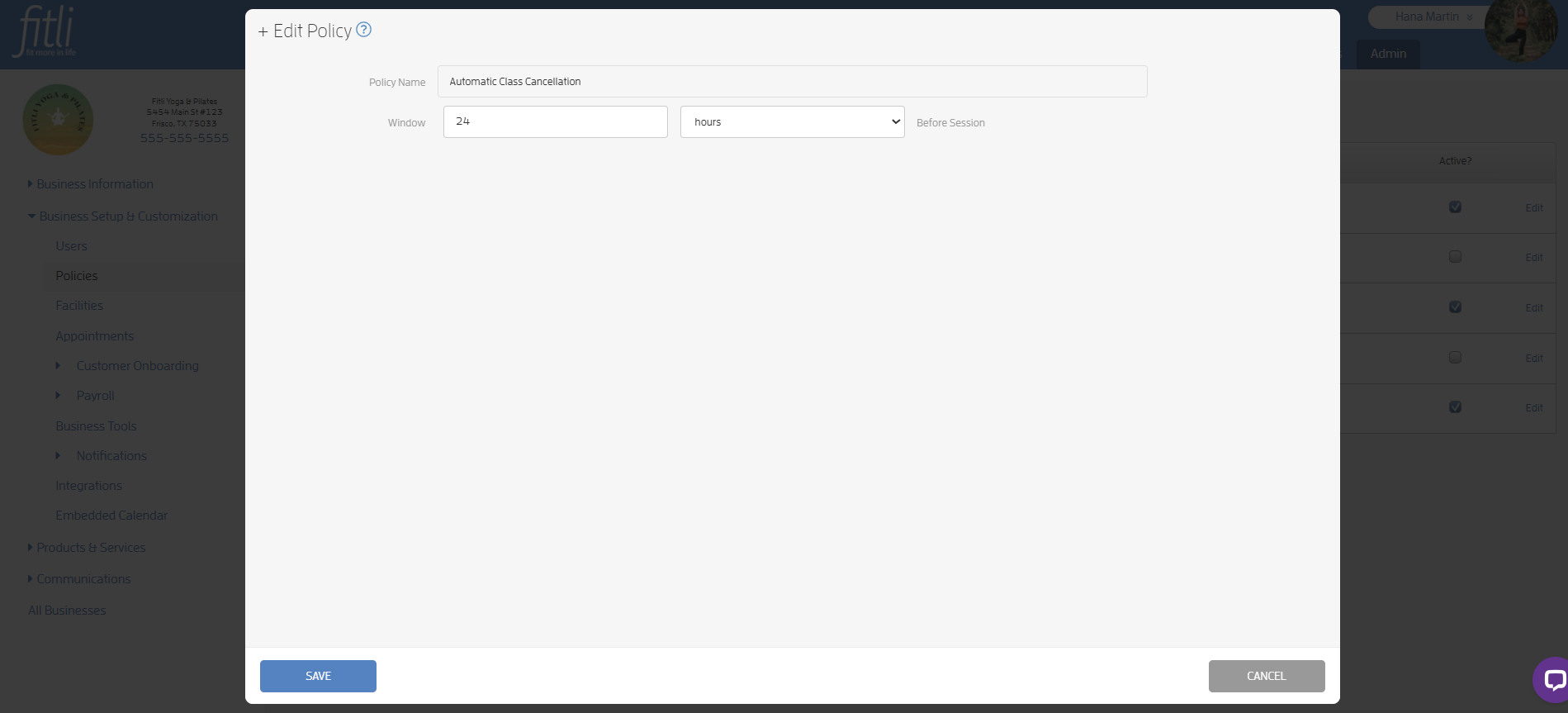
On the edit policy page, change the booking window then hit SAVE. In the example below, the business kept the Automatic Class Cancellation window at 24 hours.
That’s it you’re done!
What will happen next?
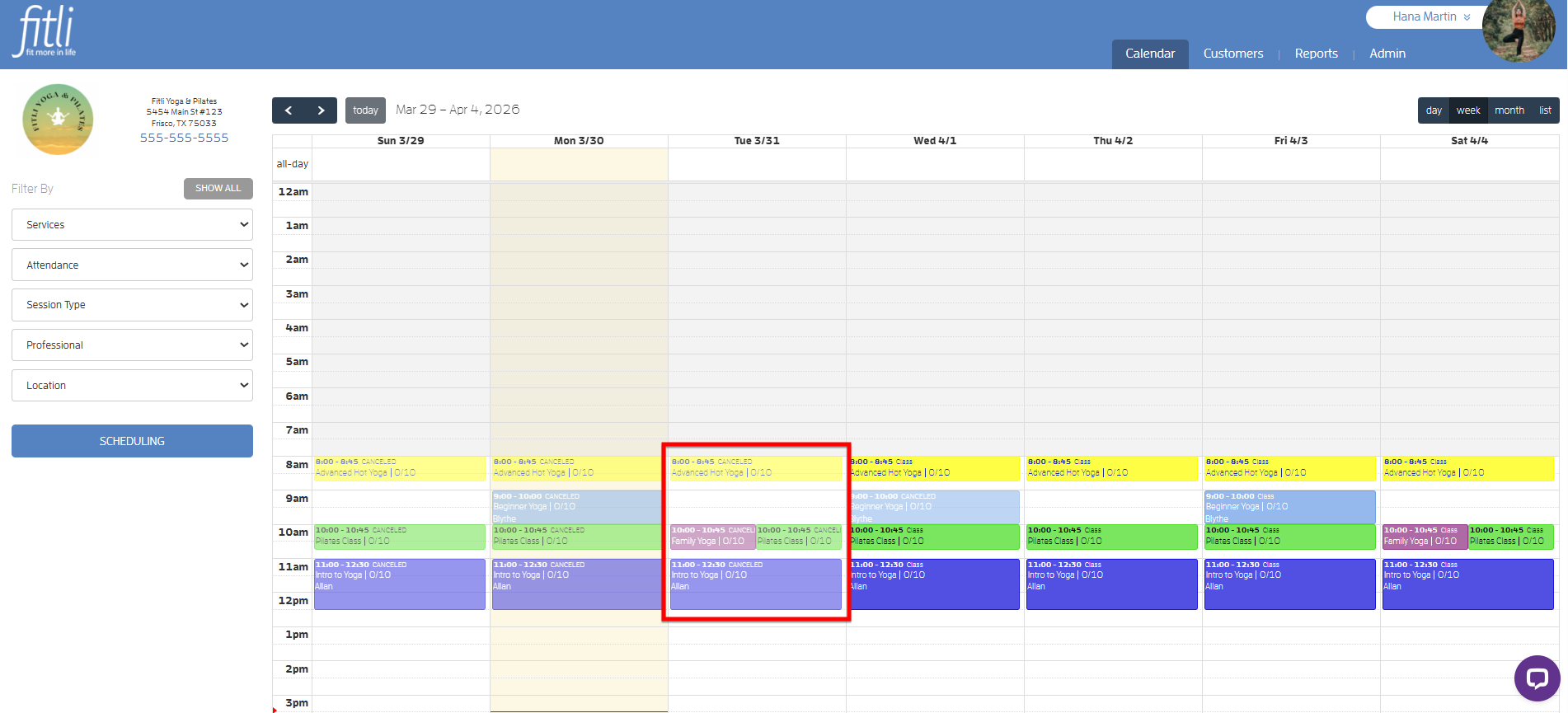
Classes with no bookings 24 hours before the start time are automatically canceled. Classes with participants will not be canceled.
That's about it! Any questions? Chat with us or send us an email to support@fitli.com.