
You can easily prompt your clients to add their relationships while booking. Here’s how.
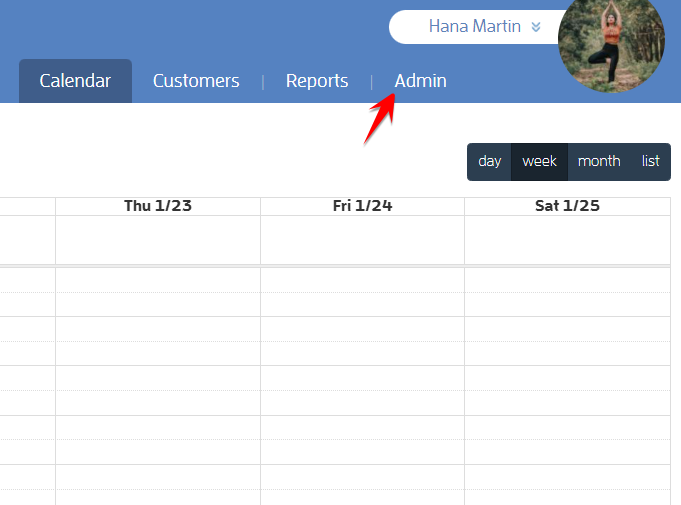
Log in to your Fitli Business account then click ADMIN at the top.
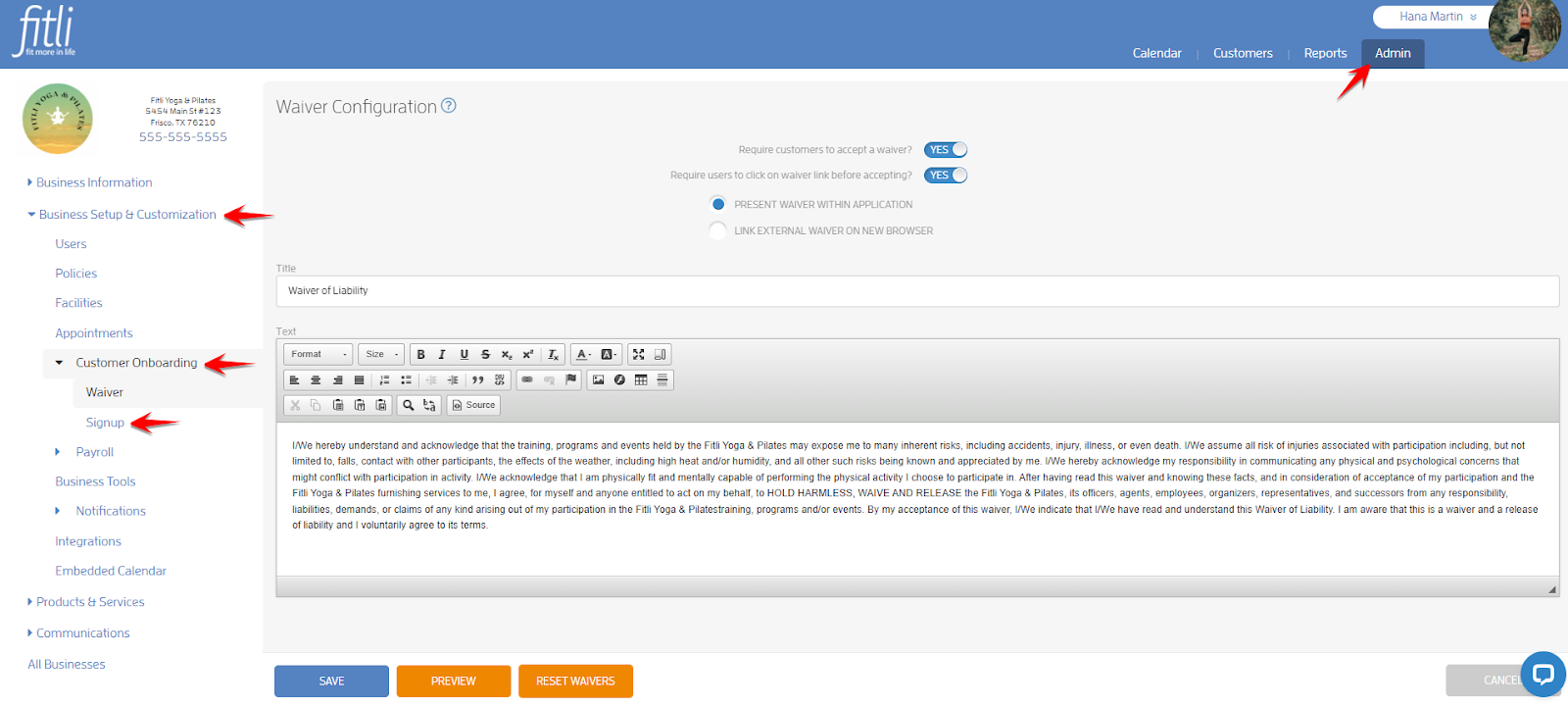
Go to Business Setup & Customization > Customer Onboarding > Signup.
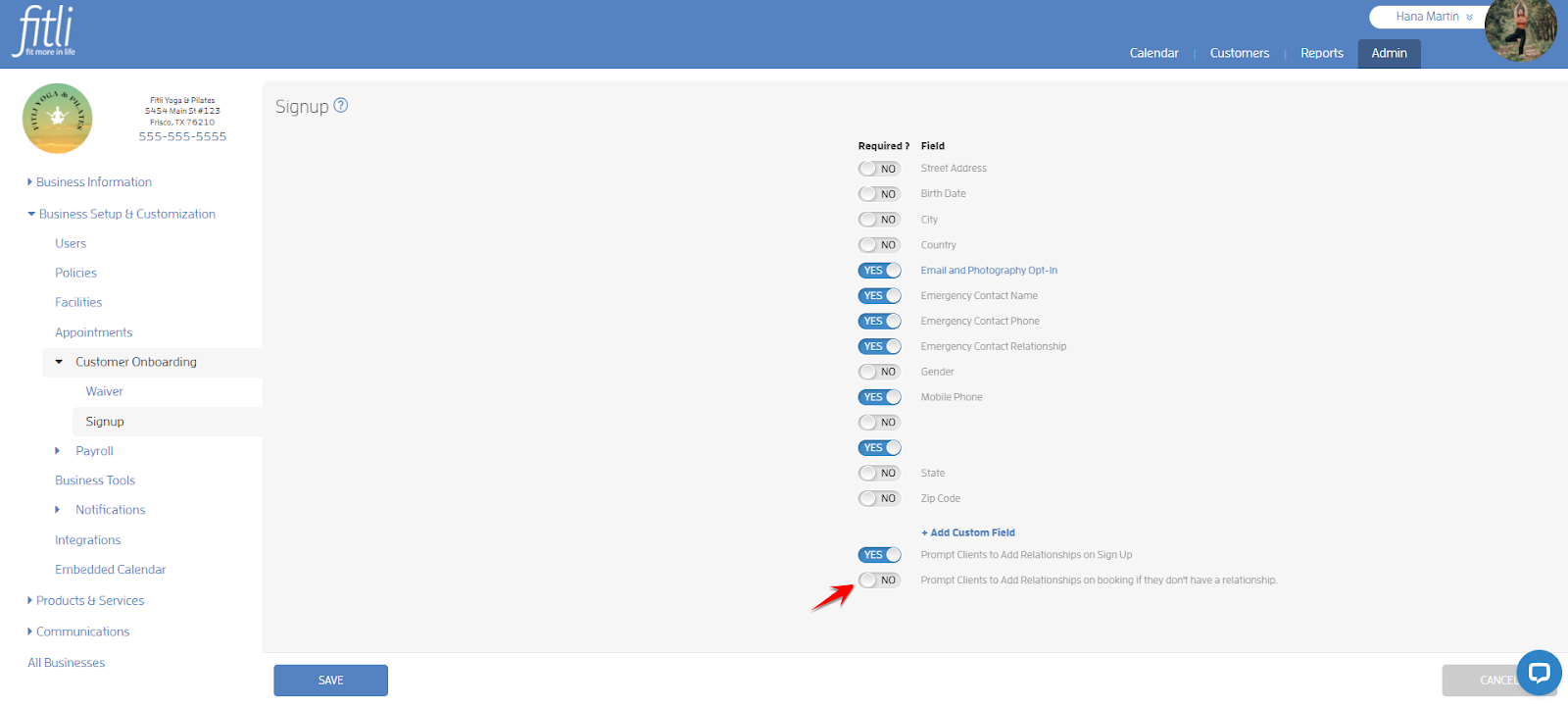
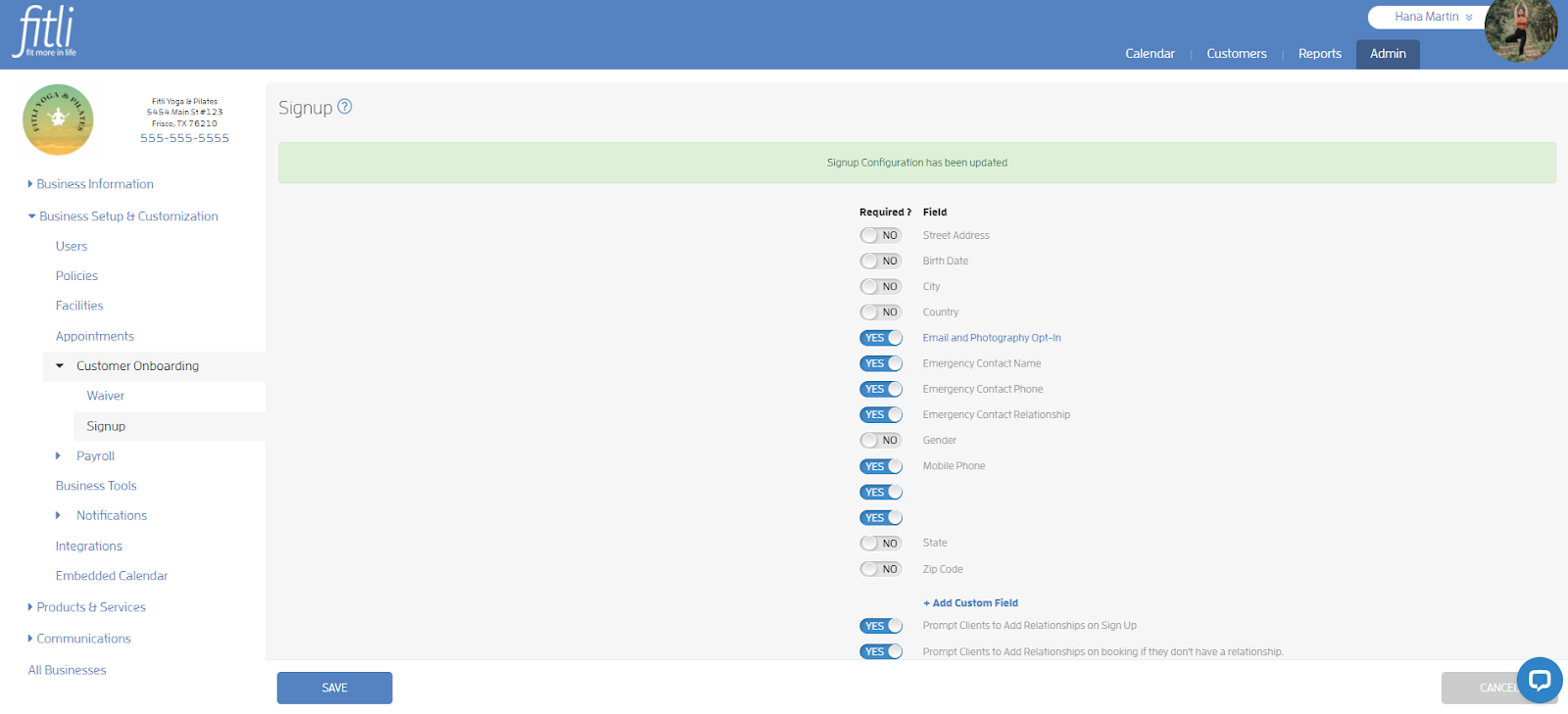
On the Signup page, turn on the toggle for “Prompt Clients to Add Relationships on booking if they don't have a relationship” then hit SAVE.
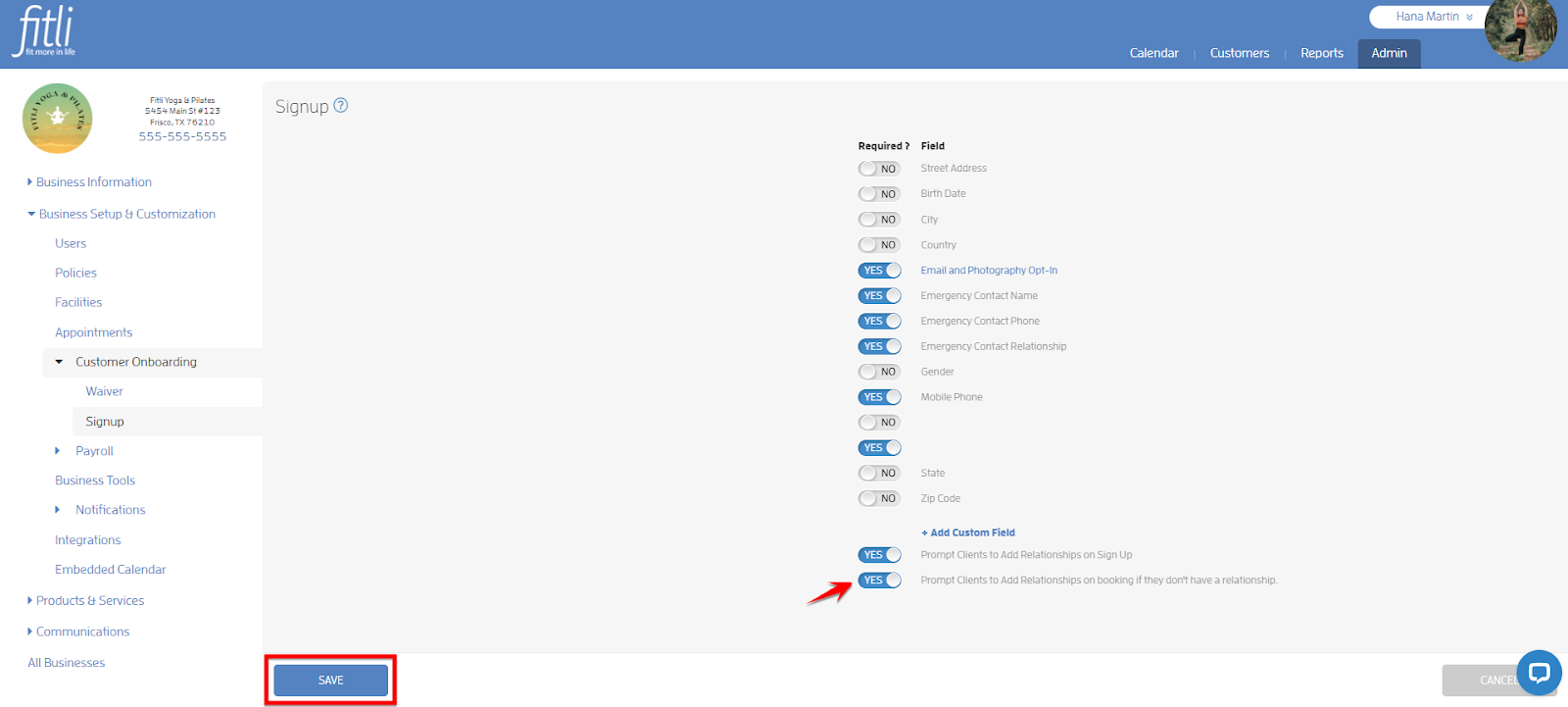
A confirmation in green will appear at the top that you’ve successfully updated your Signup configuration.
That’s it! You’re done!
What will happen next?
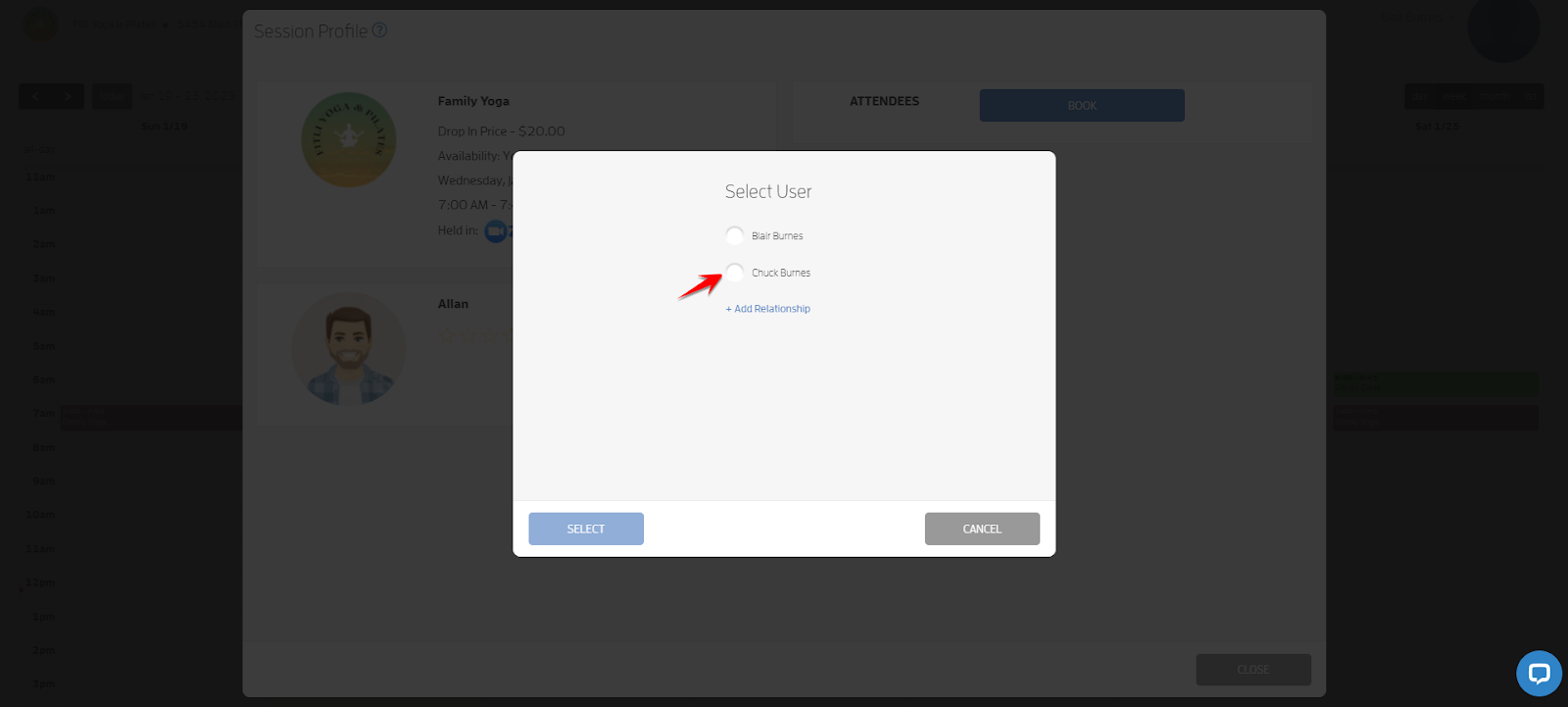
While booking, your clients will be prompted to add their relationships. On the Select User modal, they can either click + Add Relationship or “Do Not Prompt Again.”
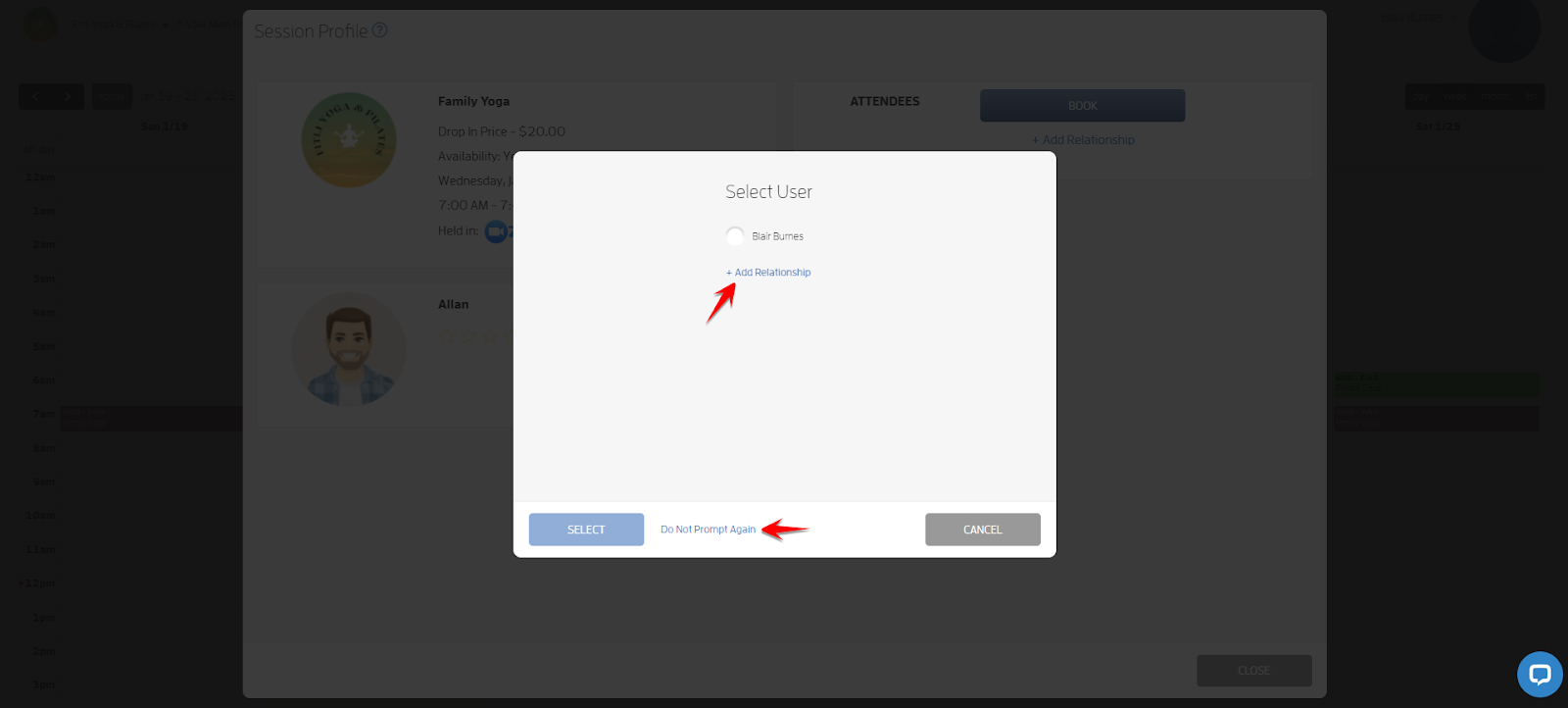
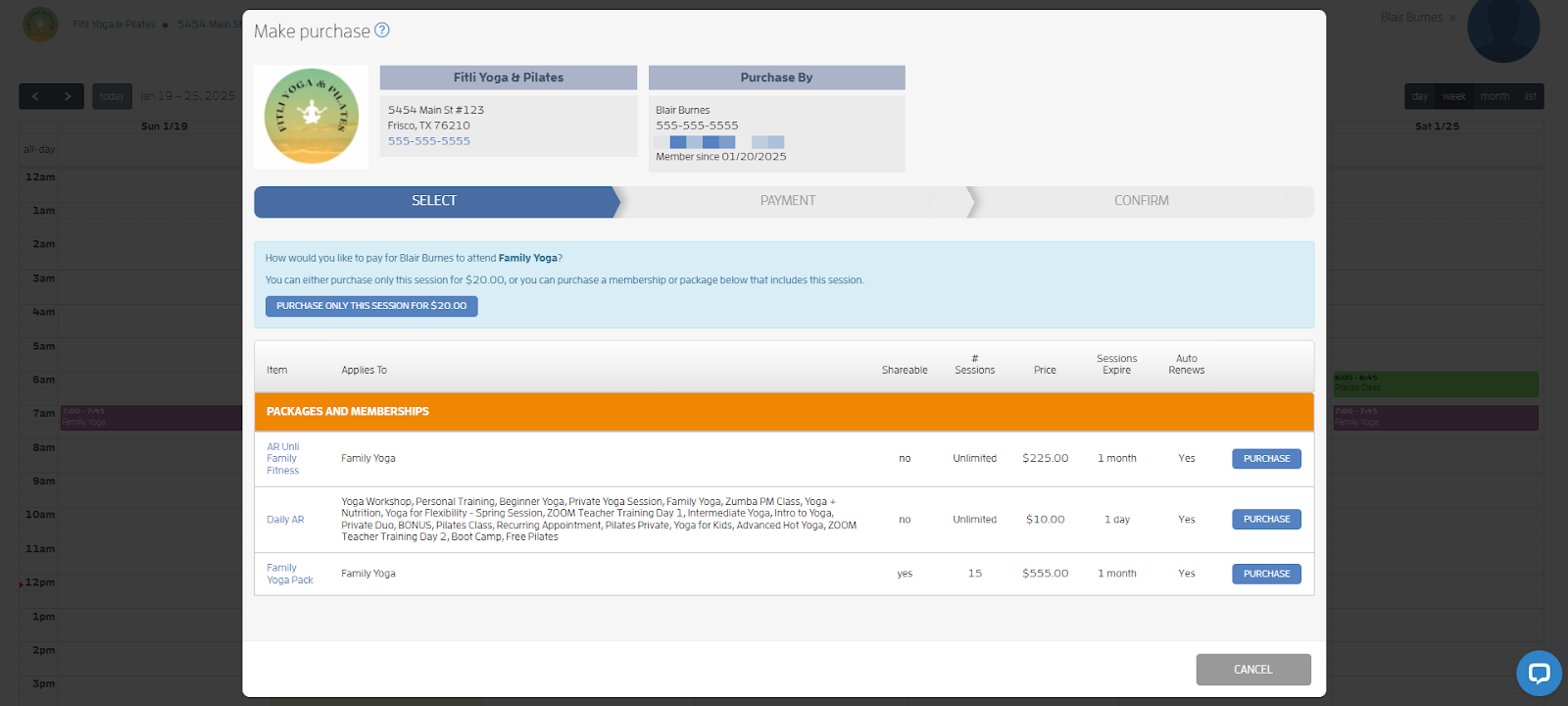
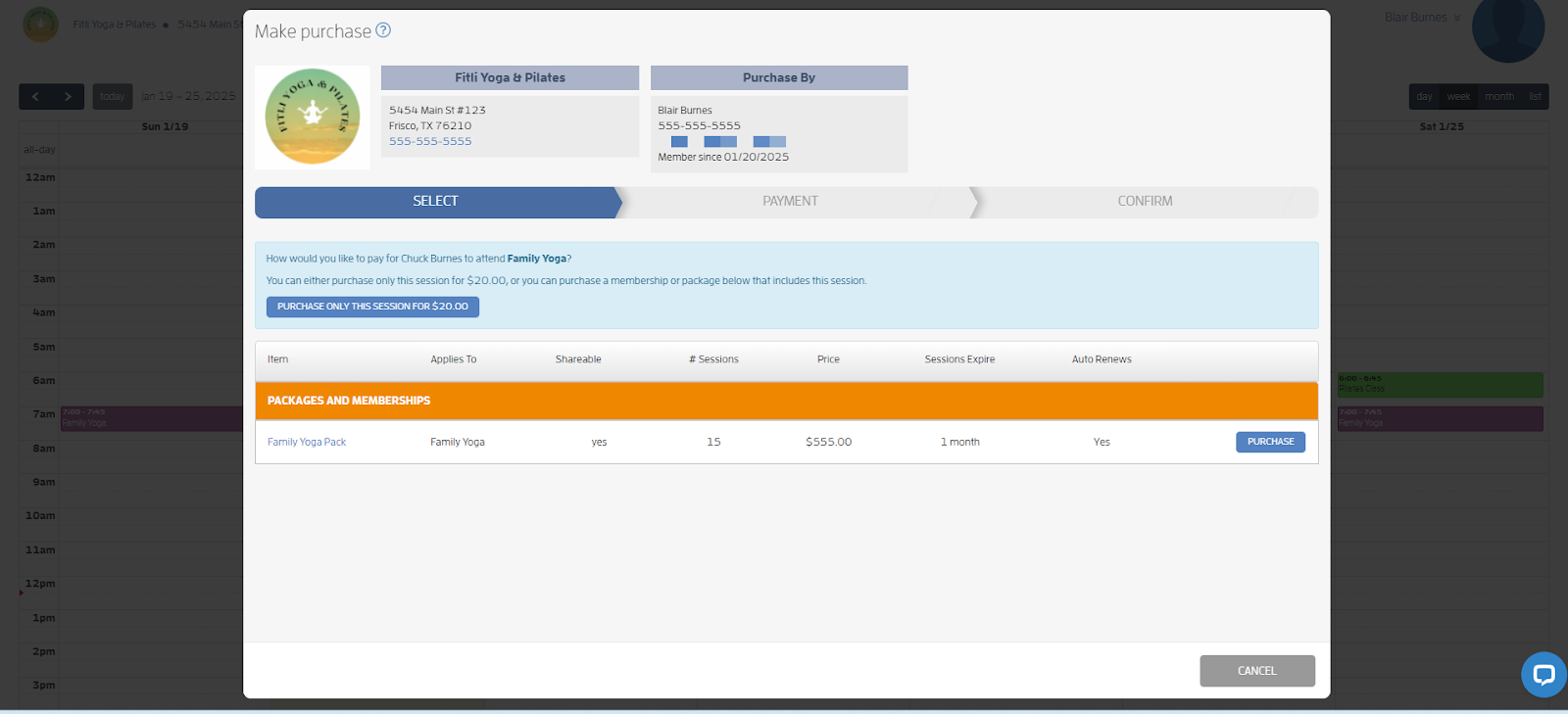
If they choose the latter, they won’t be prompted to add their relationships again and they’ll be directed to the Make Purchase screen where they can complete the booking process, similar to the one below.
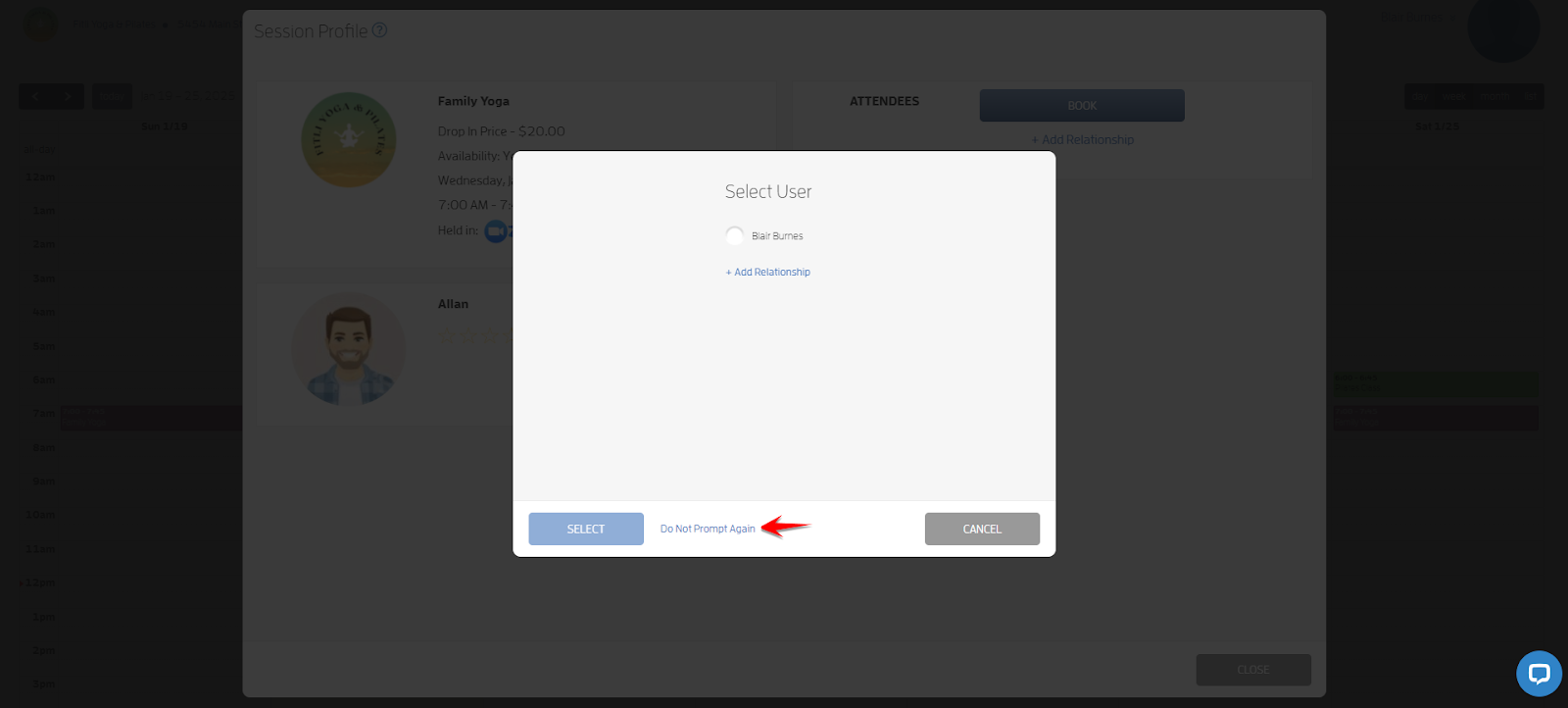
If they choose + Add Relationship, they’ll be directed to the + Add Relationship modal where they can input their relationship’s details.
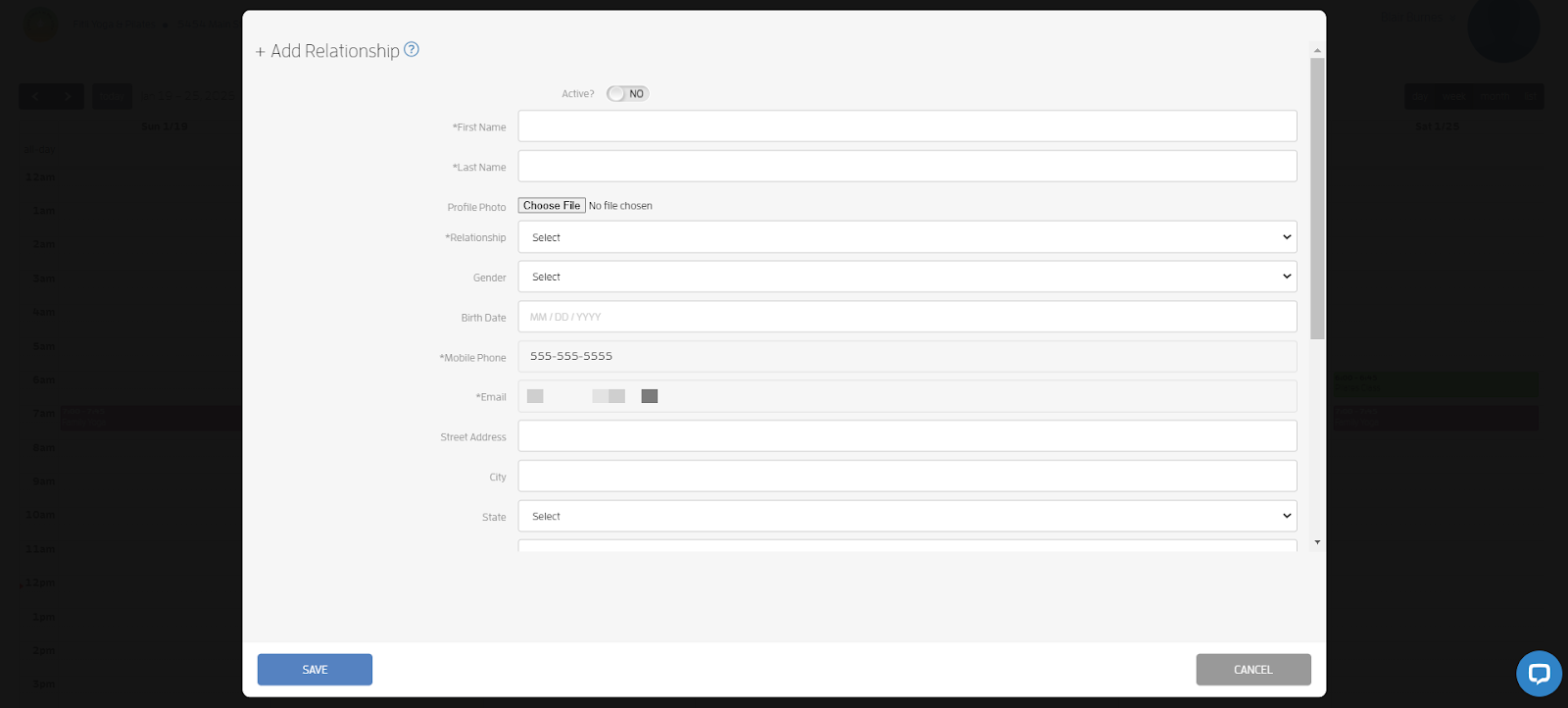
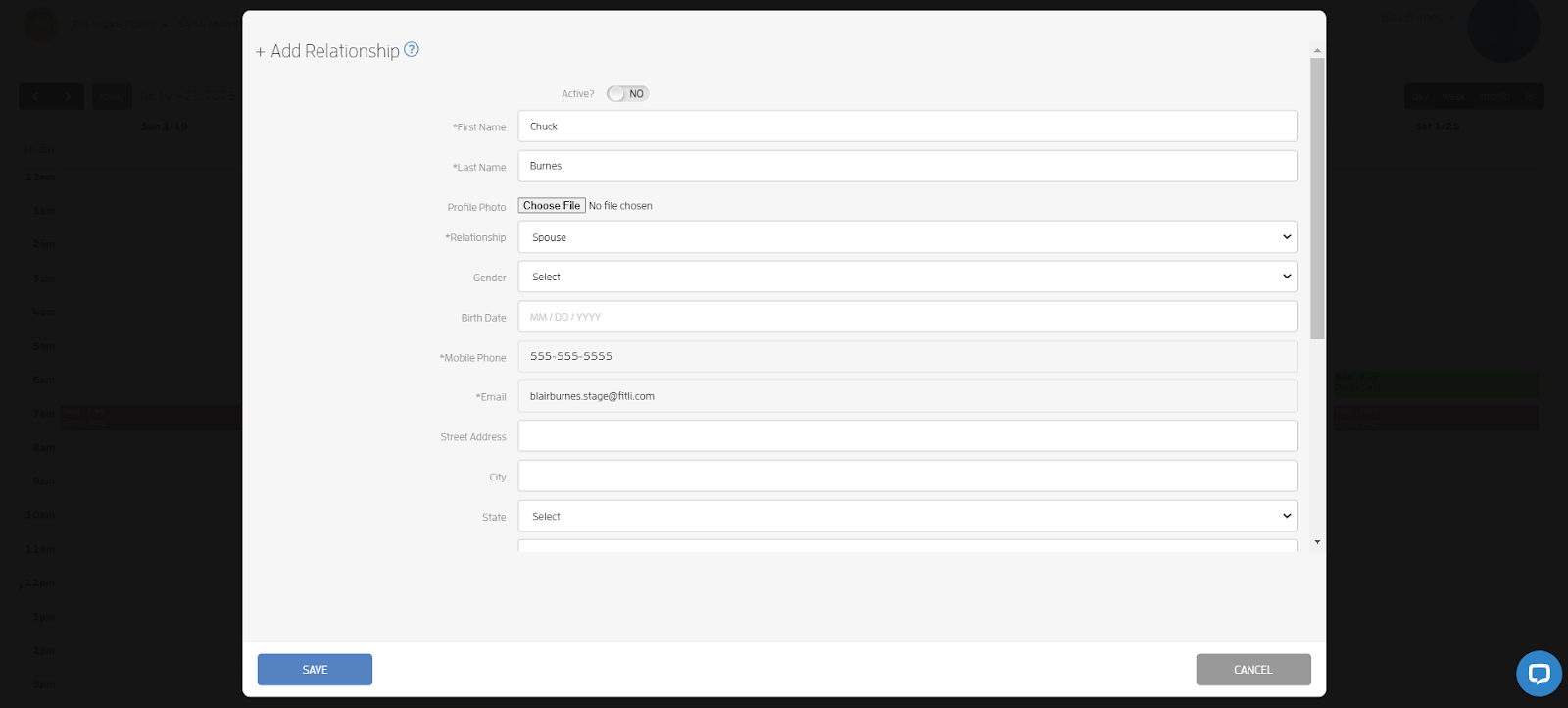
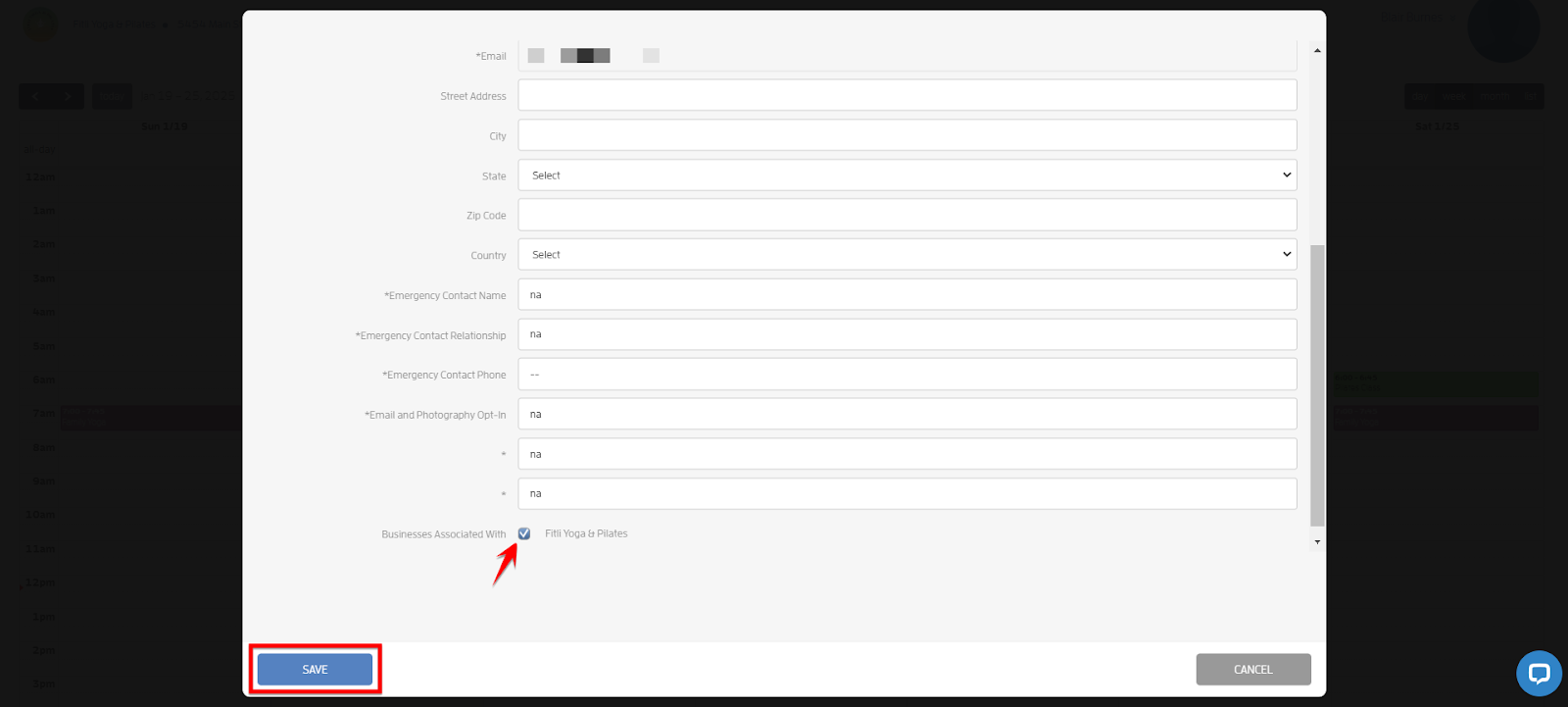
They just need to fill out the modal, make sure that the business is checked at the bottom, hit SAVE and CLOSE.
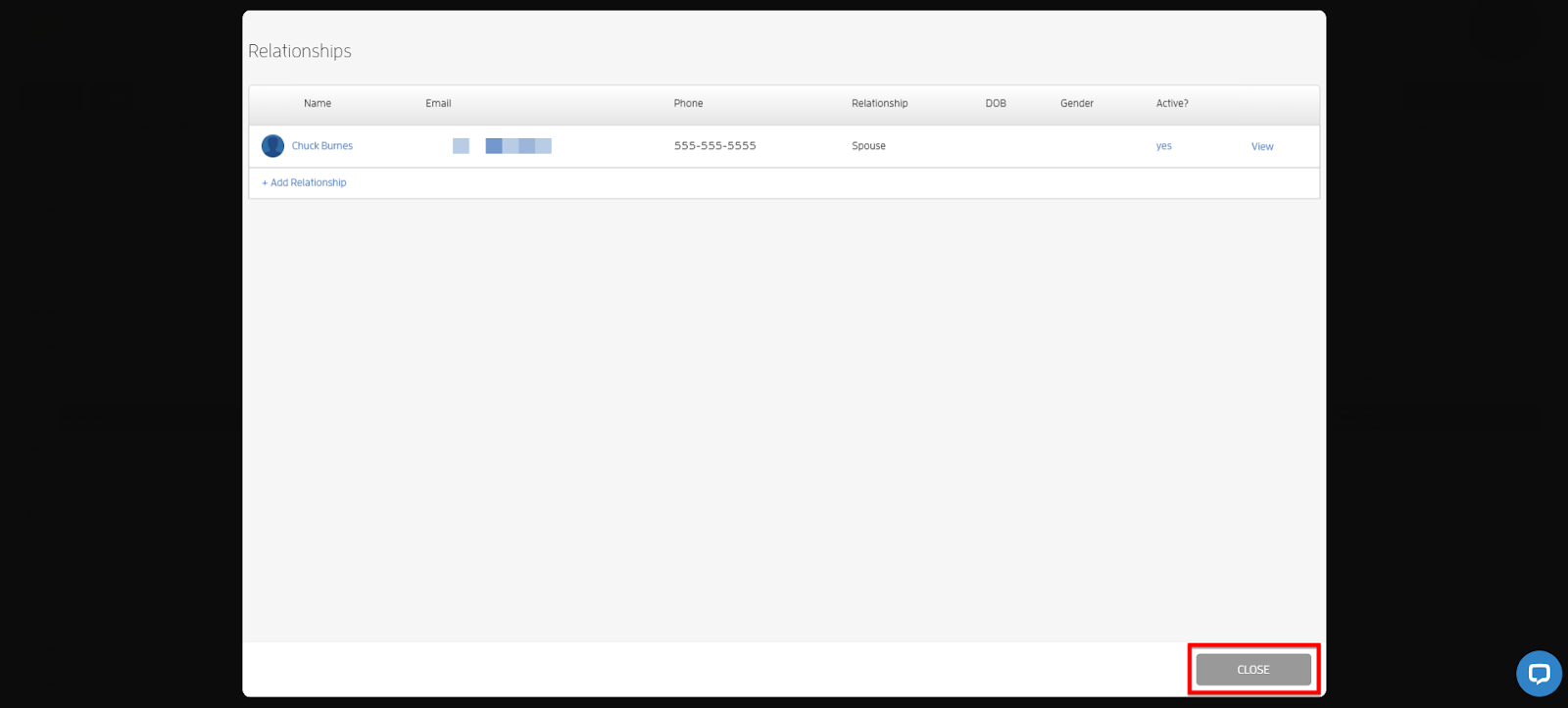
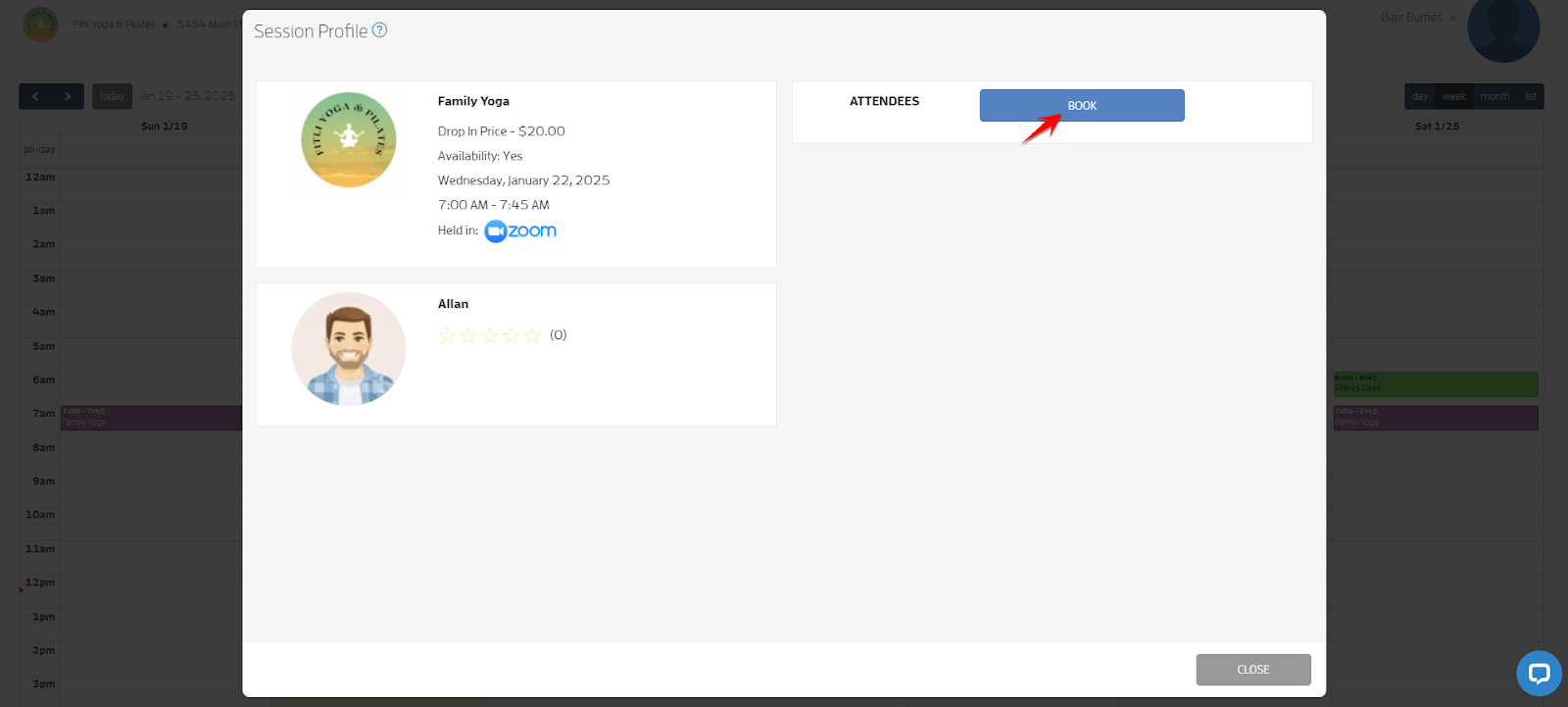
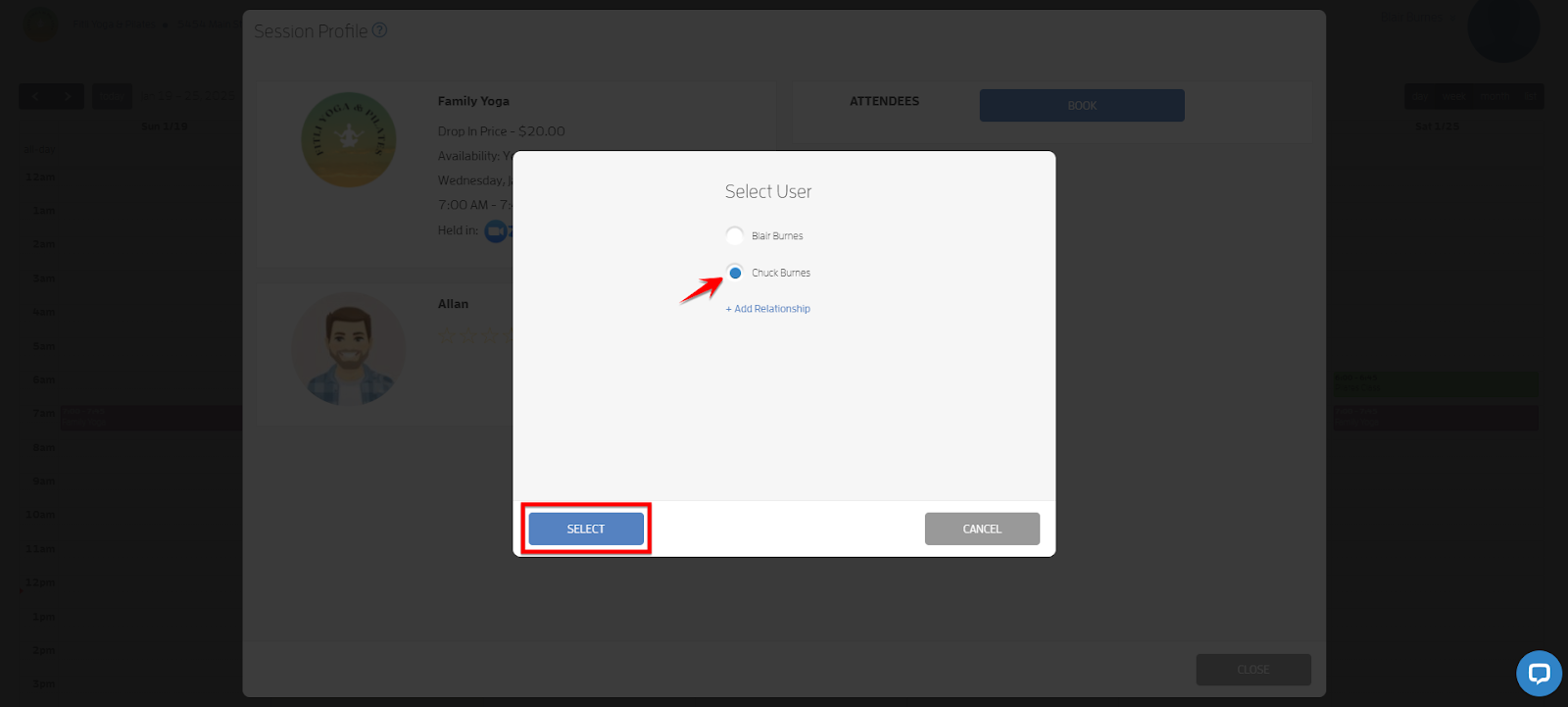
They’ll be redirected to the session profile where they can click BOOK, choose the relationship they want to book on the Select User modal, hit SELECT then complete the booking process. Screenshots below.
That's about it! Any questions? Chat with us or send us an email to support@fitli.com.