
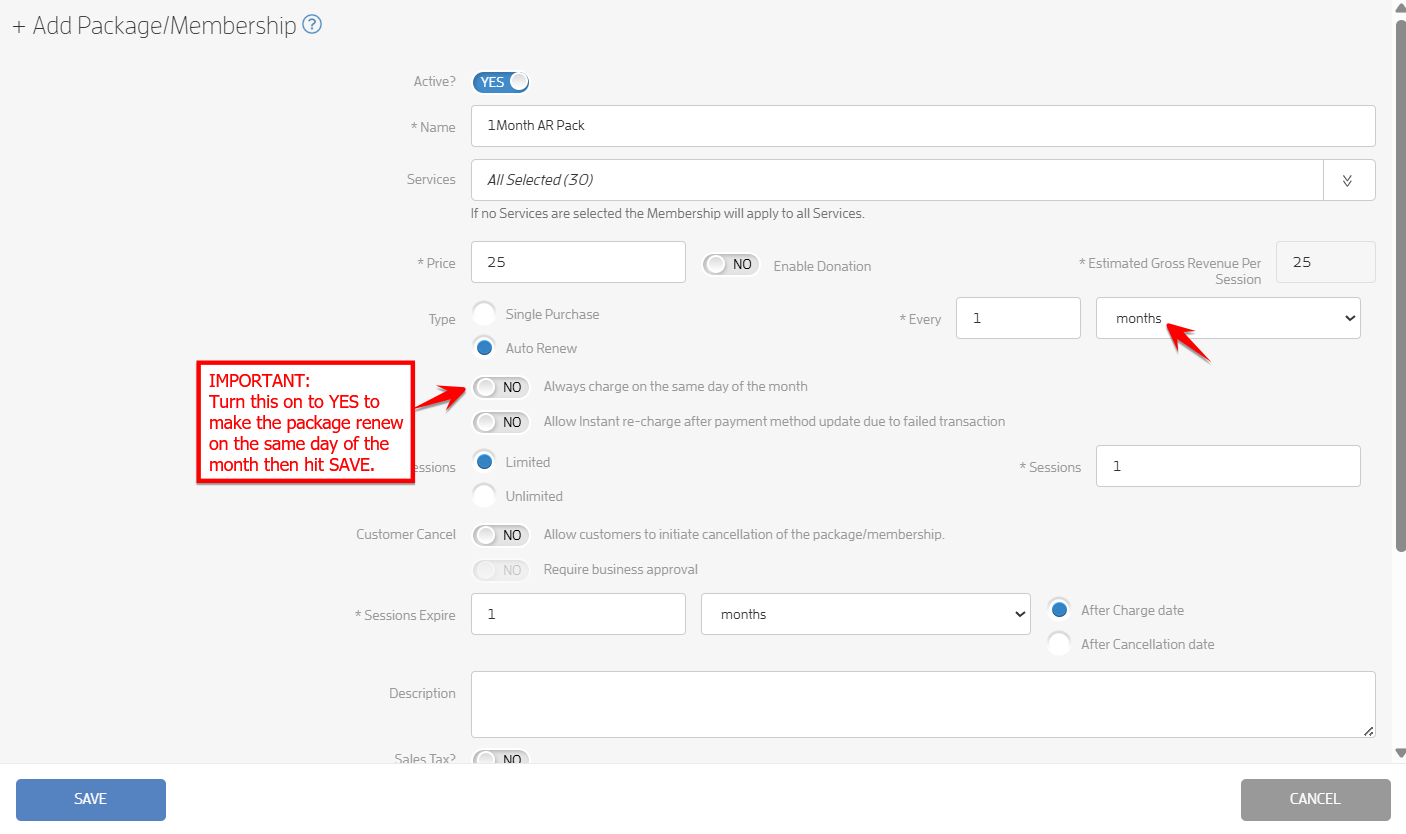
This feature will allow businesses to make an auto-renewing package renew on the same day of the month.
IMPORTANT:
-
The toggle to make a package renew on the same day of the month will only be available for monthly auto-renewing packages, not single purchase packages.
-
The toggle will be unclickable if the “days” option is selected.
-
If the toggle is set to YES and the months option is selected, an auto renewing package will renew on the same day each month, except when purchased on the 29th, 30th, or 31st, in which case the renewal date adjusts to the 28th.
-
For existing active packages, the current next renewal date will be used each month going forward unless manually changed by the business.
-
When the toggle is set to NO, the plan will renew every 30 days (not calendar month-based).



Adding a New Auto-Renewing Package/Membership
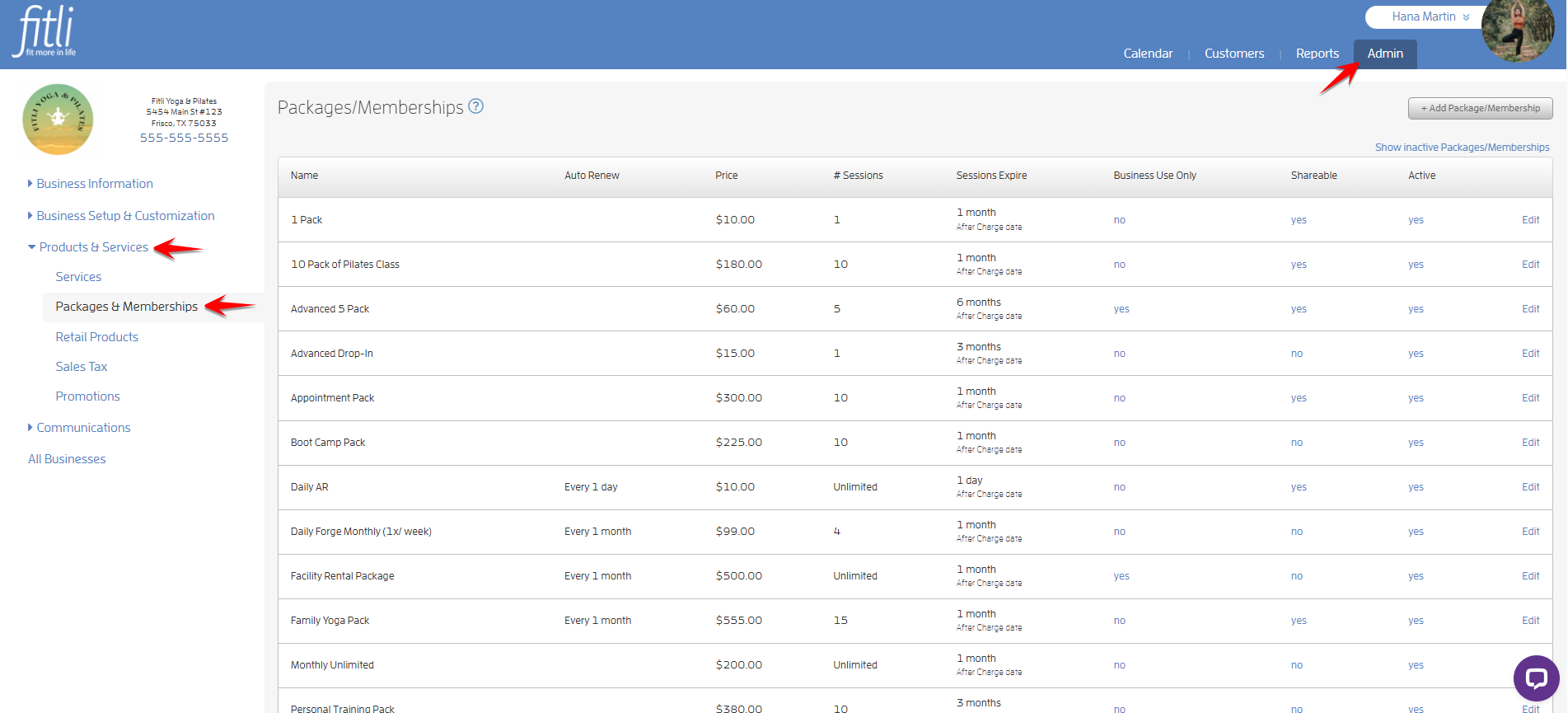
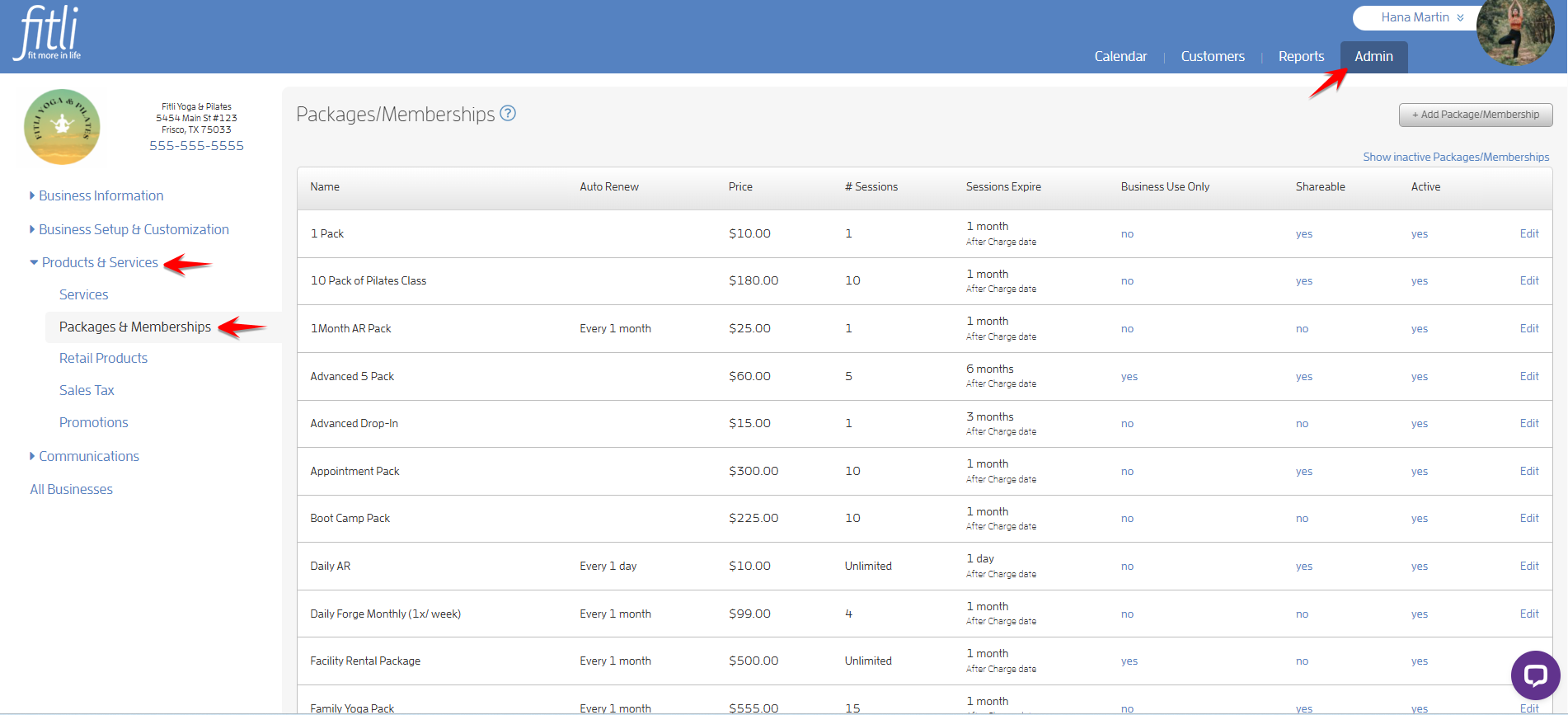
To do this, go to the ADMIN section. Click "Products & Services" and “Packages & Memberships” on the left side.
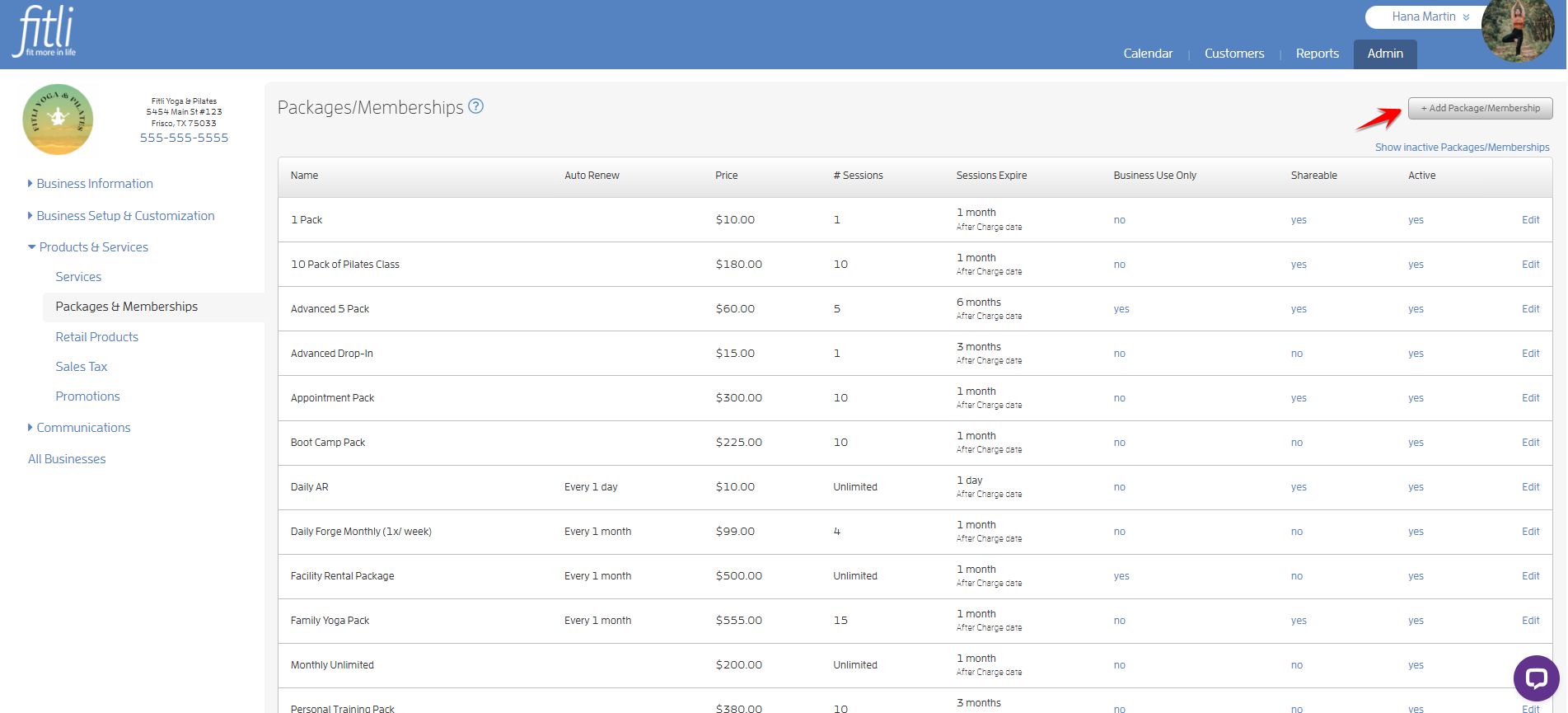
Click “+ Add Package/Membership.”
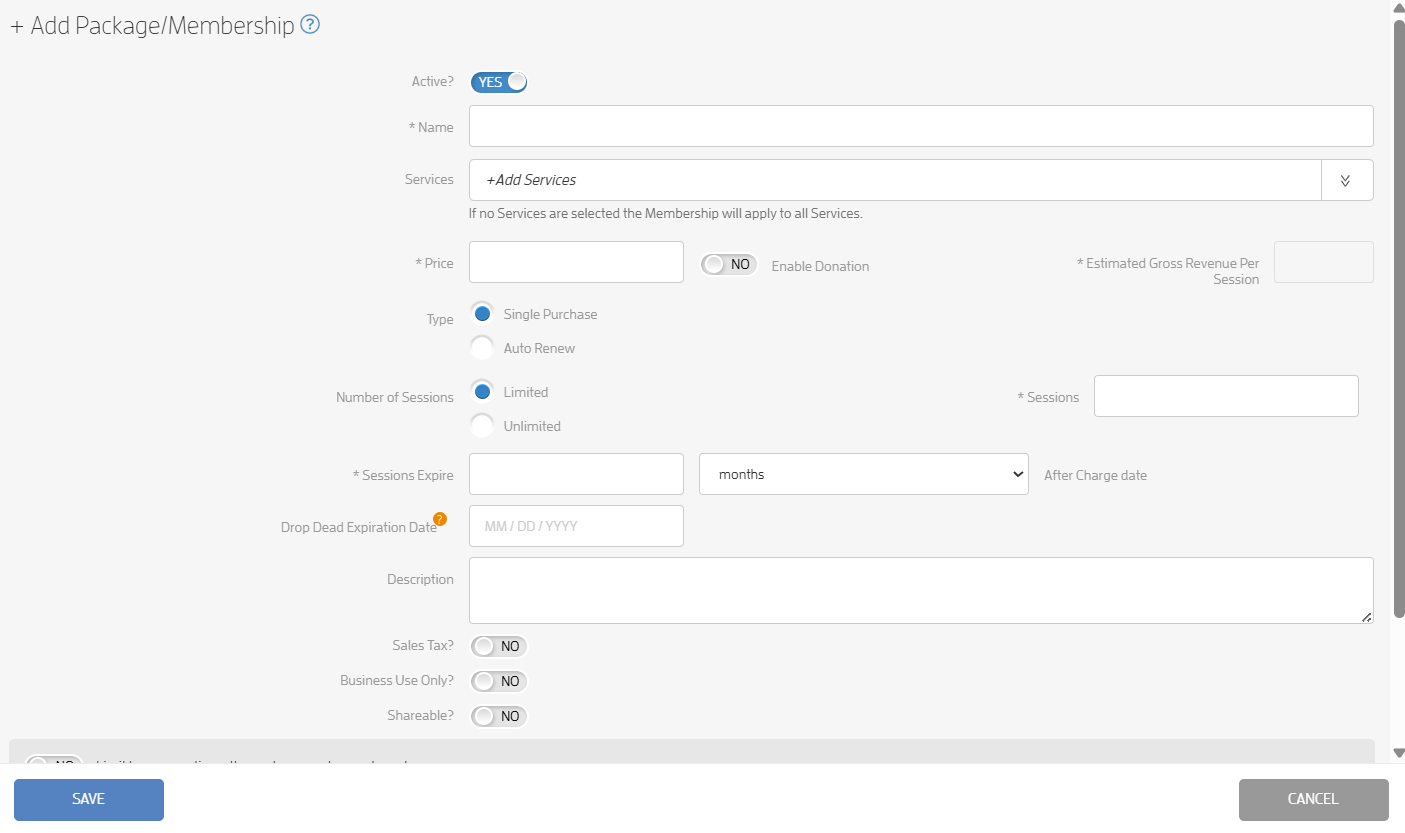
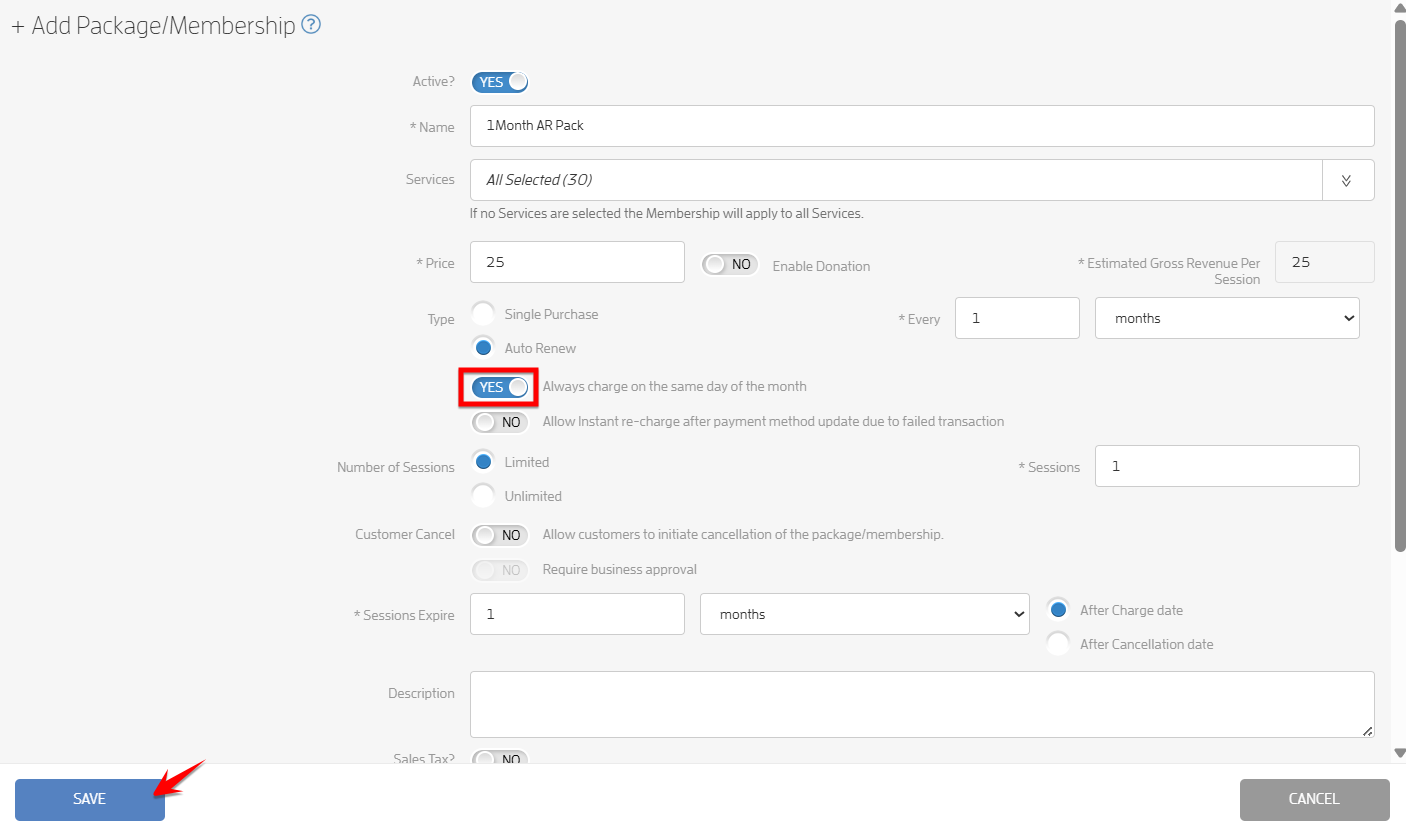
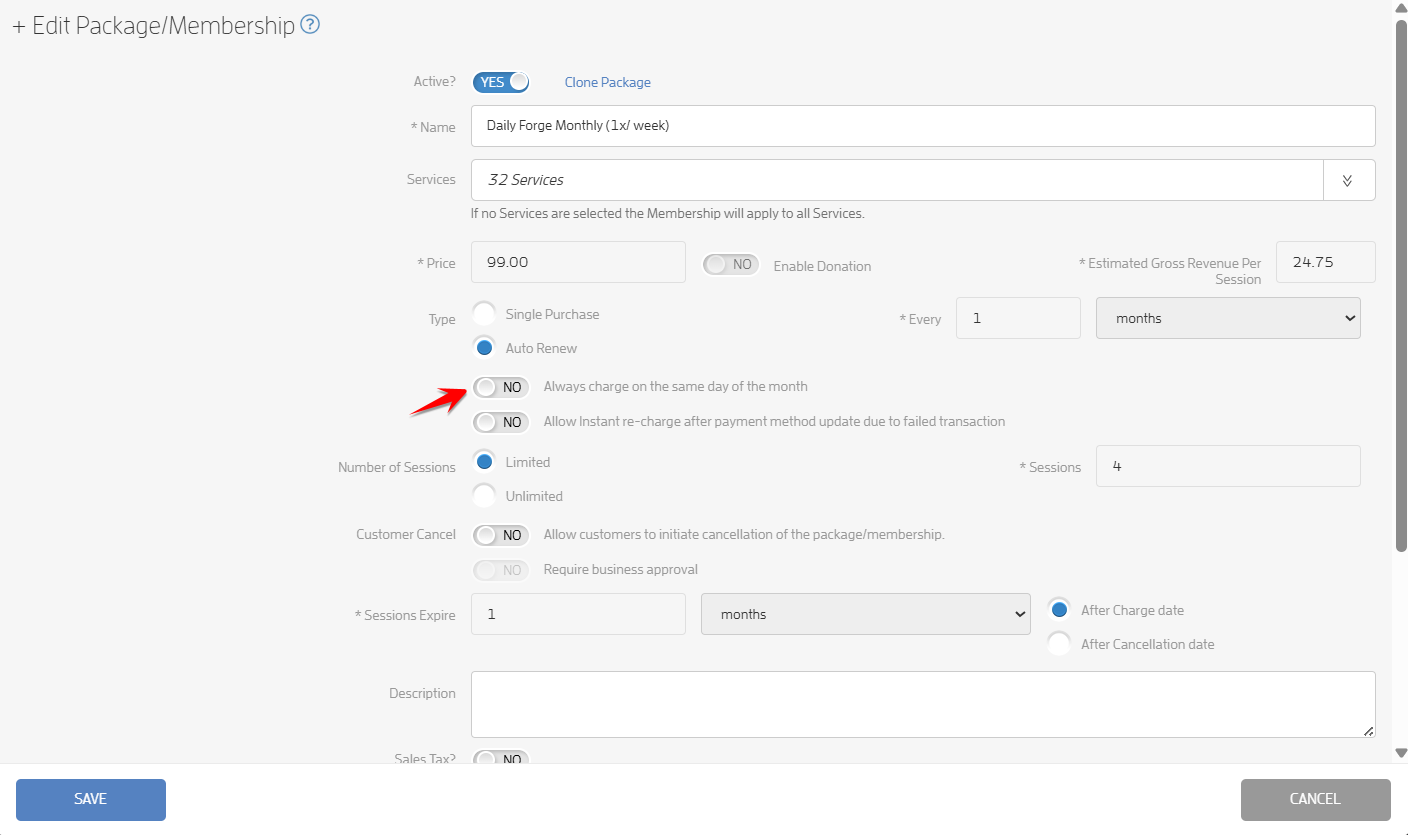
Fill out the details for the auto-renewing package, make sure “months” is selected (it’s the default), turn on the toggle to make the package renew on the same day of the month then hit SAVE. Screenshots below.
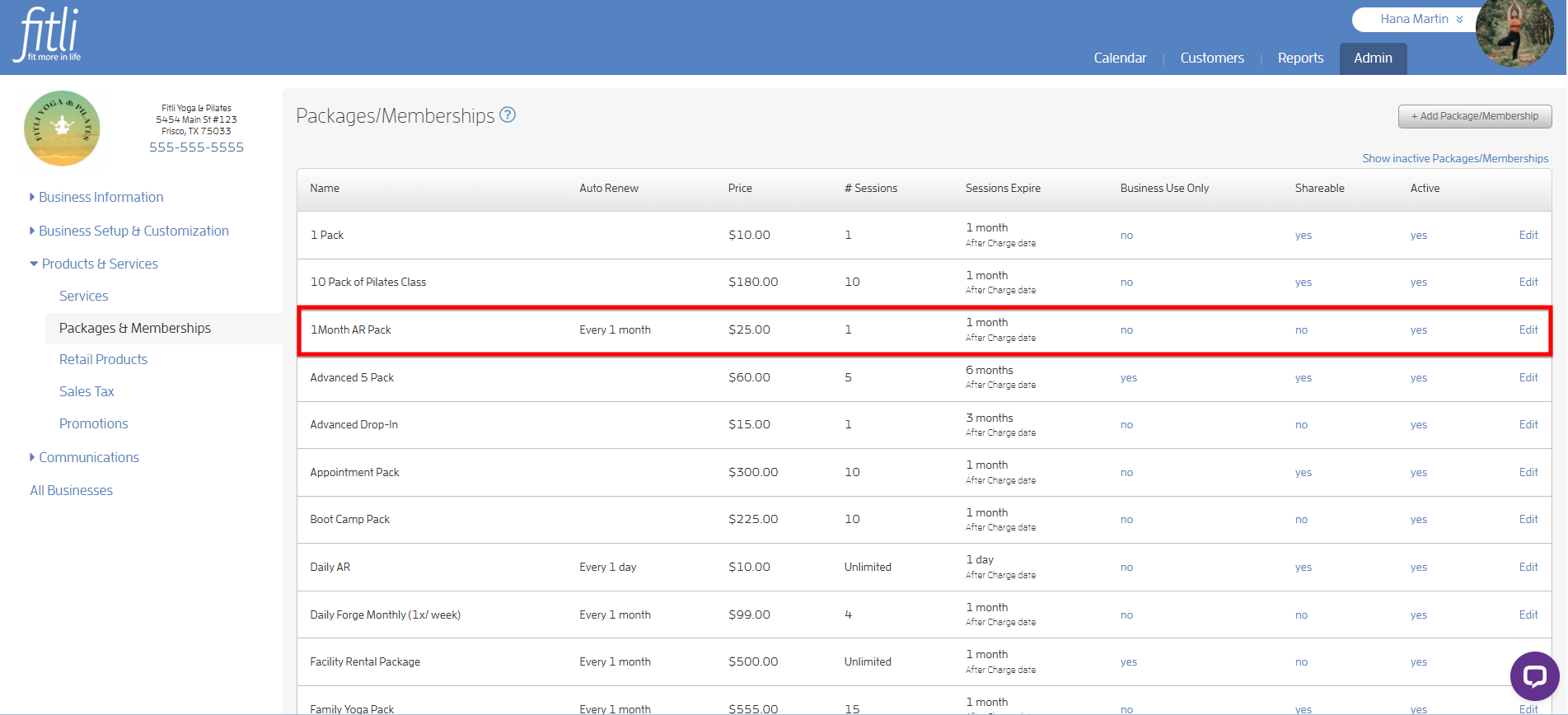
You’ll see the new auto-renewing package/membership on the Packages/Memberships list.
That’s it! You’re done!
Editing an Auto-Renewing Package/Membership
To do this, go to the ADMIN section. Click "Products & Services" and “Packages & Memberships” on the left side.
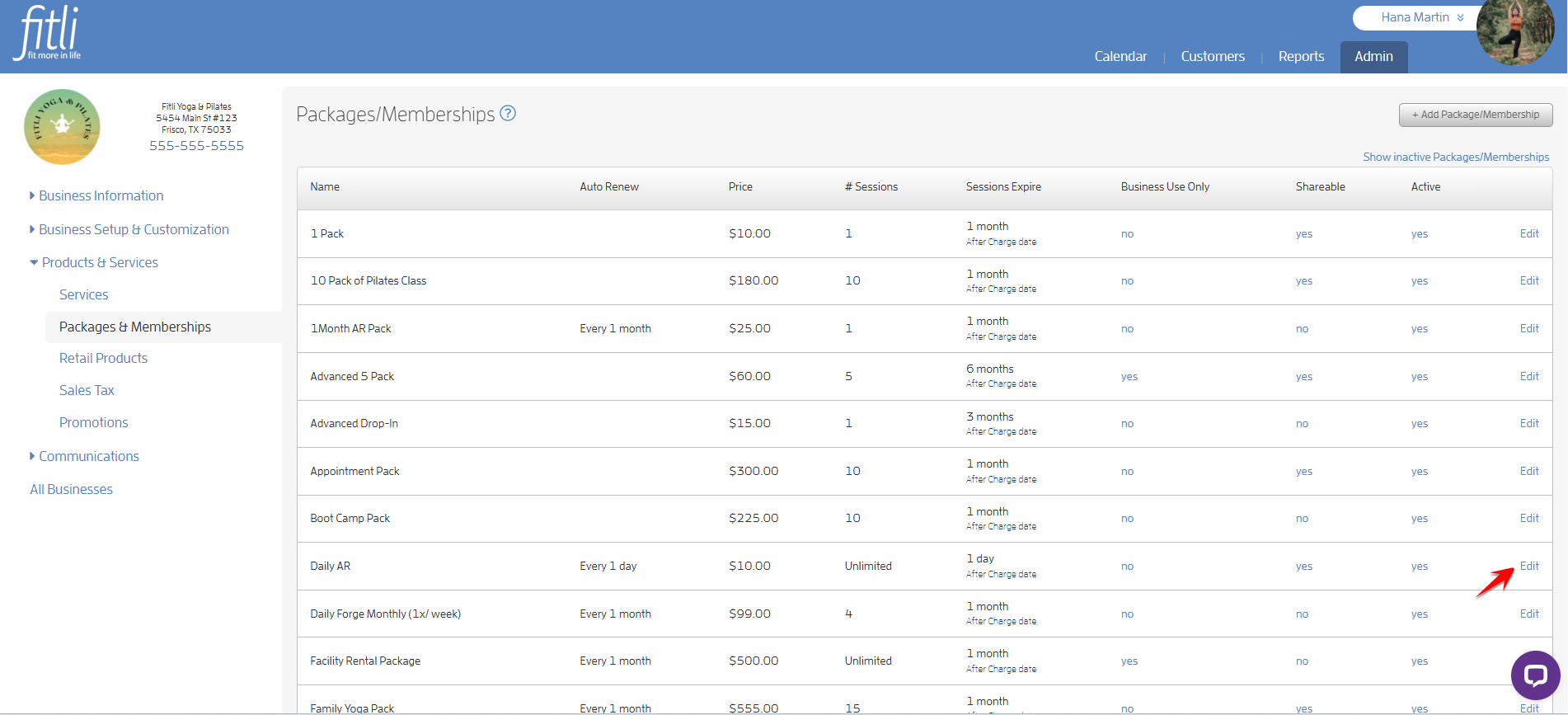
Click “Edit” beside the auto-renewing package you want to edit.
Turn on the toggle to make the package renew on the same day of the month then hit SAVE.
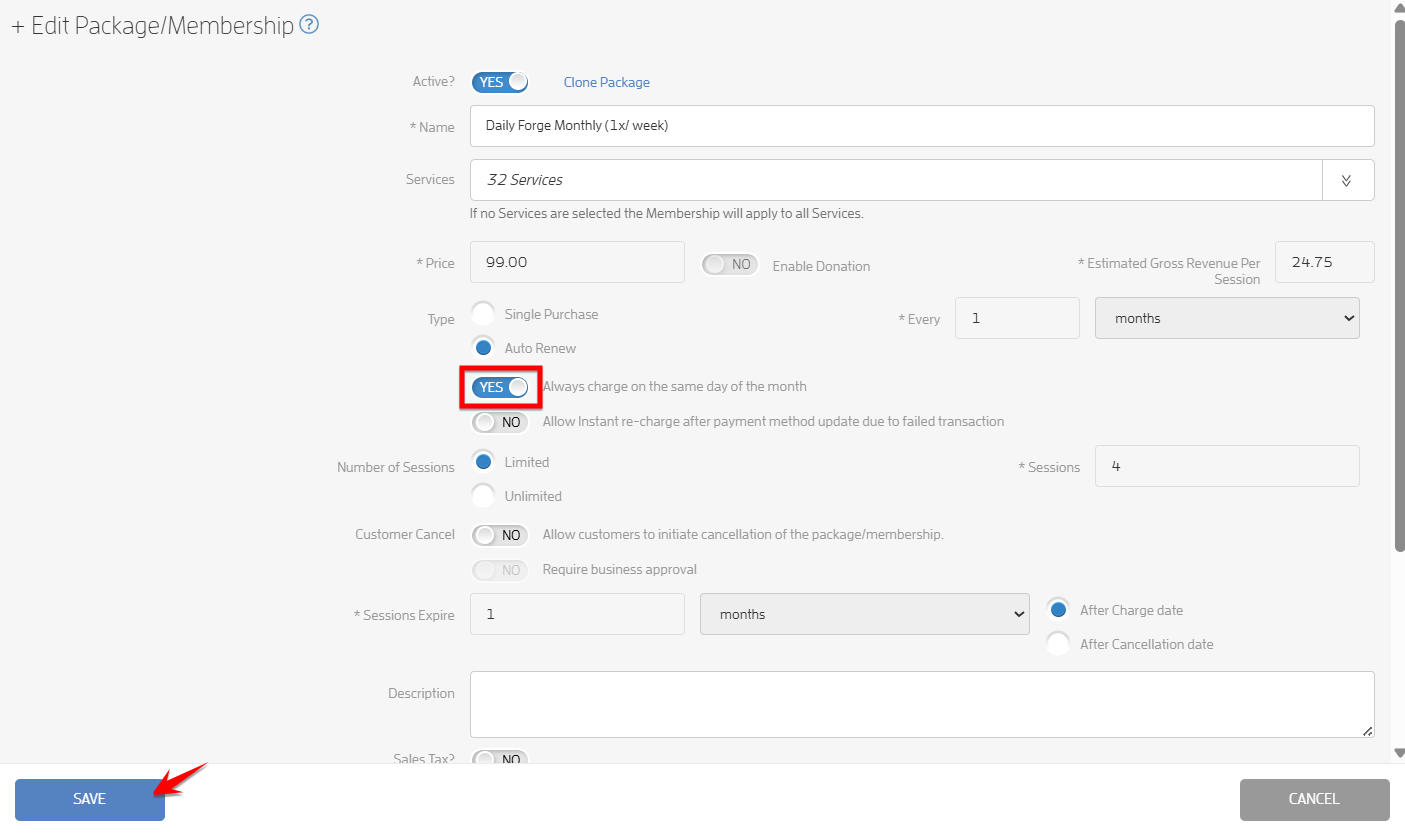
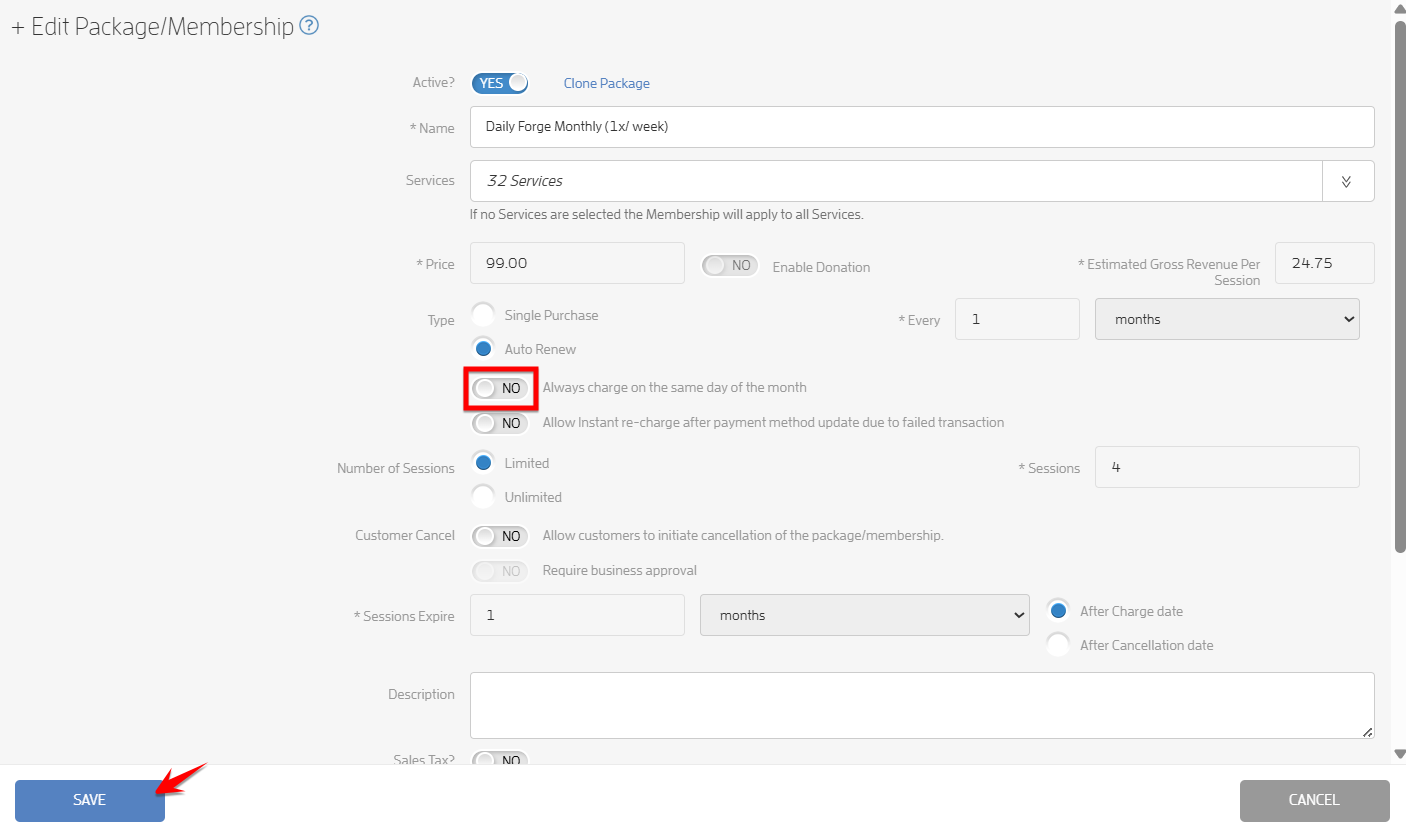
To turn off the ability to make the package renew on the same day of the month, turn off the toggle then hit SAVE.
That’s it! You’re done!
What will happen next?
The auto renewing package will renew on the same day each month unless it is canceled, the next renewal date is manually edited by the business, or it was purchased on the 29th, 30th, or 31st, in which case the renewal date adjusts to the 28th.
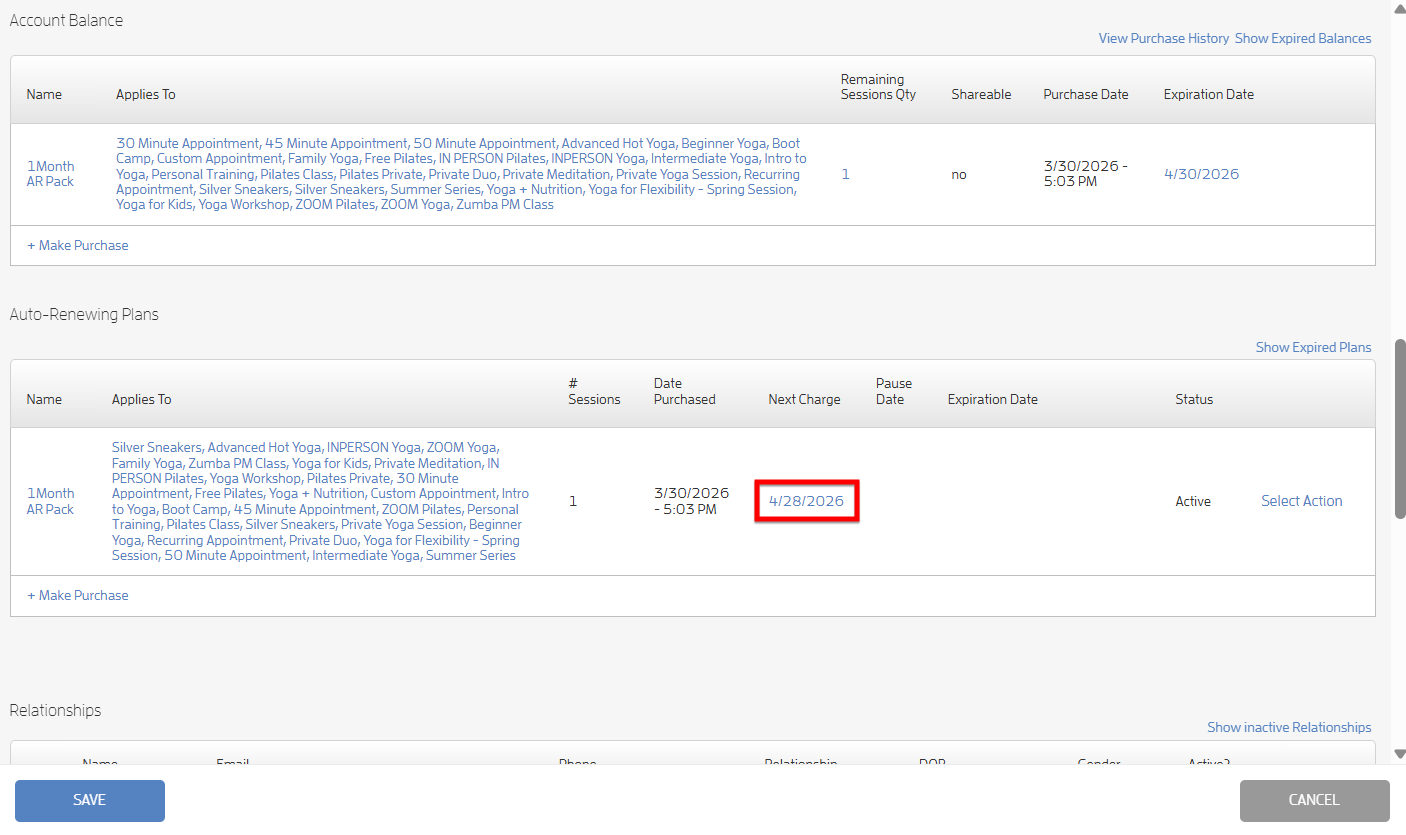
In the example below, the business purchased the 1Month AR pack for the client on 3/30, and the next charge was automatically set to 4/28.
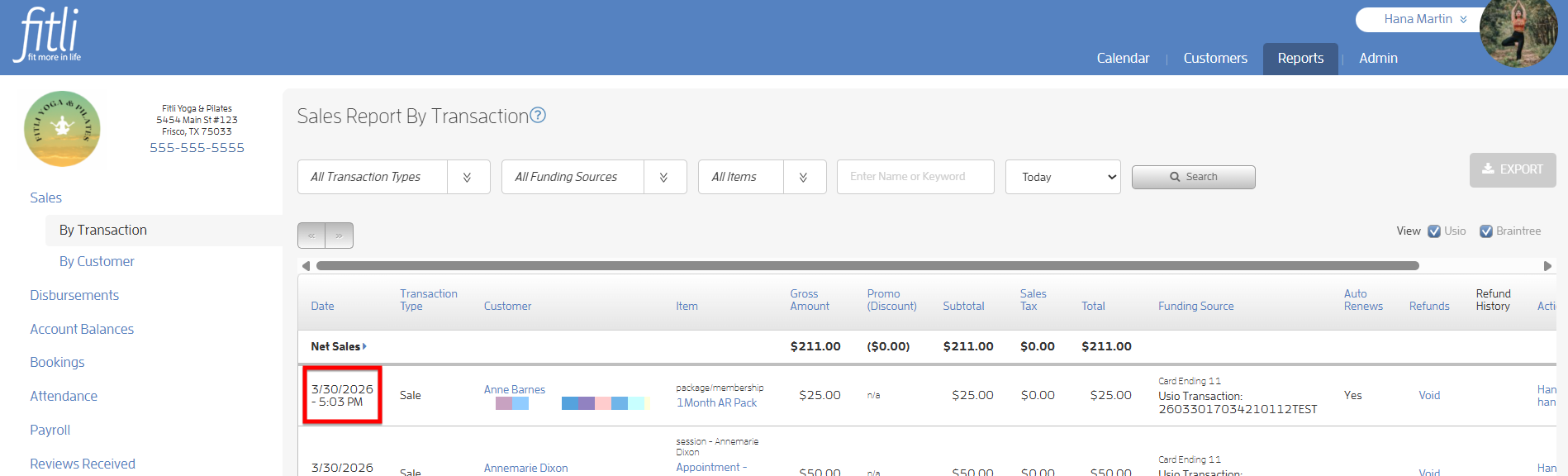
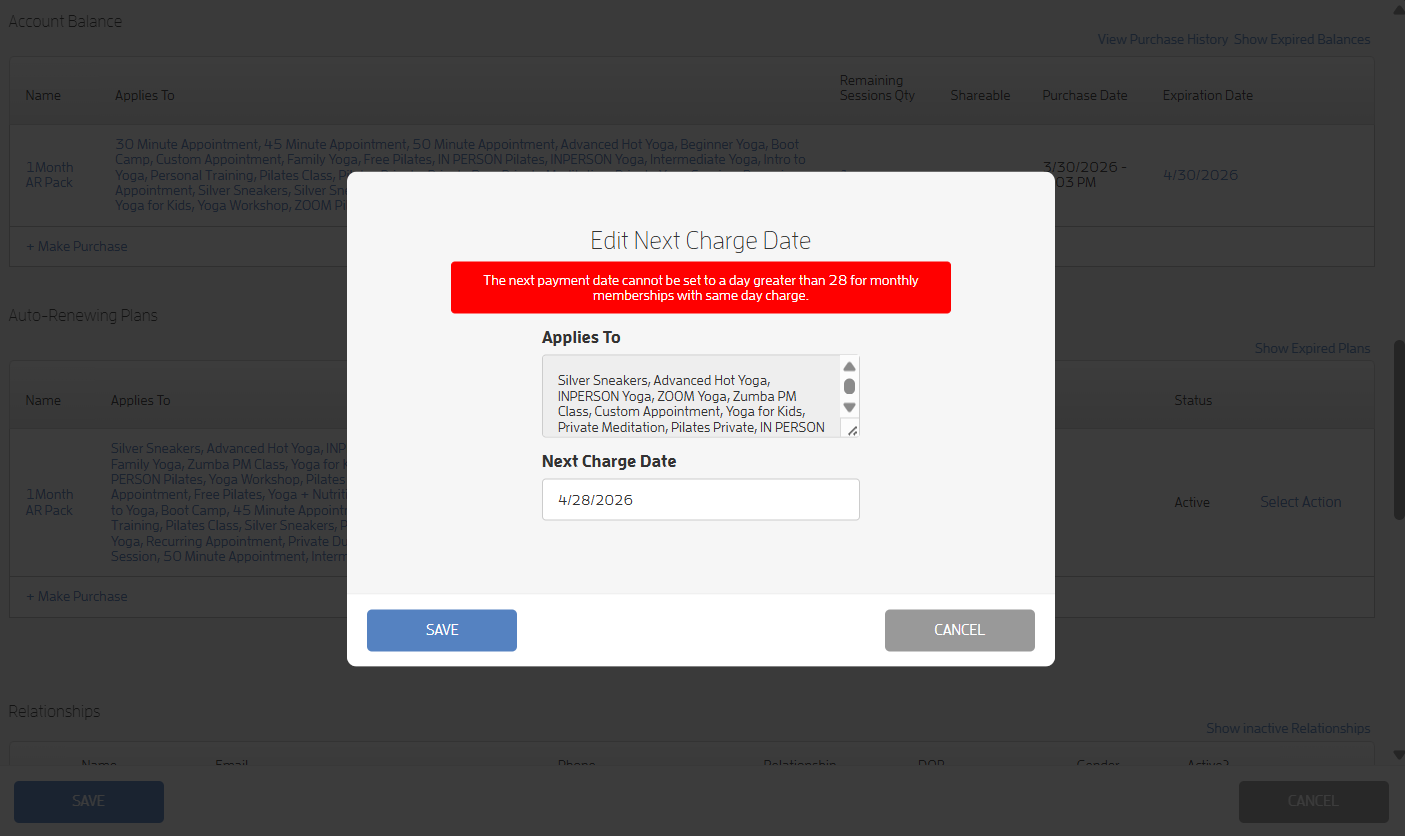
Note: The site does not allow the business to set the next charge date to the 29th, 30th, or 31st because not all months include those dates, which could cause inconsistencies or failed billing.
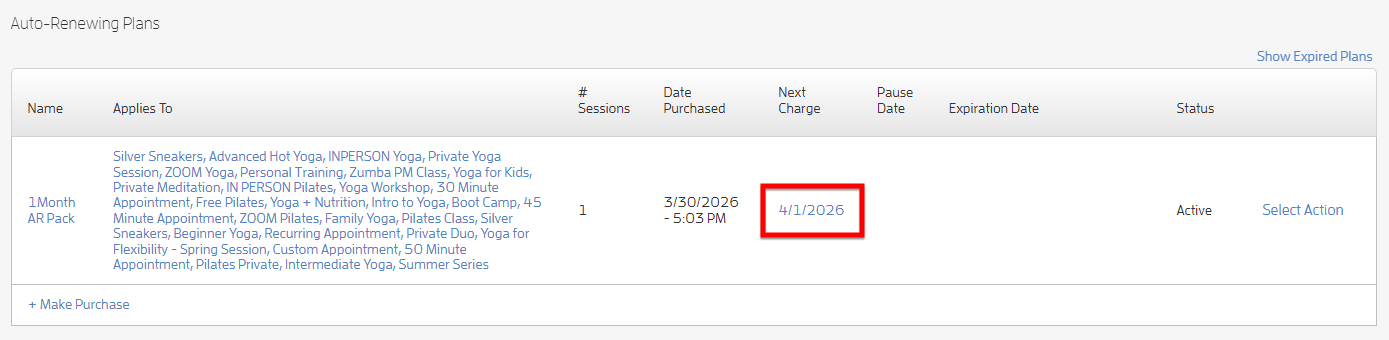
If the business changes the next charge date to the 1st of the month, the package will renew on the 1st of each month going forward.
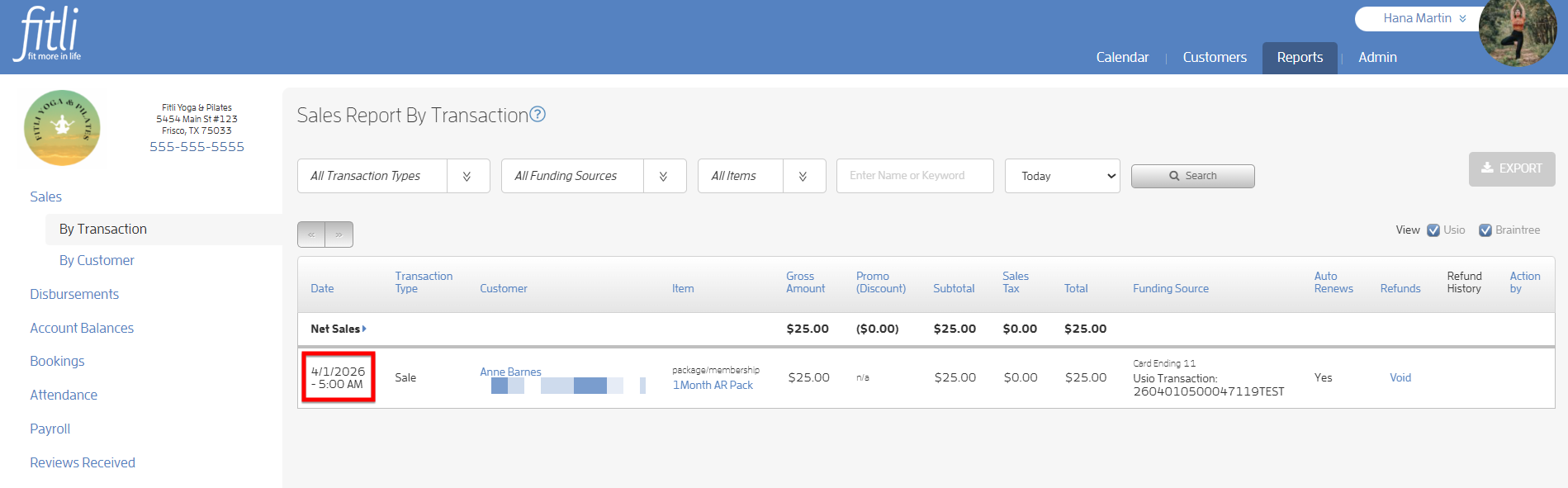
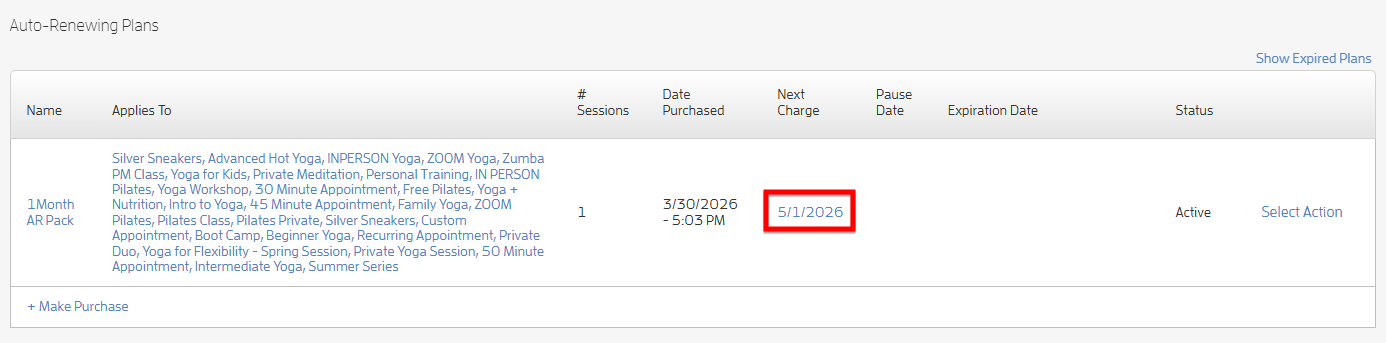
In the example below, the business updated the next charge date of the purchased package to 4/1 (originally set to 4/28). The package then renewed successfully on 4/1, and the next charge date was automatically adjusted to 5/1. Screenshots below.
Any questions? Chat with us or send us an email to support@fitli.com.