
You can add a custom message while cancelling a session with just a few clicks!
Cancelling a Class:
Cancelling a class leaves the class on the schedule, but prevents anyone from booking it. This option is useful if you want to show that the class was scheduled but has been canceled.
Cancelling an Appointment:
Cancelling an appointment completely removes it from the schedule/calendar.
Cancelling a Class
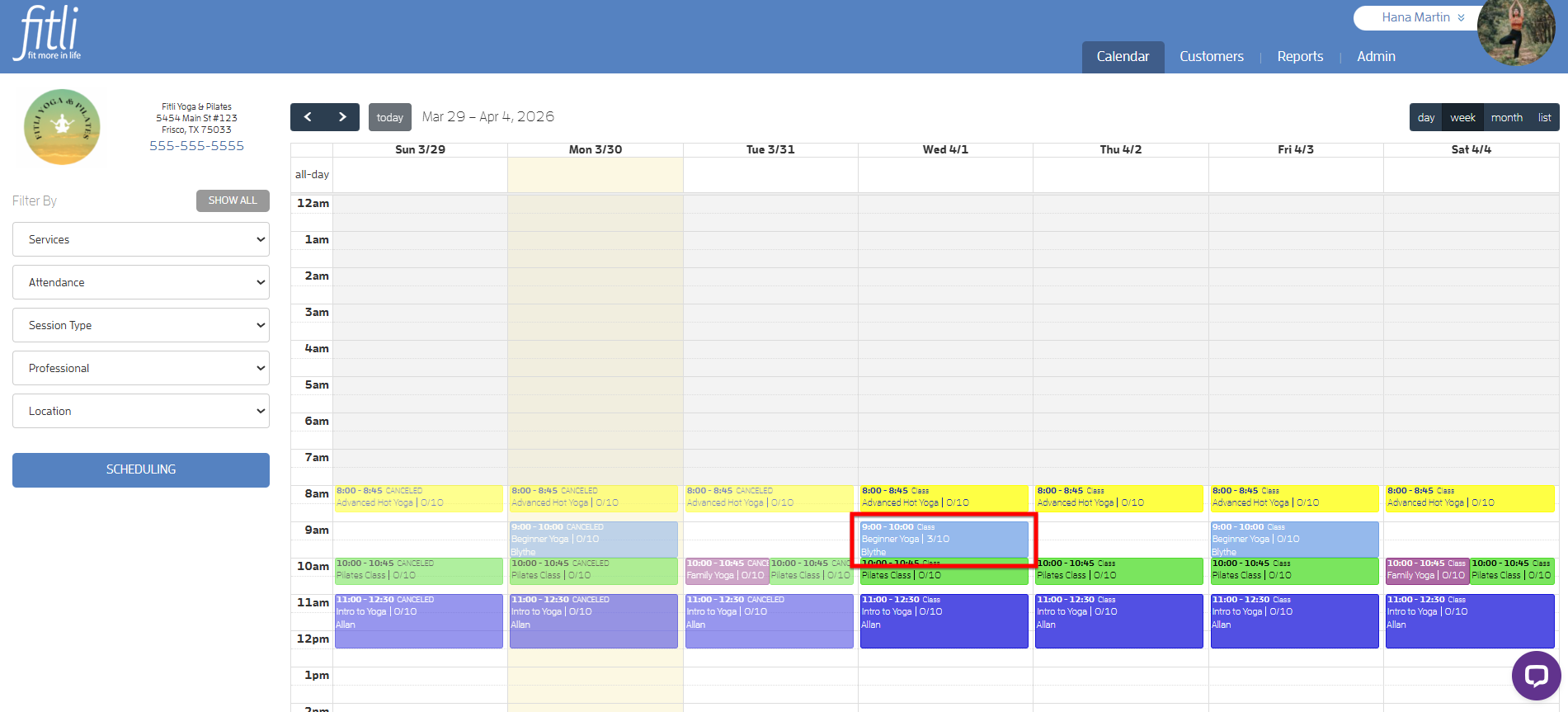
To do this, click the class on your calendar to open its profile.
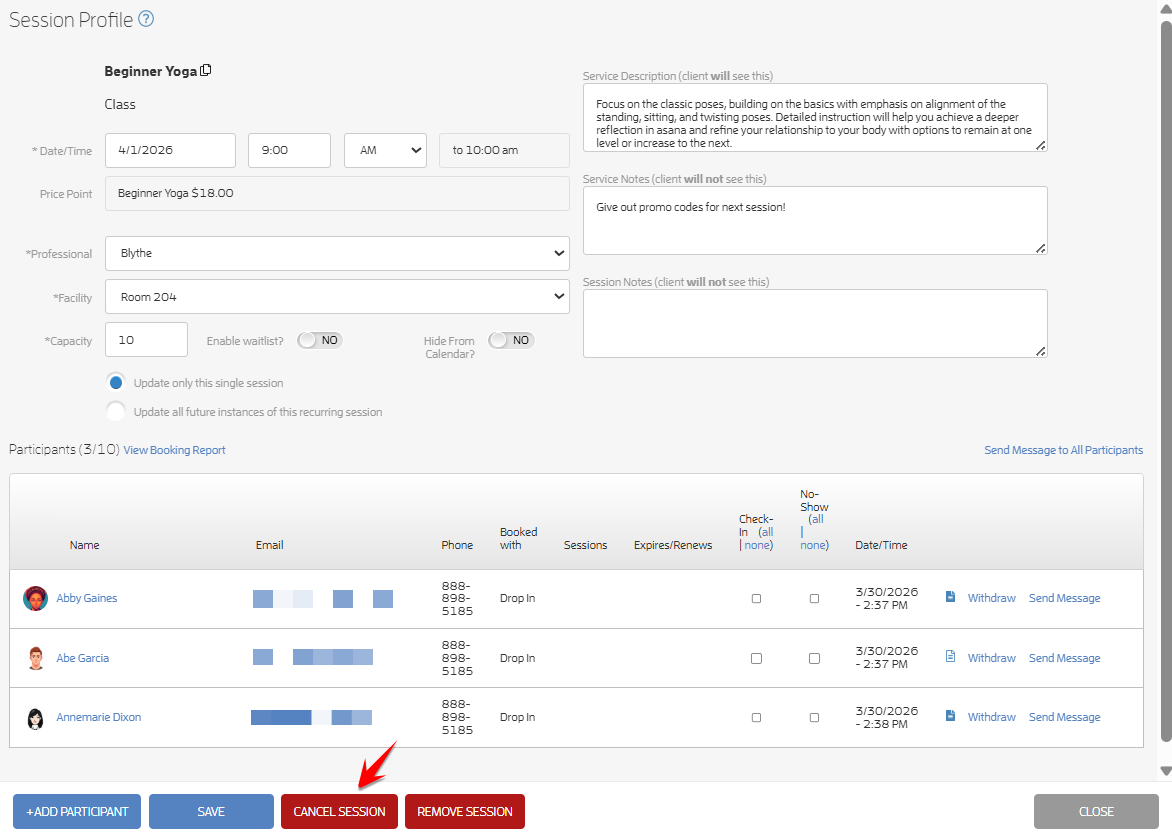
Click the CANCEL SESSION button.
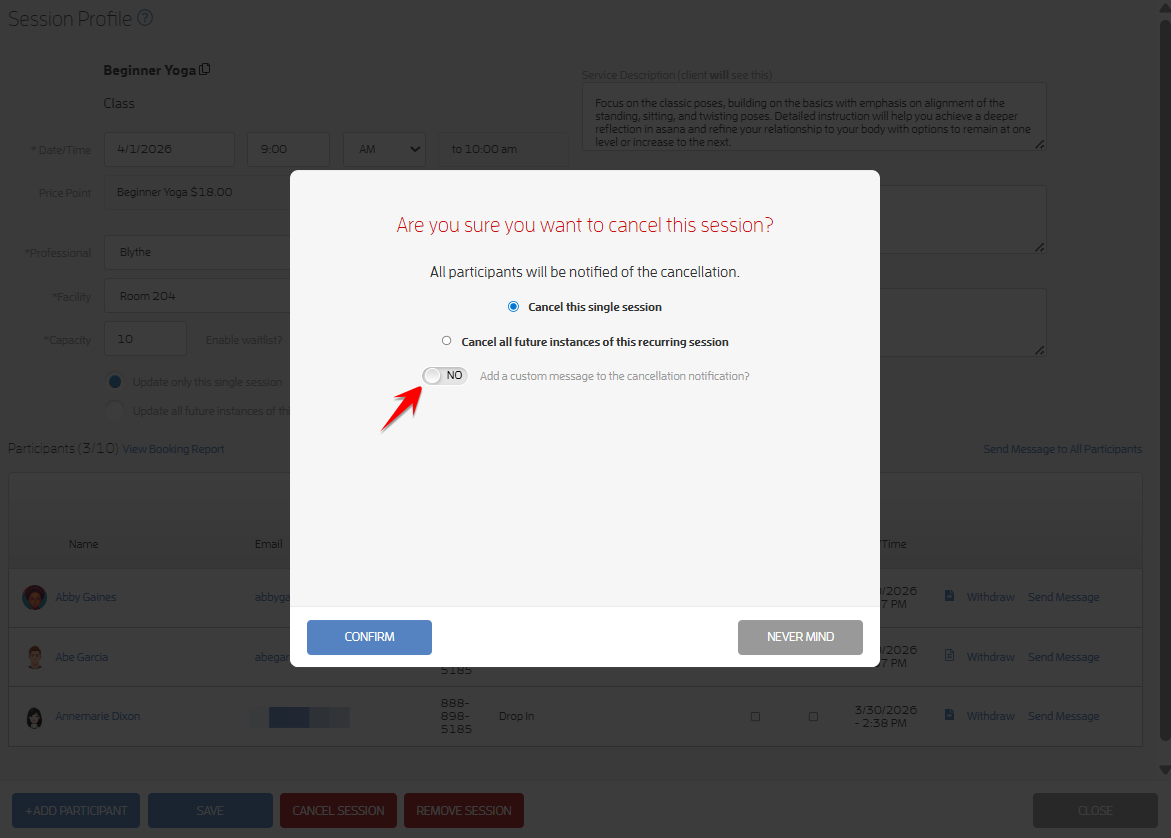
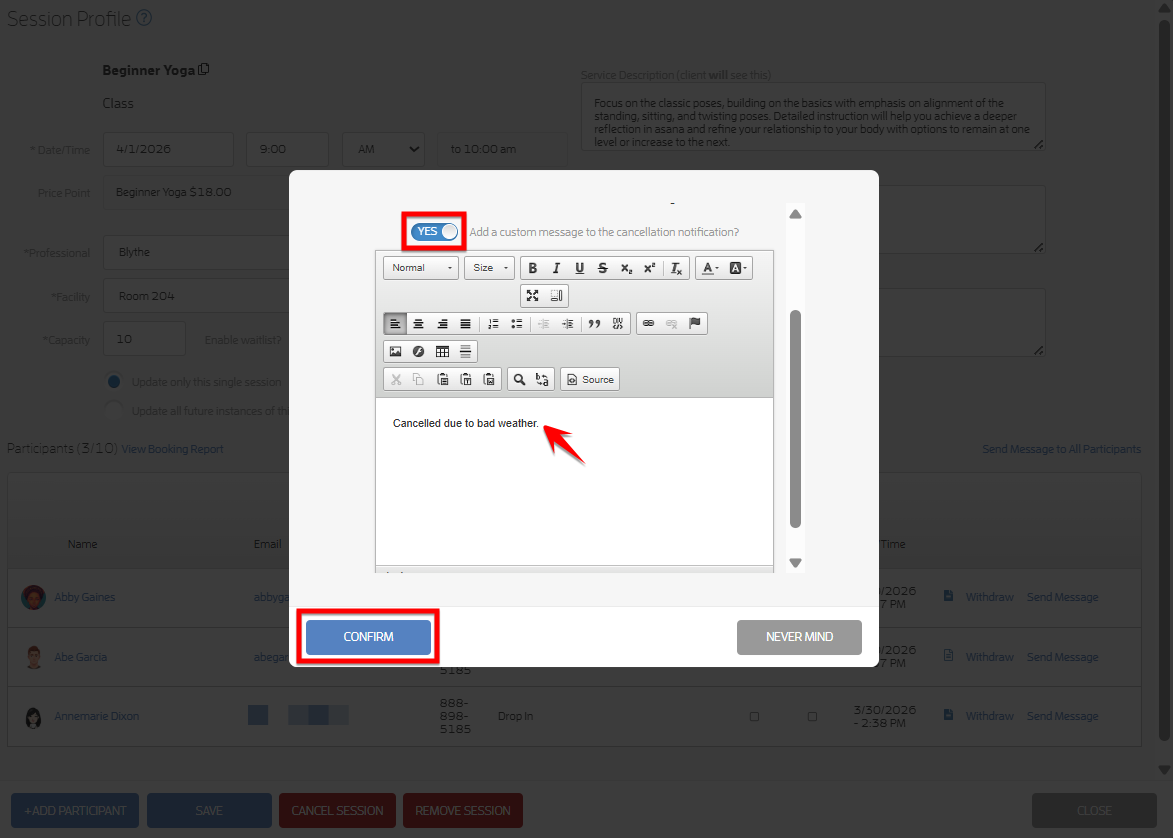
Turn on the “Add a custom message” toggle, scroll down, type your message, then click “Confirm”. Refer to the screenshots below.
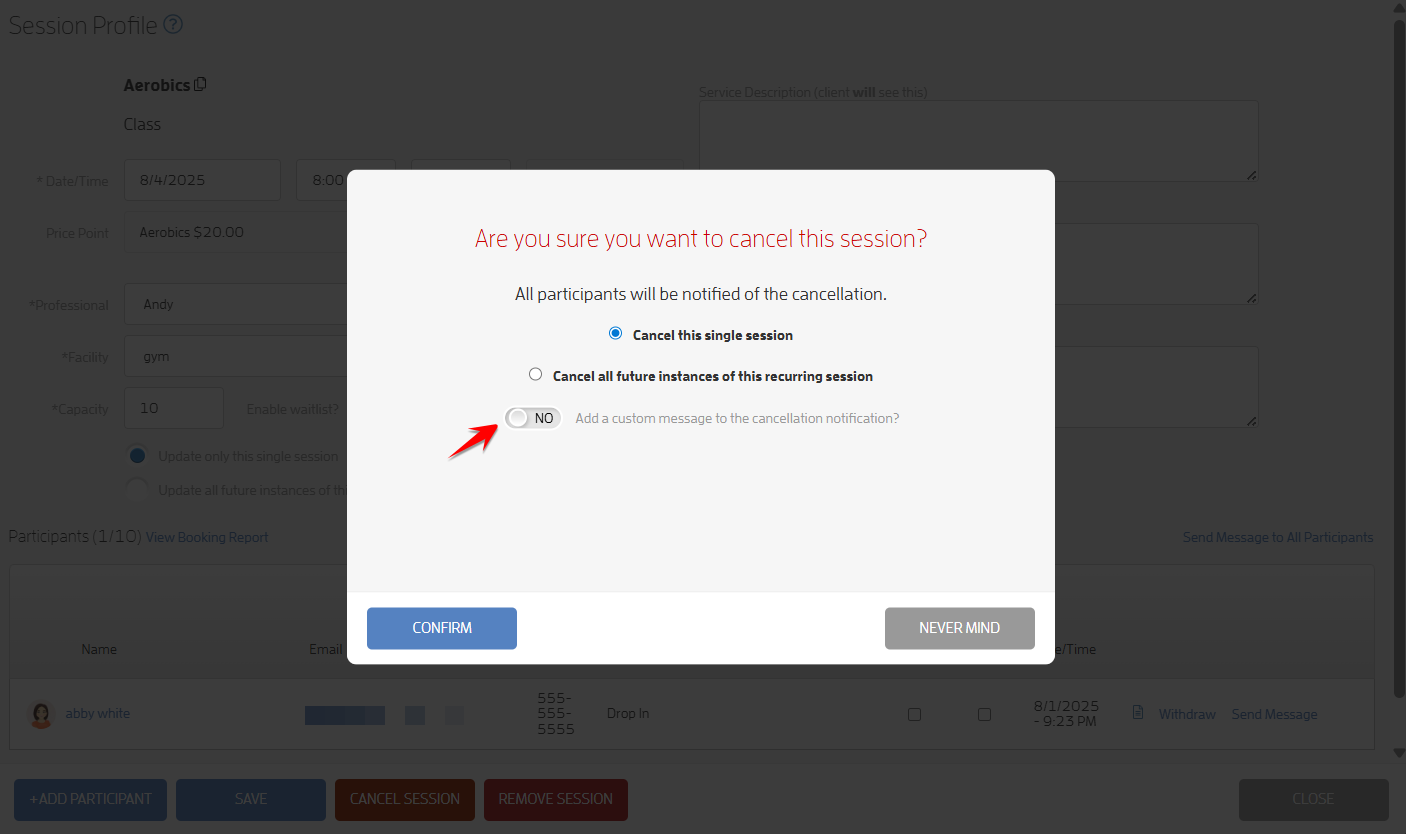
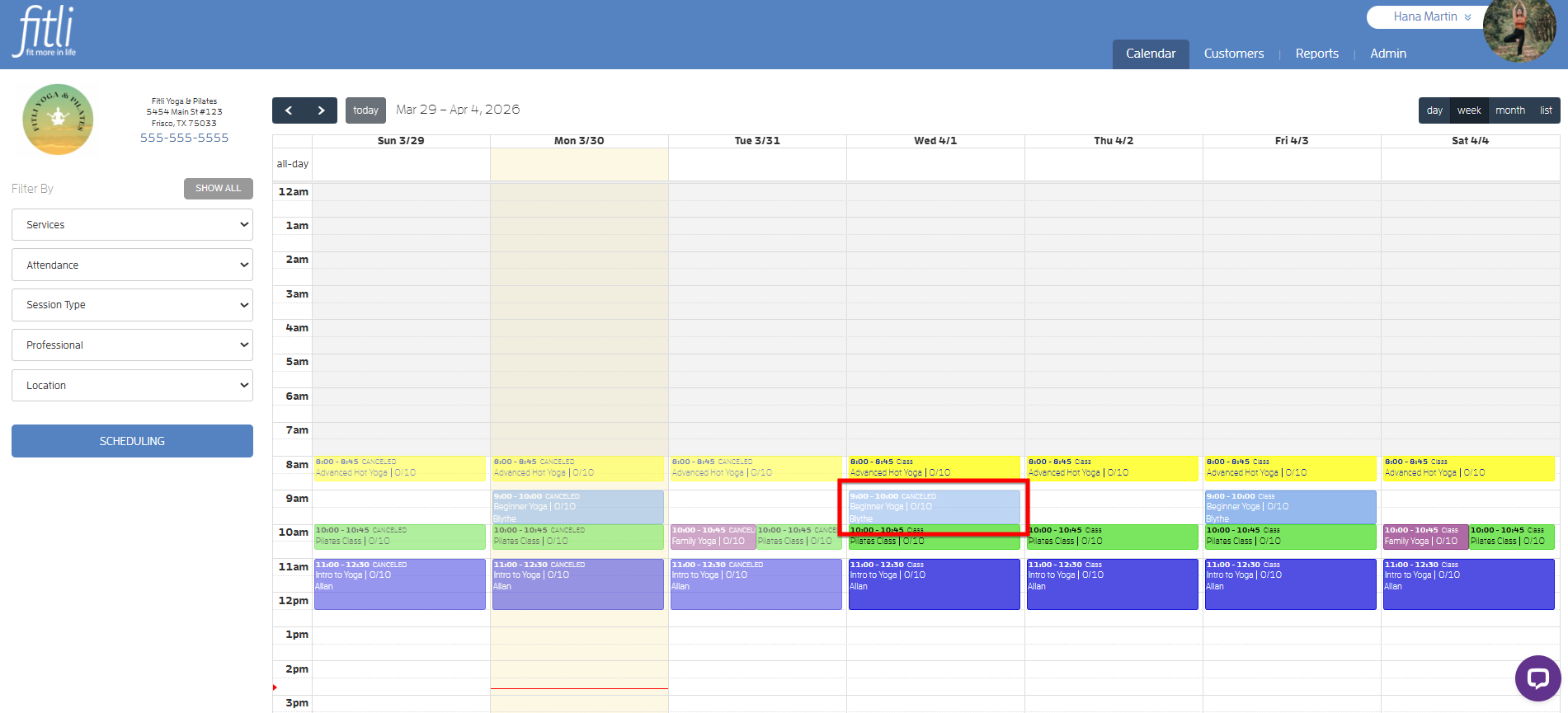
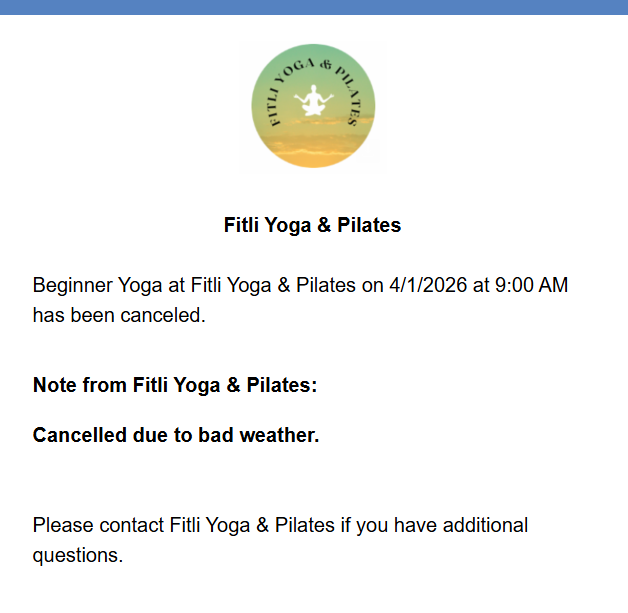
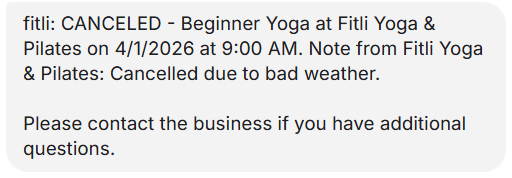
You will see that the class has been canceled, and your clients will receive the cancellation notification along with your custom message.
Cancelling an Appointment
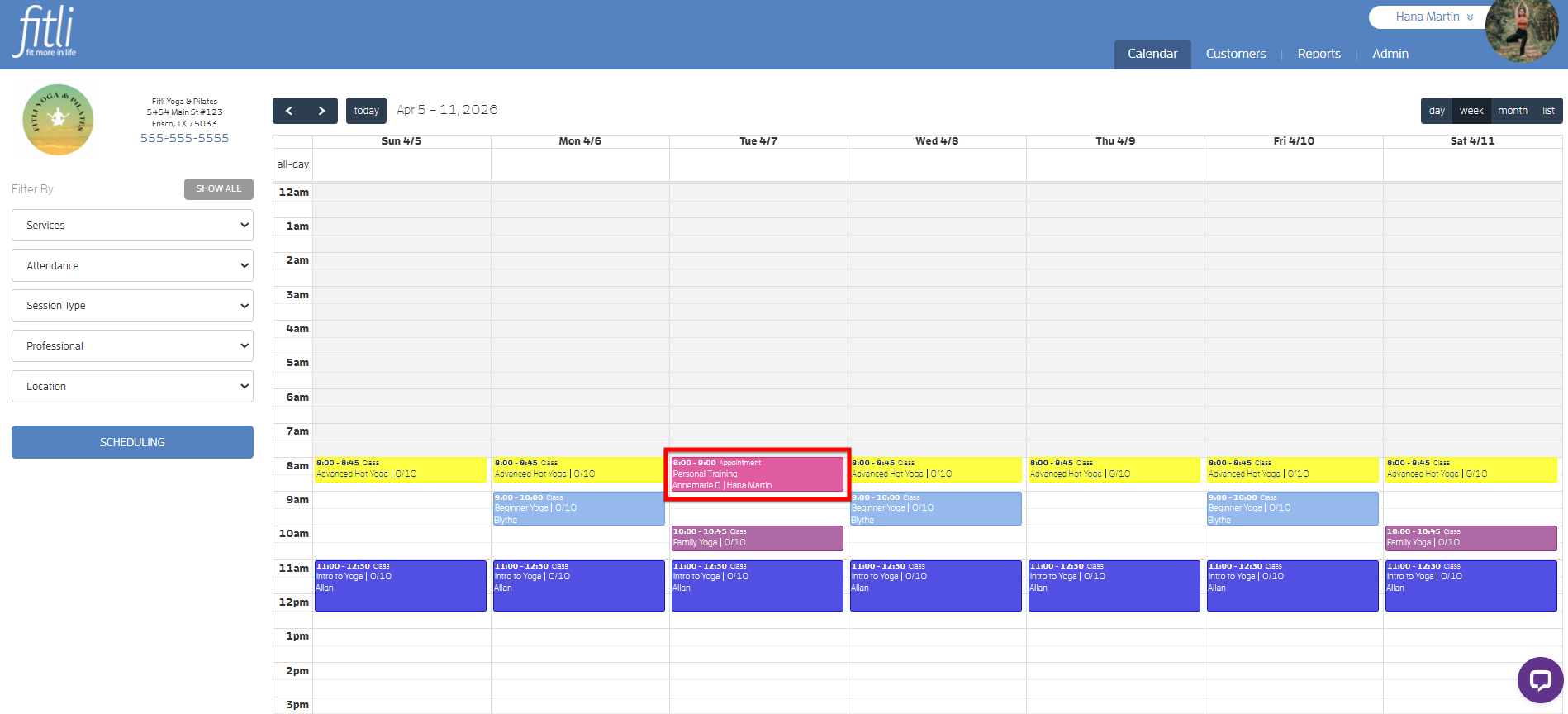
To do this, click the appointment on your calendar to open its profile.
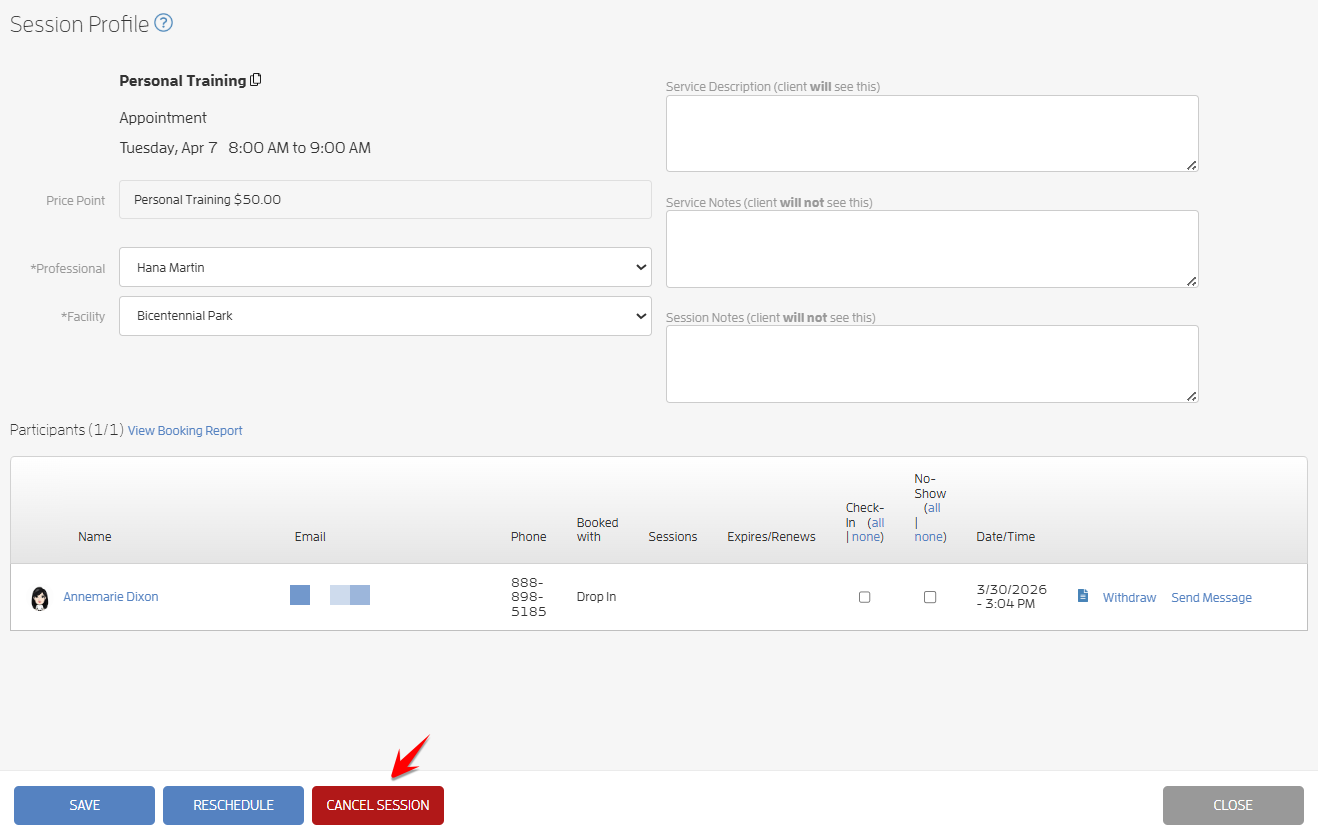
Click the CANCEL SESSION button.
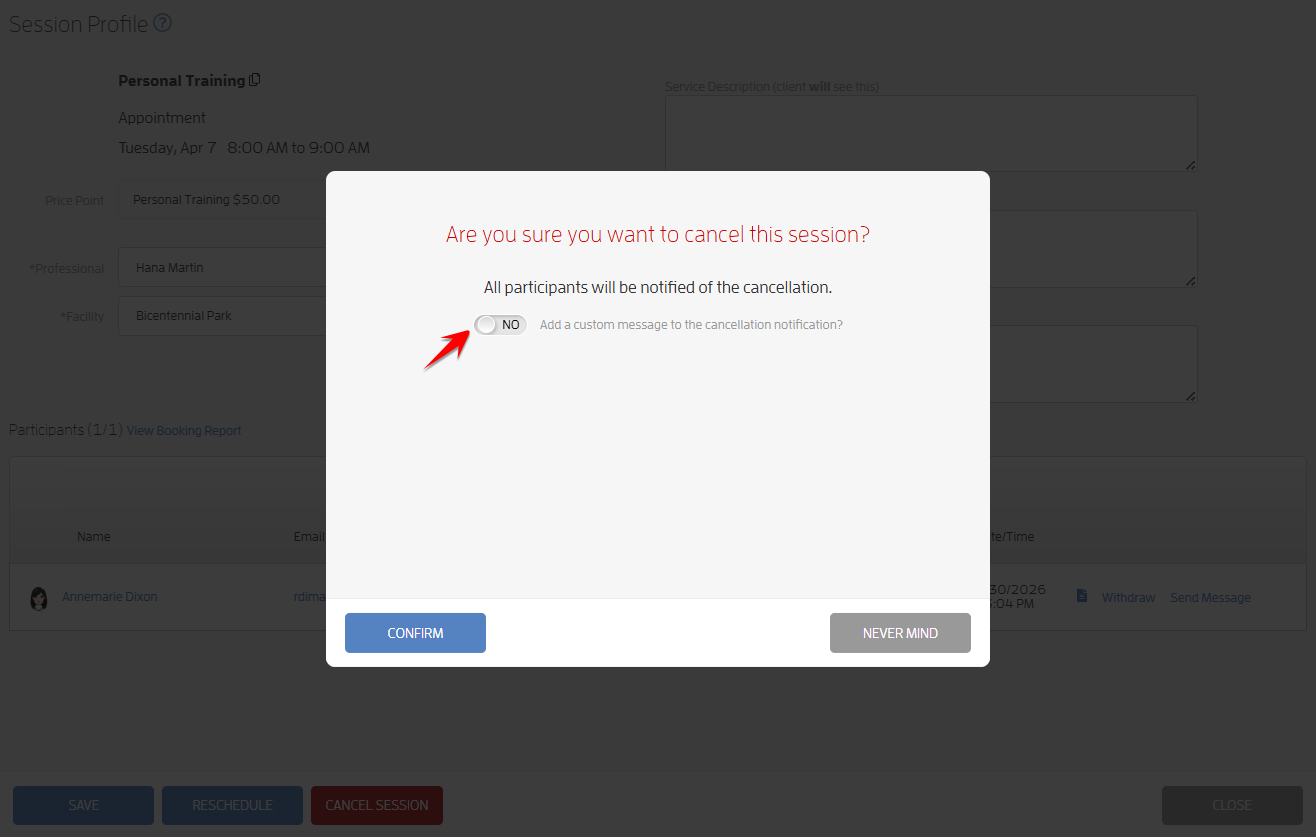
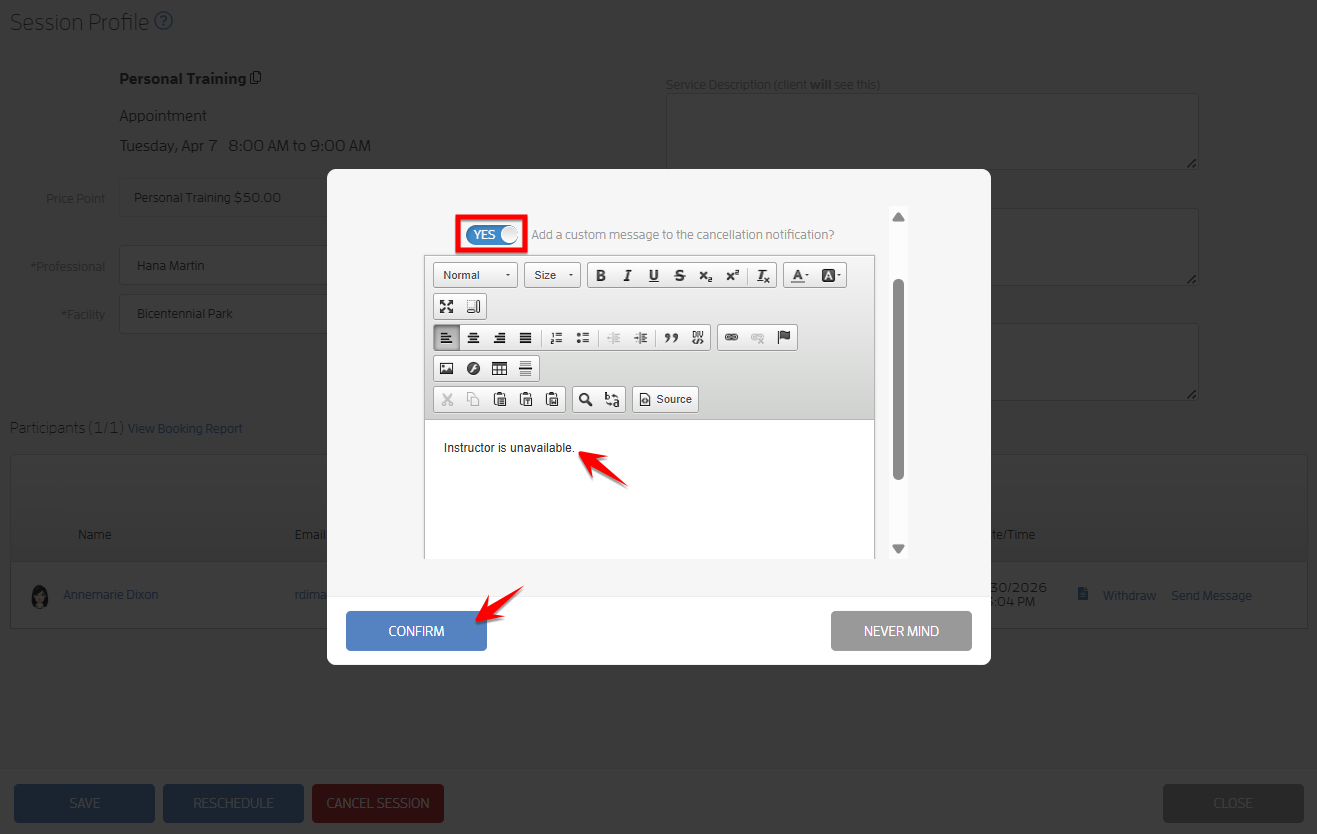
Turn on the “Add a custom message” toggle, scroll down, type your message then hit CONFIRM. Screenshots below.
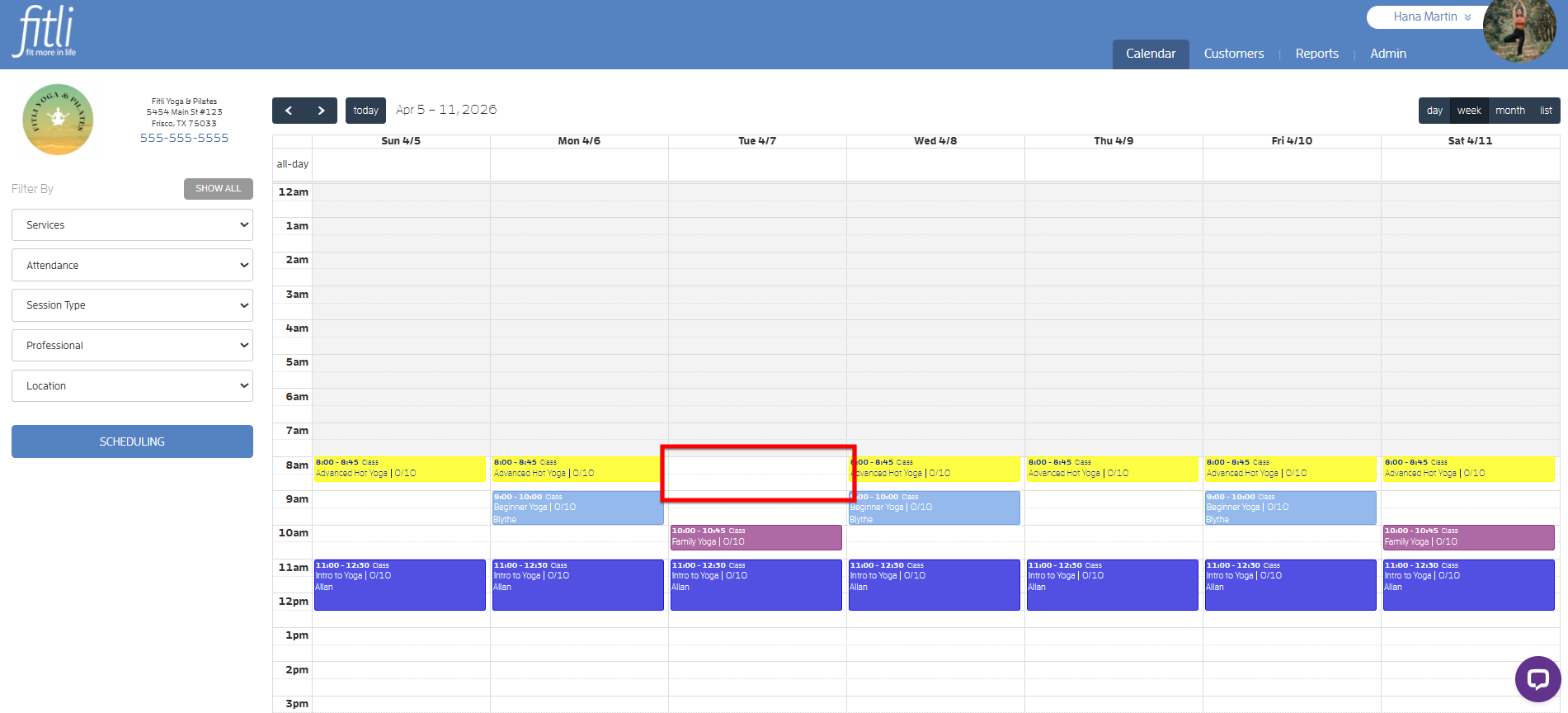
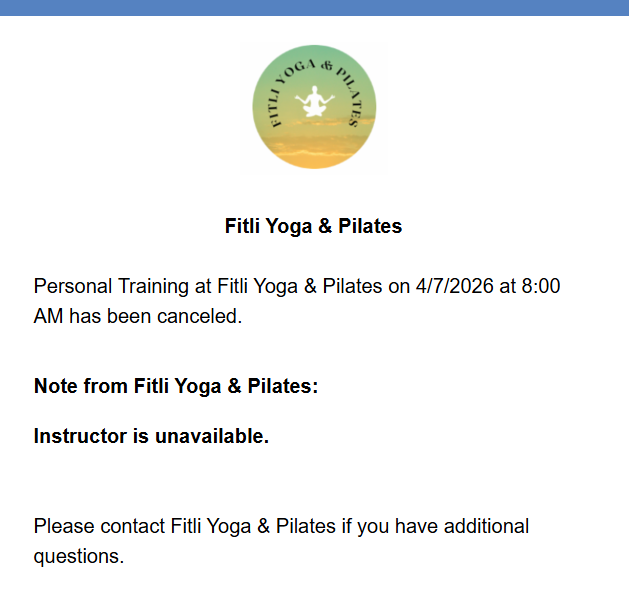
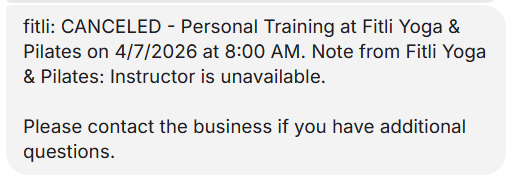
You will see that the appointment has been removed from your calendar, and your client will receive the cancellation notification along with your custom message.
That's about it! Any questions? Chat with us or send us an email to support@fitli.com.