
Do you have a client who is on an auto-renewing membership, and for some reason, you need to "cancel" their auto-renewing membership or uncancel its pending cancellation? Well, we make it easy, here's how!
Cancel Auto-Renew
Step 1: Head to the "Customers" section. Search for the customer then click on their name or the "View" link next to their name to visit their profile.
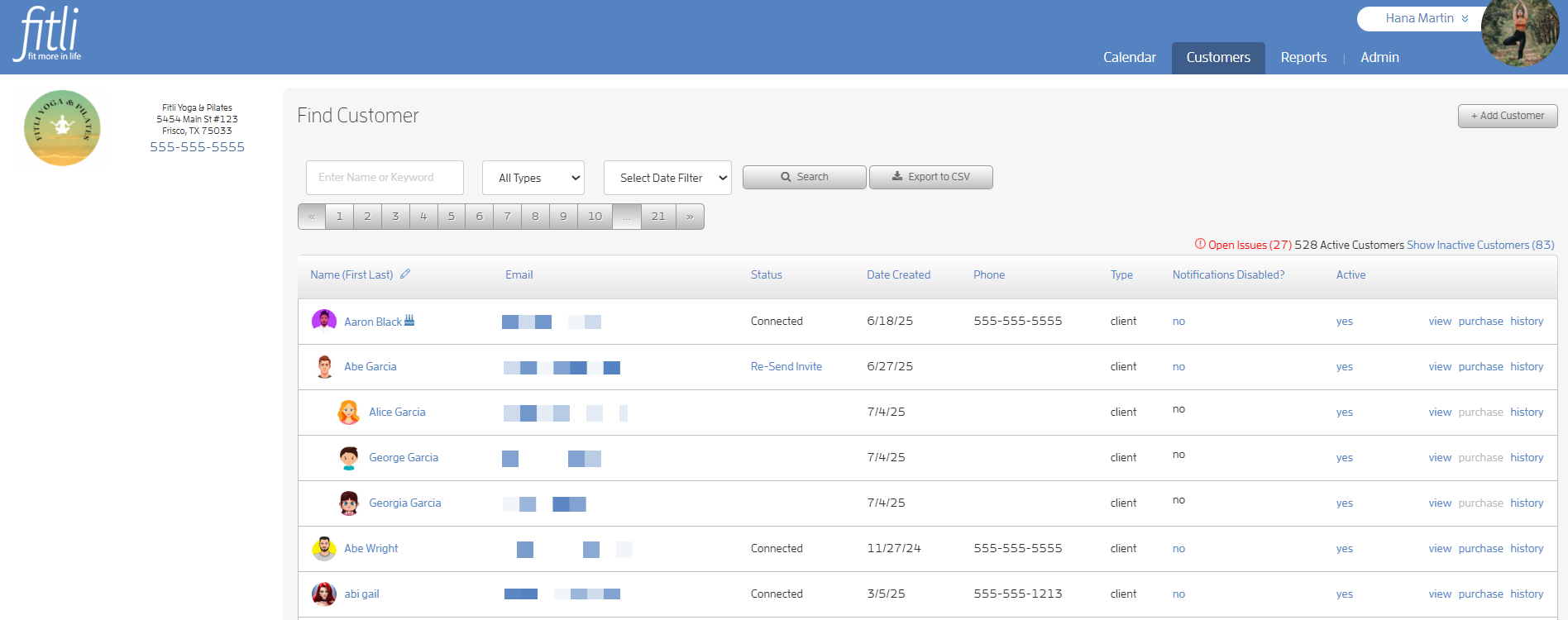
Step 2: Locate the auto-renewing package you wish to cancel.
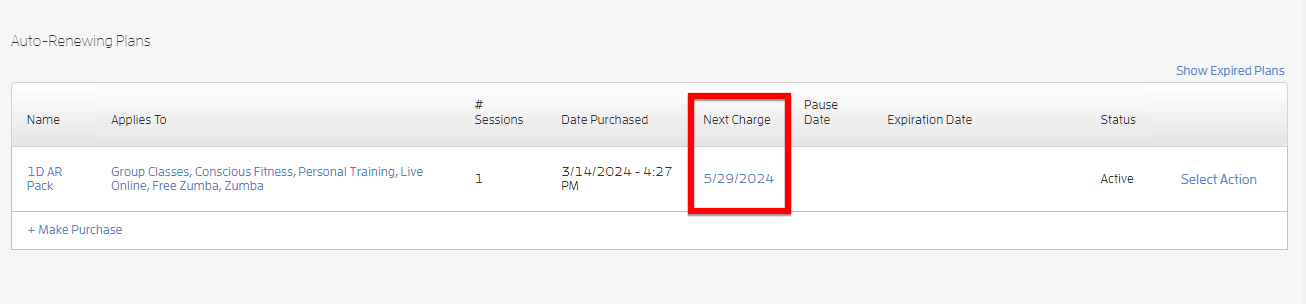
Scroll to "Auto-Renewing Plans" where you'll see the details of all their auto-renewing packages. In the screenshot below, you can see the client has an auto-renewing package with a "Next Charge" date.
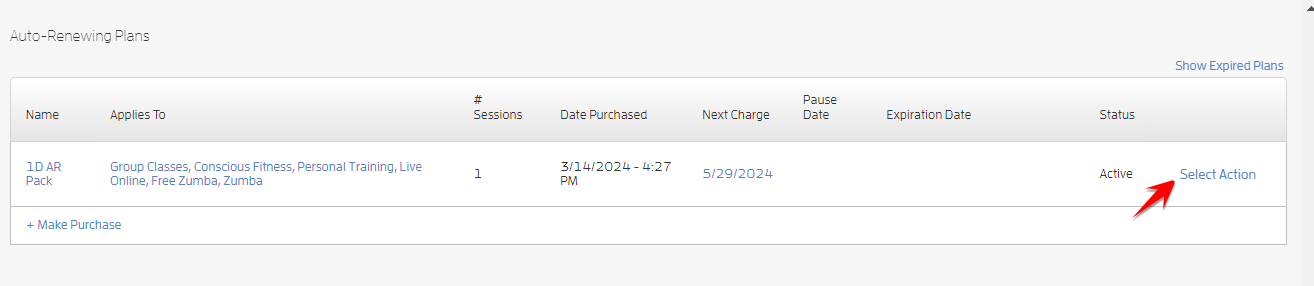
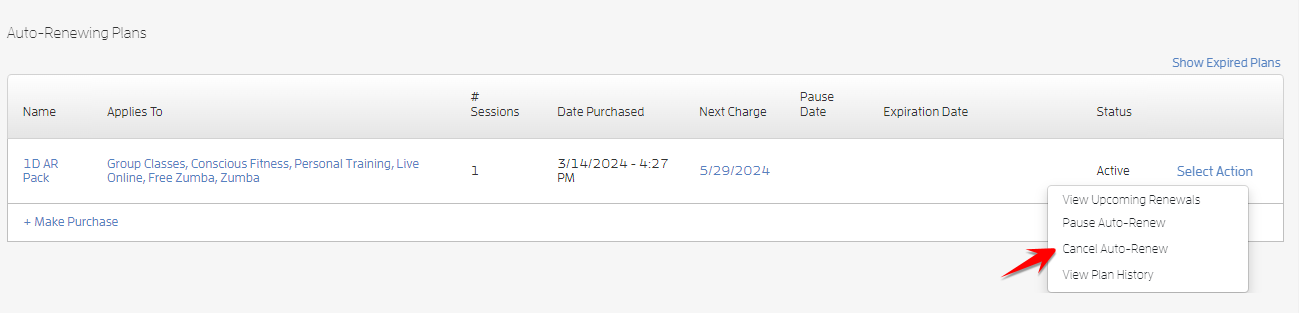
Step 3: Click “Cancel Auto-Renew.”
To cancel the auto-renewing package, simply click the "Select Action" link then select “Cancel Auto-Renew” on the pulldown.
You'll get a popup telling you that the expiration date will be set to the next charge date. This is just telling you that their membership will now expire when it was going to renew. Click CONFIRM.
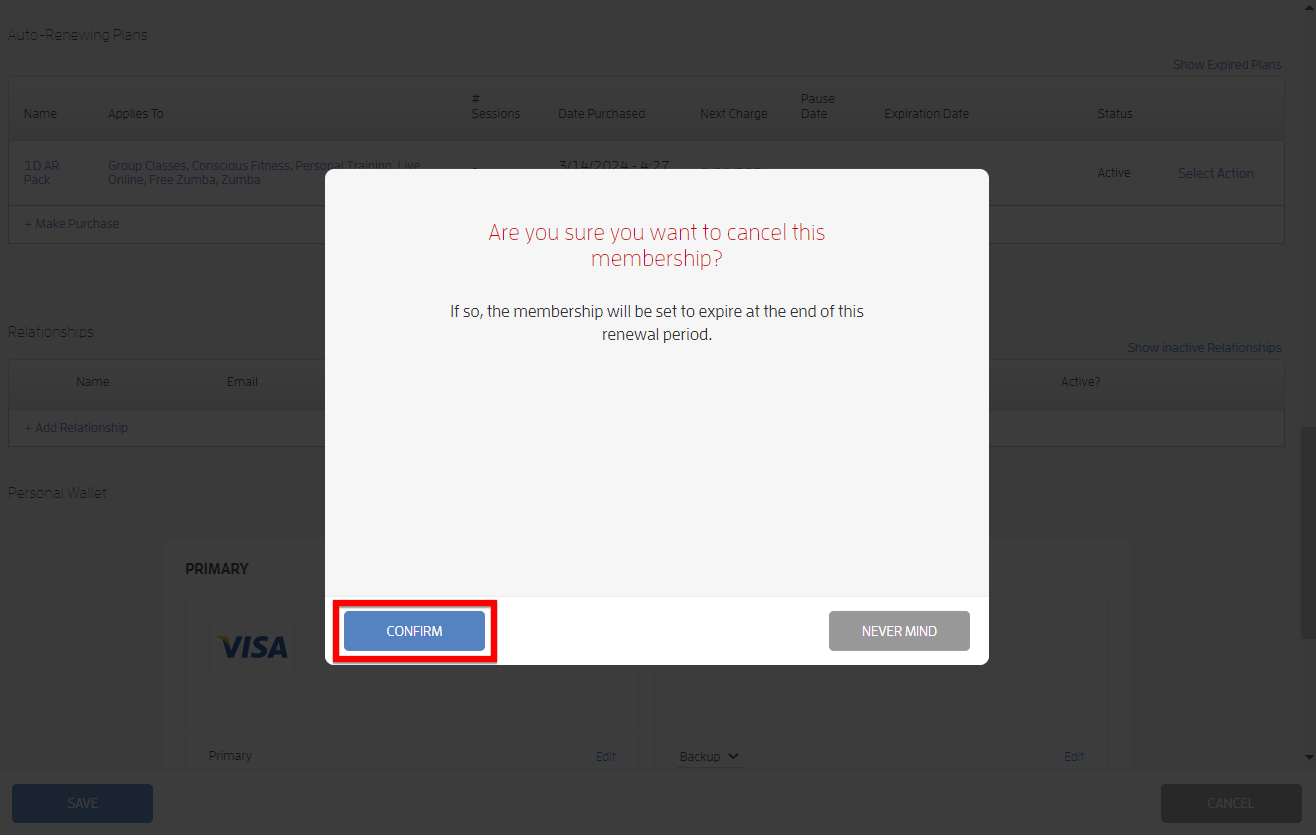
Step 4: Confirm the cancellation.
Now that you've canceled their auto-renew, you can verify by viewing the auto-renewing plan's status. You'll see the plan still listed under the "Auto-Renewing Plans" section and the status changed from “Active” to “Pending Cancel.”
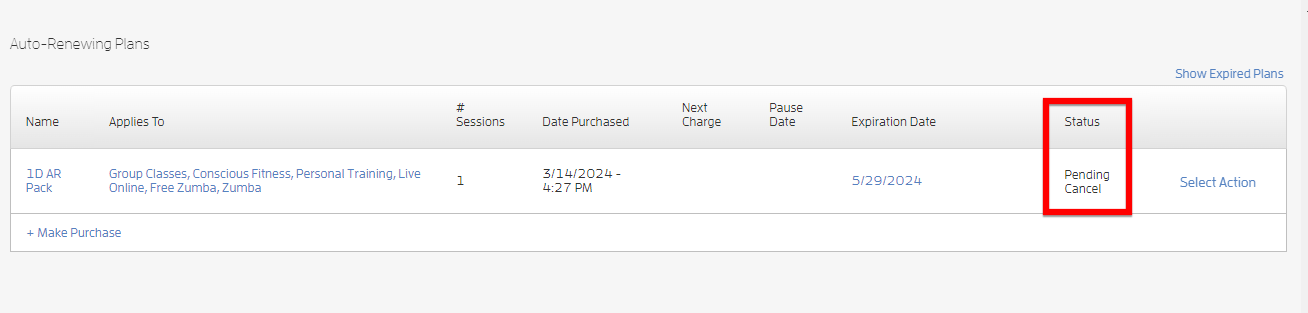
That's it! You've canceled your client's auto-renewing plan, and their membership is automatically set to expire!
Undo Cancellation
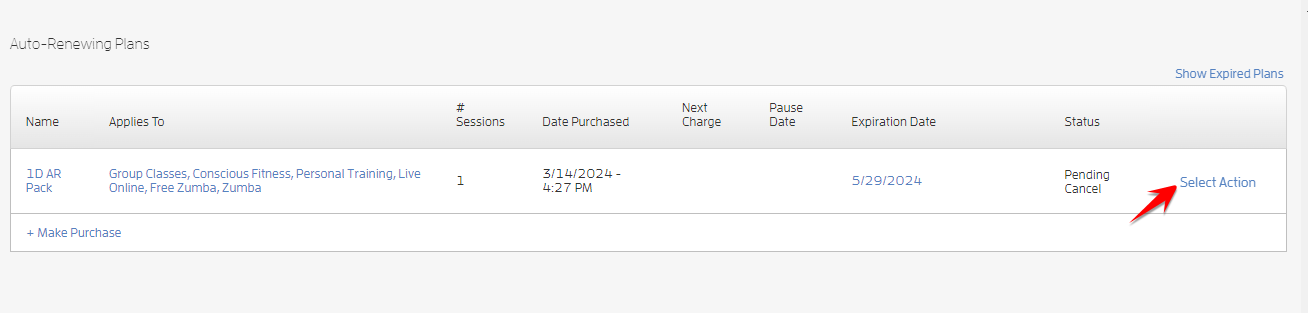
To uncancel your client’s cancelled Auto-Renewing plan, click the “Select Action” link.
Select “Undo Cancellation.”
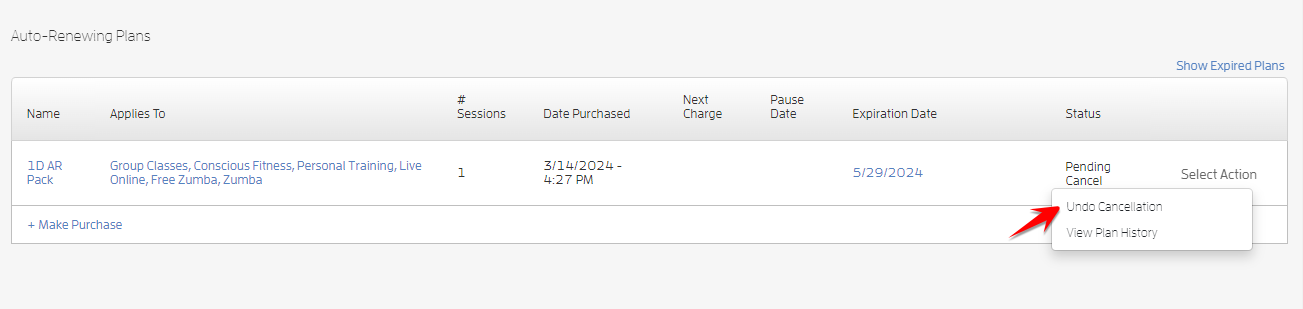
You'll get a popup telling you that the pending cancellation will be reversed. Click CONFIRM.
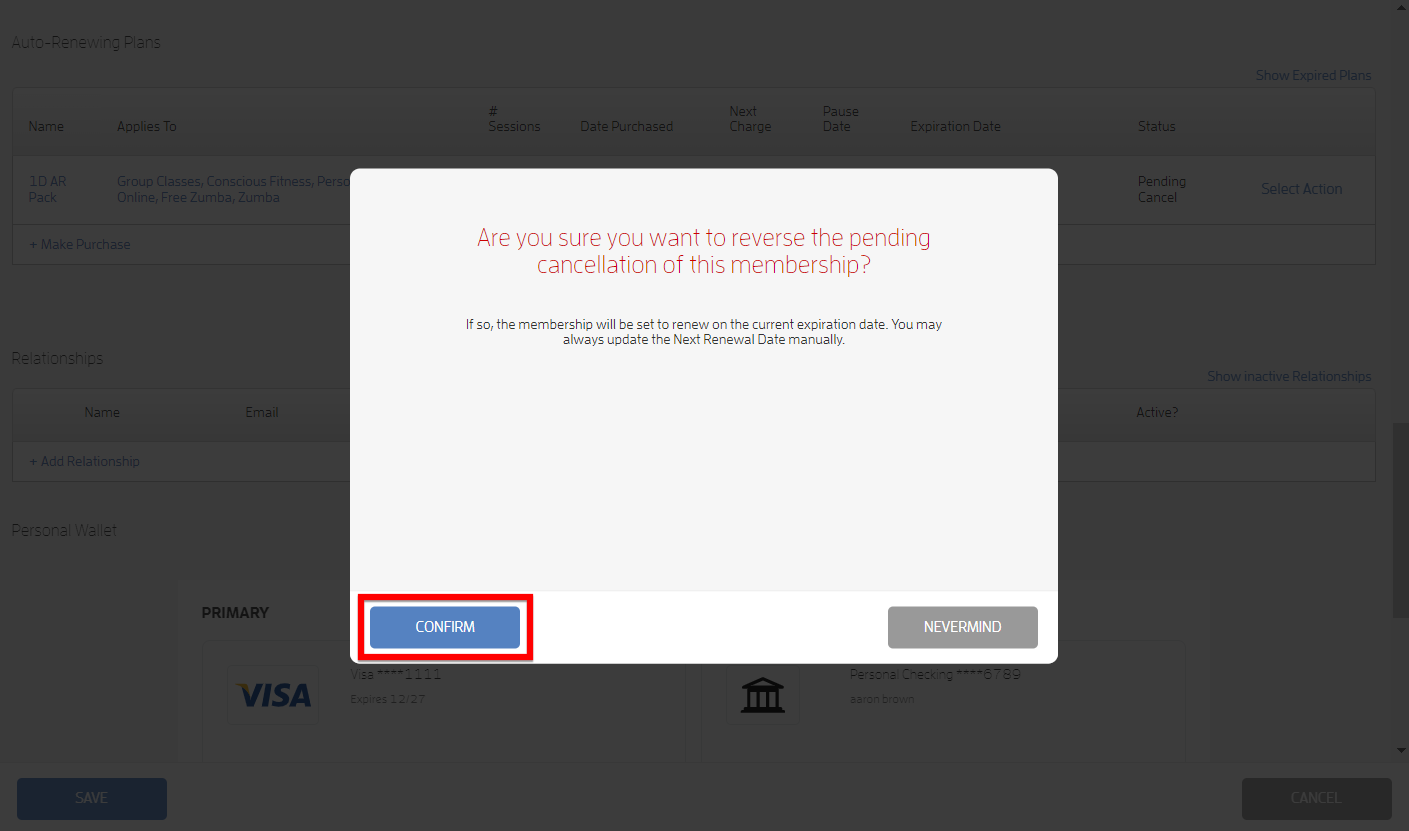
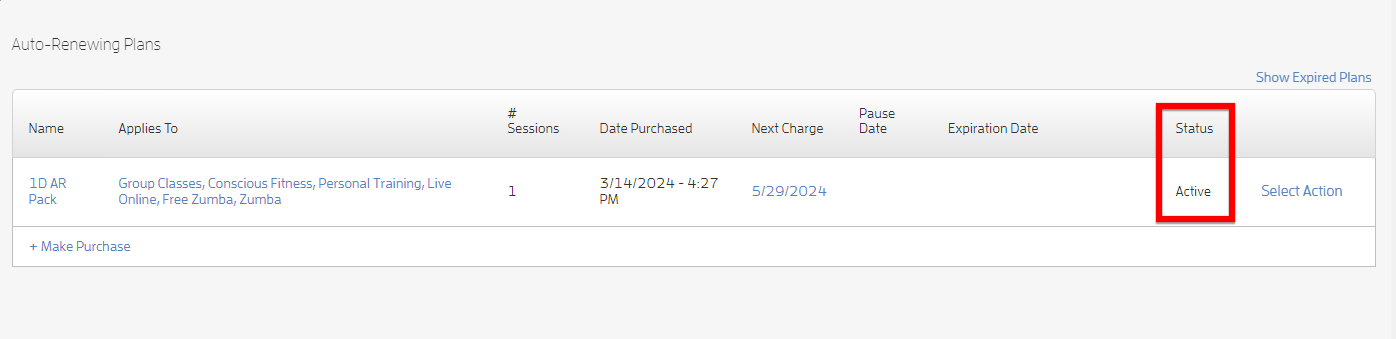
The status will change from “Pending Cancel” to “Active” and the membership will renew on the current expiration date
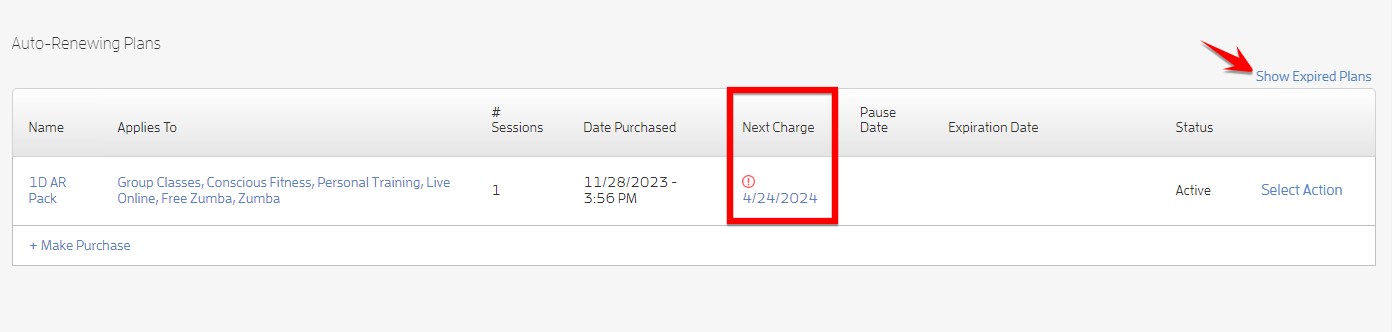
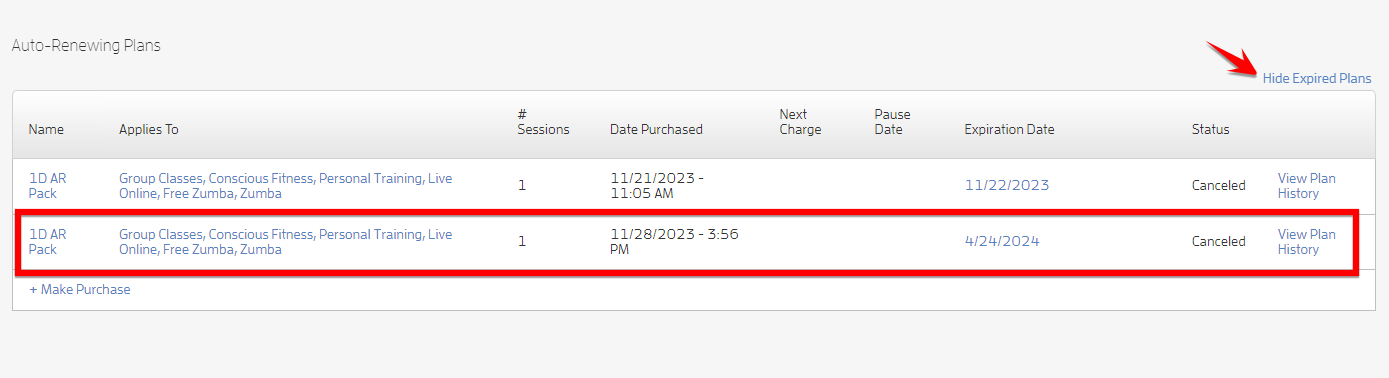
Note: If you cancel a plan that was past due, the plan will expire immediately and it will be “hidden.” To view it, click the “Show Expired Plans” link. You’ll see that its status changed from “Active” to “Canceled” and the “Select Action” link changed to “View Plan History”. To hide it, click “Hide Expired Plans.” Screenshots below.
That's about it! Any questions? Chat with us or send us an email to support@fitli.com.