
If you're looking to add one of your customers as a professional, teacher or instructor, using the same email address they've used for their Fitli personal account, the site won't allow you to do this. The site will prompt you that the email address is already associated with a different account. The best way to deal with this is to advise them to upgrade their account type from Personal to Professional and invite your business. Here's a helpful GUIDE you can send to them.
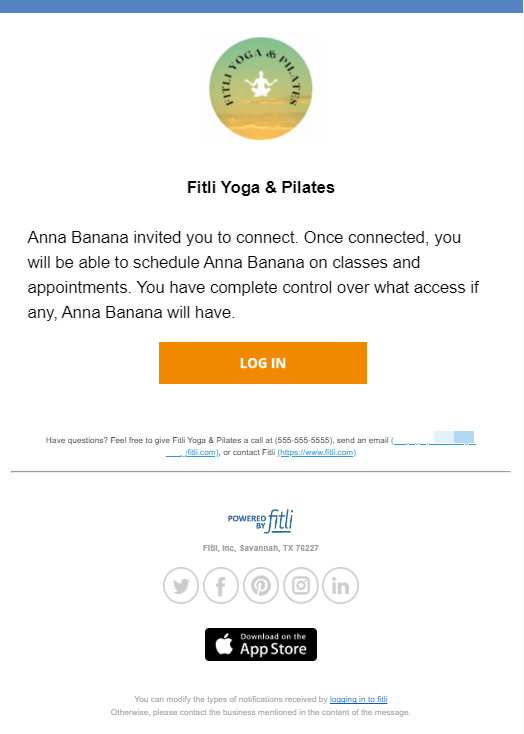
Once they're done sending you the invite, you'll receive an invitation email to your business email address to connect with them and you'll also see them on your Users list with the connection status "Received." Screenshots below.
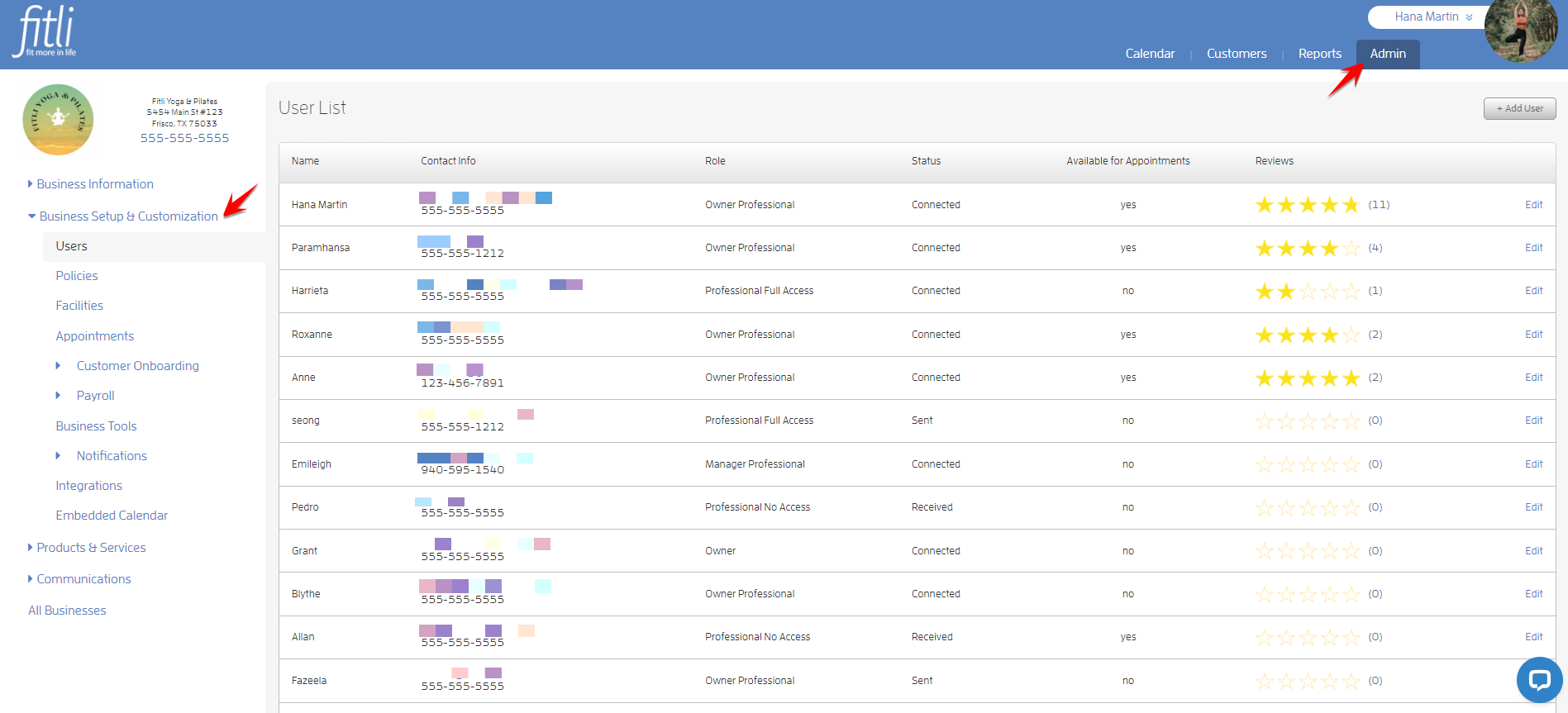

To accept the invite, click the "Edit" link beside the user to open their profile, select their "Role" on the pulldown then hit ACCEPT at the bottom and you're done!

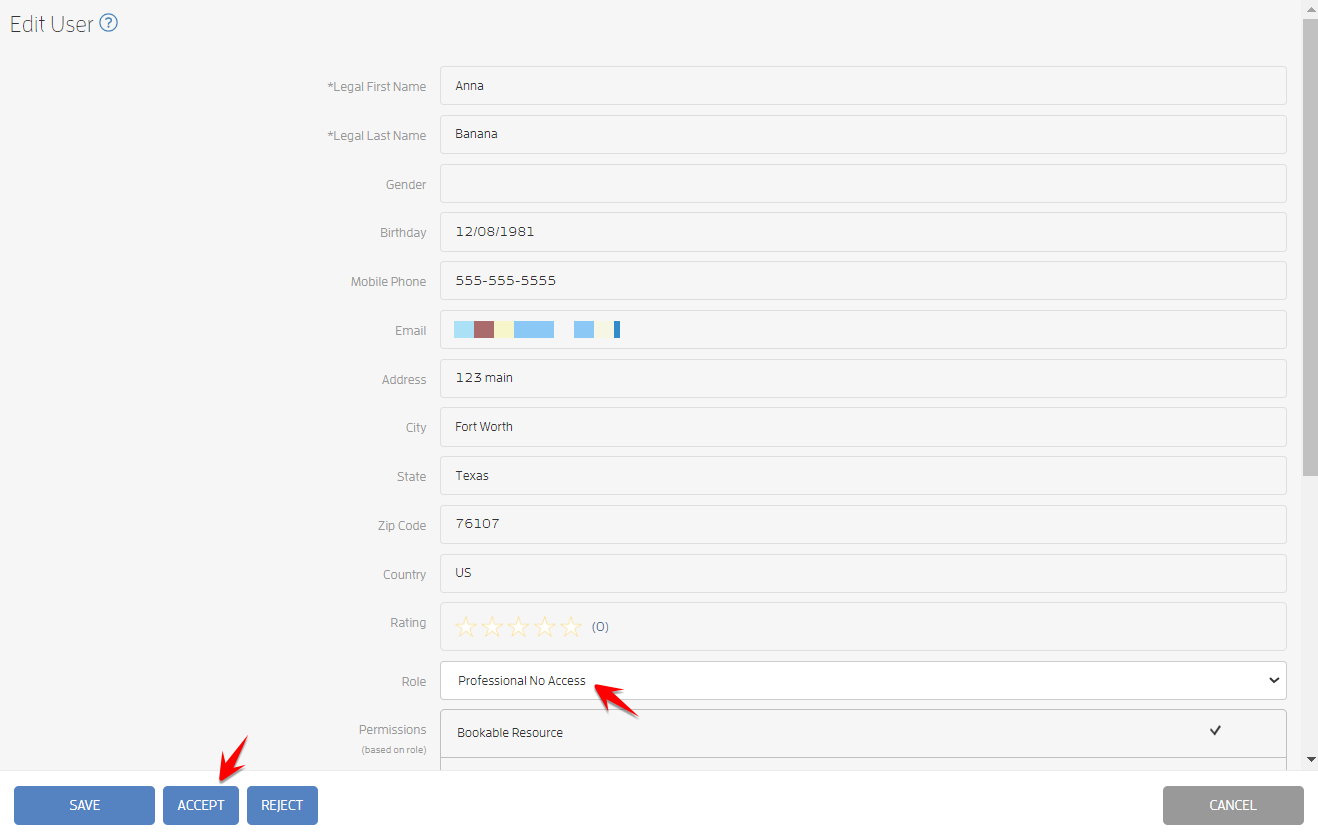
Their connection status will change to "Connected."

To know more about Fitli's users' roles and privileges, click HERE for a detailed guide.
Any questions? Chat with us or send us an email to support@fitli.com.