
You can remove or hide your clients who are no longer involved with your business with just a few clicks Here's how.
Make Customers Inactive
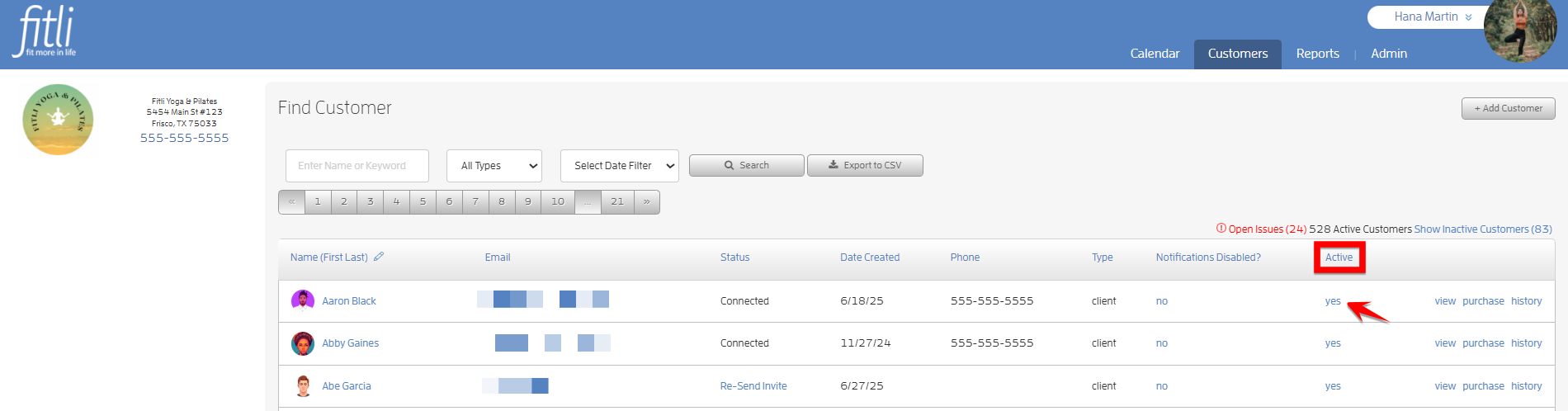
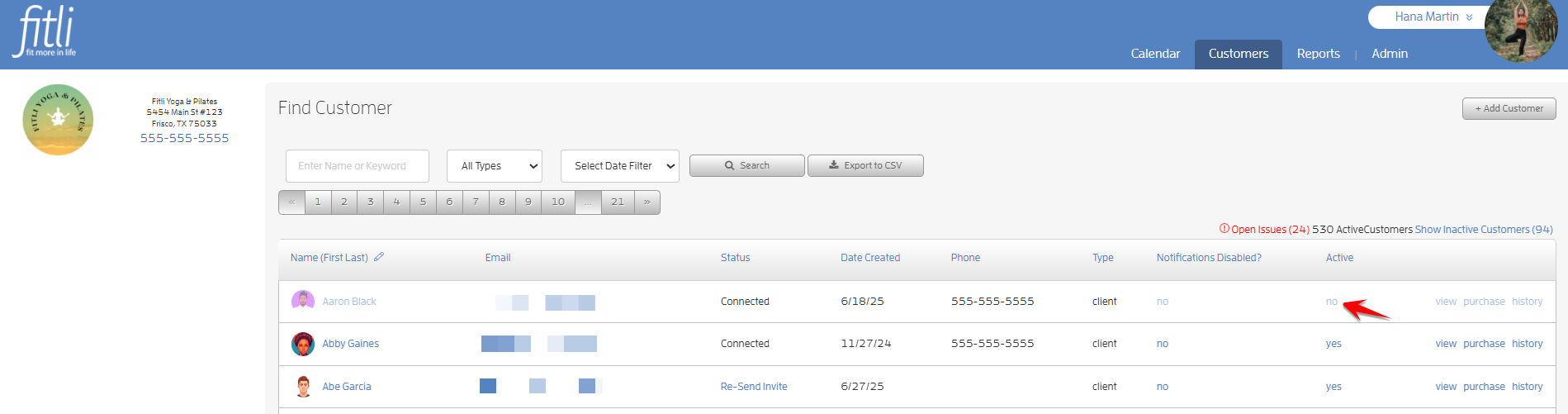
From the main "Customers" list, you will see a column titled "Active?". Click "yes" to turn a client inactive, or "no" to make them active. It's that easy! Click to hide and click to un-hide!
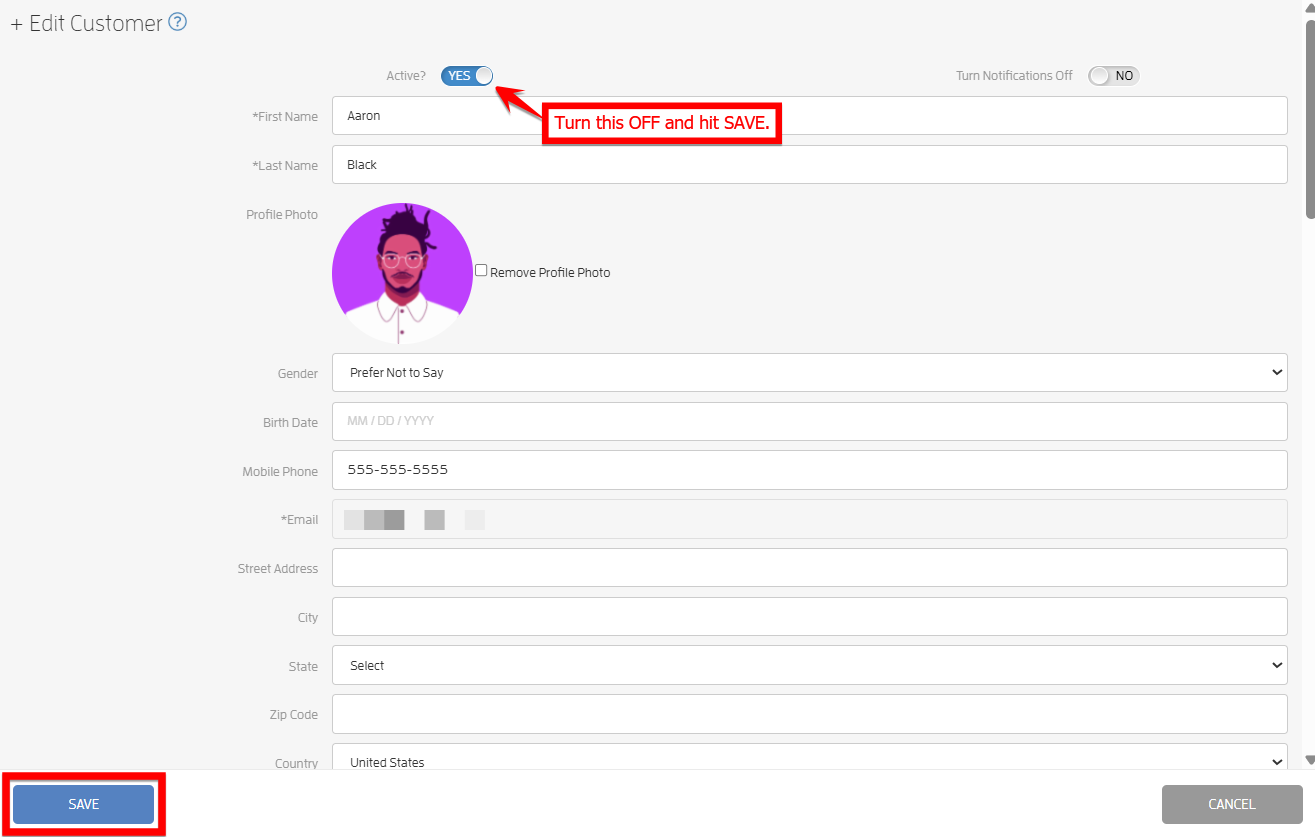
Or, if you're in a client's profile and you'd like to set them as inactive, click the "Active?" toggle then hit SAVE.
Show Inactive Clients
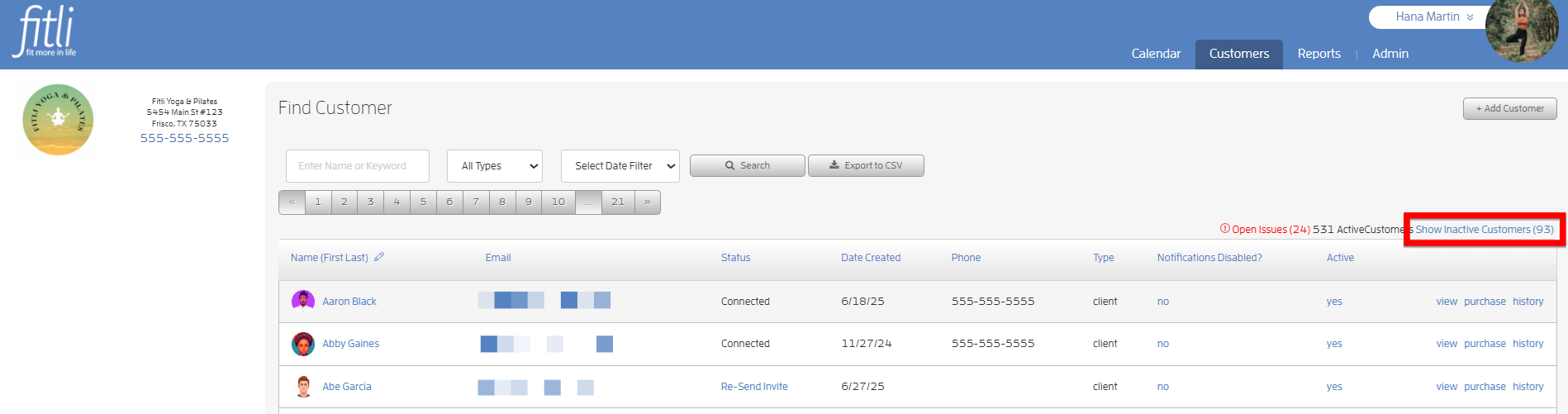
Then, if you want to view your inactive clients, click the "Show Inactive Customers" link to show those clients (sorted alphabetically) in your main customer list.
That's about it! Any questions? Chat with us or send us an email to support@fitli.com.